


No products added!
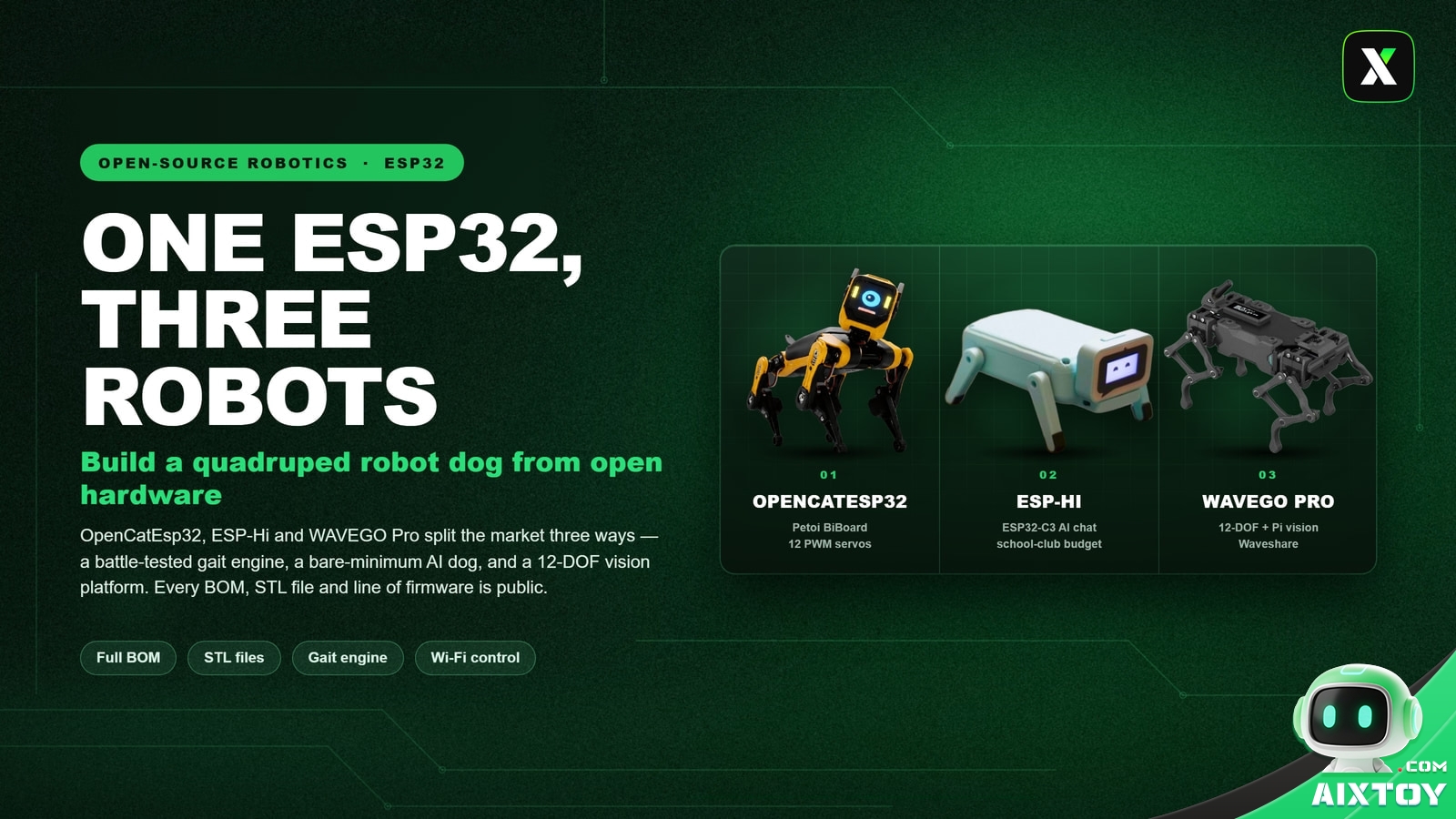
Most robot-dog projects die at the same place: the gait. Servos are cheap, 3D printers are everywhere, and a quadruped looks like four straight lines until it has to actually walk without falling over. That is why the three projects below matter more than their parts lists. Each one hands you a working motion stack — the part that is genuinely hard — and each one is aimed at a different kind of builder.
OpenCatEsp32 is the one to study if you plan to read the code. ESP-Hi is the one to build if your budget is measured in tens of dollars. WAVEGO Pro is the one to buy into if you need twelve joints and a camera. All three run on the same ESP32 family, flash from the same Arduino toolchain, and publish their hardware, firmware and 3D files.
What the three projects actually share
Strip away the marketing and a hobby quadruped is four problems stacked on each other. You need enough PWM channels to hold a leg against gravity. You need inverse kinematics so that moving one joint does not tear the leg apart. You need a state machine that sequences a trot instead of flailing. And you need an IMU feeding corrections fast enough to matter. Every project here solves all four — just at very different prices and with different headroom.
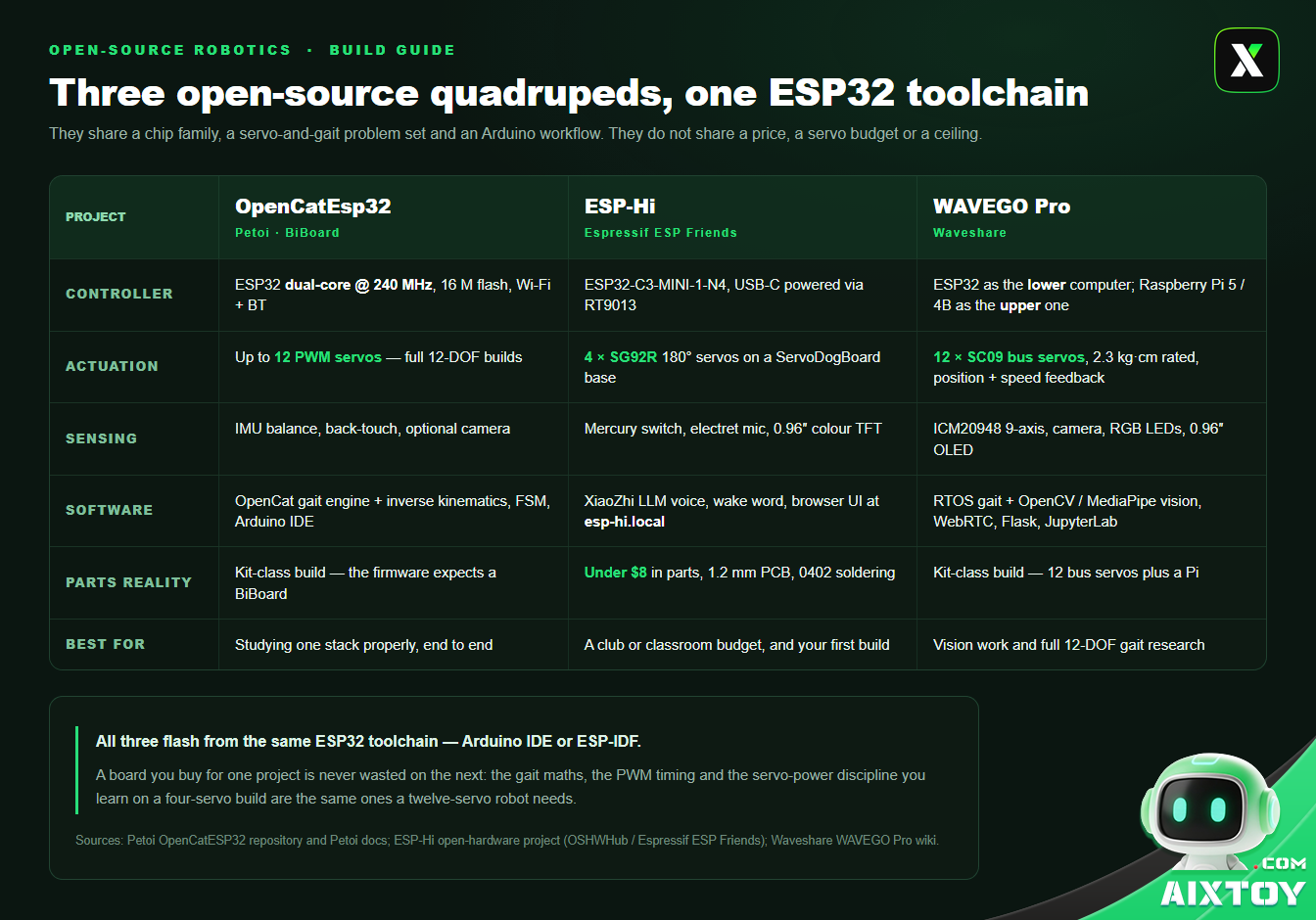
The comparison is worth reading down the software row before the hardware rows, because that is where the projects differ most. OpenCatEsp32 ships an established gait engine. ESP-Hi ships a voice loop. WAVEGO Pro ships a vision pipeline. A cleverer frame will not save a robot with a worse motion stack, and a mediocre frame will still walk if the stack underneath it is good.
OpenCatEsp32: the platform with 30,000 robots behind it
If you only ever build one of these, build this one. OpenCatEsp32 is maintained by Petoi, and the numbers behind it are unusually concrete: more than 30,000 robots shipped across all channels, into 60+ countries, with over $1M raised across two crowdfunding campaigns and more than 20 academic papers citing the platform. It is one of the most-starred open-source quadruped repositories on GitHub.
The project began in 2016, when Dr. Rongzhong Li started writing OpenCat in his dorm room at Wake Forest University, inspired by Boston Dynamics’ Spot. The goal then is the goal now: make a walking quadruped cheap and hackable enough that a school club, not just a funded lab, can work on it.
What is actually on the BiBoard
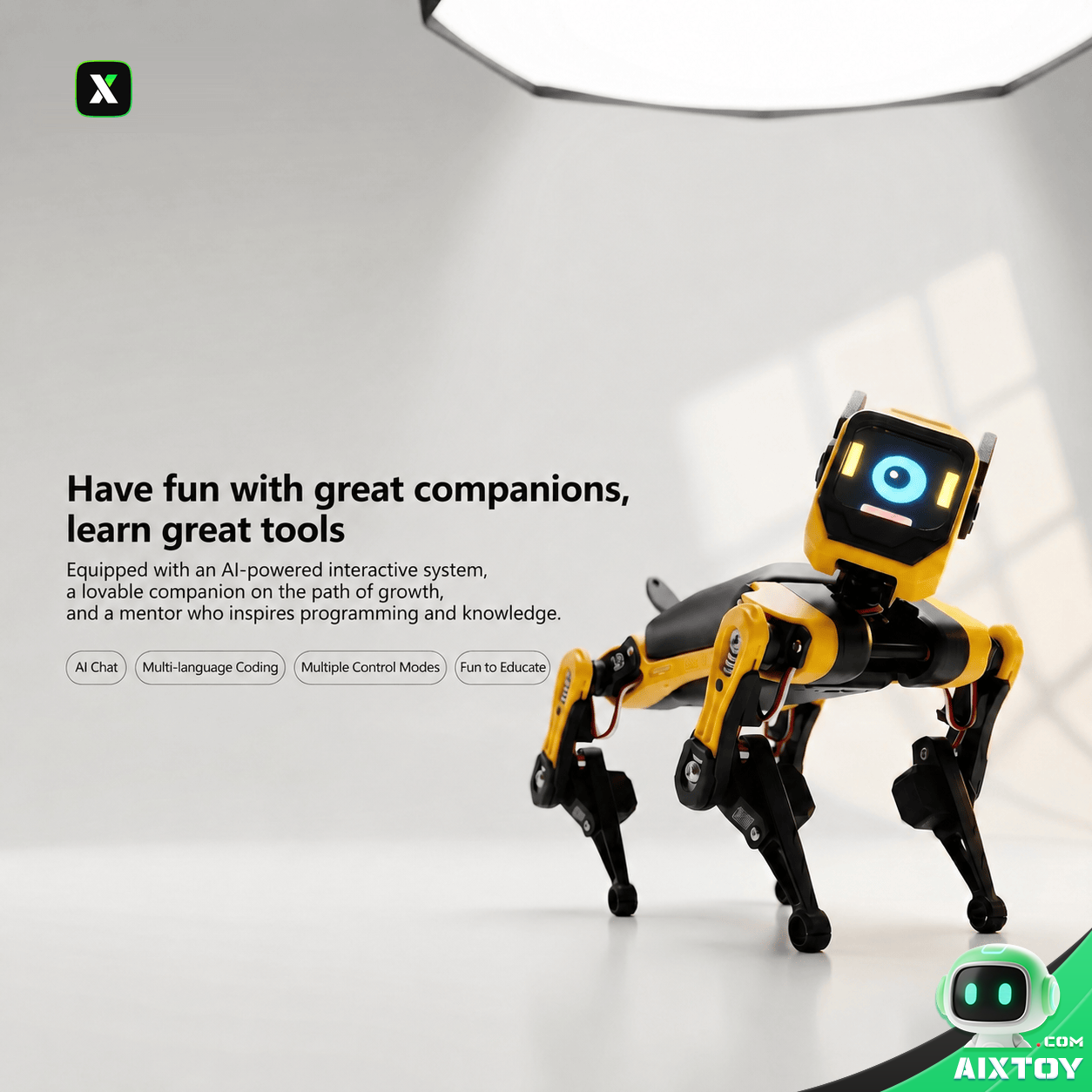
The current-generation board is the BiBoard, built around an ESP32 dual-core running at 240 MHz with Wi-Fi and Bluetooth on board, 16 MB of flash, and headers for up to 12 PWM servos — enough for a full 12-DOF machine. It is the control board for two shipping robots: Bittle X, a mini robot dog and AI robotics kit with voice control, and Nybble Q, the mini robot cat that runs on the same stack.
The older ATmega328P-based NyBoard generation (the original Bittle and Nybble) is discontinued, which is worth knowing before you follow a five-year-old tutorial. If you are setting up the build environment, the documented Arduino IDE configuration is unglamorous and specific: board ESP32 Dev Module, upload speed 921600, CPU frequency 240 MHz, flash size 4 MB, PSRAM disabled.
The software you are really there for
OpenCat’s value is the gait engine: inverse kinematics plus a finite state machine that manages gait transitions and phase timing, with an IMU balance loop active in most postures. You do not have to derive how a trot works before your robot can trot.
Calibration is more approachable than it sounds. You put the board into configuration mode and send the character c from the serial monitor; the firmware rotates the joints to known positions so you can seat each servo horn correctly. Petoi’s phone app offers the same calibration visually, which matters when you are holding a robot in one hand and a screwdriver in the other.
Four things that will bite you when you clone it
The firmware is bound to BiBoard’s servo mapping. A generic ESP32 board will not run the official firmware as-is; you have to port the pin and servo mapping yourself. This is the single most common surprise for people who assume the hardware is plug-and-play.
Servo driving has two routes. You can use the BiBoard’s onboard servo headers, or add a PCA9685 over I²C (SDA to GPIO21, SCL to GPIO22). Worth knowing: a classic ESP32’s LEDC peripheral supports up to 16 PWM channels, so a build at 12 DOF or below does not strictly need an external driver board at all.
Calibrate the servo centres before you assemble the legs. Doing it afterwards means disassembling a leg you have already built.
Give the servos their own power supply and tie the grounds together. Four servos stalling at once will pull the controller rail down and brown out the board. This failure looks like a software crash and is not one. The same warning applies to every project on this page, and it is the reason so many first builds appear to work on the bench and fail the moment the robot tries to stand.
Finally: get the stock Bittle or Nybble configuration running first, then change degrees of freedom or structure. Gait tuning and structural debugging at the same time is how weekends disappear.
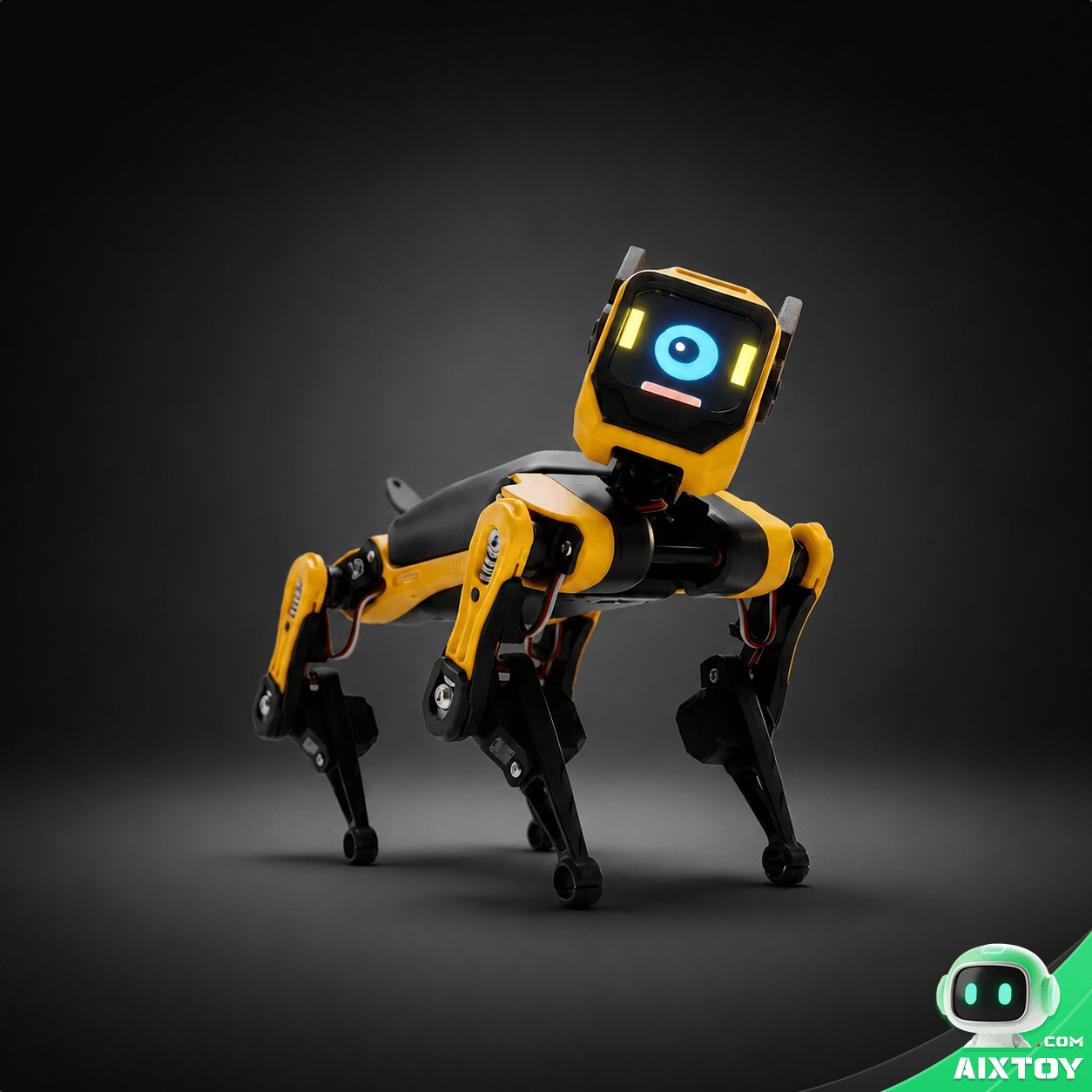
Petoi Bittle V2
$299.99
Project 01 · the framework, pre-solved. The shipping hardware for the OpenCatEsp32 stack: an ESP32-based quadruped you can assemble in about an hour, then program with block coding, Python or C++. It is the fastest way to hold a working gait engine in your hands instead of reading about one, and the servo calibration you learn on it transfers directly to a self-built frame.
ESP-Hi: the build you can fund from a club budget
ESP-Hi is the other extreme. It comes from Espressif’s own community team, the ESP Friends group, and the hardware is published under GPL-3.0 on the OSHWHub open-hardware platform. The project’s own bill of materials lands at roughly RMB 50 — under eight dollars — before PCB fabrication, 3D printing and shipping. For that you get a robot dog that talks, understands a wake word, shows expressions on a colour screen and performs a dozen pre-programmed actions.
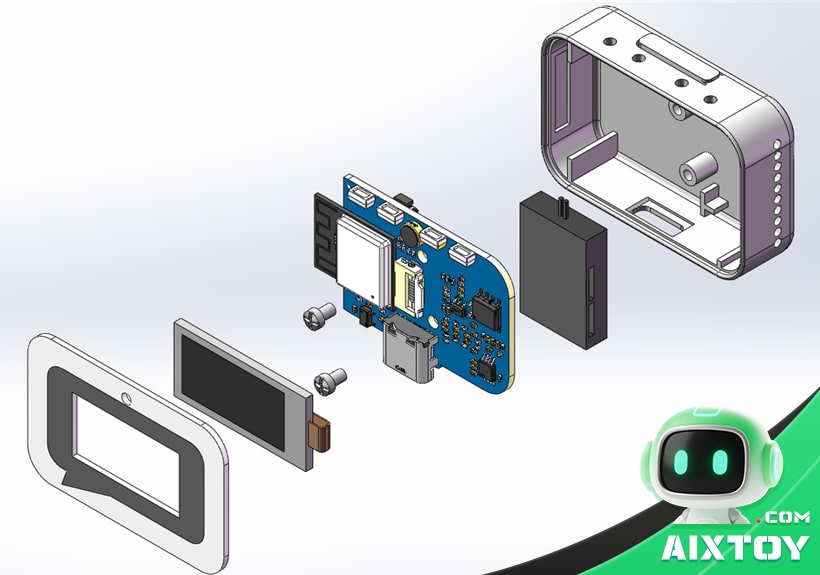
Two boards, one body
ESP-Hi splits into a “brain” and a “body”, and the split exists for electrical reasons as much as mechanical ones. The brain is a single ESP32-C3-MINI-1-N4 main board powered over USB-C and regulated down to 3.3 V by an RT9013 LDO. Because Wi-Fi transmission on the C3 draws sharp current bursts, the design filters the microphone and MCU power rails separately — skip that and your robot’s ears fill with noise every time it talks to the network.
Audio capture uses an electret capsule with a transimpedance amplifier feeding the ESP32-C3’s ADC, which samples a 0–1 V range. Audio output is I2S-PDM sent differentially to dodge Wi-Fi interference, then RC-filtered and amplified by an NS4150B audio amplifier at a gain of 7.2×. Nothing exotic, everything deliberate.
The body is a ServoDogBoard PCB carrying four 180° SG92R servos, a 702040 500 mAh lithium-ion cell and four 3D-printed parts. The servos run straight off the battery while the base boosts battery voltage to 5 V for the brain, so a leg stalling does not reset the controller — the same brown-out problem OpenCat solves with a separate supply, solved here in copper. A small switch paired with a MOSFET replaces the bulky high-current toggle switch that would never have fit.
What it does once it is built
The firmware connects to the XiaoZhi AI platform for language-model conversation, and the wake word is “Hi, Espressif”. A mercury switch senses how fast the robot is being shaken, which is used for waking it, interrupting a reply, or triggering an action — a genuinely clever choice over a button, because it costs almost nothing and reads naturally in the hand. Twelve preset actions include backing up, stretching, hand-shaking and pouncing.
After network setup you reach the robot at esp-hi.local (or 192.168.4.1) from a browser on the same Wi-Fi, where you can drive it forward and back, turn it, trigger the preset actions, and level the servos.

The assembly reality check
This is a cheap robot, not an easy one. The main board is a custom PCB that has to be fabricated at 1.2 mm thickness, it is populated with 0402 passives, and the ESP32-C3 is a surface-mount module: a hot-air station and a stencil, not a soldering iron and optimism. Three further details come straight from the project’s own build notes. The light-shielding baffle between PCB and front panel is mandatory — the cavity resonates and wrecks microphone pickup without it. Mounting the microphone inside the printed shell degrades audio, so the recommended fix is to glue it to the front panel and run wires back. And the servo base’s USB CC1/CC2 lines each need a 5.1 kΩ pull-down resistor to ground, or a USB-C-to-C cable will simply refuse to charge it.
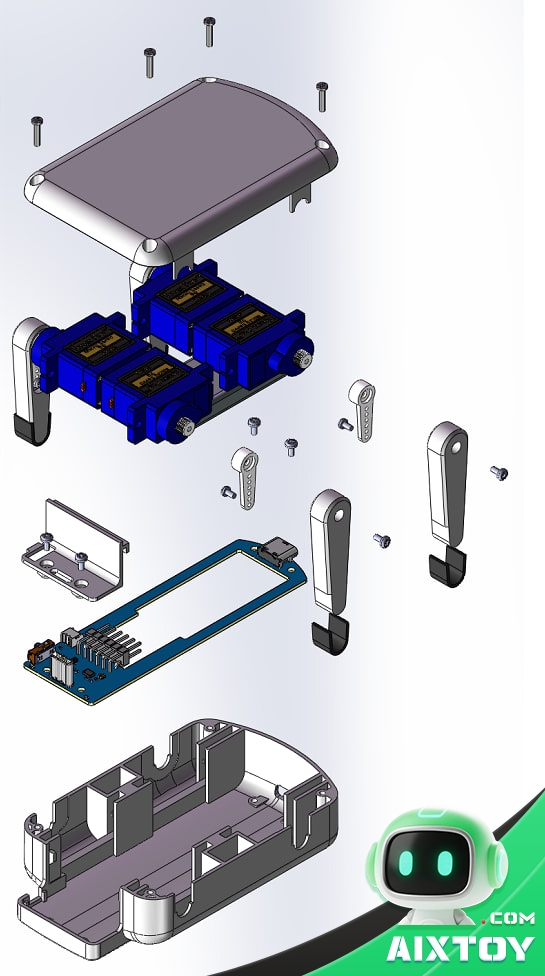
Firmware flashes at address 0x00; the XiaoZhi build is produced with python3 scripts/release.py esp-hi. The project has been revised twice since its first release, so check which revision you are building before ordering parts.
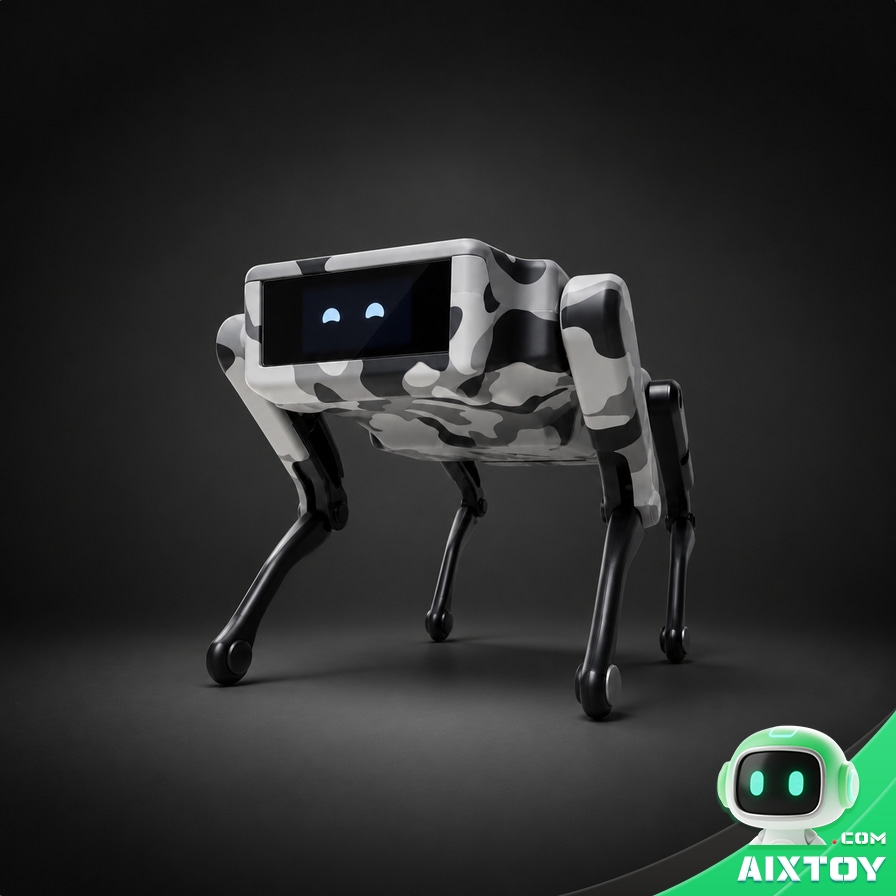
XiaoZhi Mini AI Robot Dog
$79.99
Project 02 · the same AI layer, already assembled. ESP-Hi runs on the XiaoZhi stack, and so does this palm-sized robot dog: natural voice chat, offline interaction that keeps working without a network, a roughly 10 cm frame and visual programming. If you want the conversation layer of an ESP-Hi build without sourcing 0402 parts, this is the shortcut.
WAVEGO Pro: twelve degrees of freedom and a Raspberry Pi for eyes
Waveshare’s WAVEGO Pro starts where the other two stop. Twelve joints, twelve servos with feedback, and a deck for a Raspberry Pi so the robot can look at the world instead of just walking through it. This is the project for a control-theory assignment, a vision experiment, or anyone who has already built a small quadruped and wants the next rung.
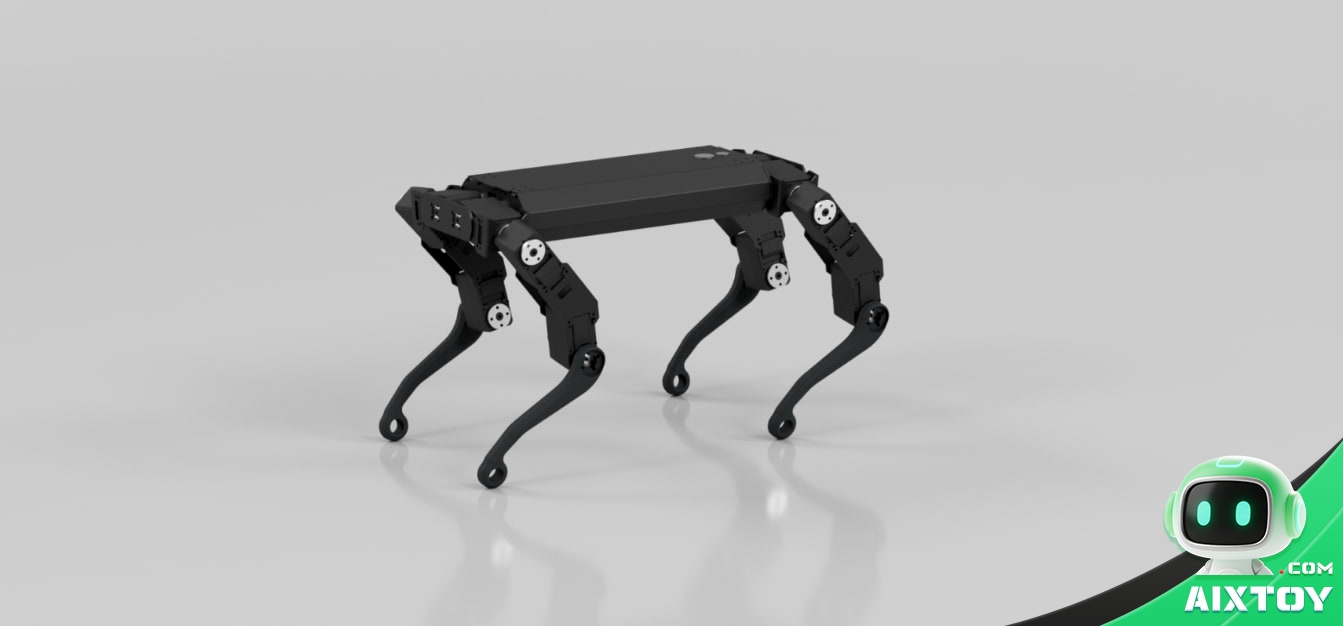
Two computers, one robot
The architecture is the interesting part. An ESP32 acts as the lower computer, running a real-time operating system to solve inverse kinematics and generate gaits; a Raspberry Pi 5 or 4B is the upper computer, handling high-level decisions and vision. They talk over a GPIO UART link using JSON commands at 115200 baud. Splitting the work this way is why twelve joints stay stable while the Pi is busy decoding a camera frame — the gait loop never waits for the vision loop.
The ESP32 side is developed in the Arduino IDE with no manual toolchain setup. The Pi side runs a Flask-Streaming web application using OpenCV for face recognition, colour tracking and motion detection, plus MediaPipe for gesture recognition and WebRTC for live video. A JupyterLab instance on port 8888 is available alongside the robot UI on port 5000.
The mechanics and the sensing
Twelve SC09 bus servos rated at 2.3 kg·cm provide the motion, with a stall torque up to 5.2 kg·cm — a momentary peak, not a figure to run continuously. Bus servos report position, speed and voltage back to the controller, which is what makes debugging a gait far easier than with dumb PWM servos. A multi-link leg structure paired with inverse kinematics raises the effective torque delivered at the foot, so the robot punches above its servo rating.
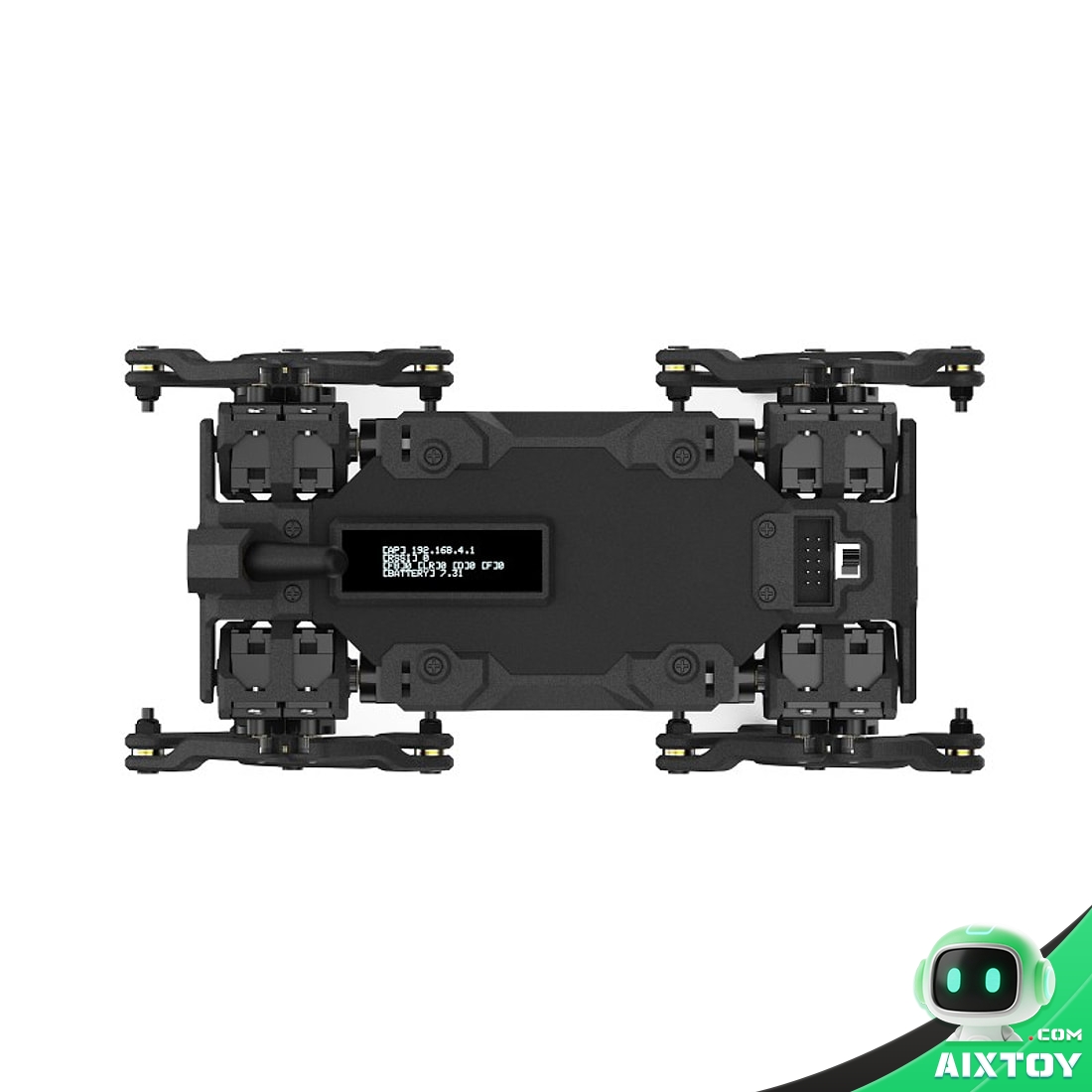
Balance comes from an ICM20948 nine-axis motion tracker with a self-balancing mode. The frame is 5052 aluminium alloy and PA12 nylon with 40 sets of bearings across the joints, which is why it survives the landings that a printed frame does not. Onboard: a 0.96-inch OLED, two RGB indicators, an active buzzer, two 18650 cells in series for 5200 mAh with an INA219 monitoring chip, and protection against over-charge, over-discharge, over-current and short circuits. It can be used while charging, and two 5P expansion ports expose spare ESP32 IO including G21, G15 and G12.
Getting it running the first time
On power-up the robot creates its own Wi-Fi hotspot: join WAVEGO with the password 12345678 and open 192.168.4.1 in a Chromium-based browser. No app is required. Three warnings from the official build documentation are worth pinning to the wall: bus servos are not interchangeable with ordinary PWM servos, so assign every servo an ID before you assemble the legs; the Pi needs its own flashed image and its own cooling; and keep the baud rate and pin mapping on the UART link straight. When you tune a 12-DOF gait, start from a standing pose and a single leg rather than trying to fix a trot directly.
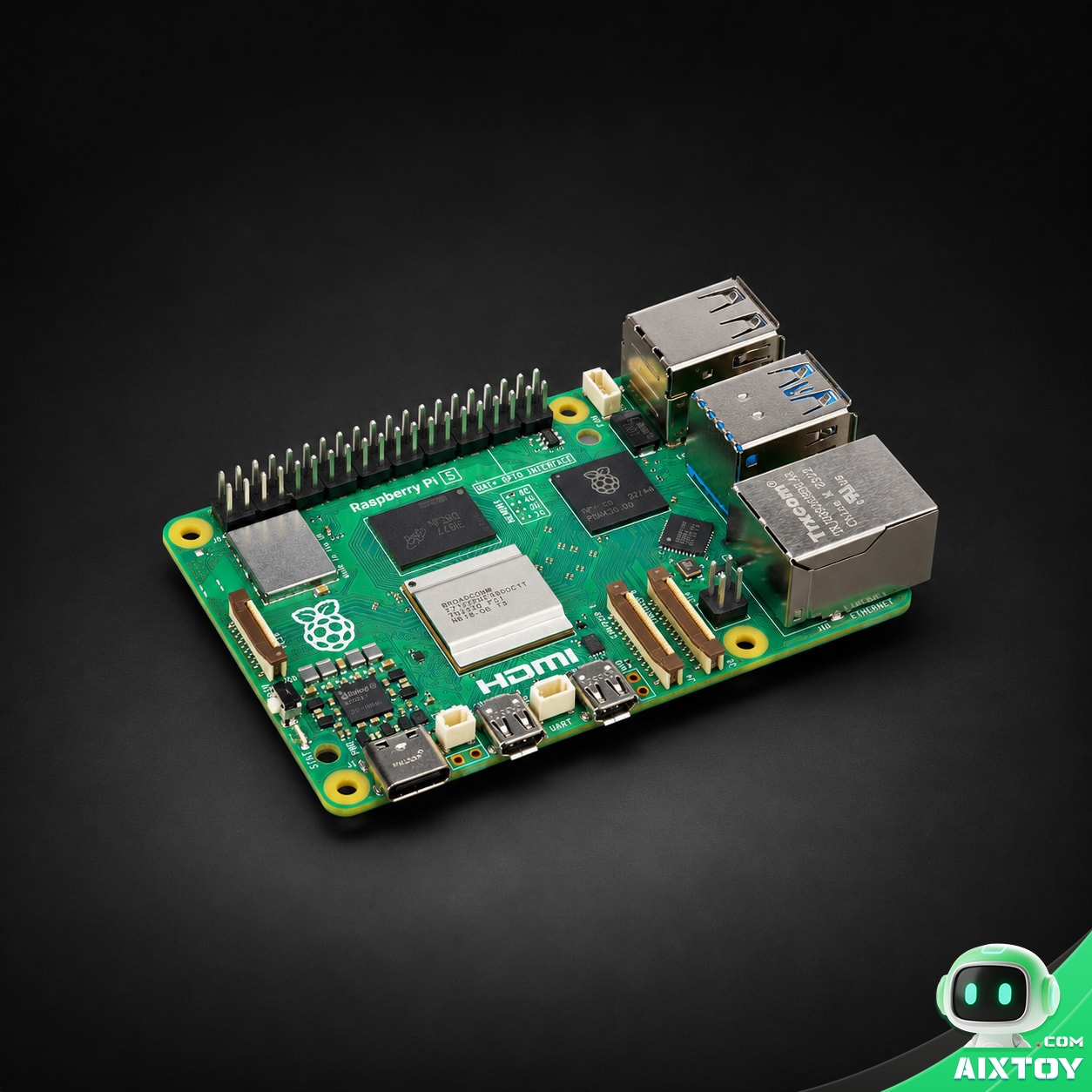
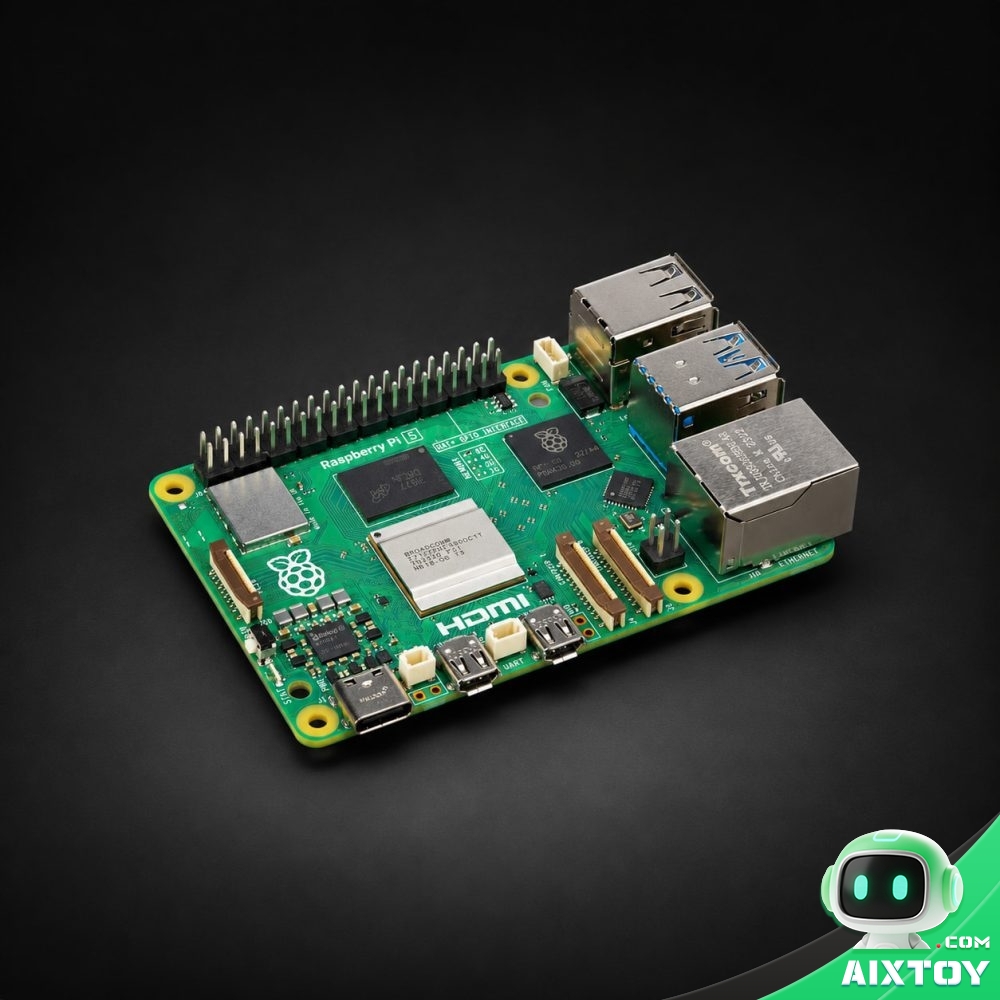
Raspberry Pi 5 (8 GB)
$199.85
Project 03 · the brain the robot expects. WAVEGO Pro is designed around a Pi 5 or 4B as its upper computer, and the 8 GB model is the one that leaves room for OpenCV and MediaPipe alongside the gait server. Quad-core Cortex-A76 at 2.4 GHz, PCIe 2.0 and dual 4K HDMI — the same board runs the robot’s vision stack and your development desktop.
The 2026 newcomer: Quaddle, four servos and two ESP32-S3s
Petoi’s newest quadruped is worth a paragraph of its own, because it attacks the problem from the opposite direction. After supporting more than 30,000 robots across the 9-DOF Bittle and 11-DOF Nybble families, the team noticed something uncomfortable: most owners never touch the knee motors. The locomotion stack hides them, and people who cannot picture how six joints coordinate will not pay for twelve of them. So Quaddle trades servos for structure.
Its MiniDoF linkage lets a single shoulder servo drive both the shoulder and the knee of a leg, using geometry, elasticity, directional friction and rolling toes to turn one simple sweep into a phase-dependent foot path. That is four active degrees of freedom in total — and yet it walks, turns, self-rights and switches between a trot and a glide. Halving the motor count halves the current draw, the battery and the parts list.
The electronics are split the same way the body is. An ESP32-S3FN8 motion core handles real-time motion with five PWM channels for servos, plus the LED, buzzer and gyroscope. A second ESP32-S3R8 with 16 MB of flash acts as an AI core on the Buddy and Scout models, running conversation and smart-home control. That AI core has a slide switch that physically cuts its power if you would rather the robot did not listen — a privacy control you can verify with a multimeter rather than a settings menu. A Raspberry Pi Zero can be mounted on top and take the AI core’s place; Petoi publishes the AI core’s PCB dimensions and pinouts so you can design your own.
Three tiers are offered: Builder at $99 (listed MSRP $149), Buddy at $139, and Scout at $199, with rewards targeted for December 2026. Builder gets four standard PWM servos; Buddy and Scout upgrade to feedback servos with overload protection, which enables the feature that matters most for beginners — Learn & Replay. With position feedback you physically puppet the legs through a motion by hand and the firmware records the joint angles, so you can teach a gait without doing any inverse-kinematics maths. Scout adds infrared distance, light and gesture sensing plus an optional AI vision module.
The frame is a snap-fit, screw-free design you can build and calibrate in under ten minutes, measuring 11 × 7 × 7 cm and weighing 170 g (198 g for Scout), with a swappable 1800 mAh battery good for up to two hours of unloaded walking. It takes LEGO studs and 3D-printed shells, and the platform can be rebuilt into a biped or a Mecanum-wheel rover. Programming runs from a block-based IDE up through Python, MicroPython, Arduino, C++ and optional ROS 2. Crowdfunded hardware slips, and the four-servo design is a deliberate ceiling rather than an accident — but Petoi has already published a browser simulator, so you can test gaits before any hardware arrives.
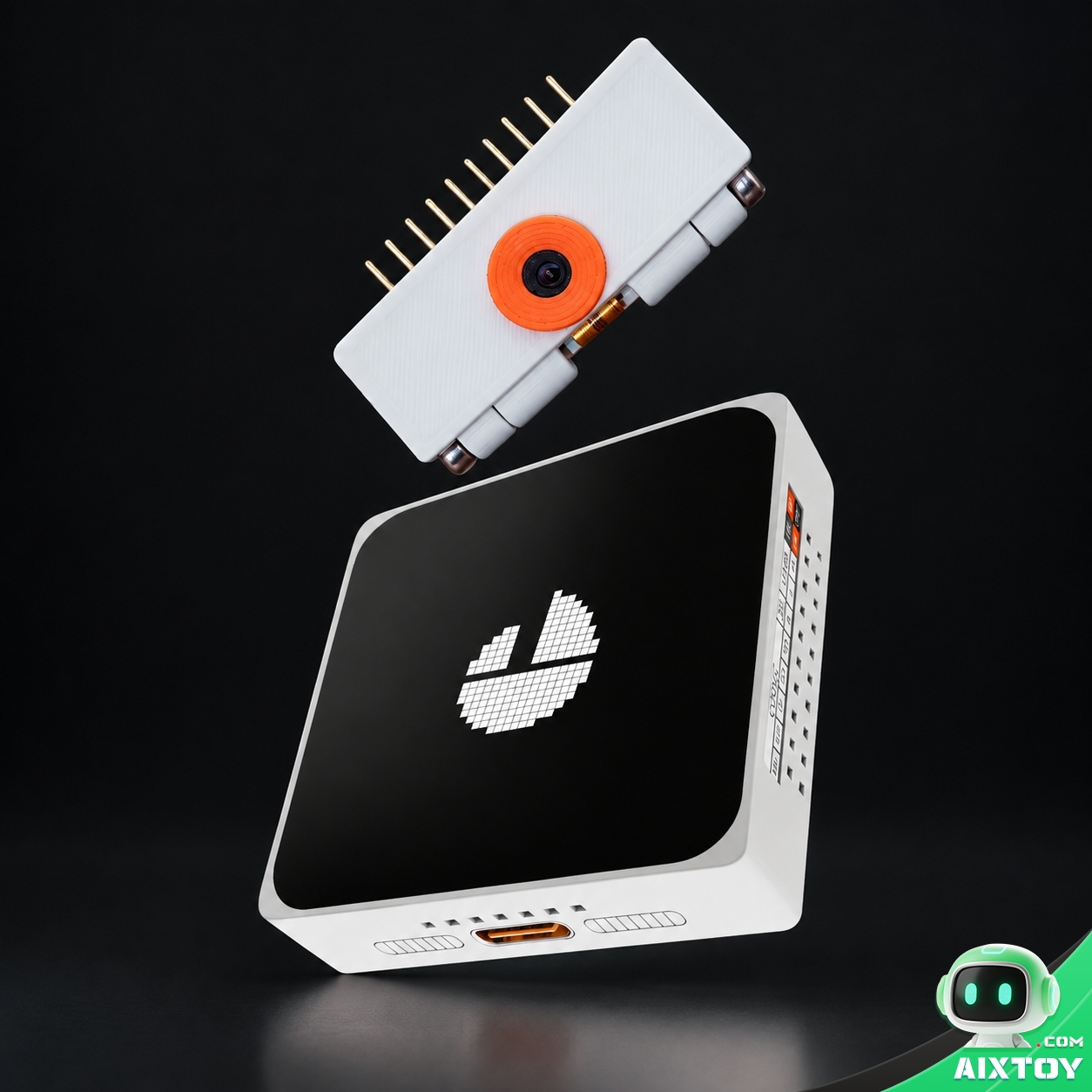
ESP32-S3 AI Dev Board
$139.99
Project 04 · the AI core, on your bench. Quaddle’s second ESP32-S3 handles conversation and smart-home control while the first one concentrates on motion. If you want to prototype that split before committing to a kit, this dual-core 320 MHz ESP32-S3 board brings a 2.16-inch AMOLED touchscreen, an optional camera module and Wi-Fi 6 on the same silicon family — the closest thing to holding Quaddle’s AI core in your hand today.
How to choose between them
The decision comes down to what you want to understand, and the honest answers are short.
If you want to learn the whole stack once, properly, build OpenCatEsp32 on a BiBoard. The documentation is the deepest of the three, the community is the largest, and there is a decade of other people’s work for you to read and fork. If money or a classroom is the constraint, ESP-Hi is the pick — a parts list under eight dollars is what makes thirty students in a room feasible, and the design decisions you meet along the way (separate power rails, isolated microphone supply, boosted logic rail) are the ones that actually matter on every robot afterwards. If the robot is an instrument for a vision or control project, WAVEGO Pro is in a different class: twelve feedback-capable bus servos and an onboard Pi are not something a four-servo build can approximate. And if you want the newest architecture with the least calibration pain, Quaddle’s two ESP32-S3s, snap-fit chassis and Learn & Replay recording are genuinely attractive — with the caveat that rewards ship later and four servos are a deliberate ceiling on what it can do.
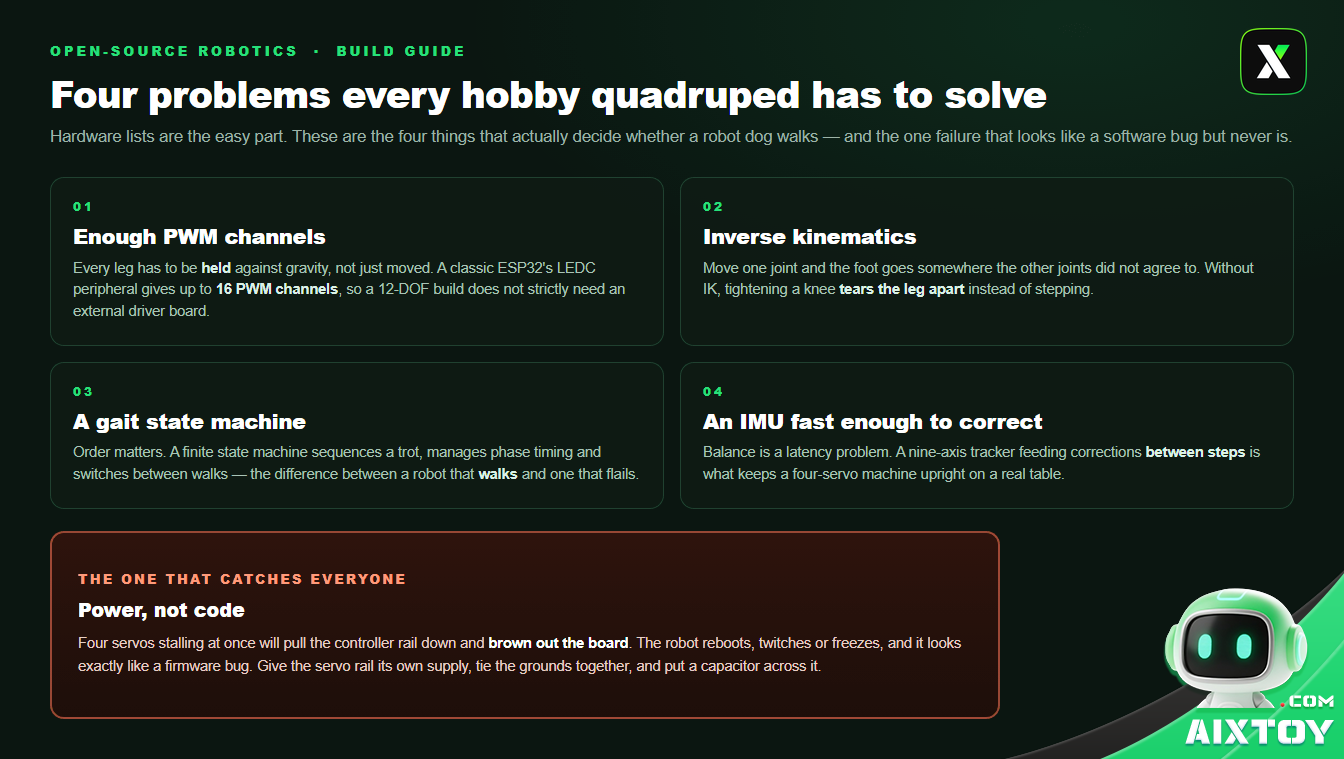
One warning applies to all of them, and it is the most common way a first quadruped build dies: power, not code. Four servos stalling at once will brown out a controller fed from the same rail, and the robot will look like it has a firmware bug. Give the servo rail its own supply, tie the grounds together, and add a decent capacitor. Servo control and PWM timing are the skills every project on this page will teach you; the power discipline is the one that decides whether your robot gets to use them.
Build it, or buy the version that already works
Building teaches you things buying cannot: why a servo centre has to be set before assembly, why a stall current rating is not the same as a working current rating, and what a gait actually looks like when one leg is out of phase. But there is no prize for soldering when what you really wanted was a working robot to program. A pre-assembled entry in the same family — the Petoi Bittle V2 we stock — runs the identical OpenCat firmware, so everything you learn on it transfers to the build you do later, and nothing you build will be wasted on it.
If you are comparing boards before you pick a robot, our breakdown of M5Stack CoreS3 versus the Espressif ESP-Mosaico covers two ESP32 platforms from a very different angle, and our look at Meta’s open-source Muse Gadgets hardware layer is useful background if you care where open hardware is heading next. Everything in the same family lives in our open-source and programmable robots collection.
AIXTOY has spent more than a decade sourcing and supporting robots like these — assembling the kits, chasing the parts that go out of stock, and answering the questions that only come up after the battery is charged. If you are buying for a school, a makerspace or a robotics camp, see how we work or reach out and we will help you match the project to the class.
Official sources for all three projects
Everything technical in this article is drawn from the projects’ own repositories and documentation, so you can verify it and go deeper:
OpenCatEsp32 (Petoi): the OpenCatESP32 repository, the Petoi documentation hub for Bittle, Bittle X and Nybble, and the Petoi site for the current Bittle X V2 and Nybble Q hardware.
ESP-Hi (Espressif ESP Friends): the open-hardware project page on OSHWHub, the source repository at Gitee, and the XiaoZhi firmware at github.com/78/xiaozhi-esp32. General ESP32 and ESP-IDF references live at docs.espressif.com.
WAVEGO Pro (Waveshare): the WAVEGO Pro wiki for assembly, wiring and JSON command reference, and the WAVEGO_Pro repository for the ESP32 and Raspberry Pi code.
Quaddle (Petoi): the Quaddle campaign page for model-by-model specifications and the published simulator. The Petoi site carries the same OpenCat documentation Quaddle is built on.
Tags:AIXTOY ESP32 ESP32-S3 Quadruped Robot Open-Source Robot Open Source Hardware DIY Robot Arduino Petoi Espressif 3D Printing Raspberry Pi