


No products added!
Every robotics conference for the past two years has ended with the same video: a humanoid folding laundry, an arm sorting screws, a hand solving a Rubik’s cube. The interesting question is never whether the demo works. It is what it would take to reproduce it on your own desk — and for most people the answer has been a research budget and a machine shop.
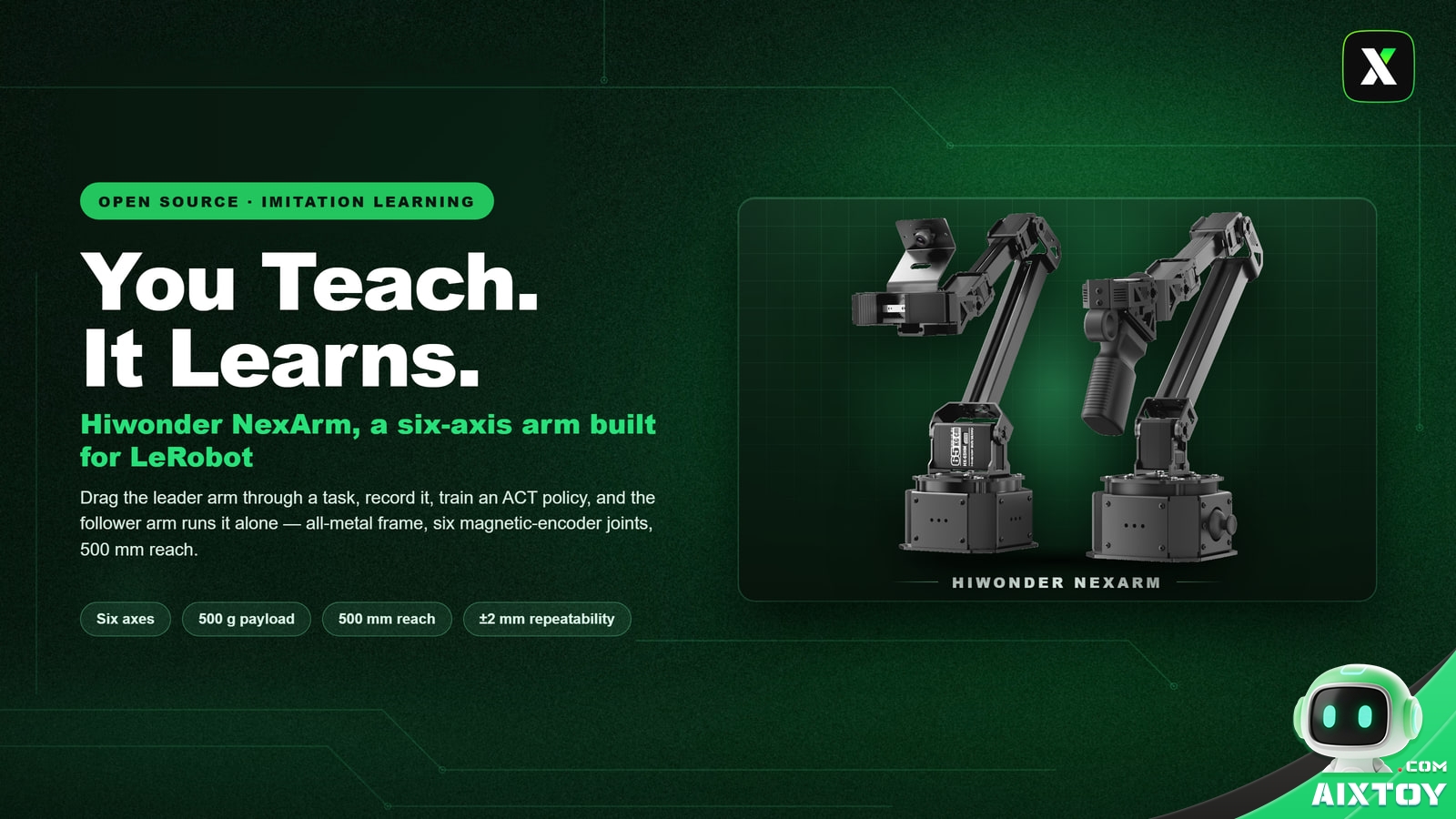
Hiwonder’s NexArm is aimed squarely at that gap. It is a six-axis, all-metal, open-source arm built around Hugging Face’s LeRobot framework, and it starts at $299.99 for the Standard Kit and $379.99 for the Advanced Kit. The specification sheet is respectable, but it is not the reason the product is interesting. The reason is the loop the hardware closes.
The gap NexArm is aiming at
Imitation learning — teaching a robot by demonstrating a task rather than programming it — has been the most accessible branch of modern robotics for a while, because it does not require a simulator, a physics team or a reinforcement-learning budget. What it does require is a machine that can be moved by hand, that reports where its joints actually are, and that can be left running while a policy takes over.
Most cheap robot arms fail at least one of those three requirements. Hobby servos at this price point typically report the command they were given rather than the angle they reached, the frames flex under load, and the repeatability drifts within a session. That is fine for a moving display piece. It is fatal for learning from demonstration, because the training data is only as good as the joint feedback that produced it.
What is actually on the arm
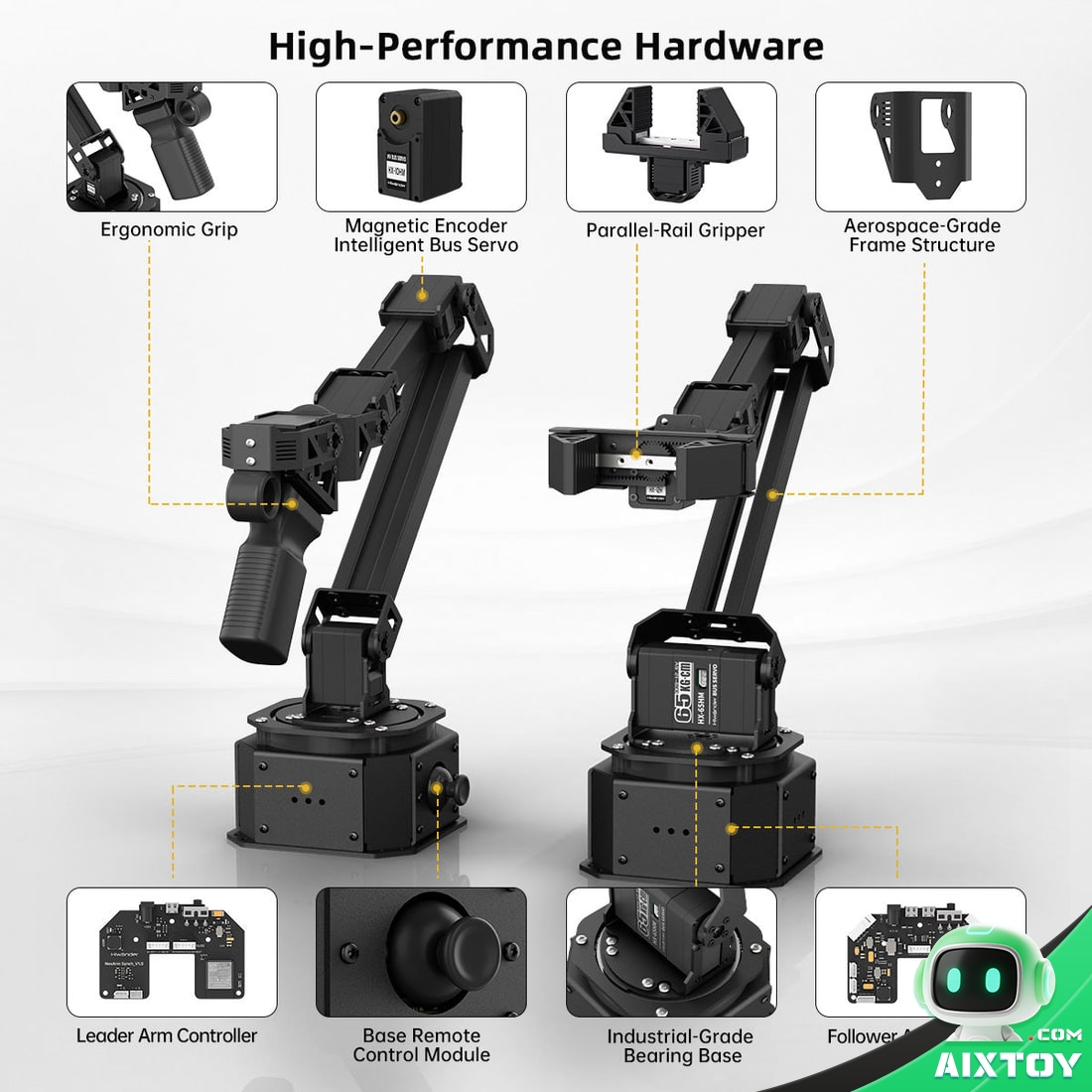
The base joints use dual-output-shaft magnetic encoder bus servos rated at 65 kg·cm, which is what supports a 500 mm working radius — a hemisphere roughly one metre across — while still claiming ±2 mm repeatability. The servos are 12-bit, with 0.3° control resolution on most joints and a finer 0.09° step on the joints where it matters.
Magnetic encoding is the detail that matters for learning. It is contactless, so there is no brush wear, and it reports the true joint angle every frame. That is exactly the signal imitation learning wants: not the command you sent, but where the joint actually ended up. Hiwonder pairs the servos with trapezoidal acceleration and curve interpolation, which removes the start-stop judder that makes inexpensive arms look like they are deliberating over every millimetre.

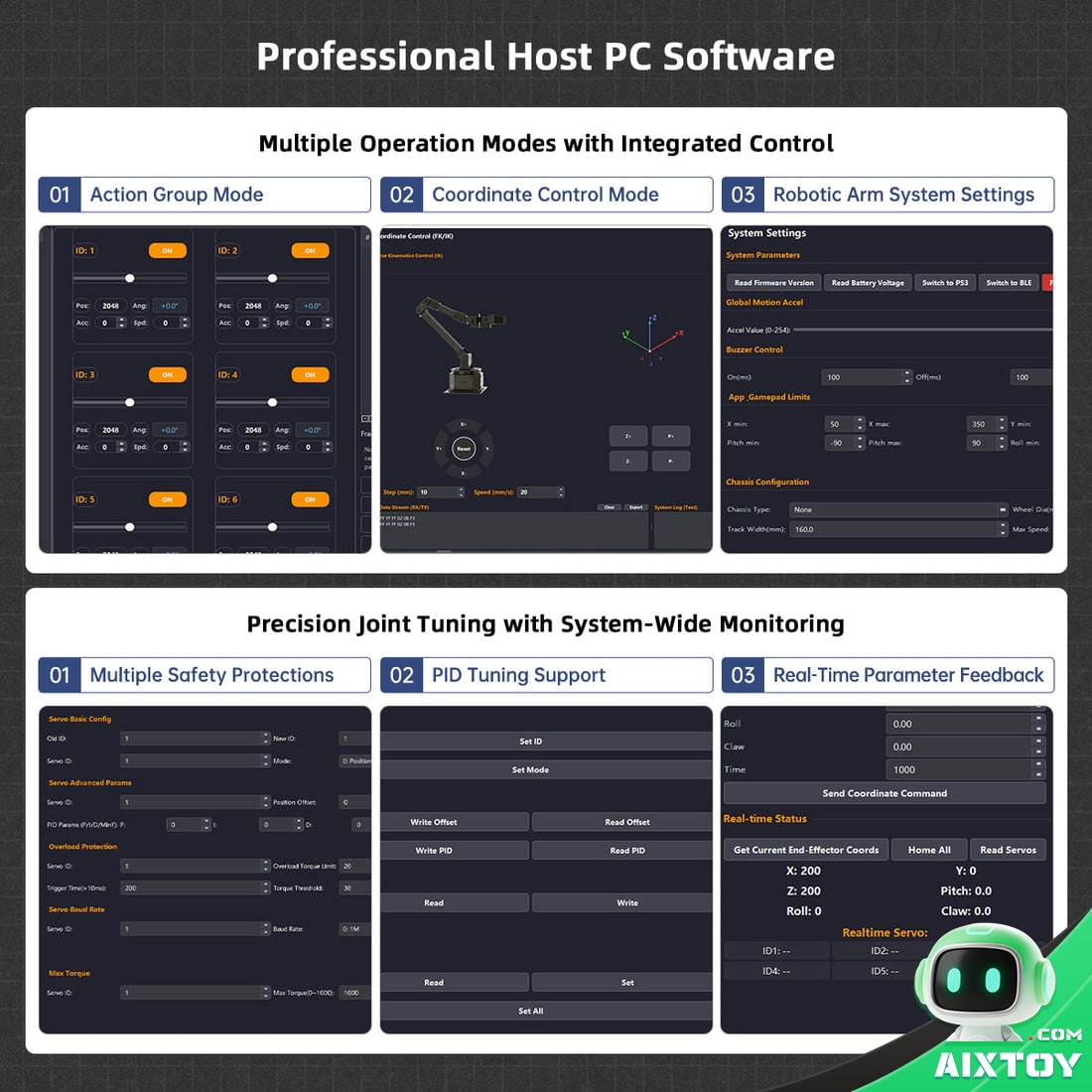
The controller is split across an ESP32 and an AT32. The upper chip handles communication and decisions; the lower one solves inverse kinematics and drives the servos. Because the IK runs on board, you can hand the arm a Cartesian coordinate and let it work out the joint angles itself, without a host PC in the loop.
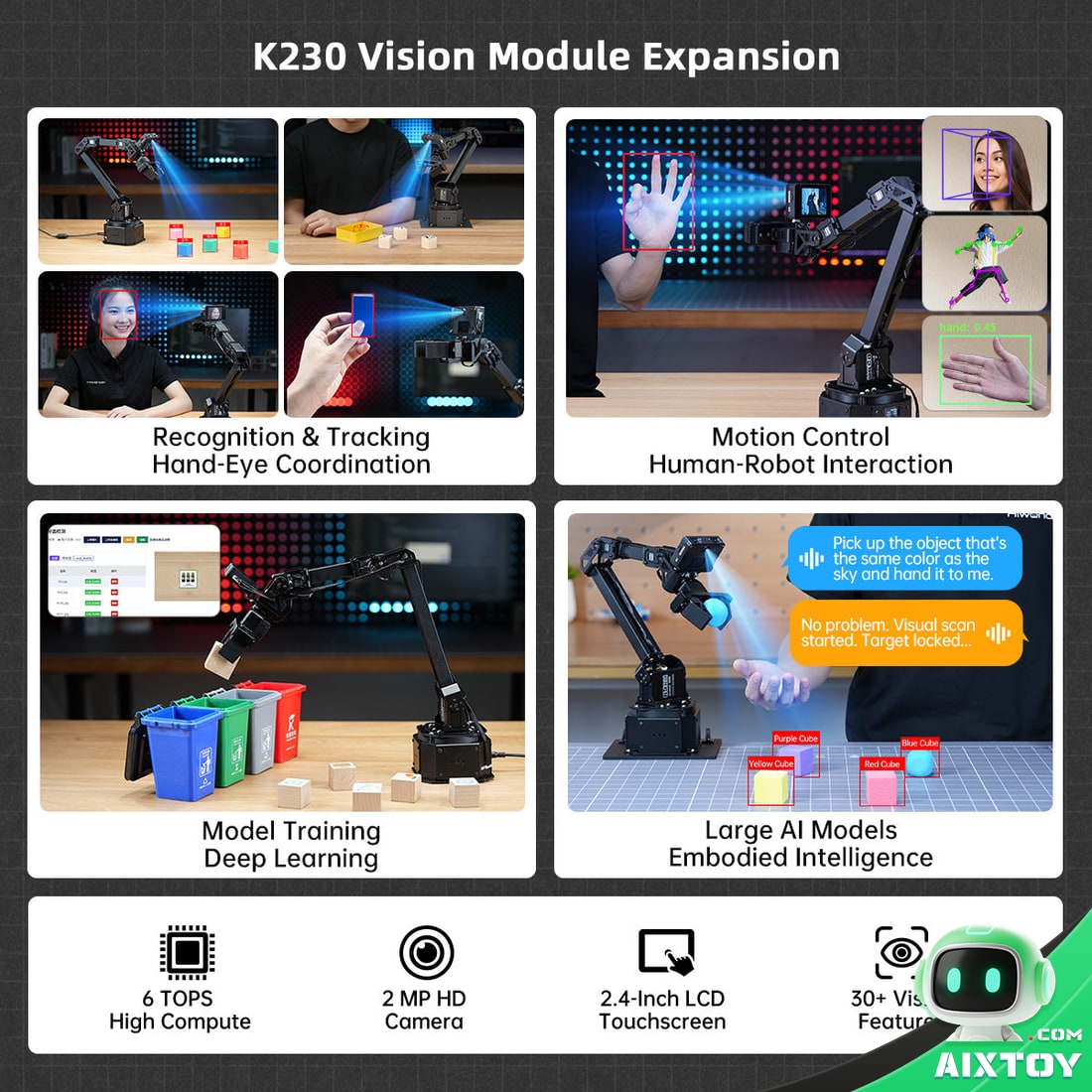
On top of that sits an optional K230 AI vision module rated at 6 TOPS, carrying more than 30 built-in vision functions — colour, object and face recognition, gesture detection, YOLO object detection and fiducial-marker tracking among them. According to Hiwonder it does not require training from scratch; the module locks onto a target in seconds. That is what makes sorting, tracking and hand-eye coordinated grasping possible without a PC permanently tethered to the arm.
Two arms, two chips, two cameras
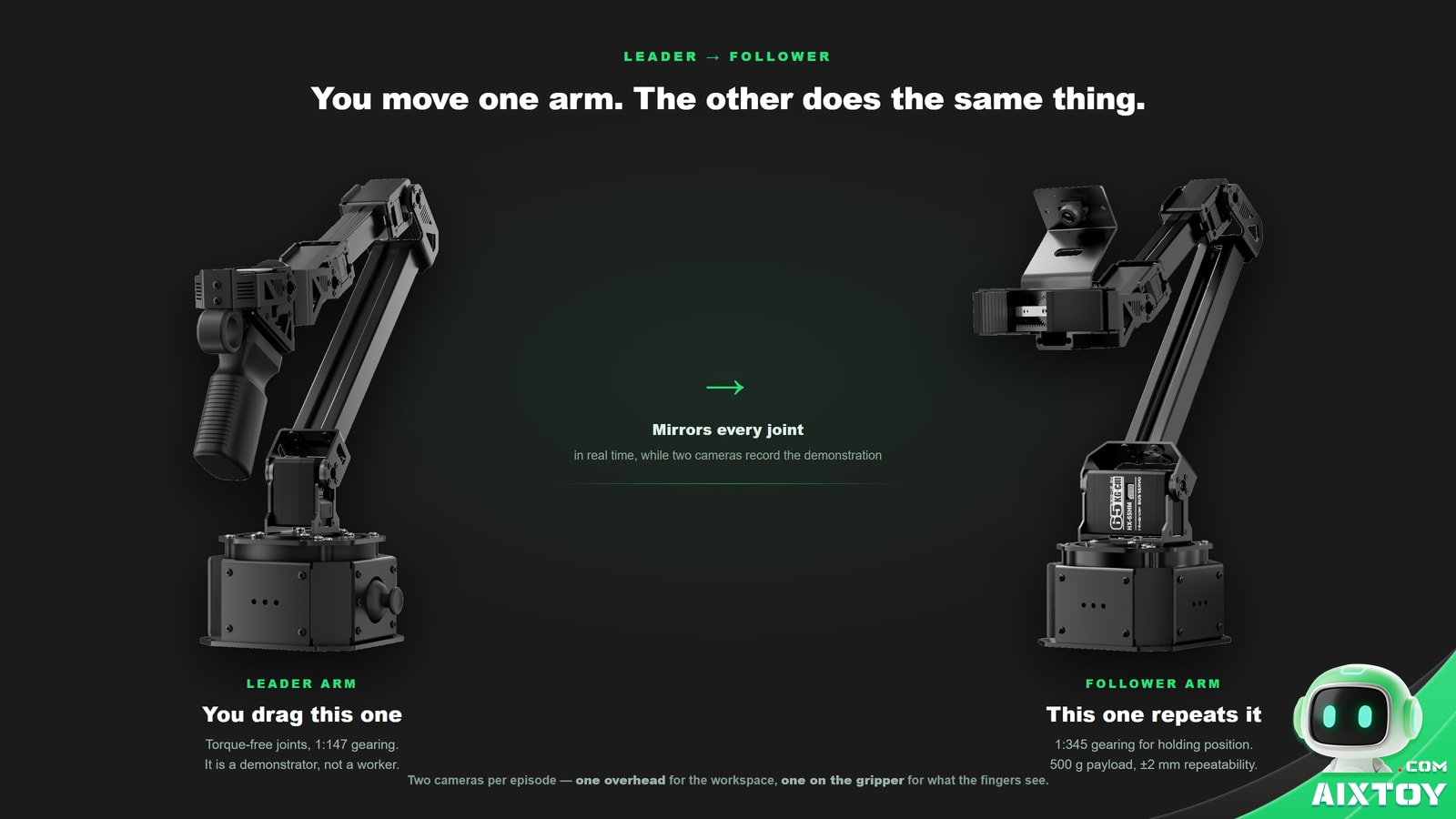
NexArm is really two arms. The leader arm has servos without torque, so you drag it by hand; the follower arm mirrors every joint in real time. This is leader-follower teleoperation, the same pattern used in research labs, and the two halves are deliberately geared differently: 1:147 on the leader for high-frequency demonstration capture, 1:345 on the follower for holding position once it gets there.
There is a mechanical detail worth noting because it explains a class of bugs you would otherwise chase: the shoulder joints are mounted in opposite directions on the two arms, so the firmware applies a mirror mapping to keep the motion correct. If you rebuild or swap arms and the mirroring suddenly looks inverted, that mapping is the first place to look.
Then there are the cameras — two of them. One looks down over the workspace; one rides the gripper and sees exactly what the fingertips see. It is tempting to treat the second camera as a nicety. It is not. Imitation learning needs the vision stream and the action stream to be about the same thing at the same moment, and a single overhead view cannot give you that for fine manipulation.
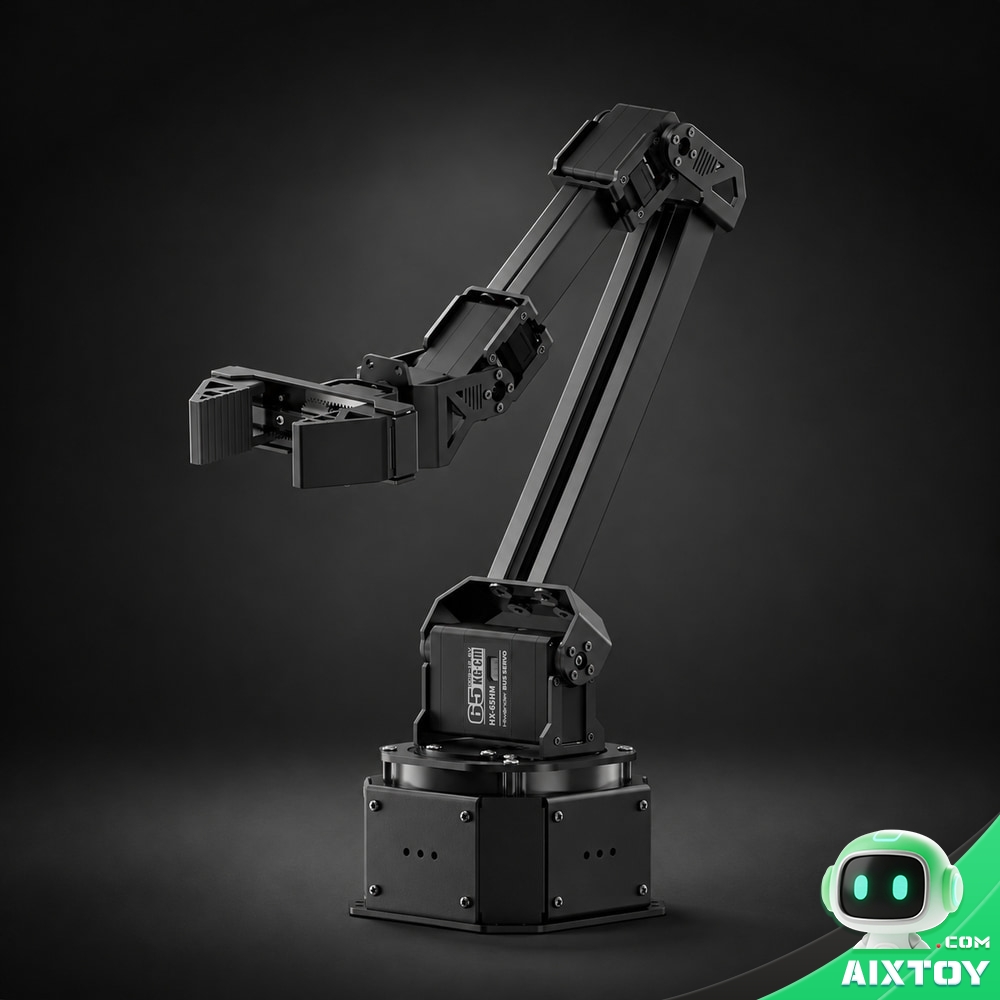
Hiwonder NexArm
$299.99
Six-axis open-source arm with a 500 mm reach, 500 g payload and ±2 mm repeatability on an all-metal frame — leader-follower teleoperation with deep Hugging Face LeRobot integration. Sold and shipped by AIXTOY.
How it learns: demonstrate, record, train, deploy
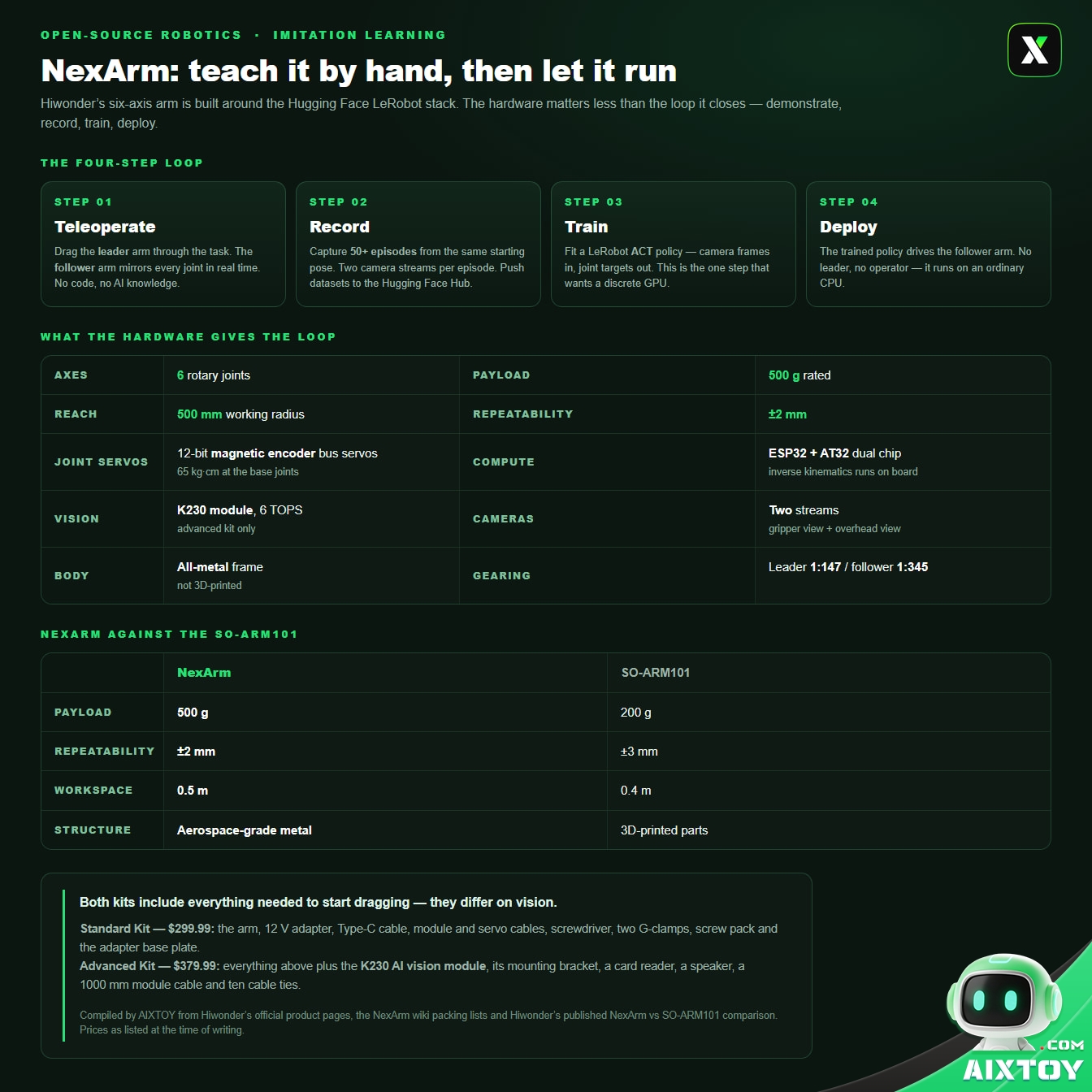
The whole product is this pipeline, and the pipeline has four stages.
Step one — teleoperation. You drag the leader arm. The follower mirrors it. Both cameras record. No AI knowledge is required for this step, and that is the point: you are not programming the task, you are demonstrating it.
Step two — data collection. A record script captures each demonstration. Hiwonder’s guidance is at least 50 episodes, with a consistent starting pose each time, because data quality decides everything downstream. Recorded sets can be pushed to the Hugging Face Hub with one click, which means datasets — and the policies trained on them — can be shared rather than rebuilt.
Step three — training. The data goes to LeRobot’s ACT policy, an action-chunking transformer-based model. ACT is not memorising a trajectory; it learns the mapping from what the cameras see to what the joints should do. Hiwonder states that NexArm works with LeRobot’s Diffusion Policy and Pi0 as well, and describes the integration as driver- and protocol-level, so the official models run without rewriting the stack. Training is the one step that wants a discrete GPU — Hiwonder’s own starting recommendation is an RTX 3090-class card.
Step four — deployment. The trained policy takes over the follower arm. No leader, no human. Because ACT predicts ahead in blocks rather than one frame at a time, the arm can run at a usable rate on an ordinary CPU, which is what turns a lab technique into something that fits on a desk.
If it does not work, you go back to step two and record better data. That closed loop — collect, train, deploy, fail, recollect — is the honest description of the data-driven route in embodied AI. NexArm’s contribution is not inventing it. It is compressing it into a price bracket and a footprint that fit in a room.
NexArm against the SO-ARM101
Hiwonder publishes a direct comparison, and it is the clearest way to see where NexArm sits. Against the popular entry-level SO-ARM101:
| NexArm | SO-ARM101 | |
|---|---|---|
| Payload | 500 g | 200 g |
| Repeatability | ±2 mm | ±3 mm |
| Workspace | 0.5 m | 0.4 m |
| Joint servos | Dual-output-shaft magnetic encoder bus servos | Single-output-shaft, fixed shaft |
| Body | Aerospace-grade metal structure | 3D-printed structural parts |
| End effector | Parallel-rail gripper | 3D-printed vertical-opening gripper |
| Positioning | Advanced end-to-end development | Entry-level end-to-end development |
The short version: the SO-ARM101 is the board you start on, and NexArm is the one you graduate to when the 3D-printed frame and the 200 g payload become the limit. Both run the same LeRobot stack, so the software you learn on one carries over to the other — which is the most useful thing about Hiwonder selling both.
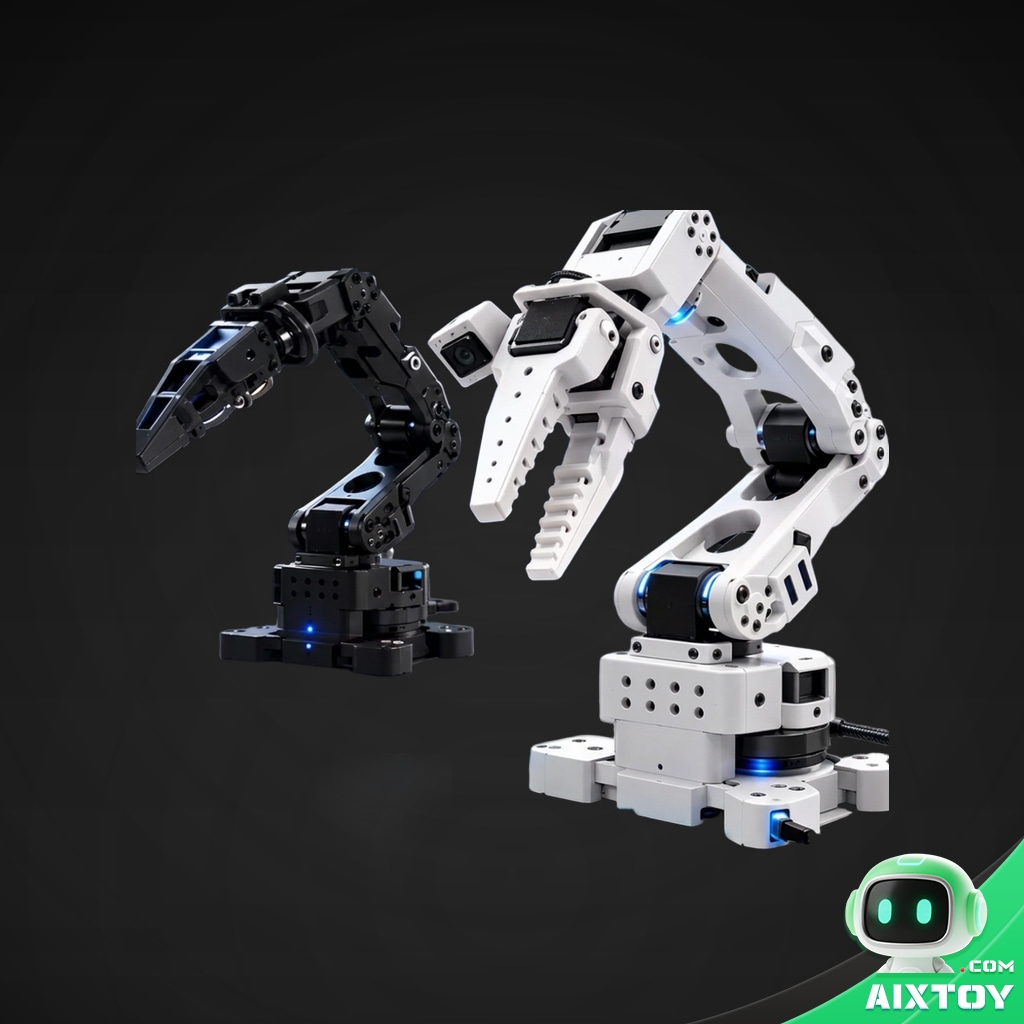
LeRobot SO-ARM101
$564.99
The other way into the same ecosystem: a six-axis arm built for Hugging Face LeRobot that teaches the complete loop — teleoperation, data collection, policy training, deployment — at the lowest entry price in the category.
What you actually get in the box
One arm per kit. Both kits ship with a single arm — the follower, the one fitted with the parallel-rail gripper. The leader arm that you drag by hand is a separate unit (Hiwonder offers it as an add-on), so budget for one of each if you intend to run the leader–follower loop described above.
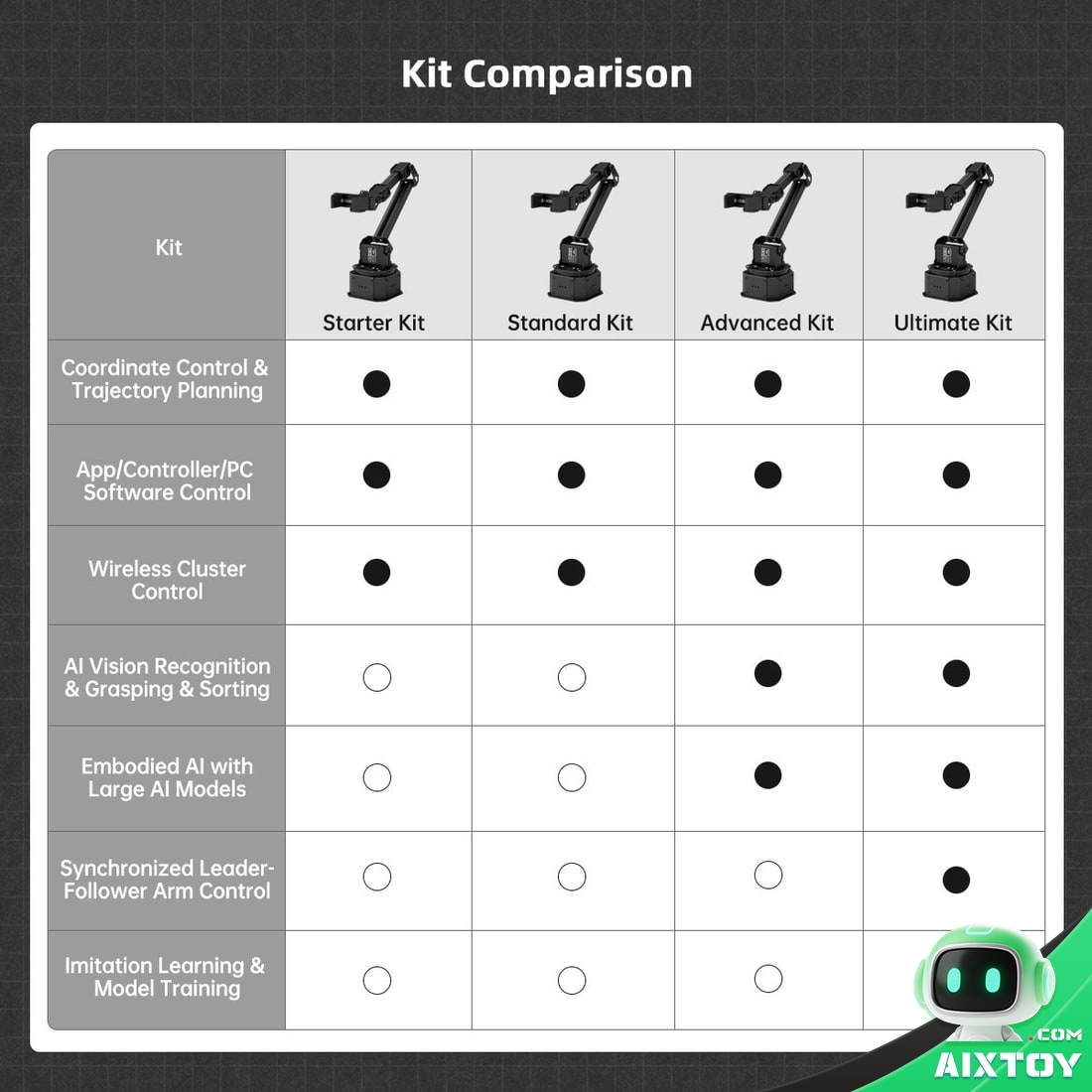
Both kits ship with everything needed to start dragging, and they differ on vision:
Standard Kit — $299.99: the arm, a 12 V adapter, a Type-C cable, two module cables, two servo wires, a screwdriver, two G-clamps, a screw pack and the adapter base plate.
Advanced Kit — $379.99: everything above plus the K230 AI vision module, its mounting bracket, a card reader, a speaker, a 1,000 mm module cable and ten cable ties. Recommended if you intend to work on vision-guided sorting or tracking rather than pure joint-level imitation.
Both kits are built to be extended: a suspension Mecanum chassis, a linear sliding rail that adds another 500 mm of travel, or a conveyor belt for a desk-scale sorting line. ESP-NOW wireless clustering lets several arms take instructions in parallel, and Hiwonder ships a 300-plus-page development manual and 65-plus video tutorials alongside the open-source code.
What to know before you buy
The GPU is a real requirement — for one step only. Training is the step that needs a discrete GPU; teleoperation and data collection do not. If you do not own one, you can still run the first half of the pipeline and either rent GPU time or run a small number of steps just to verify the workflow before committing.
There is assembly, and one known firmware quirk. The Standard and Advanced kits require mounting the arm on the adapter base plate and clamping it down; the entry-level Starter Kit is the one that ships ready to power on. Hiwonder also documents a firmware bug in which a debug print on the leader arm interferes with the protocol frames — the fix and the reflash steps are written directly into the repository README, which is what you want from an open-source vendor.
Servos and structure are vendor-bound. The joints use Hiwonder’s own HX-series bus servos. Substitutes are rare, so if you plan to build a second arm from parts, expect to source both the structure and the servos from Hiwonder. That is the normal boundary of a commercial open-source project, and it is worth knowing before you plan a fleet.
It is a development platform, not an industrial arm. Resellers are explicit about this and it is worth repeating: no absolute encoders, no meaningful torque control, and NexArm is not a certified safety system. Start with slow, unloaded motion, verify coordinate frames, joint limits and gripper clearance before letting it run unsupervised, and keep hands, hair and loose cables out of the reachable envelope. For teaching, prototyping and AI coursework this is exactly the right tool. For safety-critical lifting around people it is not.
reBot Arm B601-DM ROS2
$366.99
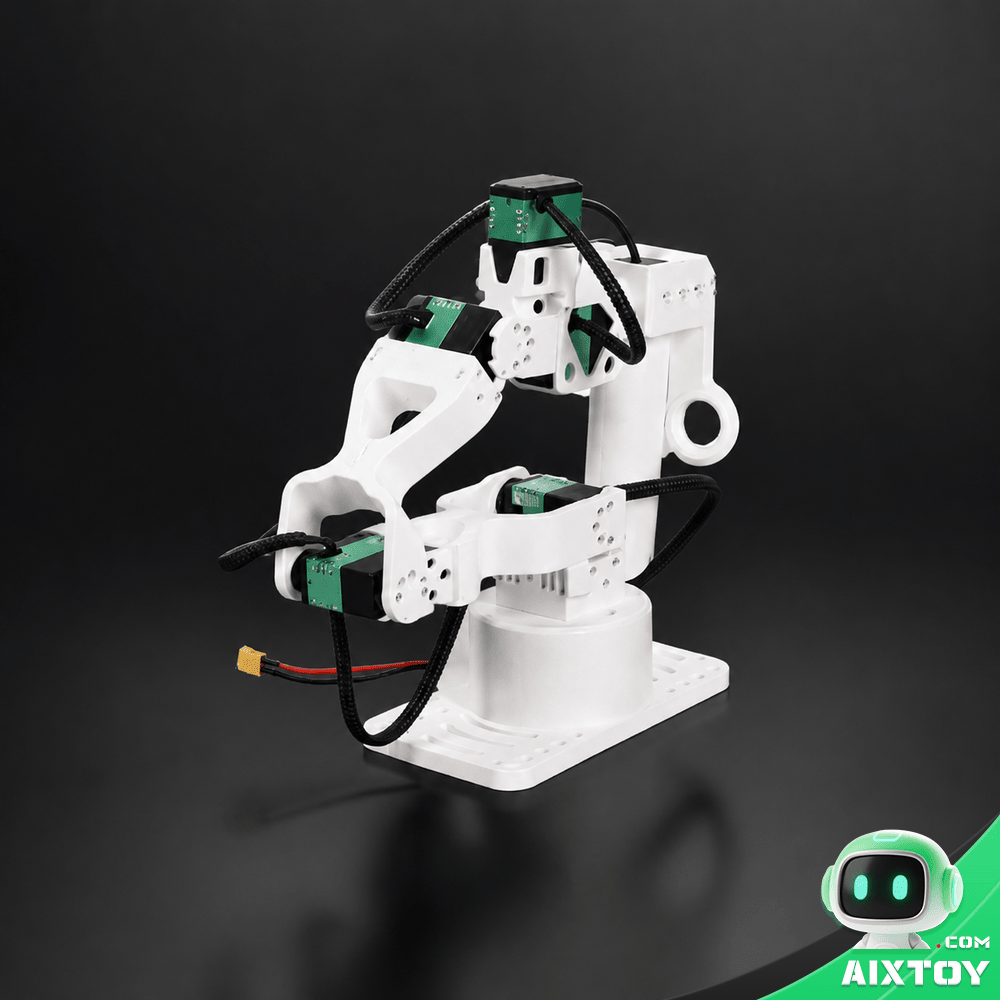
If you would rather learn ROS 2 than imitation learning, this six-axis open-source arm is built for STEM teaching and research projects — the same kind of metal hardware, aimed at a different curriculum.
The verdict
NexArm does not beat a research platform at anything, and it is not trying to. What it does is make the full imitation-learning loop — demonstrate, record, train, deploy — fit on a desk and inside a $300-to-$380 budget, with metal hardware that will not flex out of calibration the way a printed frame will.
The trade-offs are the honest kind: you will assemble it, you will need a GPU for the training step, and you will buy your next servo from the same company. In exchange you get the one thing cheap robot arms rarely deliver, which is joint feedback good enough to learn from.
If you have been treating robot learning as somebody else’s job, this is a credible place to start. Drag it once. Then watch it work without you.
OrcaHand V2 FT
$398.99
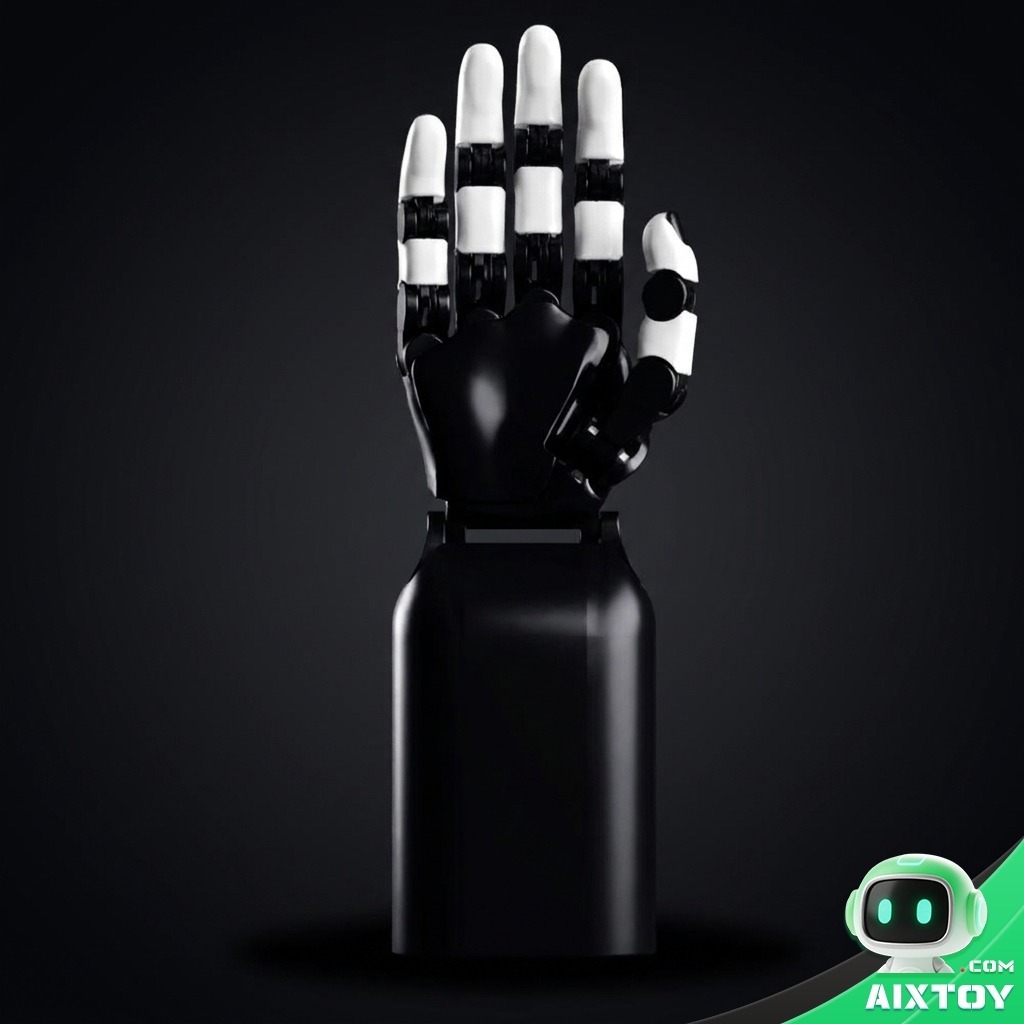
Once the arm is running, the obvious next project is the hand: a 17-degree-of-freedom dexterous hand with force-torque sensing, built for machine learning research and advanced robotics coursework.
Tags: NexArm Hiwonder Open-Source Robotics Robotic Arm LeRobot Imitation Learning Embodied AI STEM Robotics Teleoperation Hugging Face Robotics Kit AIXTOY