


No products added!
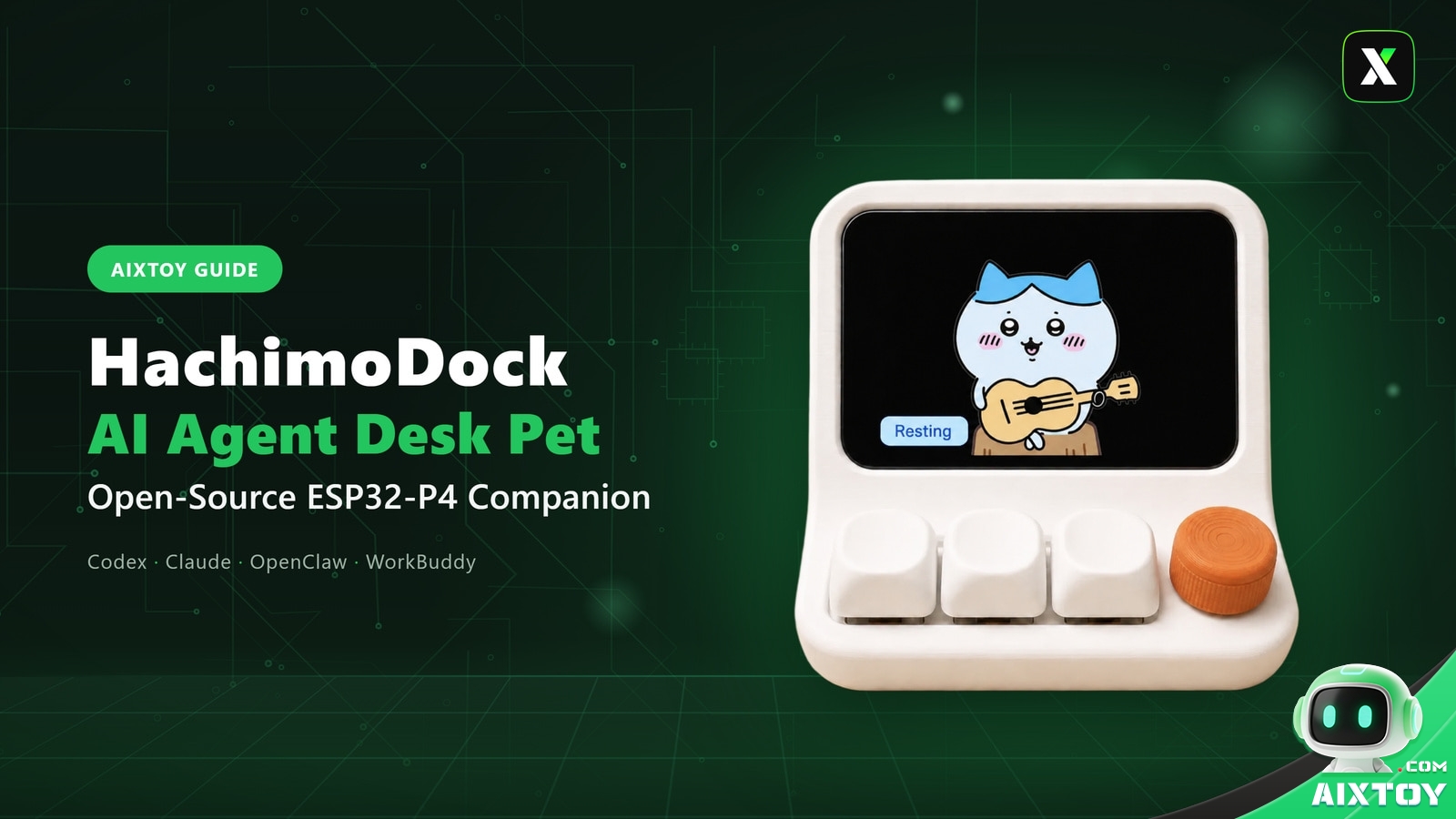
Your AI coding agent spends the day thinking, running tools, waiting for your approval and occasionally falling over — but all of that happens inside a terminal window you have to actively stare at. HachimoDock (哈基米机) flips the arrangement: it takes the agent’s live state out of the terminal and puts it on a tiny screen on your desk, as a pet that types, thinks, dozes off and sulks when something breaks.
It is also, unusually, something you can build yourself. The whole stack — hardware files, firmware and a desktop app — is open source, and the parts for a basic unit come to roughly 150 yuan, or about US$22.
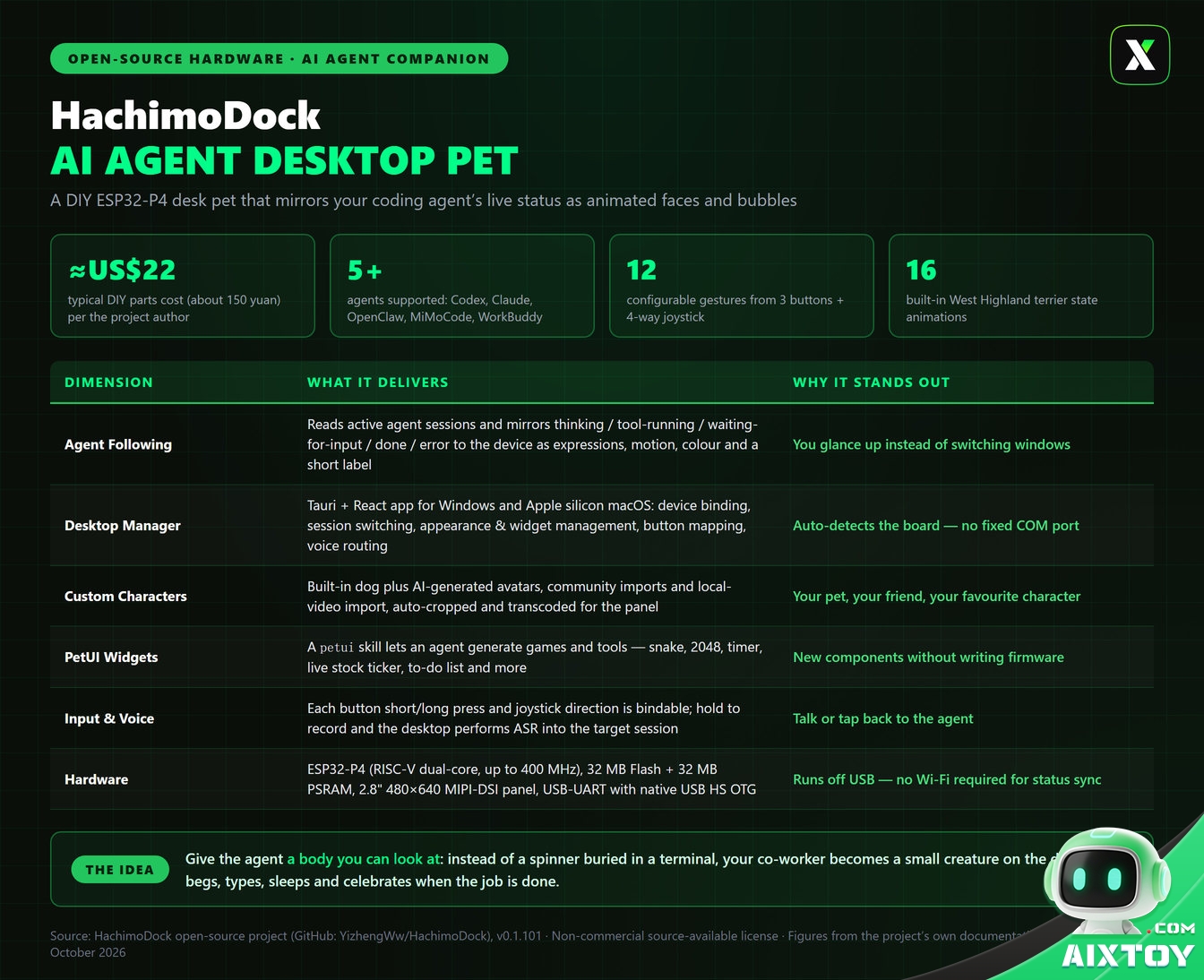
What HachimoDock Actually Is
HachimoDock is a desktop companion for AI agents. At its centre is an Espressif ESP32-P4 board driving a 2.8-inch 480×640 portrait screen, wrapped in a small 3D-printed shell with three mechanical keys and a four-way joystick.
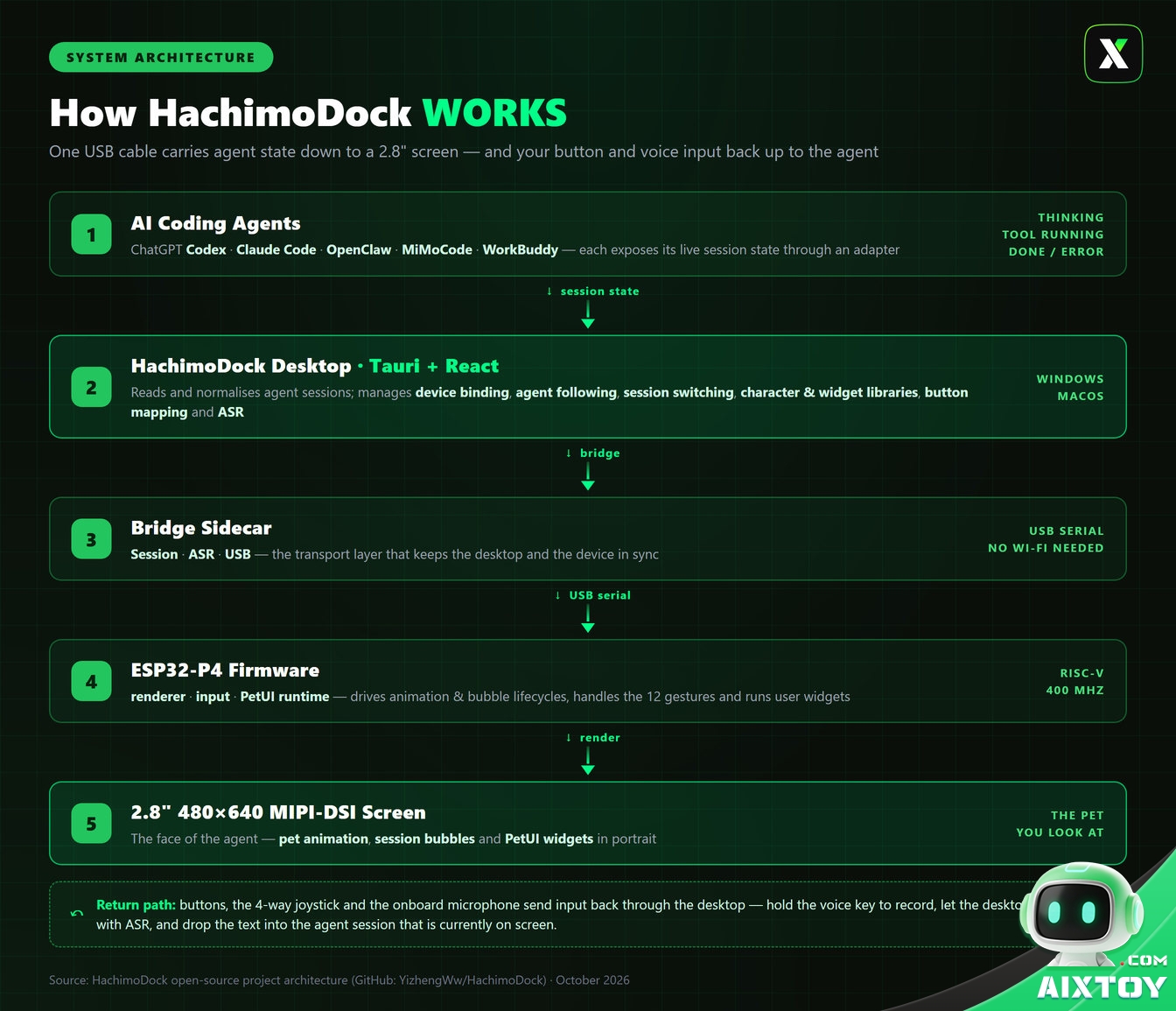
The idea is simple but genuinely useful: while you work, the device reads the session state of the agents running on your computer — ChatGPT (Codex), Claude Code, OpenClaw, MiMoCode and WorkBuddy — and mirrors it as an animated character. Thinking, running a tool, waiting for input, finished or errored each produce their own expression, movement, colour and short label. Instead of alt-tabbing to check whether your agent is still busy, you glance at the corner of your desk.
The project is deliberately two-directional. Buttons, the joystick and an onboard microphone send input back to the agent, so the pet isn’t just a status light — it’s a remote control for the thing doing your work.
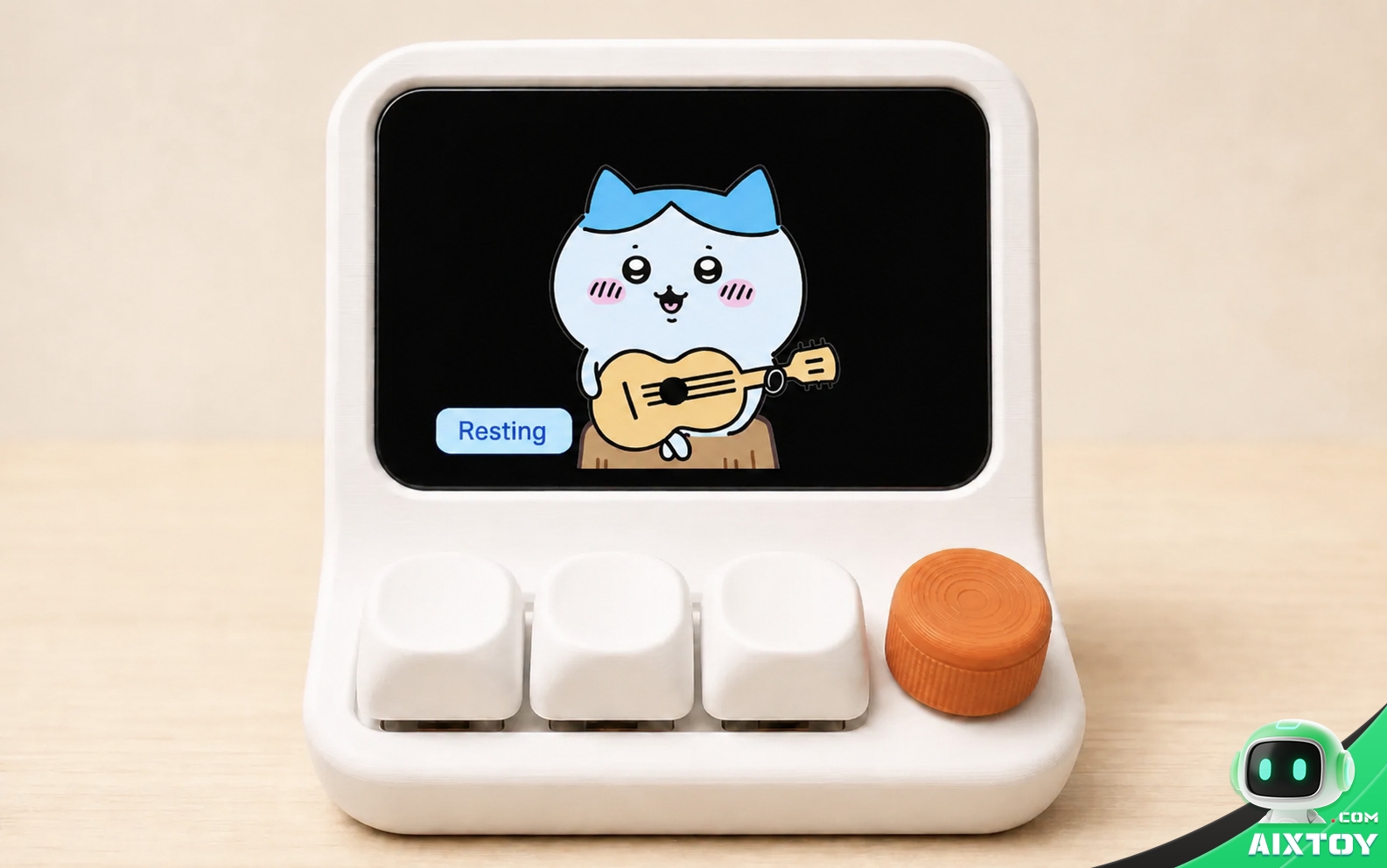
The Pet Is the Interface
Most “AI hardware” treats a screen as a place to print text. HachimoDock treats it as a face.
When an agent is mid-task the character animates accordingly; when it goes idle the pet switches to a waiting behaviour — the difference between “still working” and “needs your decision” becomes something you perceive at a glance rather than read. Each active session becomes a bubble on the device, and bubbles for completed or failed tasks linger for 60 seconds before clearing.
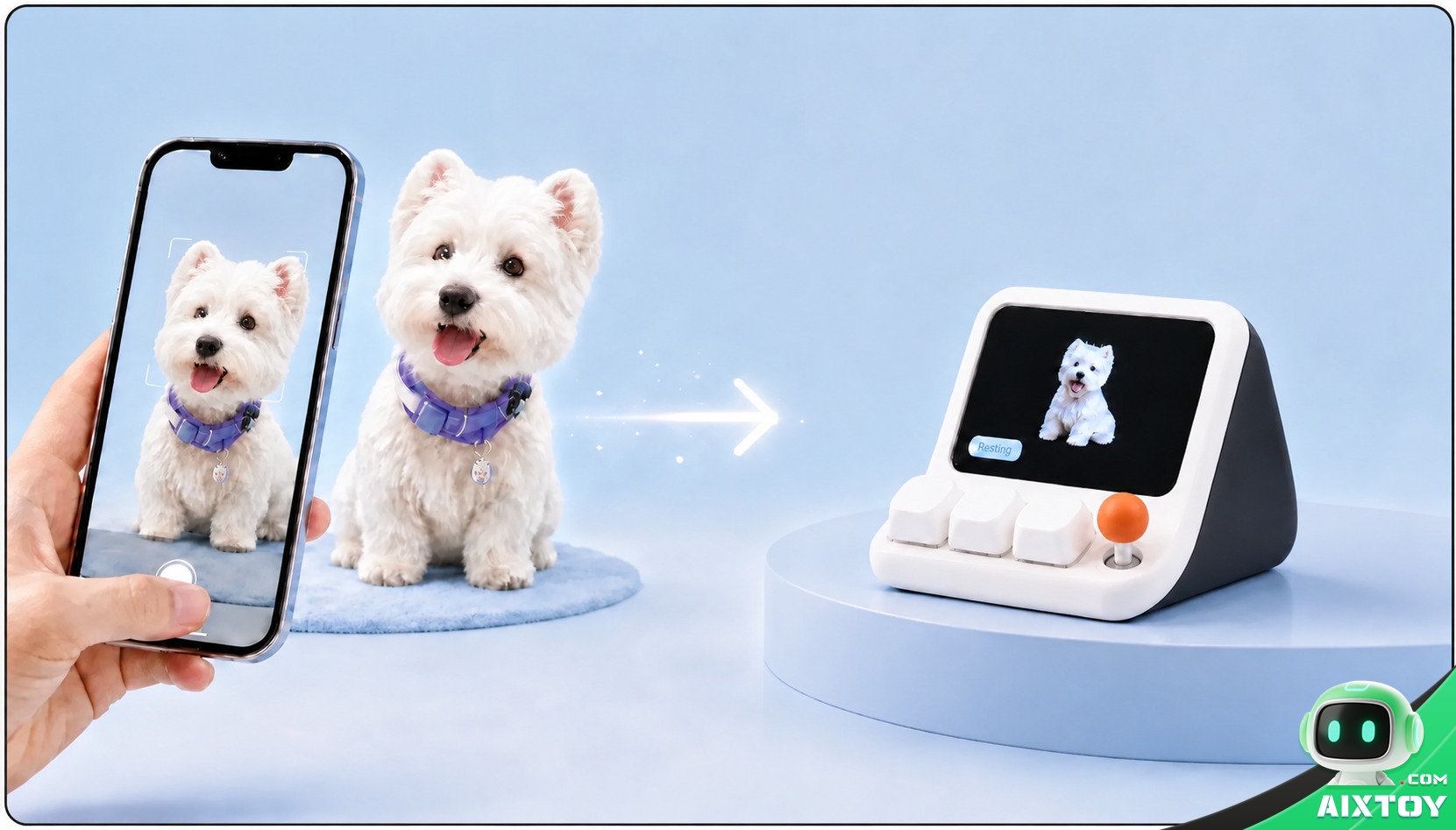
Out of the box you get a West Highland white terrier with 16 state animations — the playful, slightly needy mascot the project was built around. It’s a small design decision that changes the emotional register of the whole object: the agent stops being an abstract process and starts being a small creature that would like your attention.
Make It Your Own
The default dog is only the starting point. The desktop app can generate new characters with AI, import community avatars, or turn a local video into an animation set — automatically cropped, transcoded and validated for the panel before it’s sent over. The device keeps one fixed slot for the built-in character and one replaceable slot for everything else.
The screen is also a small app platform. PetUI widgets and mini-games run on the device, and the project ships with a growing set: a pixel snake game, 2048, a Pomodoro timer, a water reminder, a token-usage dashboard, a to-do list and even a live stock ticker. More interesting still, a petui skill lets your agent generate new components on request — describe the widget you want, and it is built, validated against the screen’s size, button mappings and byte budget, then published to the shared component library. No firmware work required.
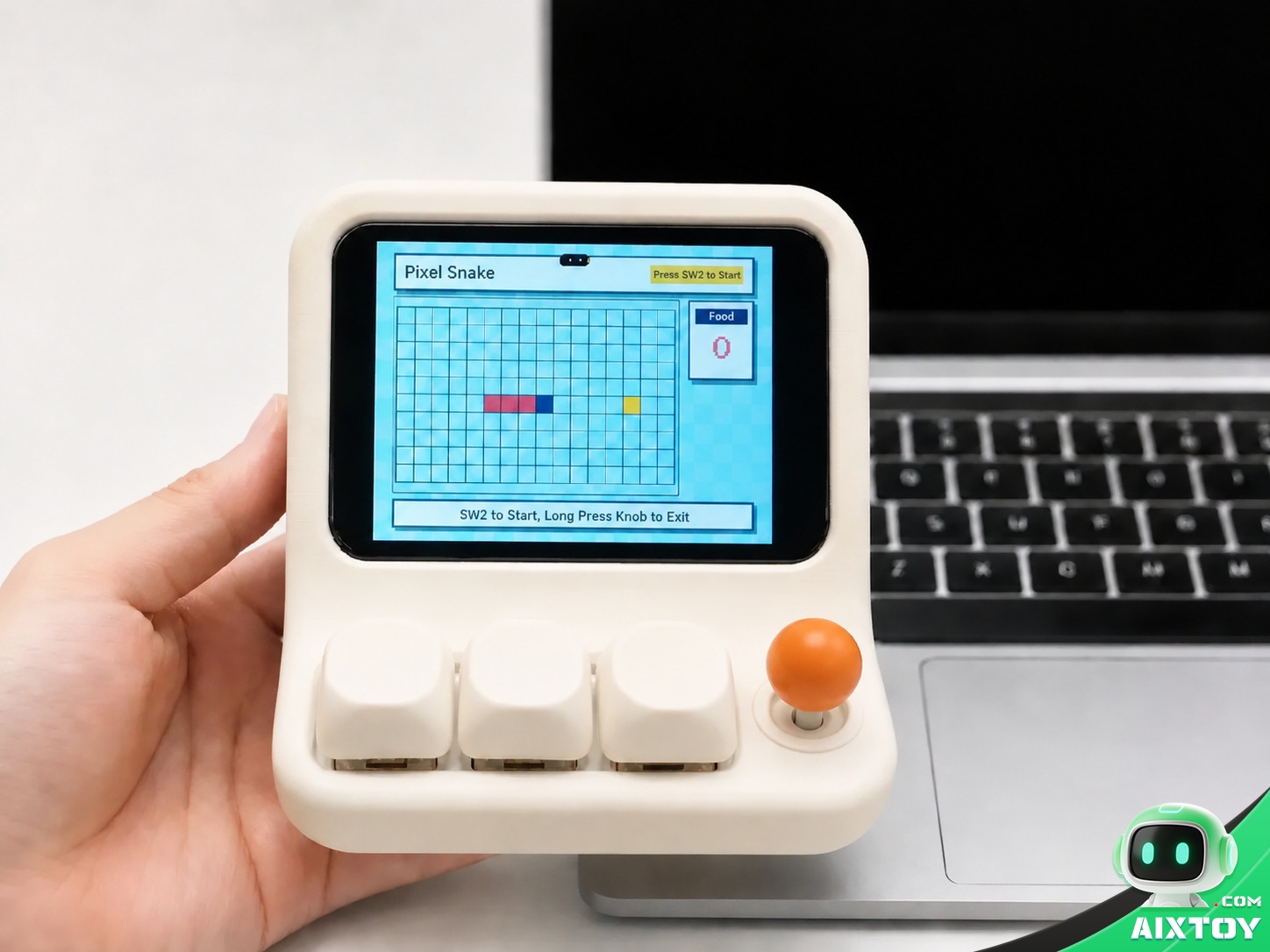
petui skill lets your agent build new ones (Image: HachimoDock)Physical input is fully mappable, too: three buttons (short press and long press each) plus four joystick directions and a centre press add up to 12 configurable gestures. Hold the voice key and the desktop performs speech recognition, then drops the text into the agent session that’s currently on screen — useful when you’d rather talk than type.
The Desktop Manager Does the Heavy Lifting
The companion app — built with Tauri and React for Windows and Apple silicon macOS — is where the real configuration lives. It auto-detects the board without depending on a fixed COM port, and shows connection, firmware, Flash/PSRAM and transfer status alongside reconnection and diagnostics tools.
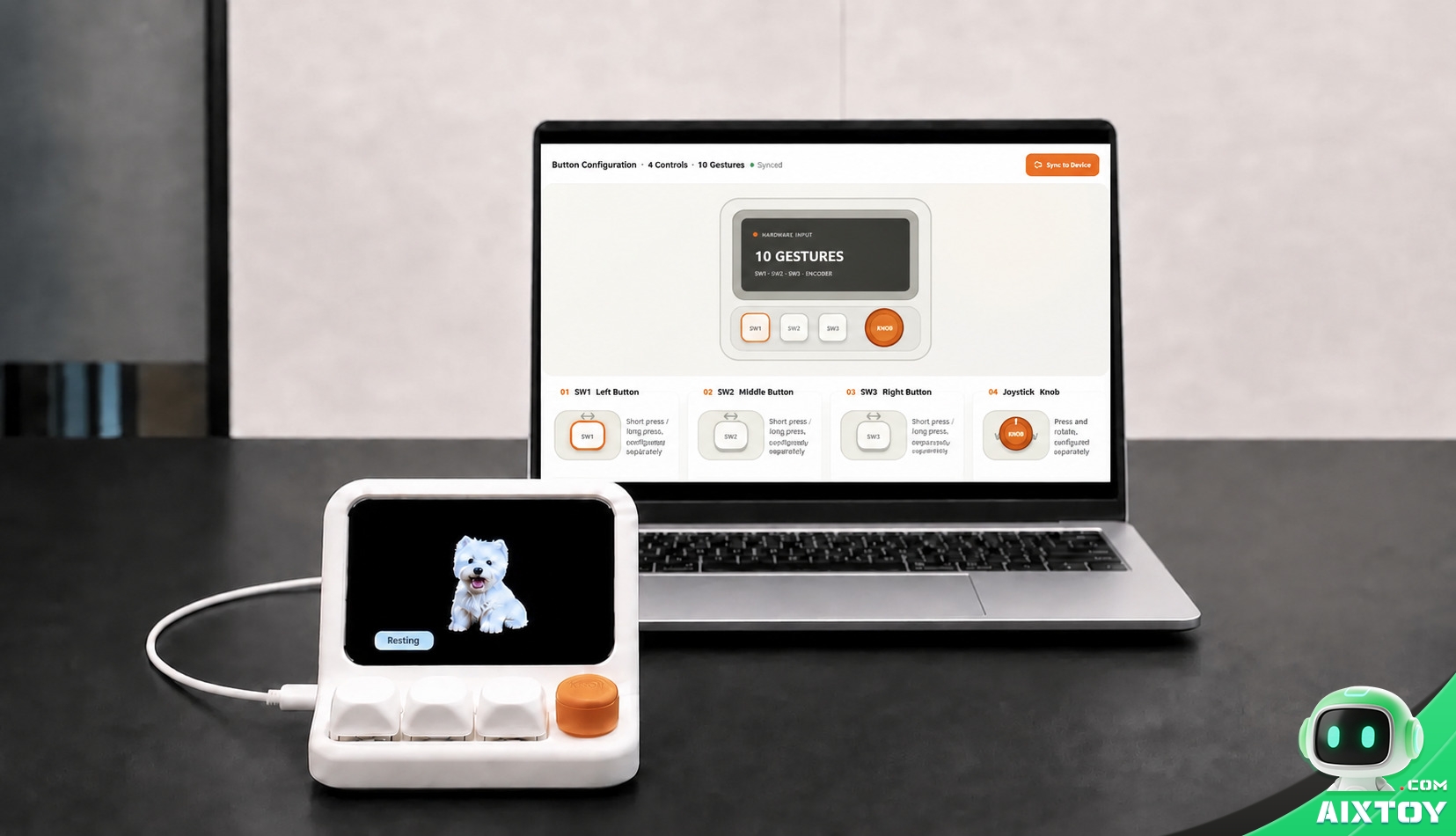
From there you manage agent following, session switching, character and widget libraries, button bindings and voice routing. API credentials for speech recognition and AI character generation can be stored locally — the project deliberately keeps keys out of the firmware and out of the repository.
One honest limitation worth knowing: session switching from the device works best with agents whose adapters support it. For WorkBuddy, for example, the device bubble won’t switch the desktop conversation for you — you open the target session manually.
The Hardware, in Plain Numbers
For a desk toy, the spec is more serious than it needs to be:
- Controller: ESP32-P4, RISC-V dual-core, high-performance core up to 400 MHz
- Memory: 32 MB Flash and 32 MB PSRAM
- Display: 2.8-inch 480×640 MIPI-DSI, portrait orientation
- Input: three physical buttons plus a four-way joystick with centre press — 12 configurable gestures
- Audio: onboard microphone, with speech recognition handled by the desktop
- Connectivity: USB-UART for flashing, logging and day-to-day data, with native USB HS OTG capability retained
Critically, status, character and widget sync all travel over USB — the device does not need to join your Wi-Fi network for the core experience to work. Voice recognition and the agents themselves still need the computer online, naturally.
Building One Costs About US$22
This is the part that surprises people. The author’s own estimate for a DIY build is around 150 yuan — roughly US$22 — covering the ESP32-P4 board, the MIPI screen, PCB, audio components, buttons and joystick, and the shell. The exact figure moves with sourcing and batch size, but it puts HachimoDock well below the price of most finished AI gadgets.
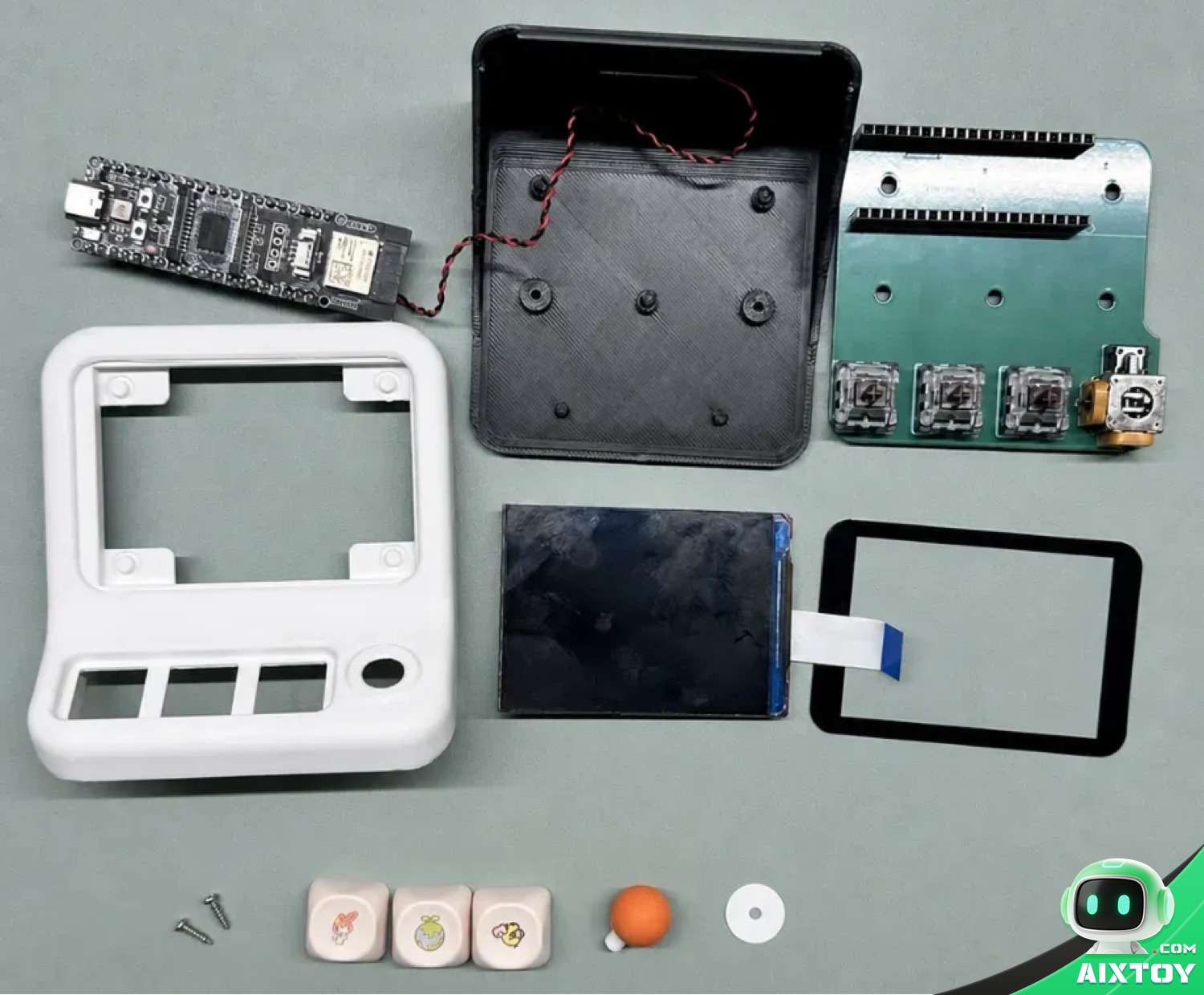
Assembly follows a short path: clone the repository from GitHub (YizhengWw/HachimoDock), install the desktop manager, flash the ESP32-P4 firmware over USB, connect the device and let the app bind it. PCB, bill-of-materials, structure and assembly files are published separately through the project’s OSHWHub hardware page, so you can either hand-wire a prototype with jumper cables or order a proper board.
Before You Start: Read the Fine Print
A few honest notes, because they matter:
- The licence is source-available, not free-for-all. Personal, non-commercial replication, in-project modification and component creation are allowed; commercial use or building it into a standalone product requires written permission from the rights holder.
- Firmware images are version-specific. The v1 and v3 full-flash packages are not interchangeable — check your chip revision before flashing, since the “M” in a board’s name doesn’t indicate the chip version.
- Public builds ship without API keys. You supply your own speech-recognition and content-generation credentials.
- It’s a maker project. Expect some comfort with flashing, wiring and the command line. It’s approachable, but it isn’t a plug-and-play consumer product.
Who It’s For
HachimoDock is aimed squarely at people who run coding agents for hours at a time and want the state of that work to be ambient rather than buried in a window — and at anyone who likes the idea of their AI having a face. It’s a small, well-considered project that solves a real, if modest, annoyance (“I can’t tell if it’s still working”) with charm instead of another dashboard.
And at roughly the price of a few coffees in parts, it’s a rare example of AI hardware that feels like it was made for the pleasure of making it.
Looking for an AI companion you can unbox today instead of solder? The Qiubao AI Companion Robot in the AIXTOY store is a desk-sized talking companion with voice chat and expressive reactions that ships worldwide now.
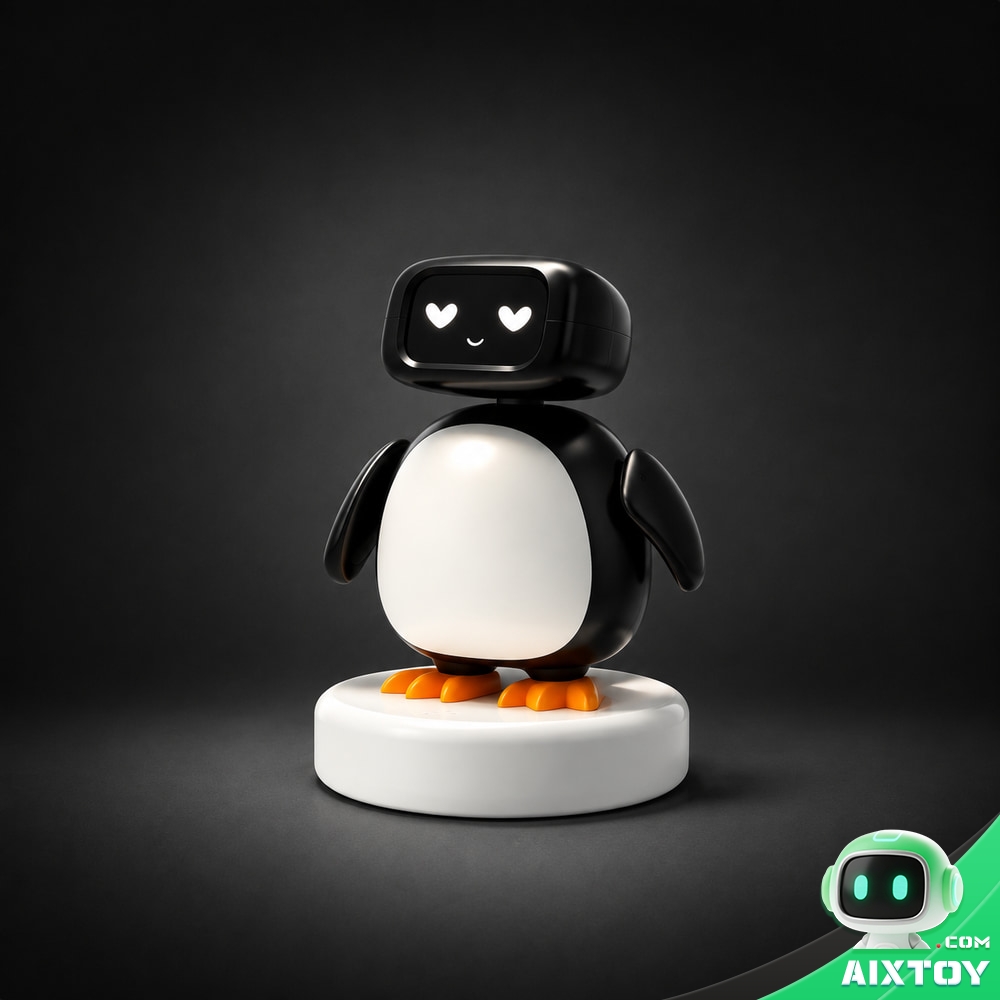
Qiubao AI Companion Robot
$188.99
A desk-sized AI companion robot with voice chat, expressive reactions and a collectible-card play loop — the desktop companion you can unbox today, shipping worldwide from AIXTOY.
Tags:HachimoDock ESP32-P4 Open Source DIY Robot AI Hardware AI Desktop Robot Desktop Robot AI Agent Edge AI Codex AIXTOY