



No products added!
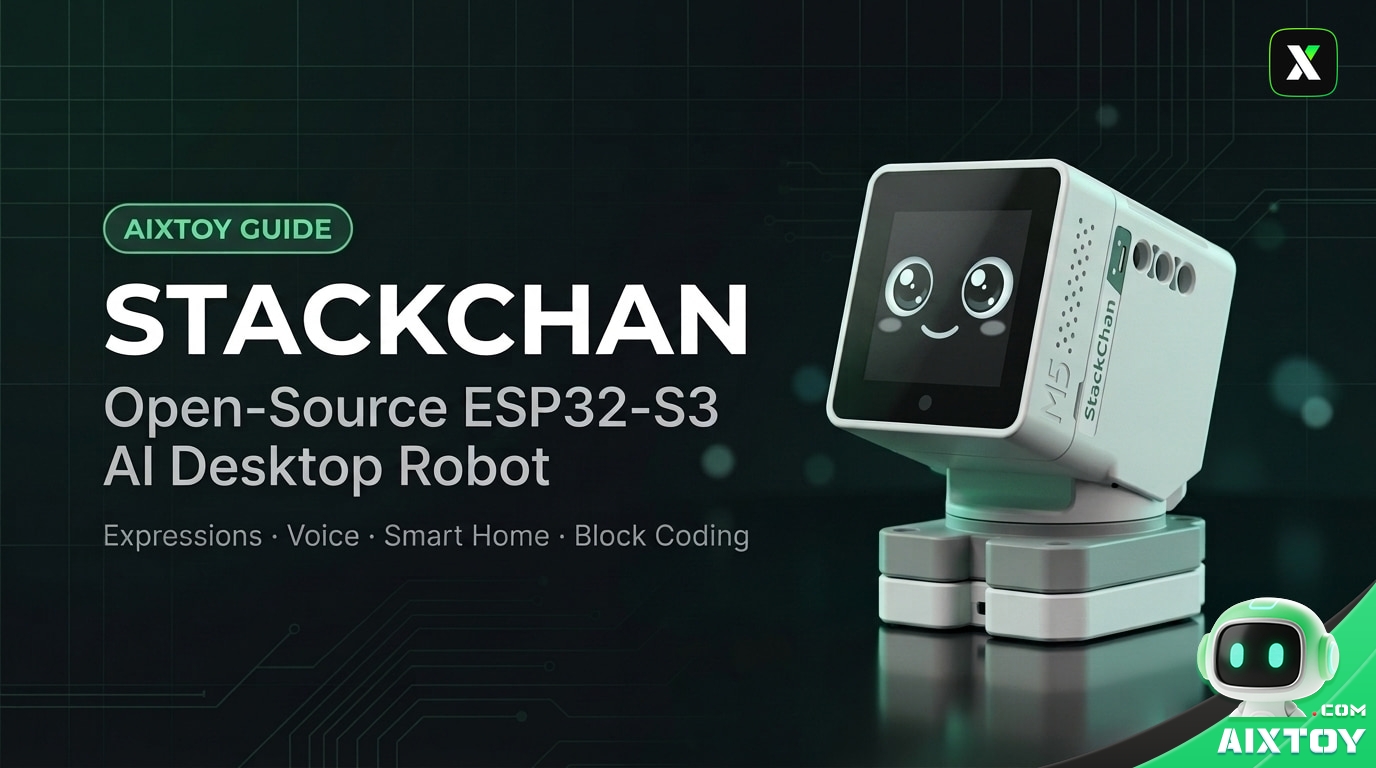
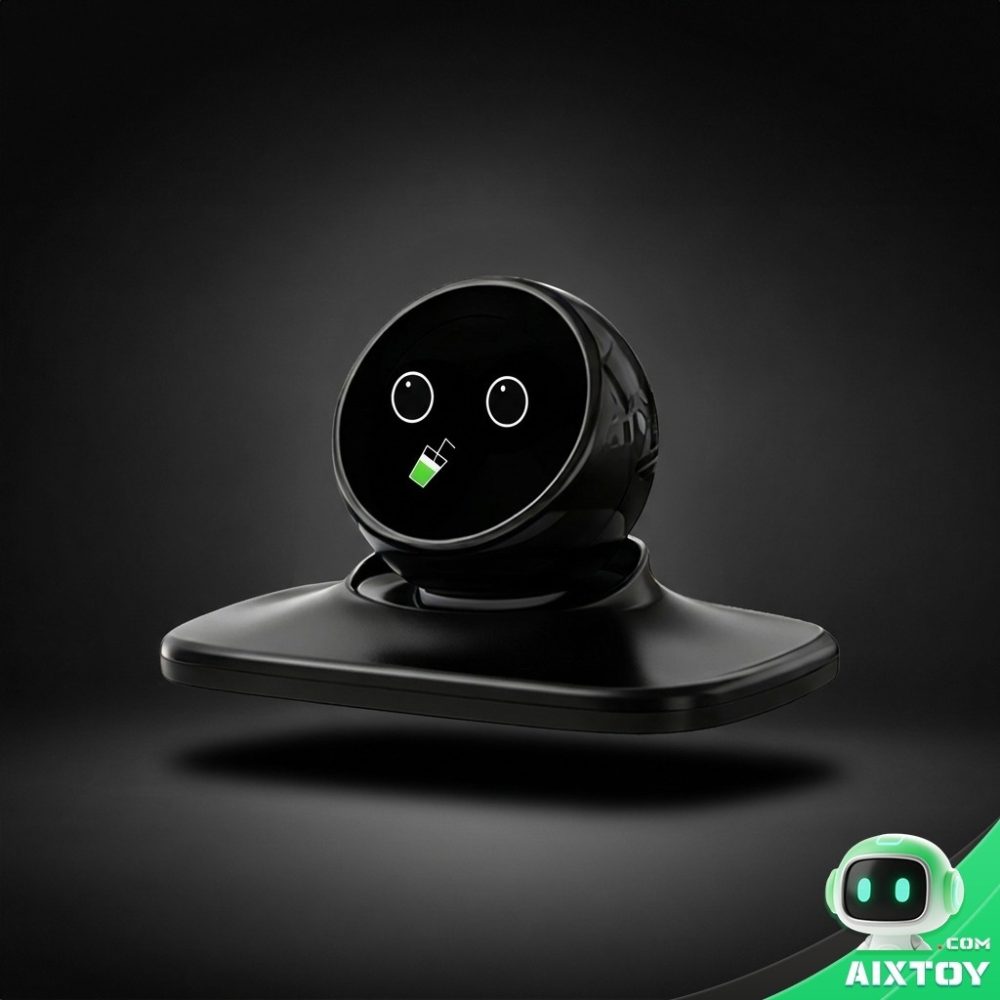
A robot that sits on your desk, looks up when you touch it, talks back, and can be reprogrammed by its owner is a surprisingly rare thing. StackChan is exactly that: an open-source desktop robot built on Espressif’s ESP32-S3 and the M5Stack CoreS3 platform, with published hardware drawings, readable firmware and a shell you can print yourself.
Two things set it apart from a sealed toy. The software is open — hardware drawings, firmware source and 3D-printable shell models are public, and the community shares firmware and decoration designs through a public platform. And the AI layer is replaceable: the bundled assistant can be pointed at different large language models, including DeepSeek, Qwen, Doubao and Kimi, so the robot is not tied to one vendor’s cloud.
Inside the Hardware: Sensors, Speech and Motion
The robot’s brain is an ESP32-S3 with a dual-core 240 MHz processor, 8 MB of PSRAM and 16 MB of flash. Everything else hangs off that chip:
- Display — a 2.0-inch 320×240 capacitive touch screen. Every expression is drawn here.
- Vision — a 0.3 MP camera plus a proximity sensor, which is what lets the robot notice a face or a hand.
- Sensing — a 9-axis IMU, an infrared transmitter and receiver, and an ambient light sensor.
- Touch — a three-zone touch panel, plus a full NFC module for cards and tags.
- Audio — dual microphones and a 1 W speaker for hands-free conversation.
- Motion — two servos: 360° continuous horizontal rotation and 90° vertical tilt.
- Lighting — 12 RGB LEDs used for eyes, moods and status.
- Storage and power — a microSD slot for offline assets and a 550 mAh battery charged over USB-C.
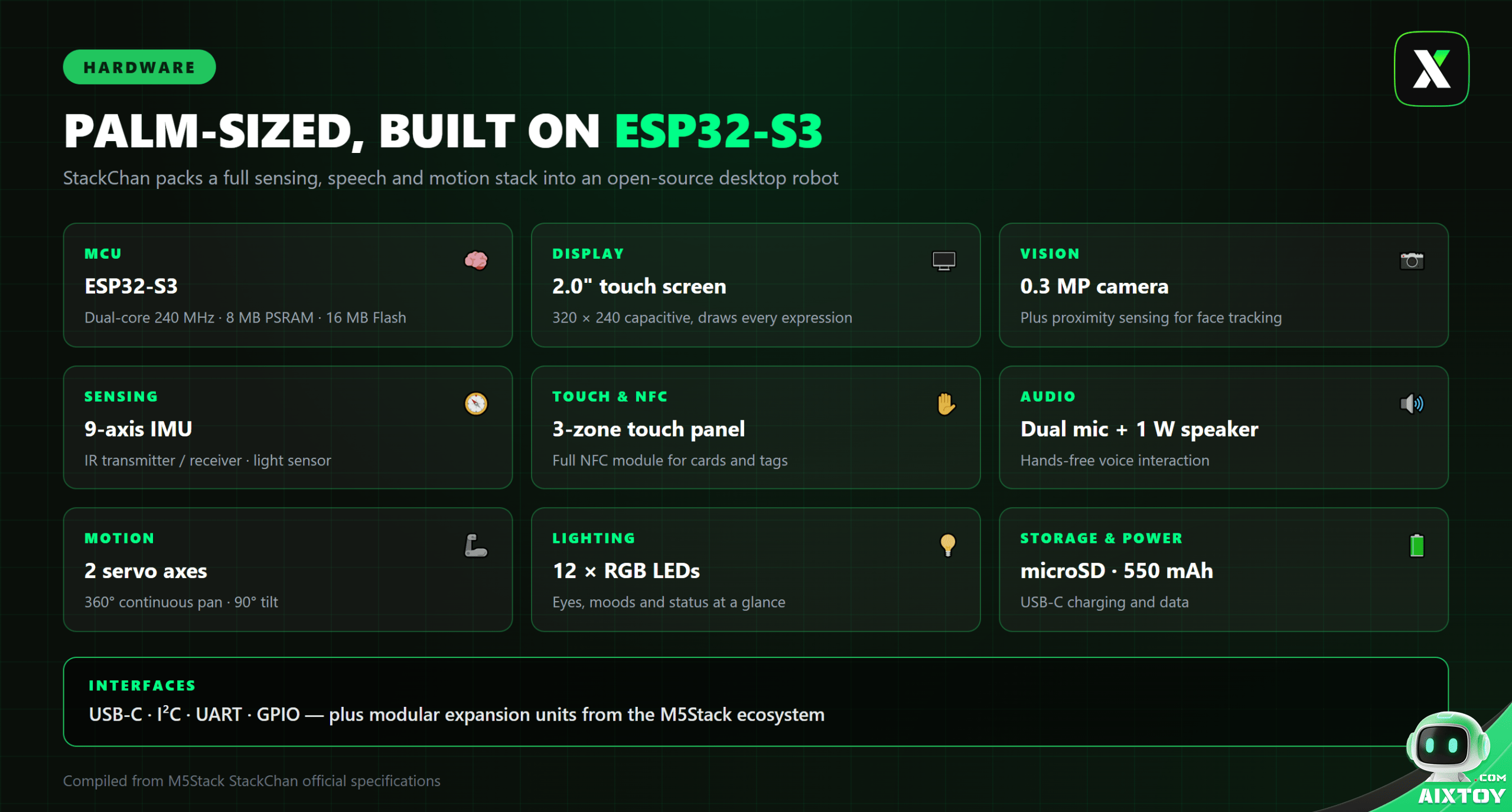
The interface set — USB-C, I²C, UART and GPIO — plus the wider M5Stack ecosystem of expansion units is what turns this from a fixed gadget into a platform.
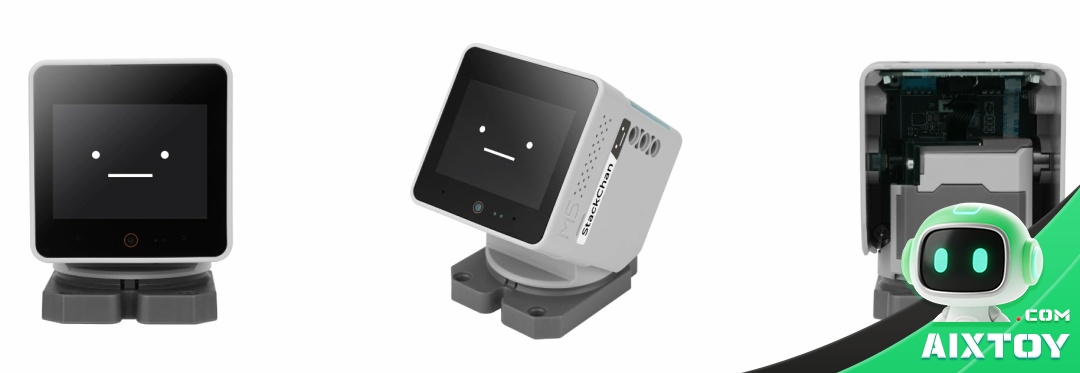
Expressions, Head Movement and Touch Feedback
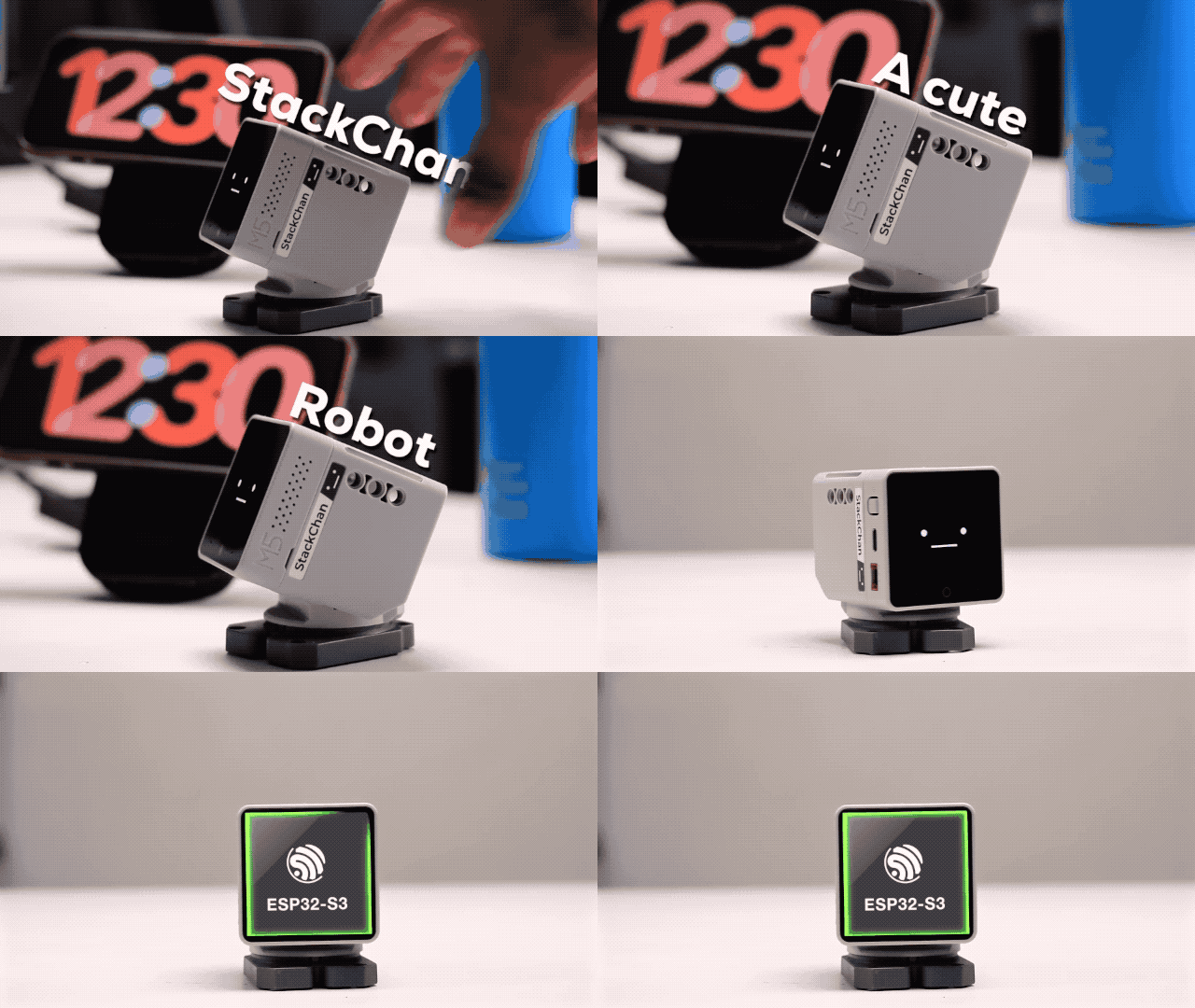
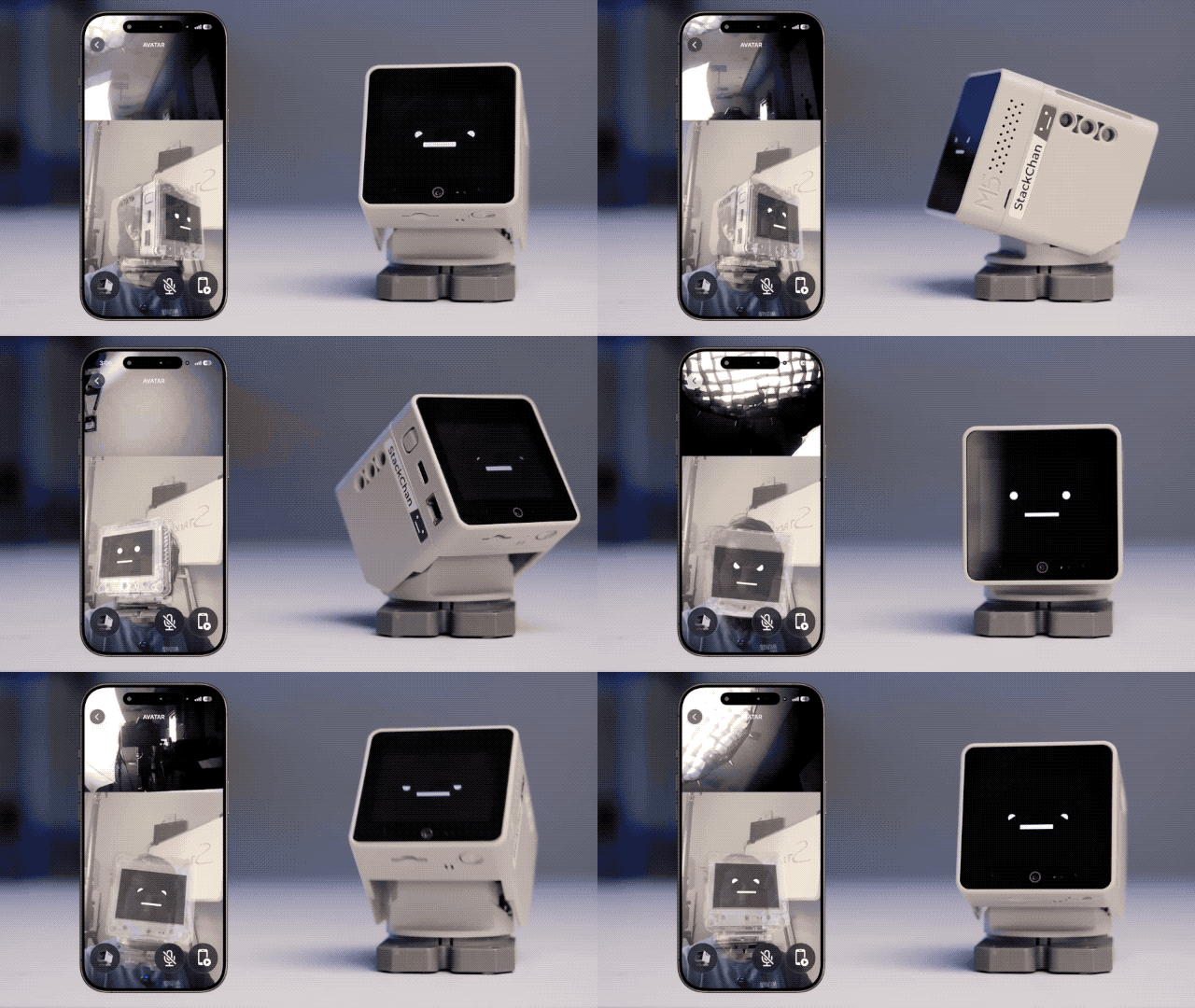
The expression system is the part people notice first. Touch the back of the robot or tap its head and it looks up and answers with a face — then it adds a real physical response: the head turns, follows a hand, tilts. Motion and expression together are what make it read as a small character rather than a screen with a speaker.
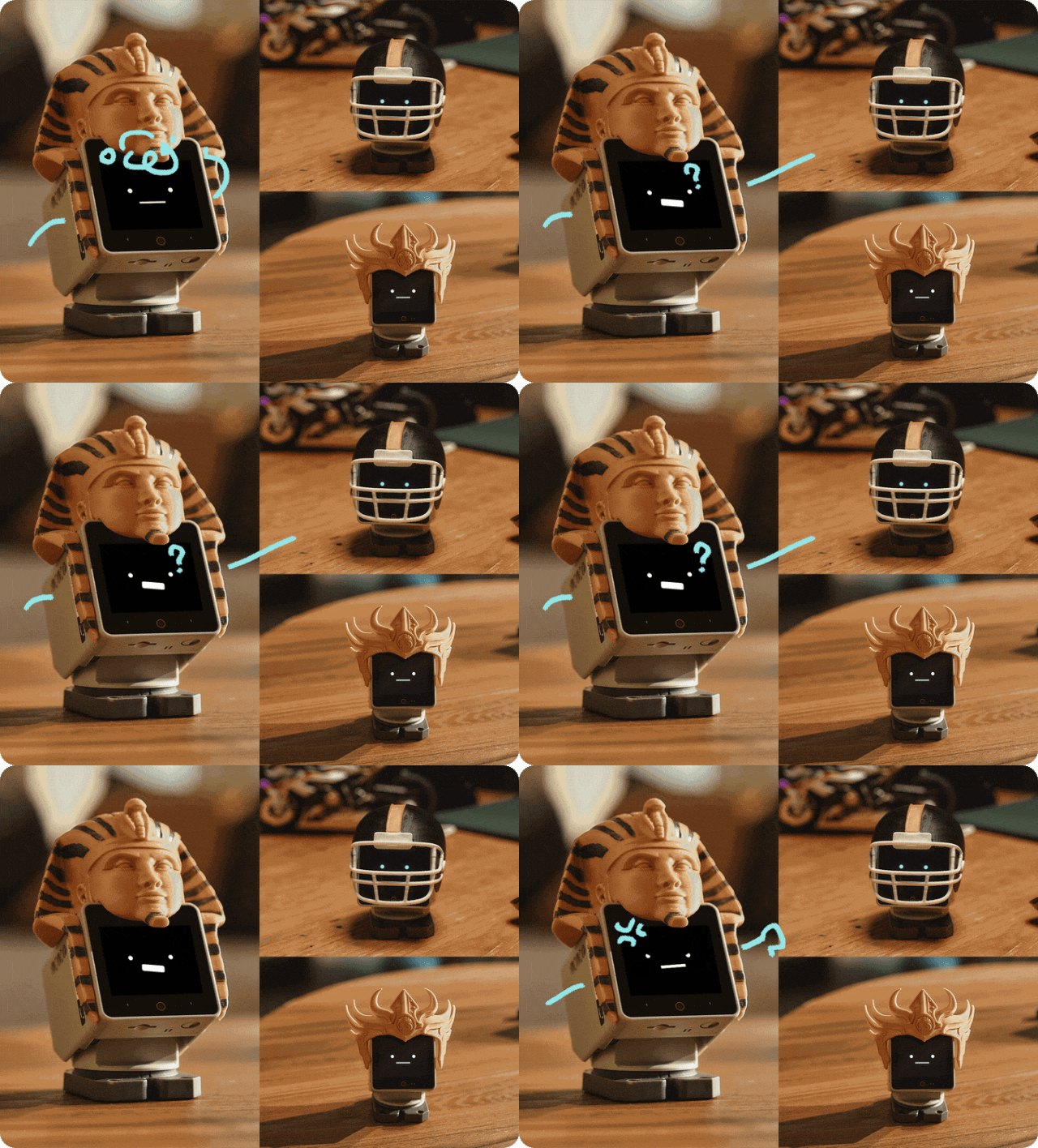
Expressions are not limited to the factory set. Faces are rendered from image assets that users can replace, and community members publish themed shells and costumes — from historical headdresses to sports helmets — that clip onto the same body.
AI, Voice and Smart-Home Control
Speech is the primary interface. The robot connects to a large language model and answers natural-language questions without any programming: ask about science, chat, set a reminder, have it read text aloud, or ask it to describe what the camera sees.
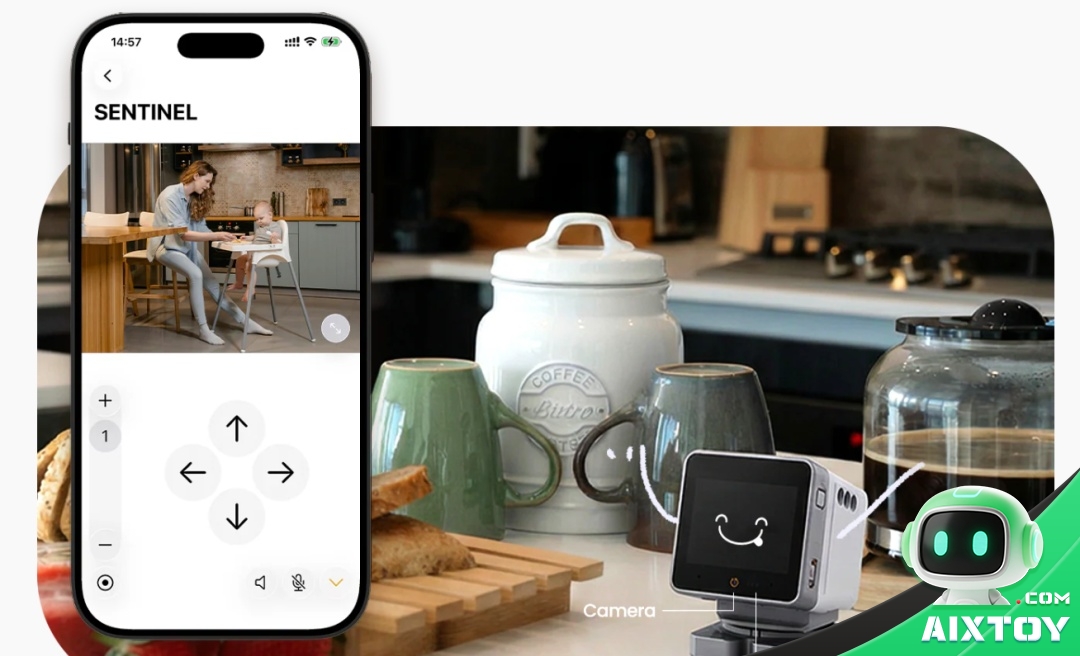
The more interesting part is what happens when it is connected to a home automation system such as Home Assistant. A single sentence can start a work mode, switch off the television or dim the lights — and the same link supports a sentinel mode that watches the room while you are away.
The Companion App: Avatars, Motion, MCP and Nearby
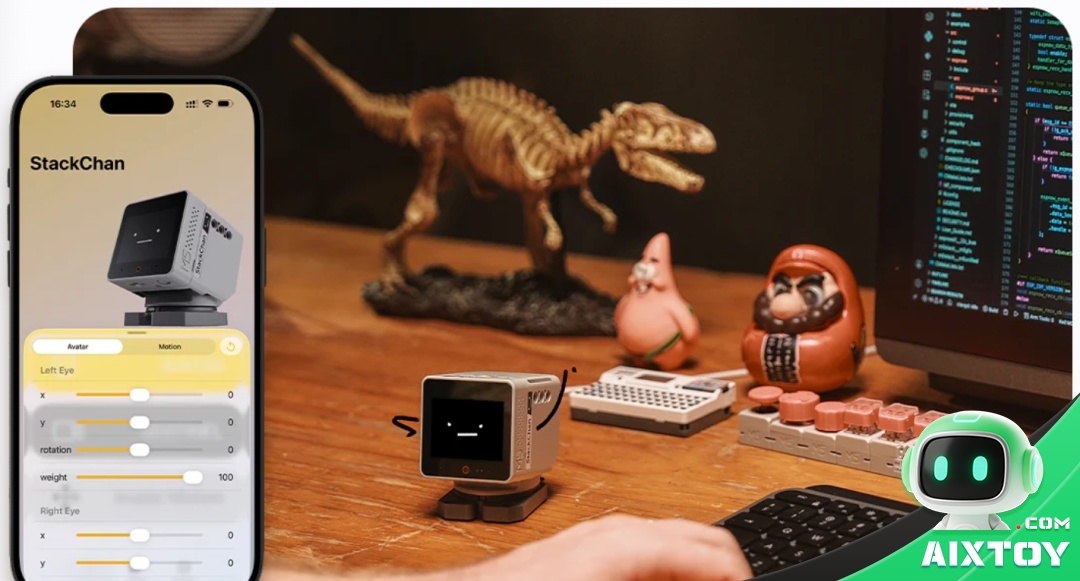
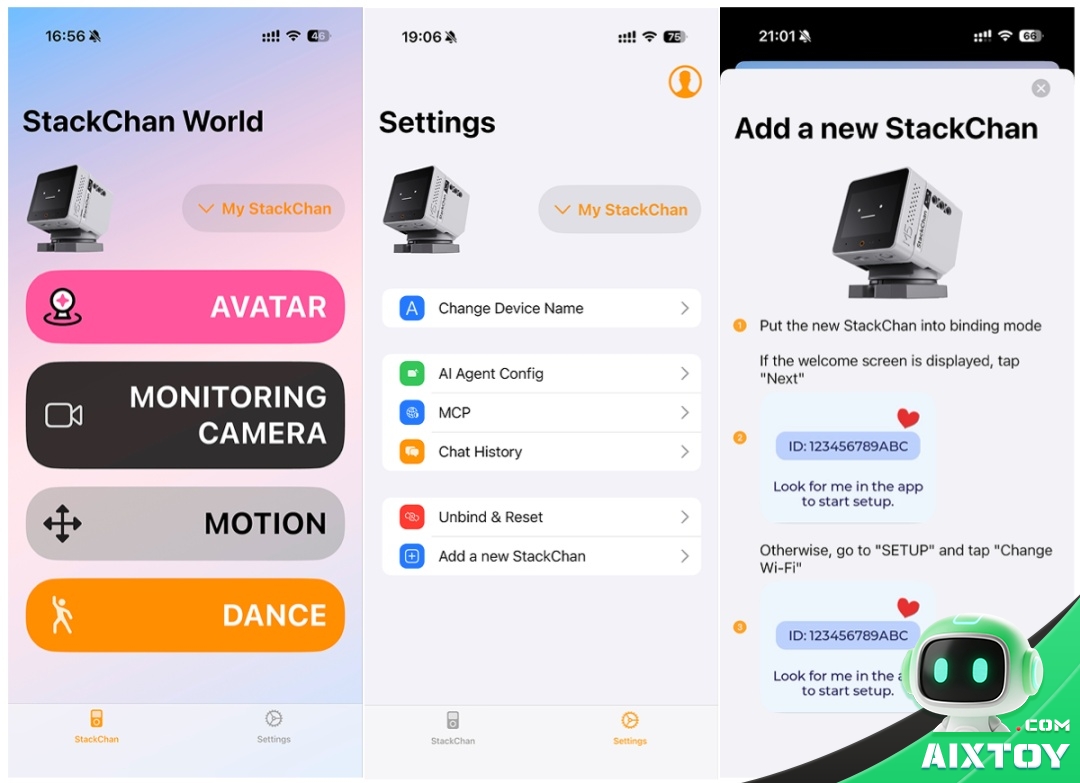
The mobile app covers the settings that do not belong on a 2-inch screen: device management, device naming, the AI agent persona, MCP (Model Context Protocol) tools, chat history and unbinding. A dedicated avatar screen exposes the face parameters directly — left eye, right eye, x, y, rotation and weight — so you can dial in an expression and see it on the robot immediately.
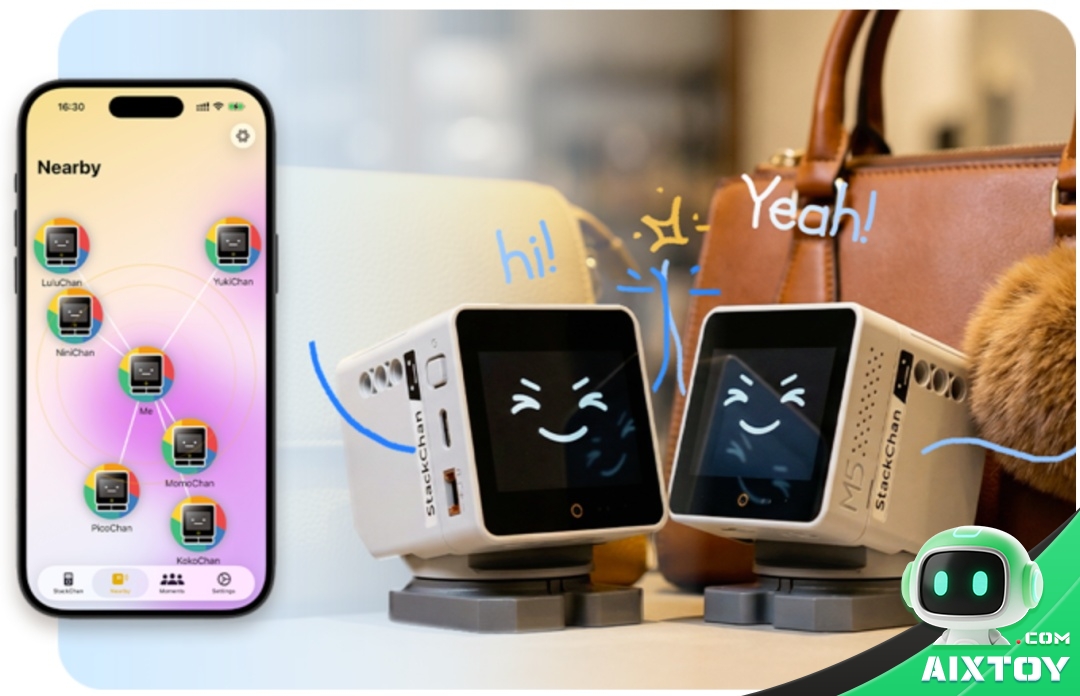
Two features stand out. The camera can be viewed live from the phone, which turns the robot into a small remote companion. And a “nearby” screen discovers other StackChan robots in range, showing them as a mesh of named devices.
The Open Firmware: Three Ways to Code
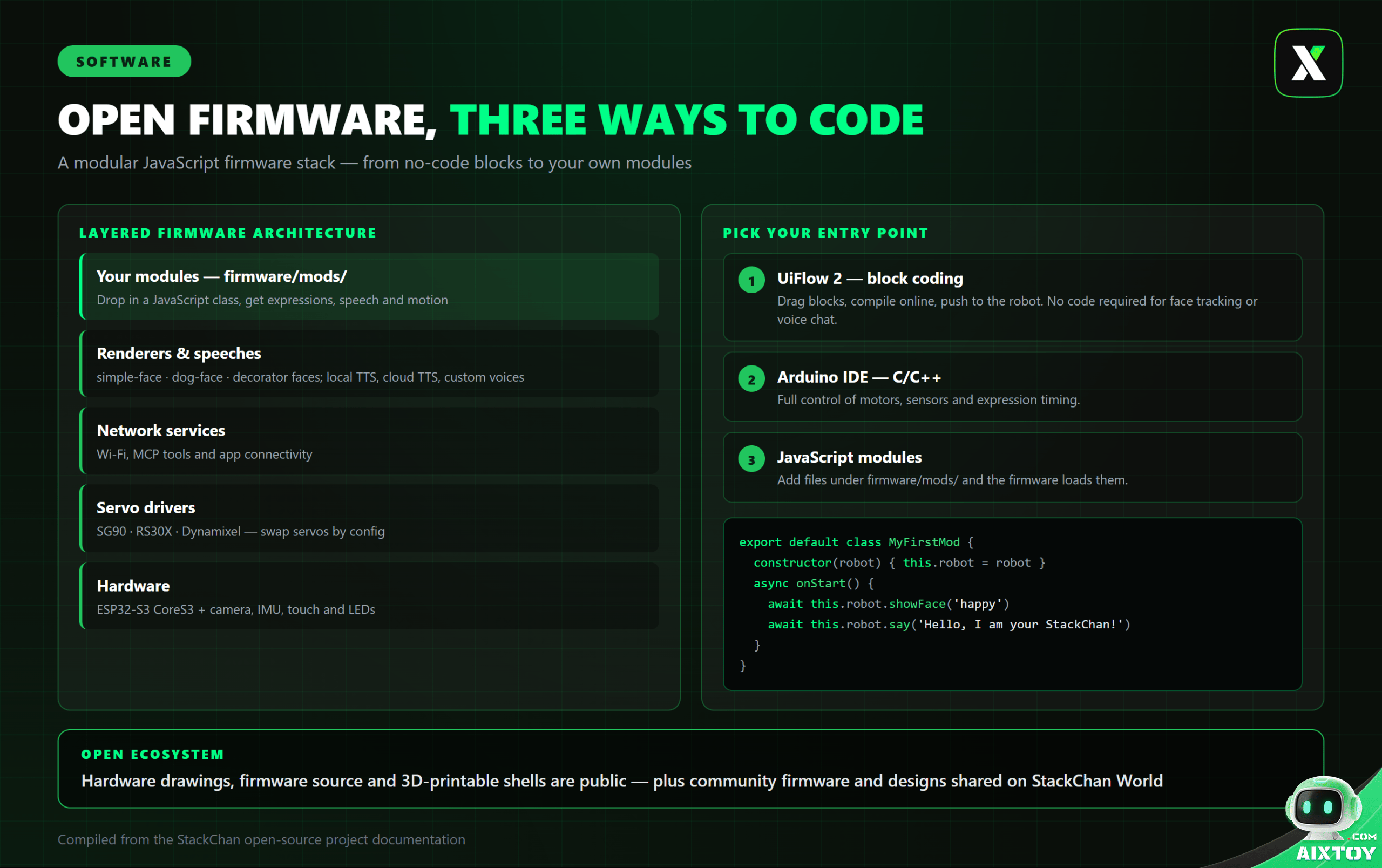
The firmware is deliberately layered so that you can enter at whichever level matches your skills.
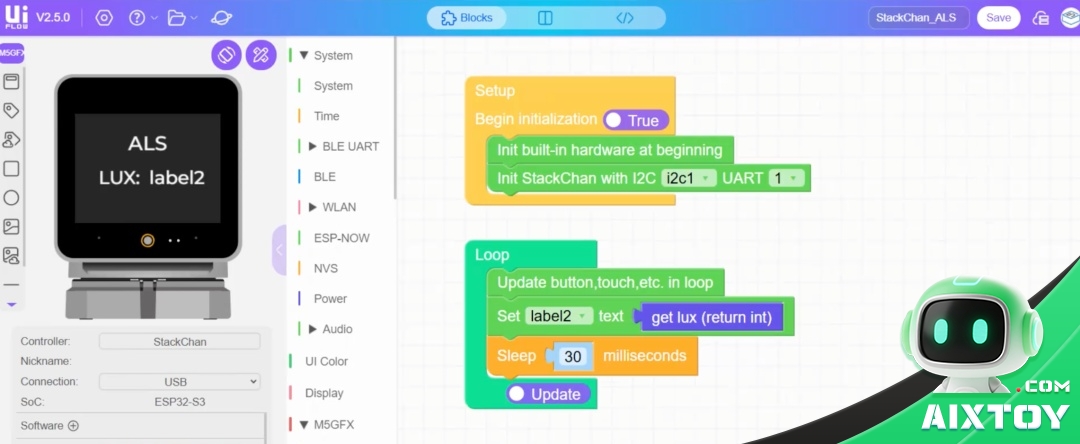
1. Block coding with UiFlow 2
Drag blocks, compile online and push to the device. Face tracking, voice dialogue and expression displays can be assembled without writing a line of code — the fastest path for beginners and classrooms.
2. Arduino and C/C++
When you need deterministic behaviour, Arduino gives full control over motors, sensors and expression timing.
3. JavaScript modules
The firmware is JavaScript-driven. Drop a module into the user module directory and the robot loads it, giving your code direct access to faces, speech, servos and sensors.
Underneath, the firmware is organised in clear layers:
- User modules (
firmware/mods/) — your own behaviour files - Renderers and speeches —
simple-face,dog-faceand decorator faces that stack visual effects; local TTS, cloud TTS and custom generated voices - Network services — Wi-Fi, MCP tools and app connectivity
- Servo drivers — SG90, RS30X and Dynamixel drivers, selected by configuration
- Hardware — the ESP32-S3 CoreS3 with camera, IMU, touch panel and LEDs
A First JavaScript Module, Step by Step
Getting a development environment running takes four commands. Clone the project, move into the firmware directory, install dependencies, then let the setup tool detect and configure the board:
git clone <stack-chan repository>
cd stack-chan/firmware
npm install
npm run setup -- --device=esp32
npm run doctor
npm run doctor verifies that the toolchain, board and connection are healthy before you waste time debugging code that never reached the robot.
A module is a JavaScript class. This one shows a face, waits, changes expression and speaks:
export default class MyFirstMod {
  constructor(robot) {
    this.robot = robot;
  }
  async onStart() {
    await this.robot.showFace('happy');
    await this.robot.sleep(2000);
    await this.robot.showFace('surprised');
    await this.robot.say('Hello, I am your StackChan!');
  }
}
Save it under firmware/mods/ and the firmware picks it up on the next flash.
Servo Tuning, Custom Faces and Performance
Three details separate a working build from a good one.
- Servo configuration. Different servos need different pulse ranges. An SG90 typically uses a 500 µs minimum pulse, a 2500 µs maximum pulse and a 0–180° range; RS30X and Dynamixel units need their own values. Get these wrong and you get jitter, buzzing or a head that cannot reach its endpoints.
- Custom faces. Face assets are images — 320×240 PNG is the native fit for the display. Keep them at that size and the renderer stays fast.
- Performance. In a JavaScript firmware on a microcontroller, three habits matter: release resources you no longer need, keep slow work asynchronous so the main loop is never blocked, and wrap hardware calls in error handling so one failed sensor read cannot freeze the robot.
Building and Customising Your Own
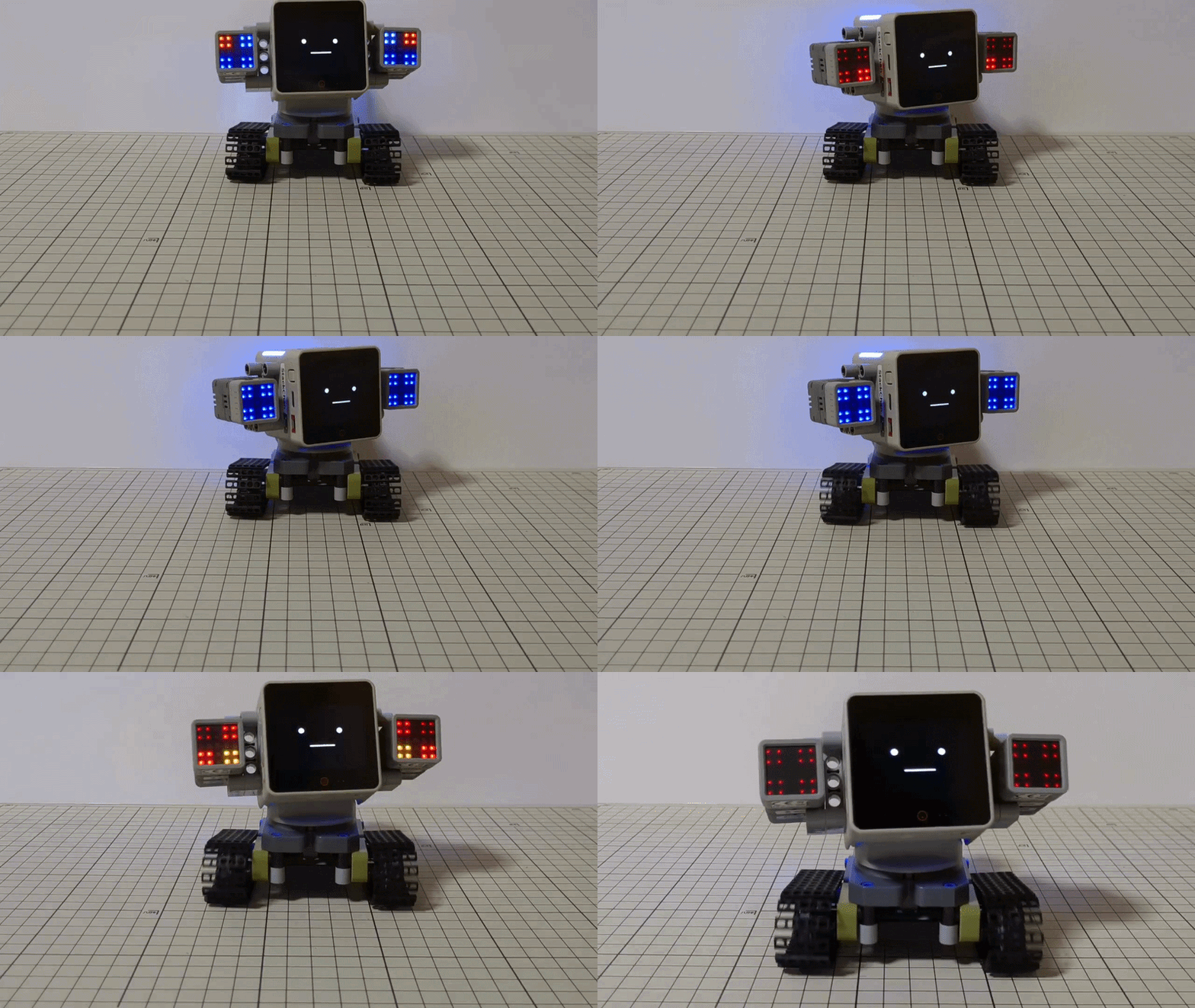
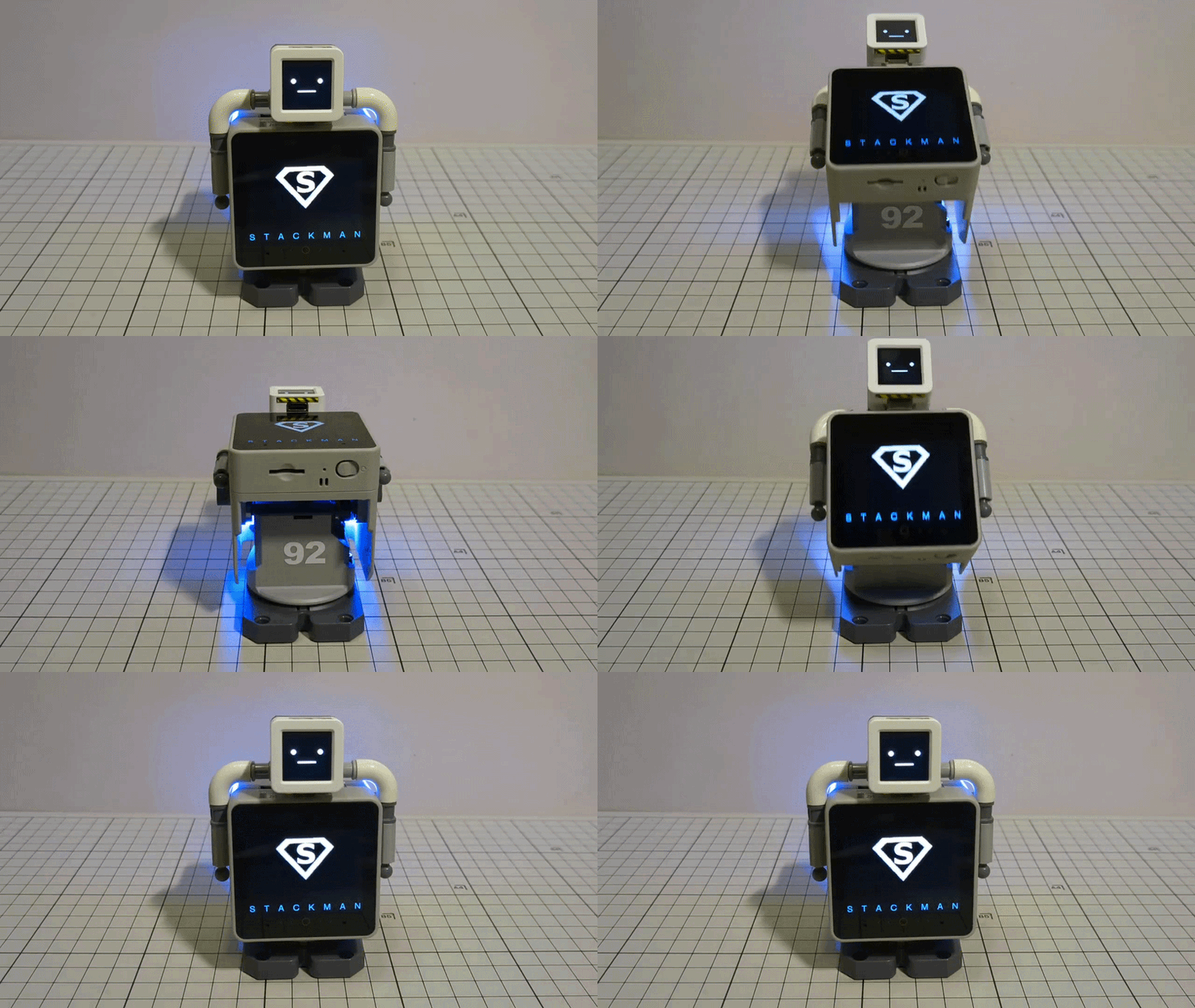
StackChan is designed to be physically modified as well as reprogrammed. The project publishes hardware drawings, firmware source and shell models, so an owner can print a new body, re-house the electronics or design a themed variant. Community builds show how far this goes: the same electronics have been wrapped into a humanoid “StackMan” character with a chest display, and into the rolling desktop form most people picture first.
A public sharing platform collects firmware, 3D-printable decoration files and GitHub projects, which means most of the work of a new build has already been done by someone else.
AI-Assisted Development in Practice
Because the firmware is JavaScript, an AI coding assistant can do a surprising amount of the work. A realistic brief looks like this:
“I have a StackChan robot. I want it to stare at a red ball and turn its head to follow the ball as it moves. I don’t know robotics and I don’t write code — figure it out yourself. Only tell me what to do when I actually have to plug something in, power it on or press a button. Make it work.”
The assistant handles the repository, the module and the flashing instructions; the human handles the cable and the power switch. That workflow is not a gimmick — it is the practical reason a JavaScript-driven robot is a better learning platform than a closed one.
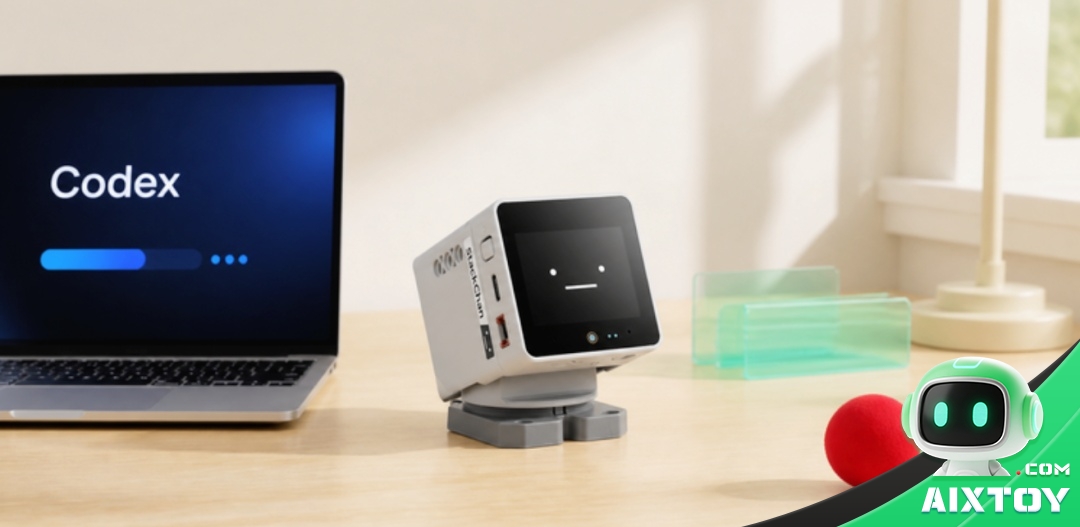
Where StackChan Fits
- Desk companion. It sits on a desk, tracks movement, reacts to touch and talks. The camera view turns it into a small remote presence when you are away.
- Programming education. Block coding gets a first result in minutes; Arduino and JavaScript give the same hardware a much longer runway.
- Home automation front end. With Home Assistant it becomes a voice terminal with a face for scenes, lights and sentinel duties.
- Maker platform. Open drawings, open firmware and printable shells make it a base for costume builds, art installations and interactive exhibits.
Getting Started Checklist
- Choose the hardware bundle that matches your goal — a ready-to-run unit, or a kit if you want to assemble and re-house it.
- Flash the current firmware and complete the first-run Wi-Fi setup from the app.
- Print or download a shell if you plan to customise the body.
- Start with blocks (UiFlow 2) to confirm the hardware works, then move to Arduino or a JavaScript module.
- Back up your module and face assets before an OTA update.
Bottom Line
StackChan is interesting less because of any single sensor and more because of how the layers fit together: a real ESP32-S3 robot with servos, camera, screen and voice, wrapped in firmware you can read and rewrite, at a price that does not require a lab budget. Whether you want a talking desk companion, a classroom tool or a base for your own build, the ceiling is set by what you are willing to write — and increasingly, by what you can get an AI assistant to write for you.
Ready to start? Take a look at the M5Stack StackChan AI Desktop Robot in the AIXTOY store, or browse our other ESP32-S3 self-balancing desktop robot build guide and the Microduck open-source robot coverage, plus our four open-source desktop robot projects comparison.
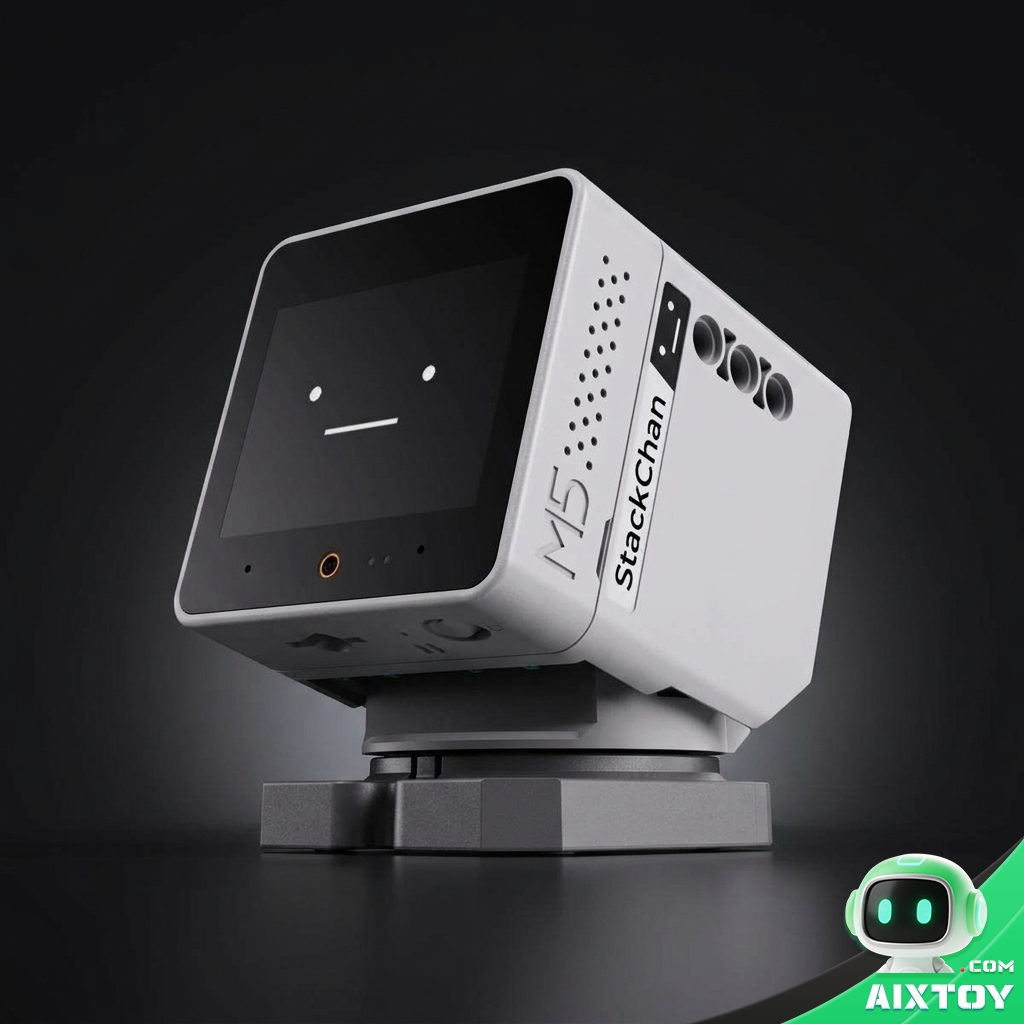
M5Stack StackChan AI Desktop Robot
From $159.71
Open-source ESP32-S3 desk companion with a 2.0″ touch screen, camera, dual microphones, two servos and 12 RGB LEDs — ready to talk, react and be reprogrammed.
Tags:StackChan M5Stack ESP32-S3 Desktop Robot Open-Source Robot DIY Robot Block Programming Arduino AI Agent Smart Home Educational Robot AI Robot Toy