

No products added!

Meta just open-sourced the hardware layer of its AI agent
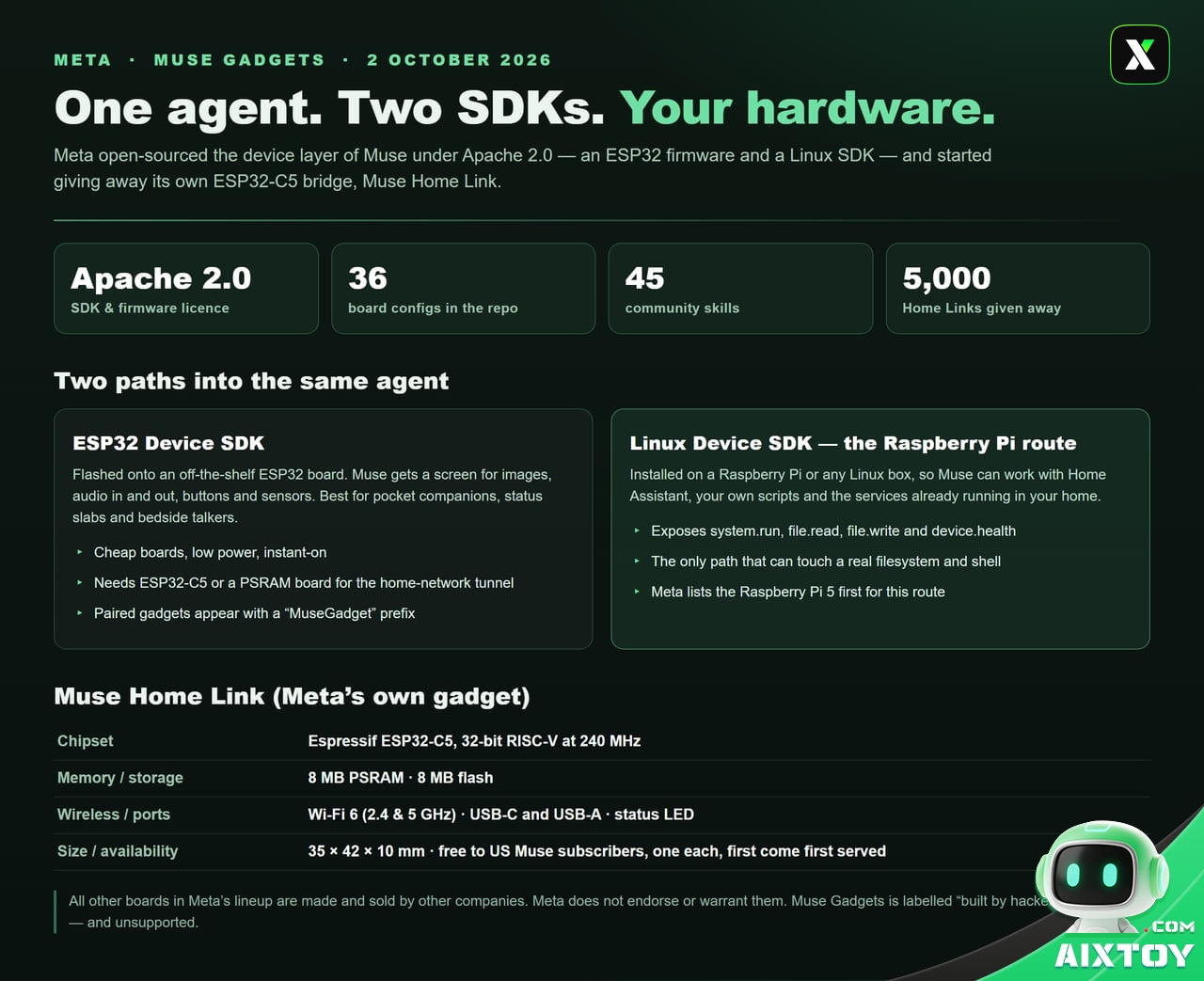
On 2 October 2026 Meta published Muse Gadgets, an open-source project that lets anyone bolt its personal AI agent onto a piece of hardware they already own. The release is small in scope and unusually consequential in effect: two device SDKs, a firmware tree under Apache 2.0, and a Meta-branded dongle that the company is giving away rather than selling.
The framing comes from Nat Friedman, head of product at Meta Superintelligence Labs, who announced it on X with a link to a GitHub repository and a one-line instruction: grab an SDK token, point your favourite coding agent at the repo, and build your own peripheral for Muse. Meta’s own product page puts it less diplomatically. These are devices assembled by hand, it says, “built by hackers, for hackers, just for fun” — and tinkering may come with bricked boards, voided warranties, brownouts and bankruptcies. Proceed at your own risk.
What actually shipped: two SDKs and one dongle
There are three moving parts, and only one of them is hardware Meta made itself.
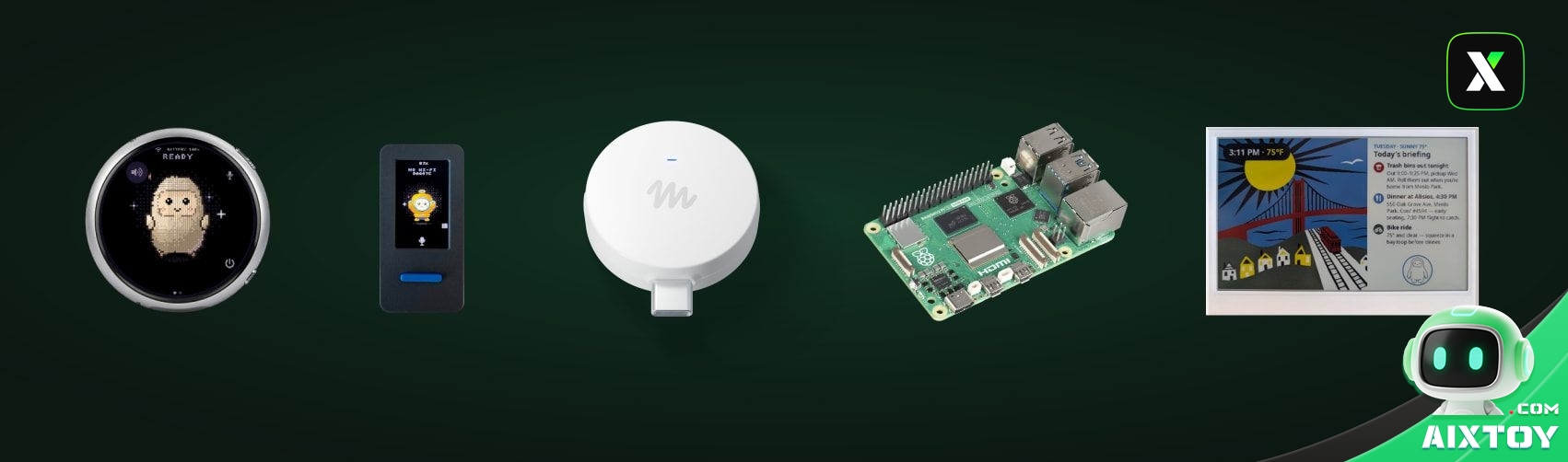
The ESP32 Device SDK is firmware for off-the-shelf Espressif boards. Flash it and the microcontroller becomes a Muse peripheral: a screen for images, audio in and out, buttons, sensors, actuators. It is the cheap, low-power path — the one that produces pocket companions and bedside talkers.
The Linux Device SDK targets something else entirely. Install it on a Raspberry Pi or any spare Linux machine and that computer becomes a Muse gadget with a real filesystem, a real shell and real services behind it. Meta’s own example for this path is pointed: let Muse handle system administration chores, or drive your Home Assistant setup.
Muse Home Link is Meta’s own gadget and the strategic centre of the release. It is a USB-C-powered bridge built on an Espressif ESP32-C5 — a 32-bit RISC-V chip at 240 MHz with 8 MB of PSRAM and 8 MB of flash, Wi-Fi 6 on both 2.4 and 5 GHz, USB-C and USB-A connectors, a status LED, and a 35 × 42 × 10 mm enclosure. Plug it in near your router, pair it over Bluetooth LE in the Muse app, and Muse can reach anything on your local network that speaks HTTPS or exposes a local HTTP API. Community-built skills then let it turn on a light, control a television or send a document to a printer.
Meta manufactured 5,000 units and is giving them away free to active Muse subscribers in the United States — one per subscriber, first come first served, shipping in October. Claiming a unit reserves a place in a queue; it is not an order. Two details are worth noticing. First, the offer is US-only, which leaves the rest of the world with the software route and no branded bridge. Second, the Home Link runs official firmware and cannot be reflashed, even though its firmware is built on the same open ESP32 SDK. The code is open; the product is not.
The part that is still not open: Muse itself
Everything above describes hardware that talks to Muse. None of it describes Muse.
Muse is Meta’s personal AI agent, launched on 8 September 2026 and sold on a tiered subscription that runs from a free tier to a US$100-a-month power-user plan, with a US$20 tier in between. Early adoption has been unusually fast — reporting in the German tech press puts Muse ahead of ChatGPT in iOS downloads over its first twelve days — and Meta has been pushing it across segments in quick succession: Muse for Small Business at the end of September, and a business unit called Meta Enterprise Platform to sell the same agent to corporate buyers.
A Muse gadget is a peripheral, not a brain. The reasoning happens in Meta’s cloud, under Meta’s privacy terms, and training on conversations is on by default unless the user opts out in Data Controls. The gadget holds no model and can do nothing on its own. That is the architectural bet behind the whole release: open the edges, keep the centre.
The eight devices on Meta’s own list
The project page ships with a short, curated list of project ideas. Each entry links to a retailer and to a matching configuration file in the repository.
| Raspberry Pi 5 | “Give Muse a way to work with Home Assistant and other popular Linux applications.” The Linux Device SDK reference board — and the only entry that is a real computer. |
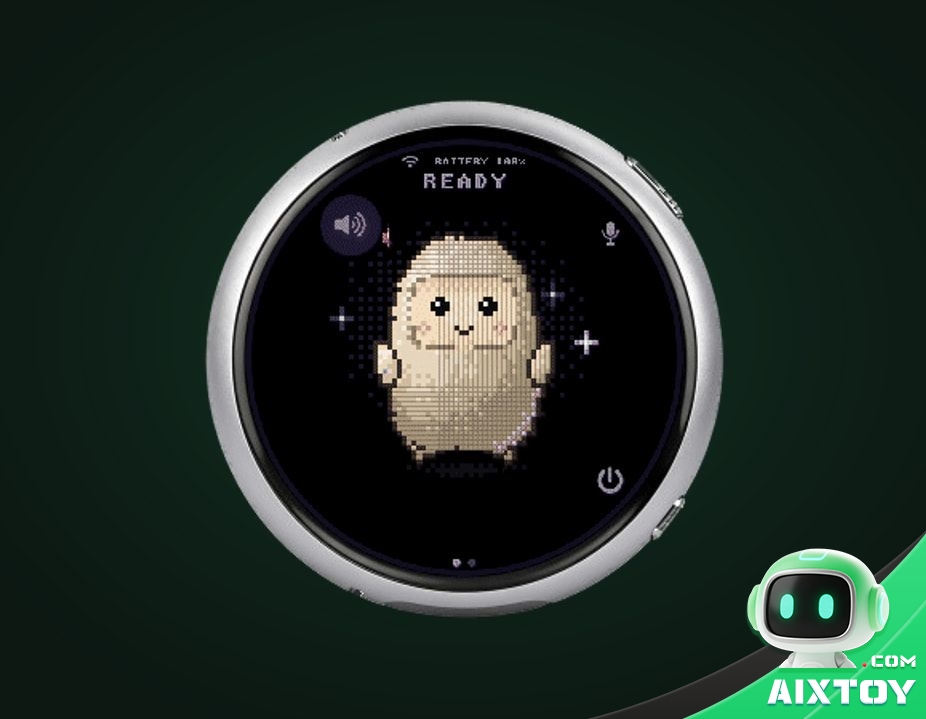
| Waveshare ESP32-S3-Touch-AMOLED-1.75C | A round 1.75-inch AMOLED touch screen with push-to-talk, a speaker, a microphone and a battery slot. The closest thing on the list to a finished voice puck. |
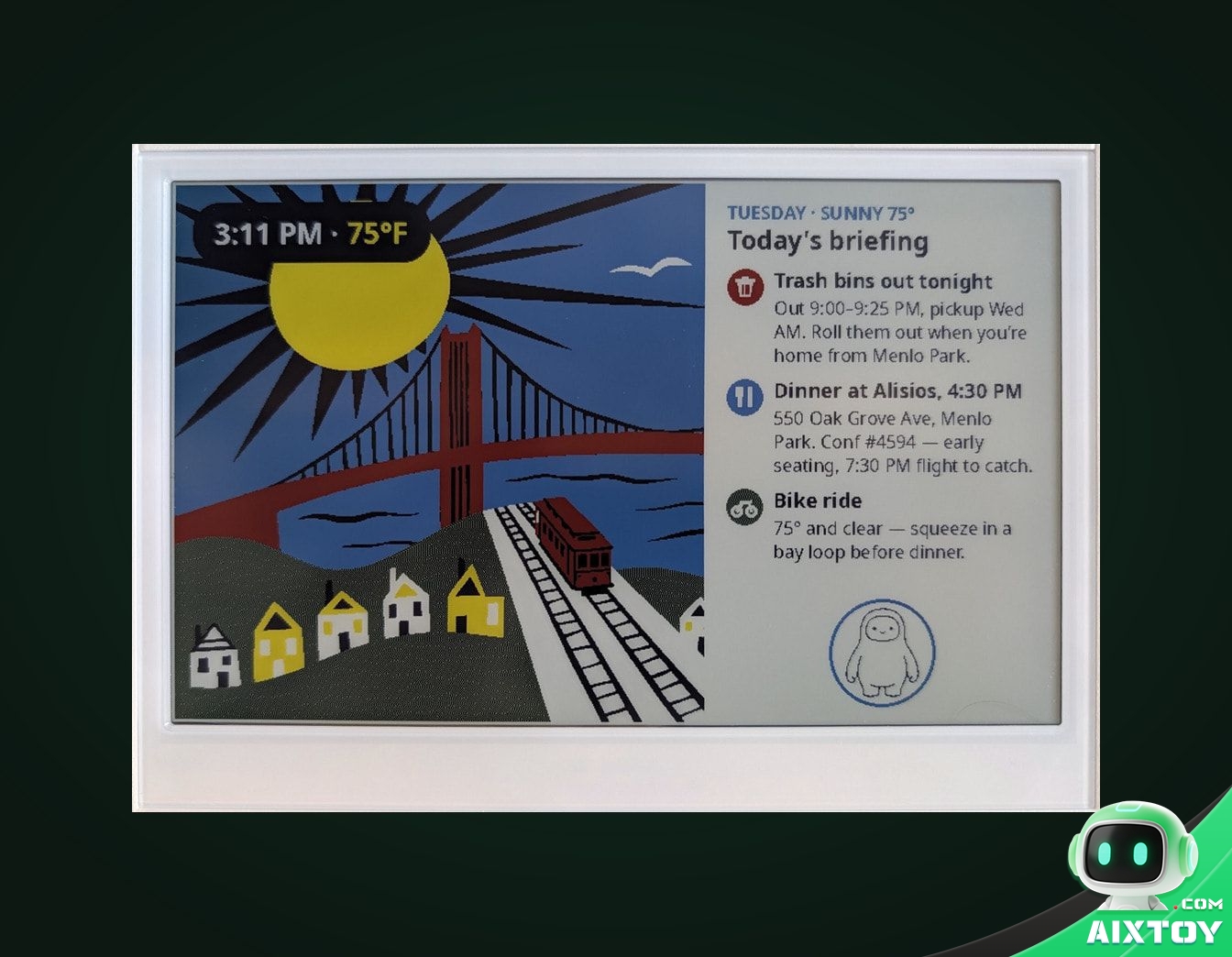
| Seeed reTerminal E1002 | A colour e-ink display that can show a morning briefing, reminders or a shopping list — and keep showing it with almost no power. |
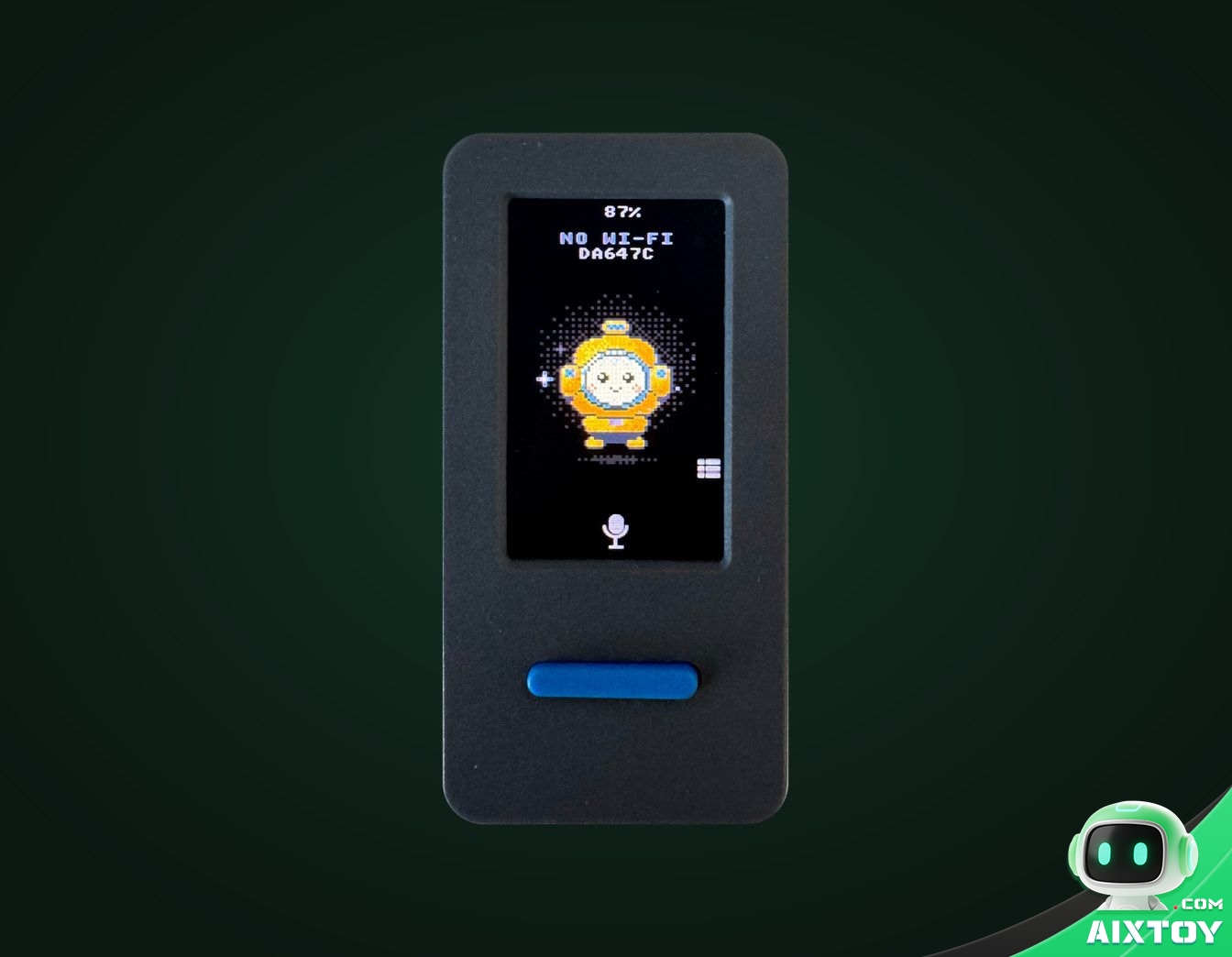
| M5Stack StickS3 | A pocket-sized device with a colour screen for Muse’s status and a single front button. |
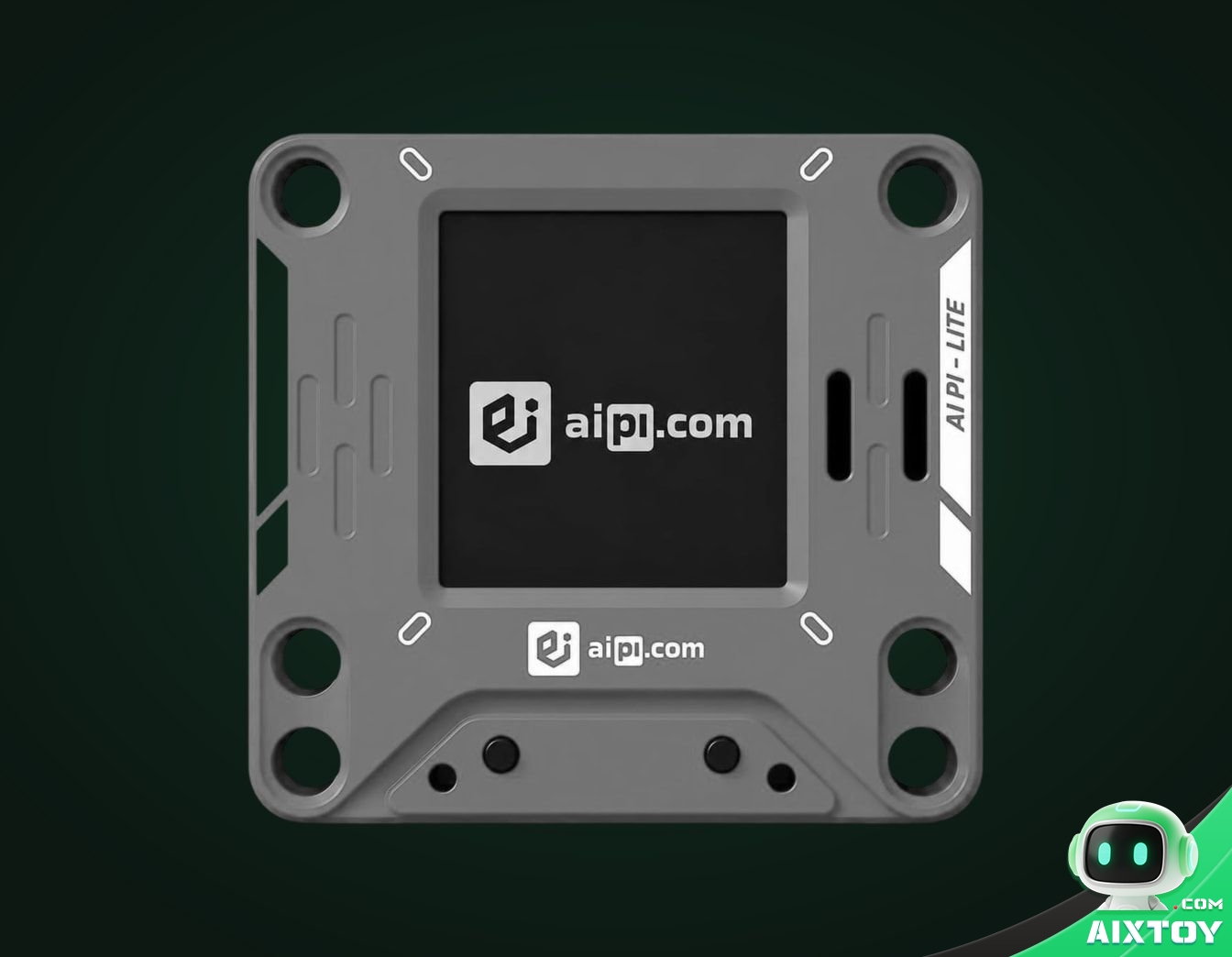
| AiPi Lite | A small desk companion: press a button, talk, and Muse answers out loud while pictures appear on the colour screen. |
| ideaspark ESP32 with 1.9-inch display | A little status screen for Muse, able to draw pictures on a colour panel. |
| Home Assistant Voice Preview Edition | Push-to-talk over its speaker and microphone, with Muse’s state shown on the LED ring. |
| Muse on your TV | An HDMI stick that puts Muse on the big screen. Listed as coming soon — the one entry you cannot buy yet. |
Meta is explicit that these devices are made and sold by other companies, that it does not endorse or warrant them, and that names and logos belong to their owners. In practice that disclaimer is doing real work: the entire hardware list is a shopping list for third parties, not a product line.
Why the Raspberry Pi 5 is first on that list
Ordering on a curated list is rarely accidental. The Raspberry Pi 5 heads it because it is the only board that can do something the microcontrollers cannot: host.
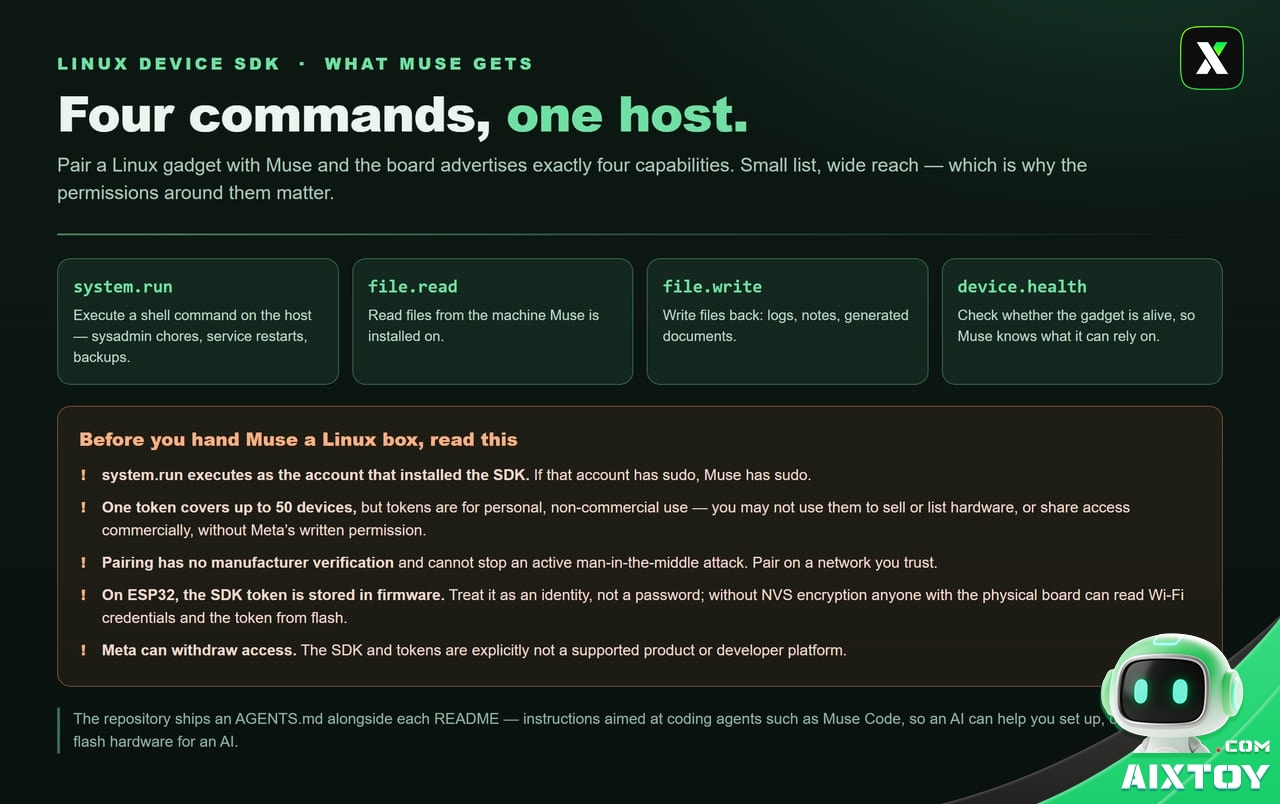
Pair a Linux gadget with Muse and the machine advertises four capabilities. system.run executes a shell command on the host. file.read and file.write move files in and out. device.health reports whether the gadget is alive. That is the entire surface — and it is enough to let an agent restart a service, tidy a download folder, rotate a backup, pull a line out of a log, or hand a file to a printer.
An ESP32 gadget cannot touch any of that. It has no filesystem worth the name, no shell and no services; it has a screen, a button and a radio. Both are legitimate gadgets, but only one of them can run the other things you already own. If you use Home Assistant — and a very large number of people who would want this feature do — the Pi 5 is the board that lets Muse talk to it.
The hardware bar nobody mentions
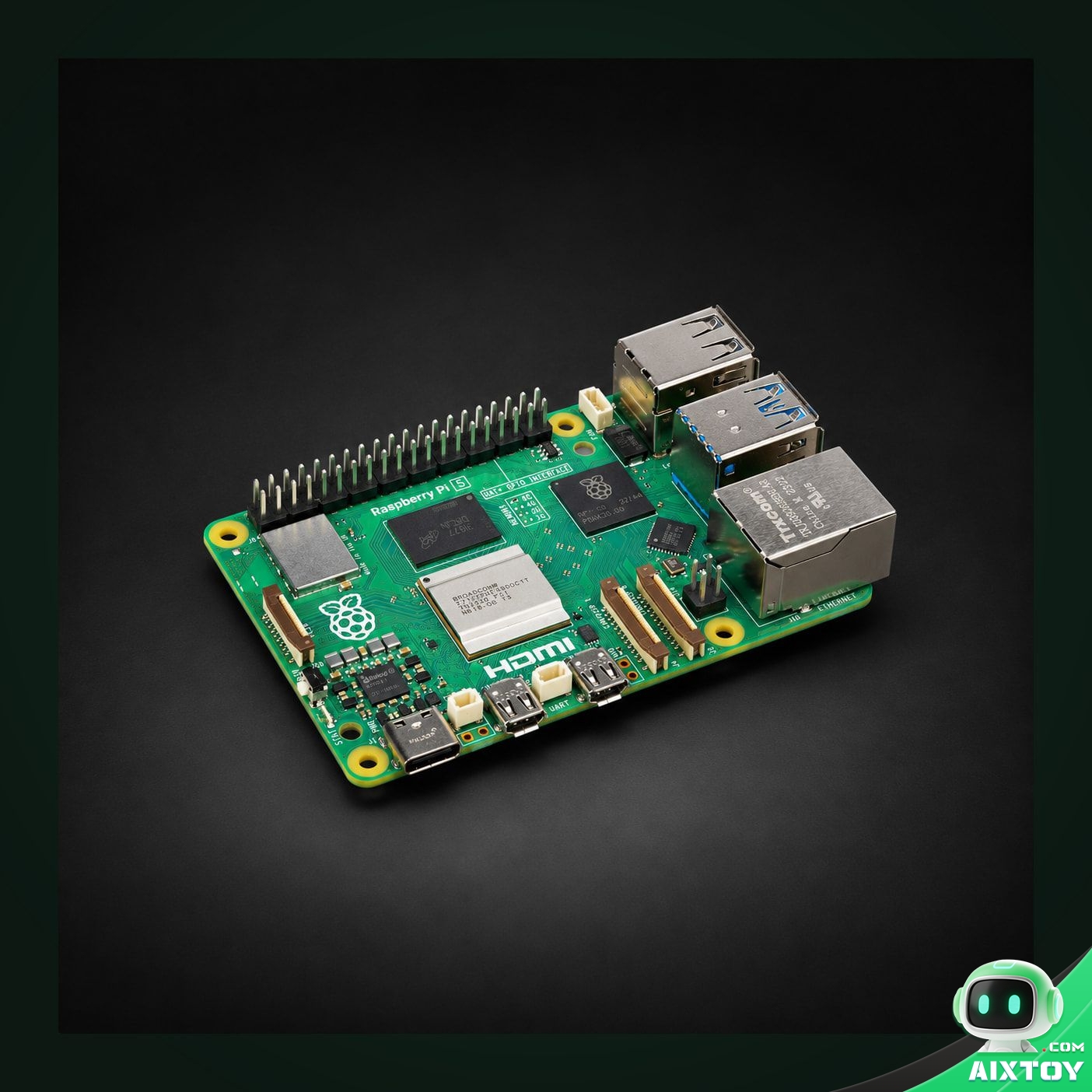
Not every board works, and the reason is memory. The networking path that puts a gizmo on your home network needs headroom that a classic ESP32 does not have. The README is precise about the consequence: a board without PSRAM — the original ESP32 and the ESP32-C6 among them — still runs, and Muse can still reach it, but it loses the home-network tunnel that puts the agent in touch with the rest of your house. For the full feature set you want an ESP32-C5 or a board with PSRAM. That single constraint explains the shape of Meta’s own list — and it is the reason the ESP32-C5 DevKitC-1, described in the README as the fastest board to get started with, keeps appearing in community write-ups. The C6 is not a dead end either — it has its own no-PSRAM build target, which is why several of the panels on the support list run on one.
On the Linux side the bar is different but equally real. The SDK runs as whatever account installed it. If that account can sudo, Muse can sudo.
Beyond the eight: 31 board configs, 43 skills
The curated list is a shop window, not the inventory. The devices directory carries 31 per-board configuration files — 36 files in total once the docs and the shared base config are counted — and they reach well past the eight names on the page: M5Stack CoreS3, Core2, StickC Plus2, StickS3, StopWatch and Cardputer-Adv; Waveshare ESP32-S3 boards at 1.75, 2.16 and 2.06 inches, plus half a dozen ESP32-C6 panels; Seeed’s reTerminal E1001, reSpeaker Lite, SenseCAP Indicator and SenseCAP Watcher; Espressif’s own Box-3; Guition, Freenove and VN boards most people have never heard of; and an experimental tier that includes the FoloToy AI Passport badge in our own catalogue, buildable with one shell script.
Then there is the skills directory — 43 skills, 45 entries once the catalogue and the README are counted, each describing how Muse can drive one thing on a home network. The list reads like a survey of a typical connected house: Philips Hue bridges, Sonos speakers, Samsung Tizen and LG webOS televisions, Google Nest speakers, hubs and displays, Apple TV 4K and HomePod mini, Roborock and iRobot vacuums, Tuya and Shelly and TP-Link Kasa plugs, a ratgdo garage-door opener, ESPHome devices, Zigbee2MQTT gateways, Brother and Epson printers, and even Moonraker-driven 3D printers.
The fine print: open code, closed centre
The Apache 2.0 licence on the SDK and firmware is genuinely permissive — and it covers the code, not the service. Three limits sit outside the licence, in Meta’s own Gadget SDK Terms, and they are the ones that matter if you are thinking commercially.
First, tokens are for personal, non-commercial use. You may not embed a token in any device you sell or list on a marketplace, and any other distribution needs Meta’s prior written permission. A single token can be linked to no more than 50 devices. Second, the SDK and tokens are not a supported product or developer platform; Meta may suspend or withdraw access at any time, and it warns that it can change or withdraw the SDK without notice. Third, the brain stays in the cloud: your gadget is an interface, the model runs on Meta’s servers, and training on conversations is on by default.
There is also a security note in Meta’s own documentation that deserves a wider audience. Because these are community devices, pairing “has no manufacturer verification and can’t prevent an active man-in-the-middle attack” — pair on a network you trust. On the ESP32 side, the SDK token is stored in firmware; treat it as an identity rather than a password, revoke it if the board leaves your hands, and remember that without NVS encryption anyone holding the physical device can read Wi-Fi credentials straight out of flash. On the Linux side, re-read the sentence about sudo.
One thing the terms do not tell you is how the code is being looked after, and a week of commit history is more reassuring than a launch post. The repository went from its first commit on 2 October to roughly 80 commits by 9 October. The Linux side includes a change that keeps the partial file written by file.write private while it is being filled — created 0600 instead of world-readable — and stops carrying setuid, setgid and sticky bits from a replaced file onto its new contents. That is the kind of fix people make when they are thinking about an agent writing into a directory you forgot was shared. Board coverage is fed the same way: the M5Stack Cardputer ADV entry arrived as a community pull request on 3 October, and there is a Discord where the next one is likely being written.
How to build one
The getting-started path is three steps and no ceremony. Take an SDK token from the Muse Gadgets site and accept the terms. Enable Developer mode in the Muse app on iOS or Android, under Settings, then Devices. Flash or install the SDK, pair the board, and it will show up in the device list with a “MuseGadget” prefix. Each repository directory carries a README for humans and an AGENTS.md aimed at coding agents such as Muse Code, which Meta recommends for setting up the toolchain, compiling, flashing and reading logs — an AI helping you build hardware for an AI.
Replies come back as text, not speech
The one thing almost everyone assumes wrong about a Muse gadget is what happens after you press the button. Push-to-talk does not open a voice conversation. It sends a voice note: the board records the clip, Muse transcribes it, and the answer arrives in writing. Boards with a screen show that answer as a caption. The two audio-first boards on the list — the Home Assistant Voice Preview Edition and the Seeed reSpeaker Lite — push the reply into the Muse app on your phone instead, because there is no screen to print it on.
If you want the puck to actually speak, you build that yourself, and the repository hands you the exact place to do it: start_tts in components/muse/muse_chat_session.cpp, where the reply text is already in hand and the MP3 decoder, the speaker and the volume control are already wired up. You forward that text to a text-to-speech API of your choosing and play what comes back. On a board with PSRAM this is an evening’s work. On a board without it, the audio pipeline is one of the things you are short of memory for.
Two smaller knobs matter more than they look. You can ask for shorter answers inside the message itself — “Answer in one sentence” — and you can shorten the pre-roll of audio the board buffers before it starts streaming. The consequence for a buying decision is a cheap one: a status-light devkit with a button and no screen is a complete, honest Muse gadget. A device that looks at you and talks back is a project, not a purchase.
The first hour: a pinned toolchain and a light that talks
On the ESP32 path the toolchain is not a suggestion. The firmware builds against ESP-IDF v6.0.1, and the README says plainly that other versions are not supported. The documented host is a Mac or a Linux computer; there is no Windows path in the instructions. You also need a USB cable that carries data rather than only power, which is the single most common reason a first flash fails. A computer, a cable, a board and an SDK token is the entire shopping list.
The manual sequence is short: idf.py menuconfig to paste the token, idf.py build, then idf.py -p <port> flash monitor. If the board refuses to connect, hold BOOT, tap RESET, release BOOT and try again. Reflashing keeps your pairing and Wi-Fi settings; idf.py erase-flash is the version that forgets everything.
The faster route is to let an agent do the work. Muse Code installs from a one-line script, and running muse –disable-sandbox inside the esp32 directory gives it the two things a sandbox takes away: your board’s USB serial port and permission to download the ESP-IDF toolchain. You still approve every command. The first hour then becomes one sentence — build this firmware for my board and flash it — followed by “watch the serial log and tell me when it is ready to pair”. Other agents work too, provided they read AGENTS.md, which is written for exactly that job.
Once the firmware is on, the board stops being silent, because the status light is the interface. Orange and breathing means it is ready to be set up. Blue and breathing means it has found you and is waiting for a button press to confirm. Solid blue is Wi-Fi and connection; green is connected; blinking yellow is a reconnect; purple means it is not paired; blinking red means something broke and the log will say what. Hold the button for five seconds to start over.
Two details make the platform feel younger than the launch did, and both are in the README rather than hidden. Builds ship as version 999.0.0 and over-the-air updates are off by default — only the boards running the full screen interface turn them on. And every build is signed with the development key kept in the repository, with Secure Boot never enabled. That is deliberate, because it keeps a bricked board re-flashable. It also means nothing on your desk is locked to Meta in either direction.
The best part of the repository is the part that needs no hardware at all. A desktop simulator runs the production interface and the avatar renderer in a 412×412 window — the geometry of a Seeed SenseCAP Watcher — with mouse and keyboard input, and it can render scripted screenshots without a display server. tools/muse/avatar.py goes further: plug in a board and it asks your Muse to redraw its own avatar as that board’s pixel avatar, checks the result, then builds and flashes it, keeping your avatar out of version control. You can find out whether you like the device before you find out whether you enjoy soldering.
The Linux side: alerts, side chats and a webhook bridge
The Raspberry Pi path deserves a second look, because the interesting part is not the four commands Muse can call. It is the one your own software can call. Any program on the machine can push a message into Muse with no credentials of its own: musegadget send-user-msg “The garage door has been open for an hour.” Add –session-id and the message lands in a side chat of its own, which keeps a stream of alerts out of your main conversation while still letting you answer in the same thread.
The repository ships a worked example of why that matters: a webhook listener that forwards every note from a Pebble ring into its own Muse chat. Swap the ring for a temperature sensor or a backup script and you have the whole product. The README’s own suggested asks run the same idea from the other direction — what is using all the disk space on my Pi, install Home Assistant on my Pi and tell me how to open it, or every morning at seven check whether the backups ran and tell me if they did not.
Extending it is deliberately small-scale. A new command is a spec in COMMAND_SPECS and a branch in Executor.run, both in src/musegadget/executor.py, and AGENTS.md walks a coding agent through adding one. Installing is equally ordinary: a shell script that puts the service in /opt/musegadget, starts it, and asks before it hands Muse your account. It will run as a different account if you prefer (–run-as someone); the token is stored in /var/lib/musegadget/sdk_token, readable only by root; pairing stays open for ten minutes and sudo musegadget pair reopens it. When something misbehaves, journalctl -u musegadget -f is the whole debugging story.
Nothing here is exotic, which is the point. The Linux SDK is a small, readable service that happens to give a cloud agent a shell on a machine you own — and it also gives you the escape hatch the ESP32 cannot offer: the machine is already running the software you care about, so Muse integrates with your setup instead of replacing it.
Where this sits in the agent-hardware race
Set the release against what everyone else is doing and the strategy is legible. OpenAI has already sold a controller for programming agents in Codex Micro and is reported to be working on a screenless speaker. Apple is staying closed: its conversational Siri for HomeKit has slipped to late 2026 or early 2027, which leaves a window. Google keeps pushing Home Premium at US$20 a month on top of hardware it already sells. Meta, which owns neither a phone platform nor a smart-home line, has done the cheapest thing available to it: published the blueprints and let hobbyists write the integrations.
It is the same playbook Meta used with Llama — open enough to build a community, controlled where it counts. The community is doing the integration work for free, the best skills can be folded into Muse as product features later, and the non-commercial token terms stop a successful device from quietly becoming somebody else’s business. What Meta gets out of it is something it could not easily buy: a map of the form factors, sensor combinations and use cases that real people actually want, gathered before its own branded hardware — the Muse Charm pendant due later this year — goes into mass production.
The AIXTOY take
Muse Gadgets is worth taking seriously for one reason above all others: it is the first time a major AI company has opened a hardware path to its agent and told its own users to build the devices. Whether it becomes a platform or stays a niche experiment depends on whether the community turns these tools into things that work on a Tuesday afternoon — and the cheapest, most capable place to find out is a Raspberry Pi 5 you may already own.
If you want to try it, start with the board Meta lists first. It is the only device on the list that can run Home Assistant, hold a shell and give Muse something real to do.
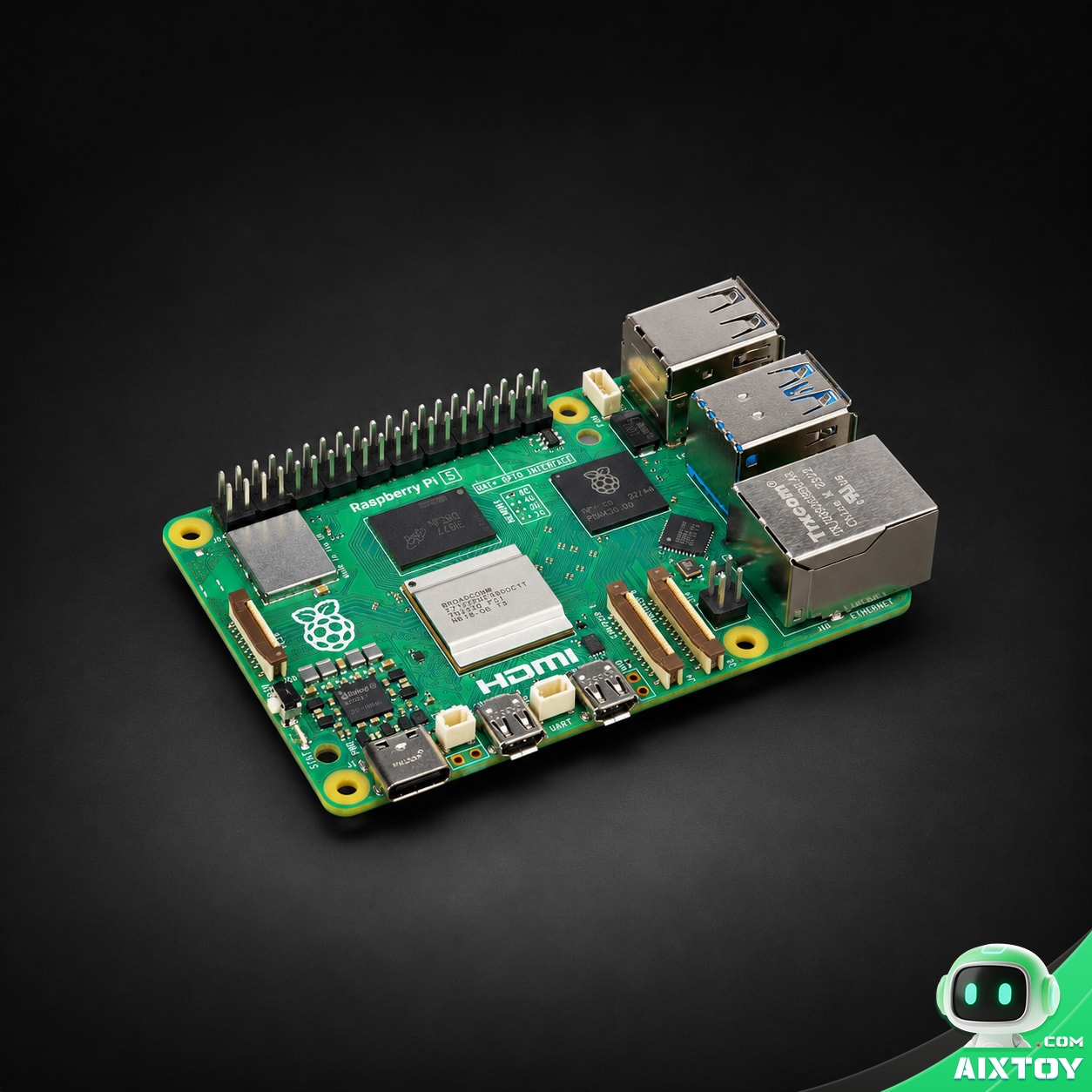
Raspberry Pi 5 8GB Single-Board Computer
$199.85
The board Meta names first in its Muse Gadgets lineup. 8 GB LPDDR4X, a quad-core Cortex-A76 at 2.4 GHz, Gigabit Ethernet, PCIe 2.0 and 25 W USB-C PD — the Linux Device SDK reference host for Muse.
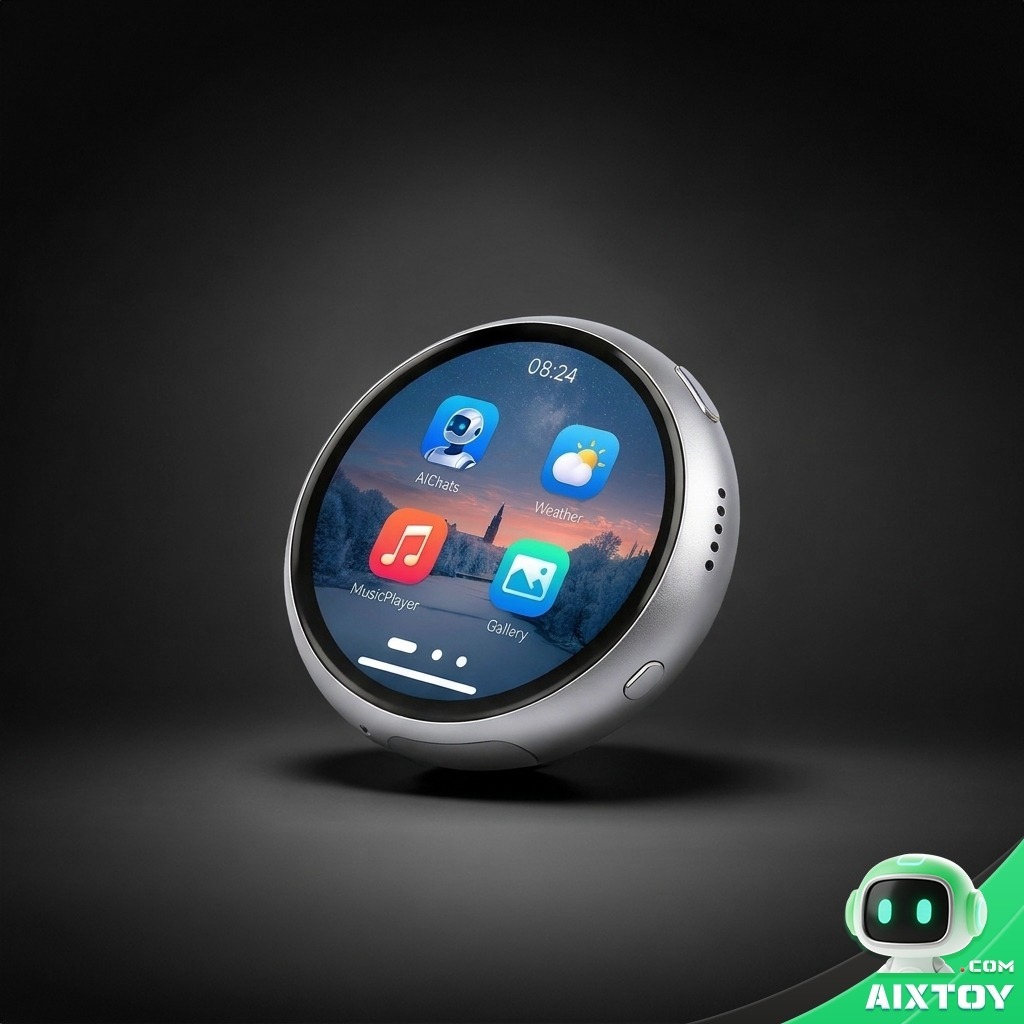
ESP32 Round Display AI Dev Board
$55.99
The same 1.75-inch round AMOLED ESP32-S3 board that heads Meta’s hardware list — push-to-talk, speaker, microphone and a colour screen, ready to flash with the Muse Gadgets ESP32 SDK.
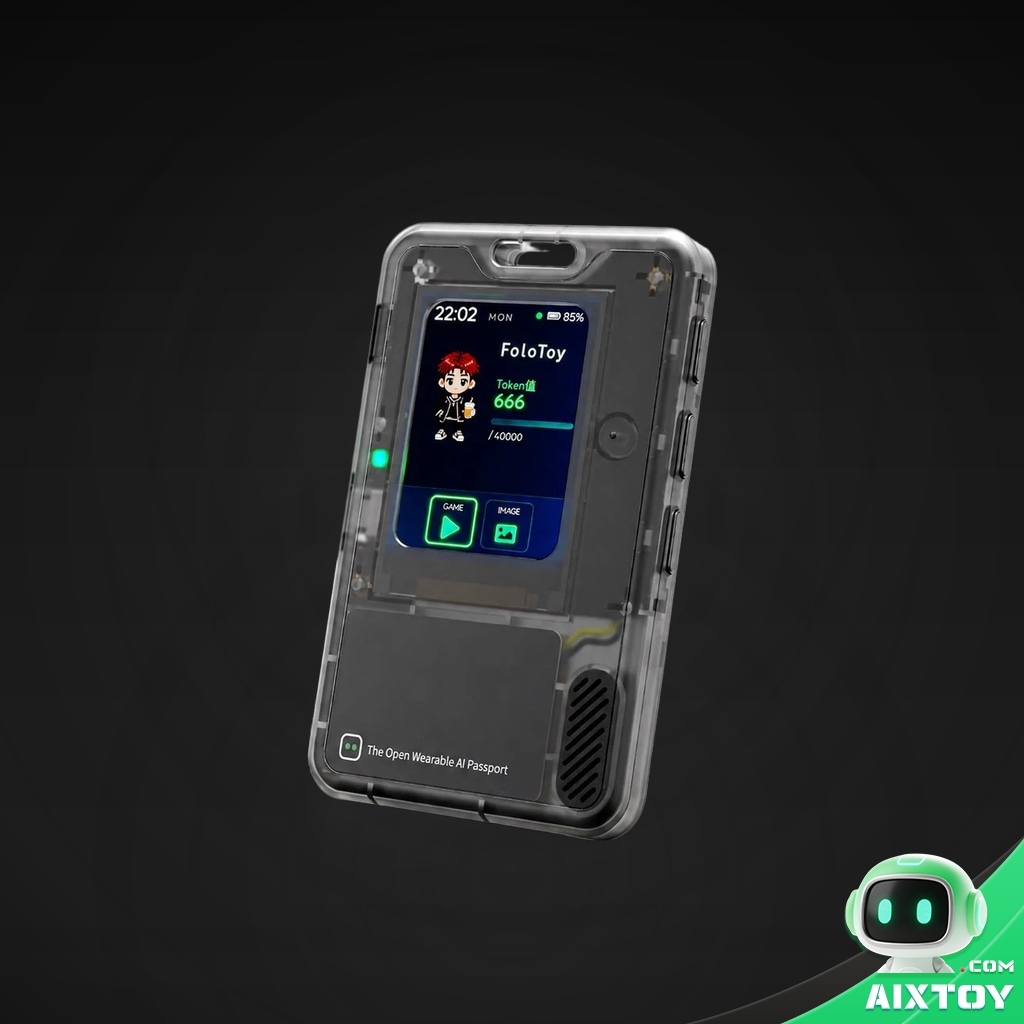
FoloToy AI Passport — Wearable DIY AI Badge Kit
$52.99
A programmable wearable badge with its own screen, NFC and BLE — and an official device configuration in the Muse Gadget SDK repository, making it one of the smallest boards you can turn into a Muse gadget.
Quick answers
Is Muse Gadgets free? The SDK and firmware are open source under Apache 2.0 and cost nothing. Muse itself is a tiered subscription, and the free tier is not the one Home Link is tied to.
Do I need to buy Meta hardware? No. Meta’s gadget is a convenience for US subscribers and cannot be reflashed. Every other device on the list is made by third parties, and the SDK is enough to build your own.
Can I sell a Muse gadget? Not without Meta’s written permission. The token terms limit use to personal, non-commercial projects and specifically forbid embedding a token in hardware you sell or list on a marketplace.
Which board should a beginner pick? If you want Muse to reach the devices you already own, the Raspberry Pi 5. If you want a thing you can hold and talk to, the ESP32 boards with PSRAM — an ESP32-C5 or an ESP32-S3 in the round-AMOLED or stick form factor Meta recommends.
Will it work outside the United States? The SDK will. Home Link is explicitly limited to US subscribers for now, and Meta has not announced availability elsewhere.
Does the gadget talk back? Not by default. Push-to-talk sends a voice note and the reply comes back as text — a caption on boards with a screen, a message in the Muse app on the audio-only boards. Spoken replies are a change you make yourself, starting from start_tts in components/muse/muse_chat_session.cpp.
Can I use a board without PSRAM, such as an ESP32-C6? Yes. It runs the firmware and pairs, but it loses the home-network tunnel, so Muse can control that device and not the rest of your house.
Can I build the interface without buying a board first? Largely yes. The repository’s simulator runs the production interface and the avatar renderer in a 412×412 window with mouse and keyboard input, and can render scripted screenshots without a display server.