


No products added!
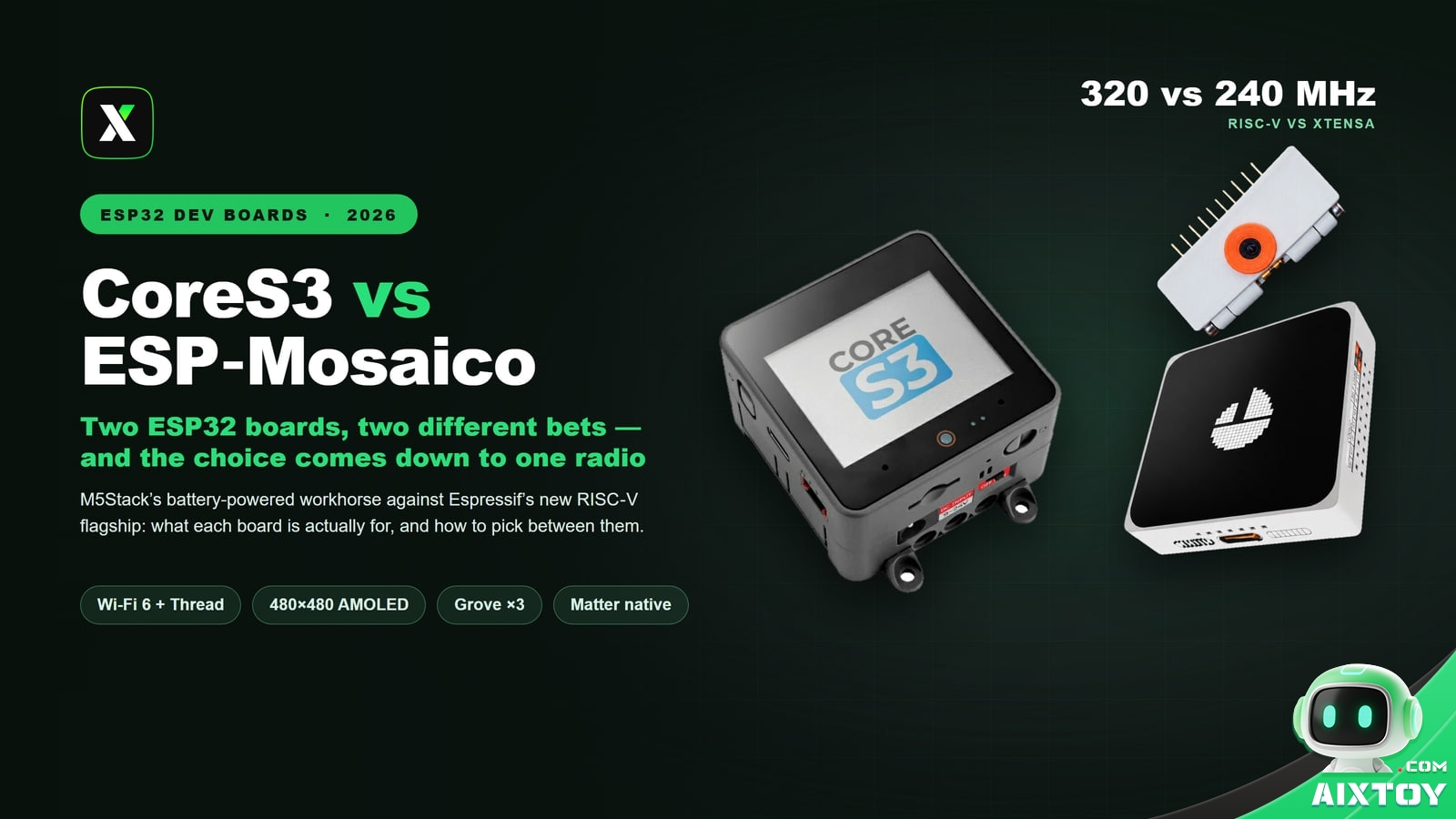
Put an M5Stack CoreS3 and an Espressif ESP‑Mosaico on a desk next to each other and they look like the same idea: a small square device with a colour screen, a handful of sensors, and a development board inside. They are not the same idea. One is a five‑year‑old platform with a mature toolchain and a battery that lasts. The other is the first board ever built on a brand‑new RISC‑V chip, with a screen that outclasses everything else in its class and a battery measured in minutes.
This is a working comparison for someone about to spend money on one of them. Every figure below comes from vendor documentation, board support packages or retailer listings — not from marketing copy.
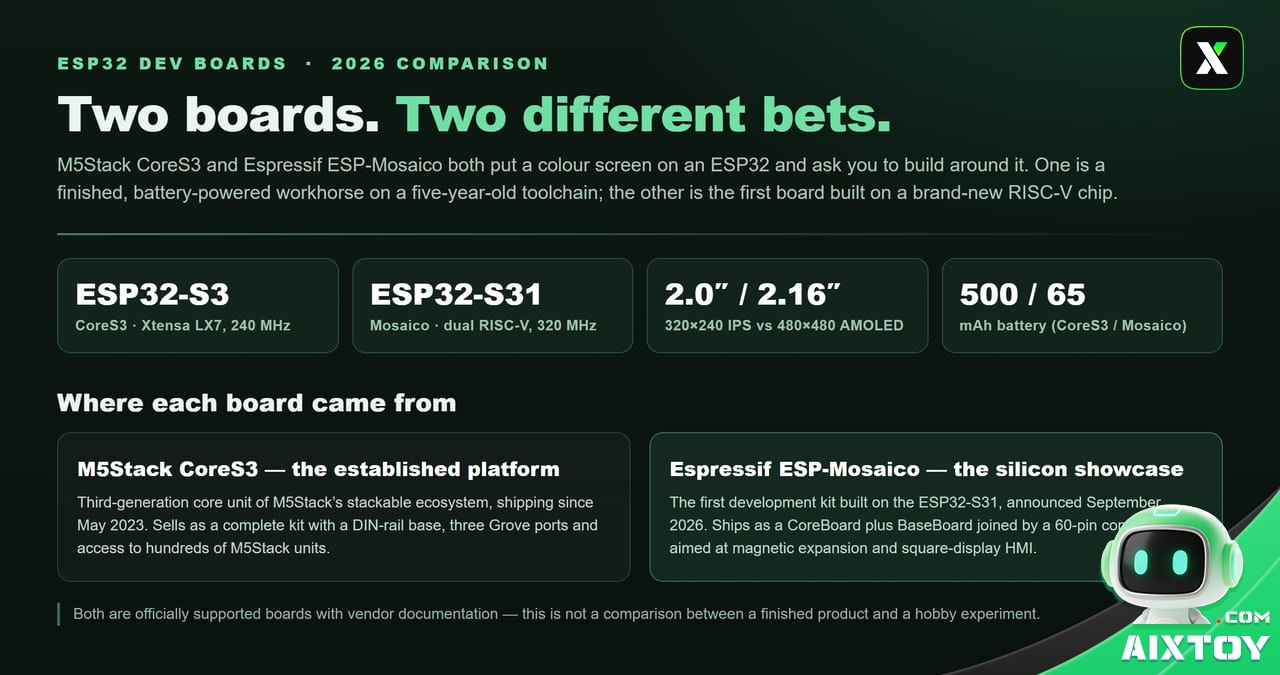
What each board actually is
The M5Stack CoreS3 is the third generation of M5Stack’s flagship Core controller, on sale since May 2023. It is sold as a complete kit — the controller plus a DIN‑rail mounting base — for US$59.90 from M5Stack, and it is the board that M5Stack’s own StackChan robot is built on. If you have seen an ESP32 device with three Grove ports and a stackable ecosystem behind it, that is this family.
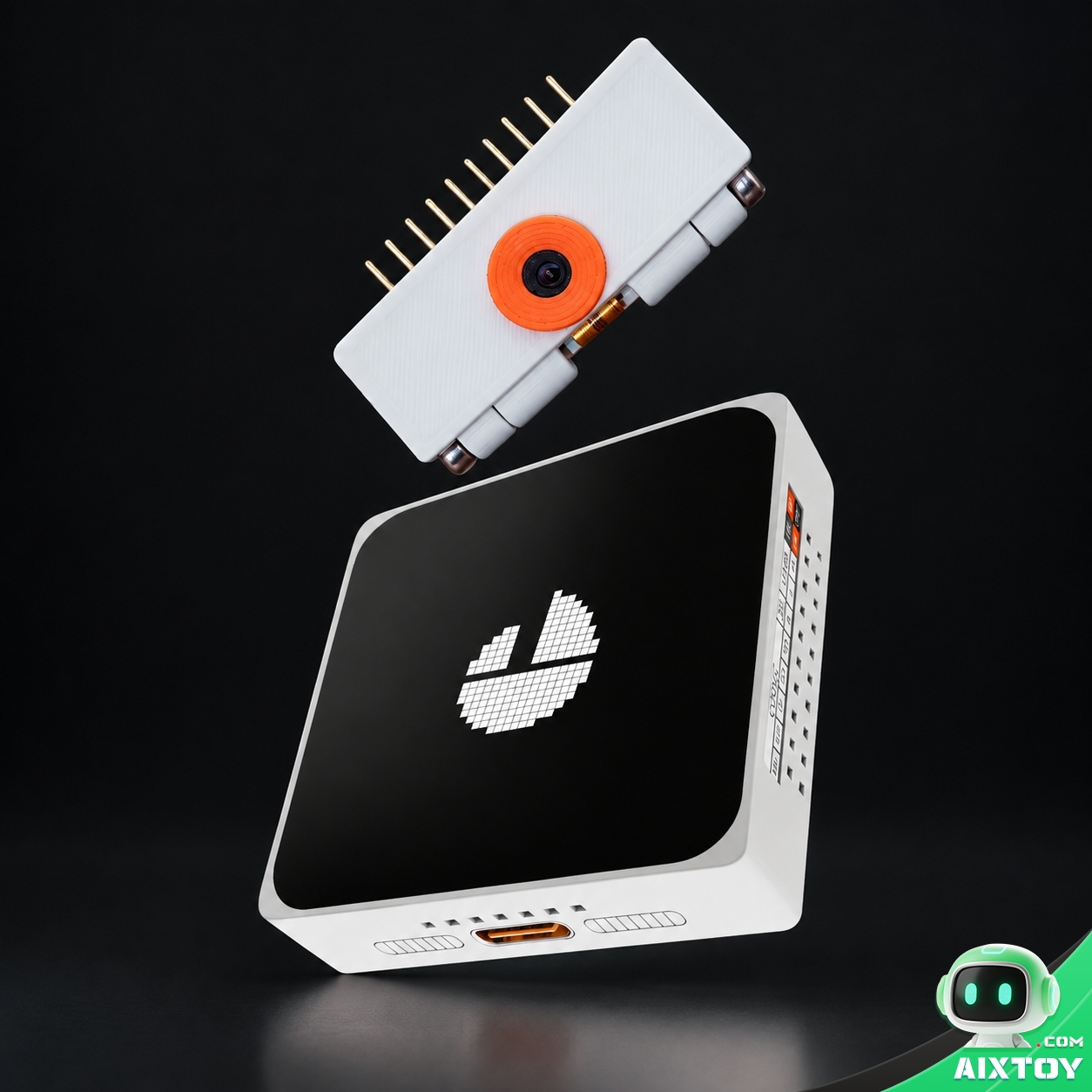
The Espressif ESP‑Mosaico is something else entirely: the first development kit built around the ESP32‑S31, announced in late September 2026. It ships as two boards — a CoreBoard carrying the chip, screen and sensors, and a BaseBoard carrying the speaker, battery and expansion headers — joined by a 60‑pin board‑to‑board connector. Espressif positions it for magnetic expansion, motion sensing, square touch display and edge multimedia work.
The silicon: ESP32‑S3 against ESP32‑S31
Almost every visible difference between these two boards traces back to one decision. CoreS3 wraps the ESP32‑S3; Mosaico wraps the ESP32‑S31.
The ESP32‑S3FN16R8 in CoreS3 is a dual‑core Xtensa LX7 running at 240 MHz with 512 KB of on‑chip SRAM, 16 MB of flash and 8 MB of PSRAM. It has AI vector instructions, and by 2026 its toolchain is one of the best‑trodden paths in embedded development.
The ESP32‑S31NRV16 in Mosaico is the more interesting part. Two 32‑bit RISC‑V cores at up to 320 MHz, SIMD acceleration on one of them, 512 KB of SRAM and 16 MB of PSRAM packaged with the die. Around that Espressif has placed a JPEG codec, a pixel‑processing accelerator, an LCD and camera controller, USB 2.0 High‑Speed OTG, a Gigabit Ethernet MAC and a CAN‑FD controller. The Mosaico carries 16 MB of SPI NOR for firmware and a further 128 MB of SPI NAND for graphics and audio assets.
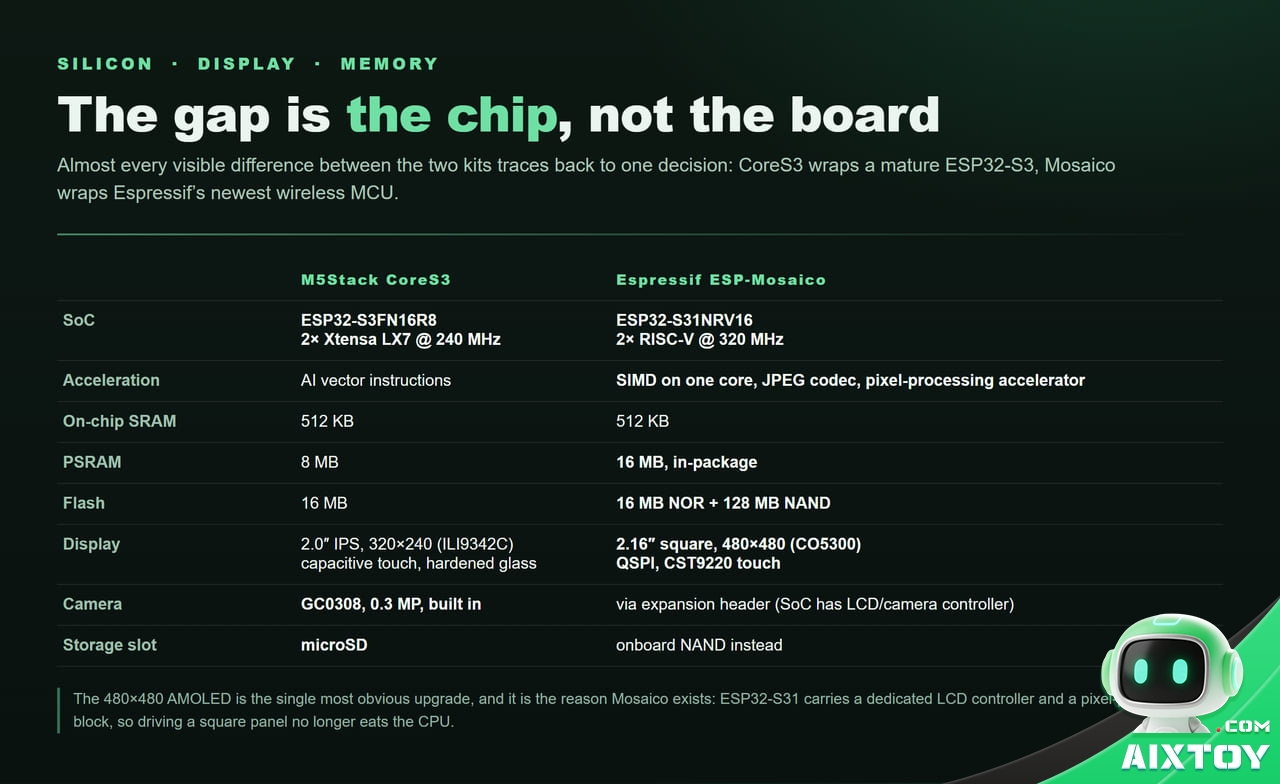
That hardware JPEG decoder and pixel accelerator are the reason Mosaico can drive a 480×480 panel without the CPU collapsing under the job. On CoreS3, every pixel of a large interface is work the processor has to do itself. This is not a marginal difference when your interface is the product.
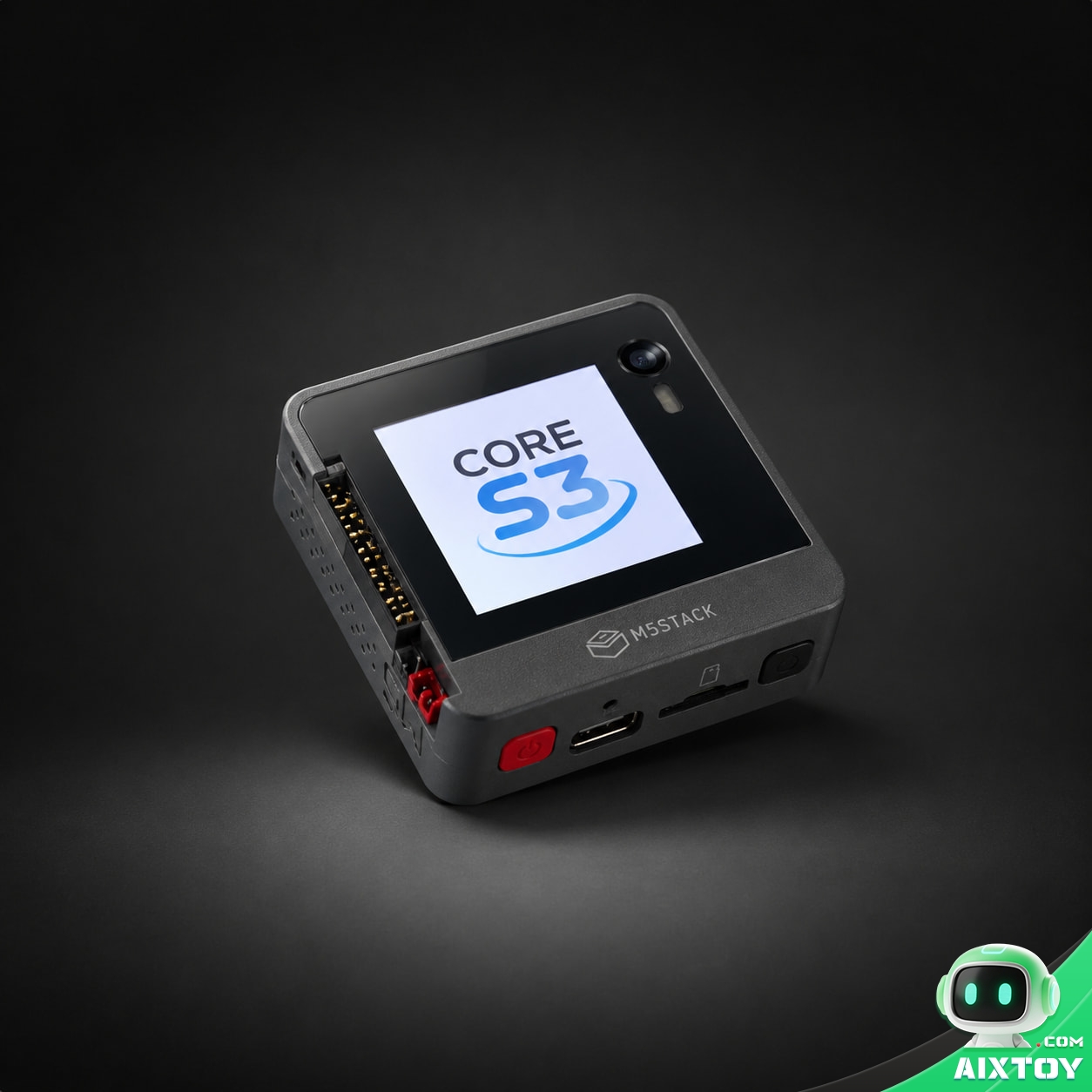
The display is the difference you can see
CoreS3 has a 2.0″ capacitive IPS touchscreen at 320×240, driven by an ILI9342C and covered by hardened glass. Mosaico has a 2.16″ square panel at 480×480 on a CO5300 controller over QSPI, with touch handled by a CST9220‑series controller.
That is roughly 2.25 times the pixel count on a physically larger panel. In practice it decides what kind of interface you can build: a 320×240 screen is fine for gauges, buttons and one line of status text, and it starts to look coarse the moment you show a photograph, a map, a dense settings tree, or antialiased typography at a readable size.
The radio is the difference that decides your project
This is the section to read twice, because for a large class of projects the answer is already settled here.
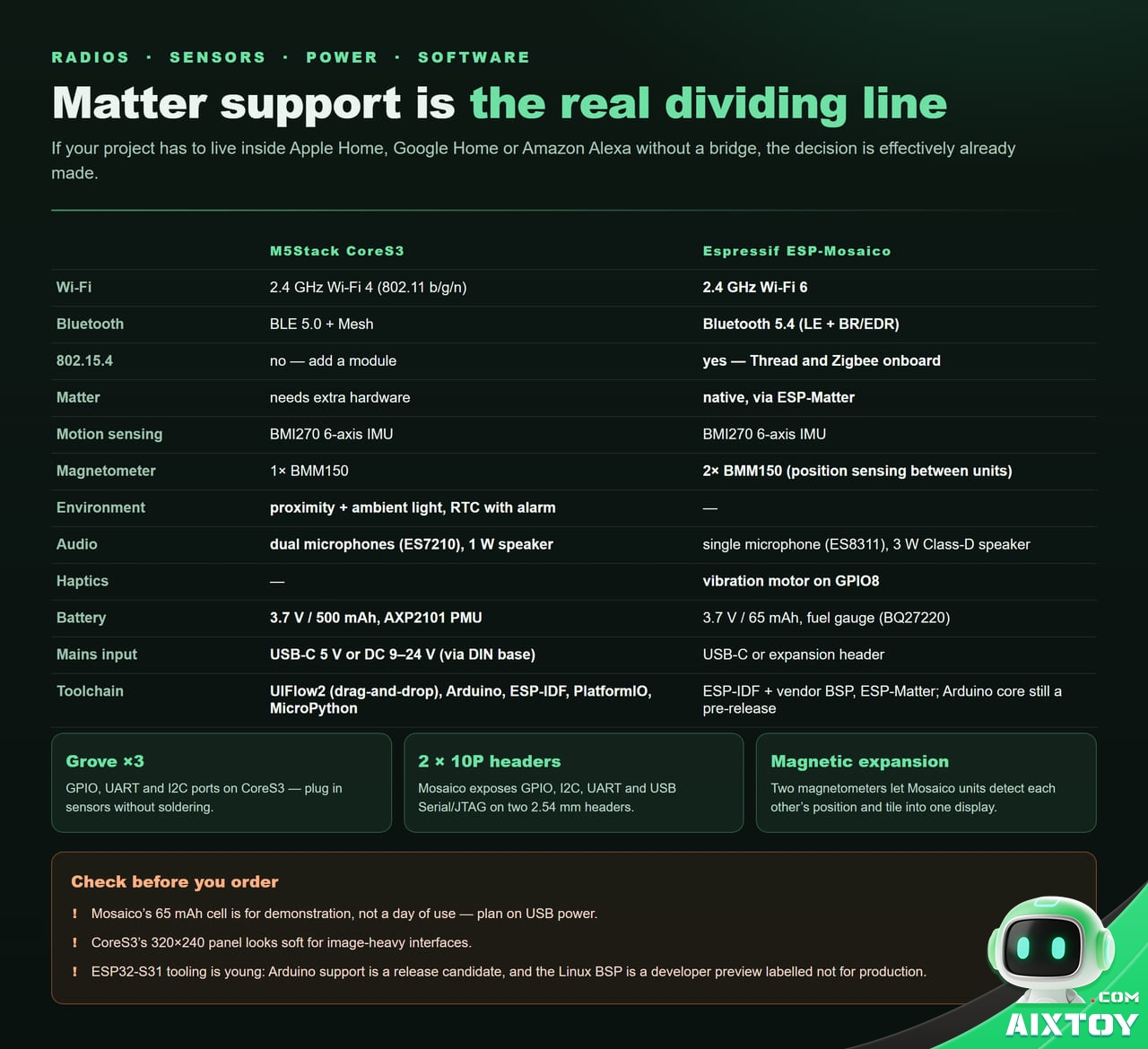
CoreS3 offers 2.4 GHz Wi‑Fi 4 (802.11 b/g/n) and Bluetooth 5.0 LE with Mesh. Mosaico offers 2.4 GHz Wi‑Fi 6, Bluetooth 5.4 with both LE and BR/EDR, and — the one that matters — an IEEE 802.15.4 radio that carries Thread and Zigbee.
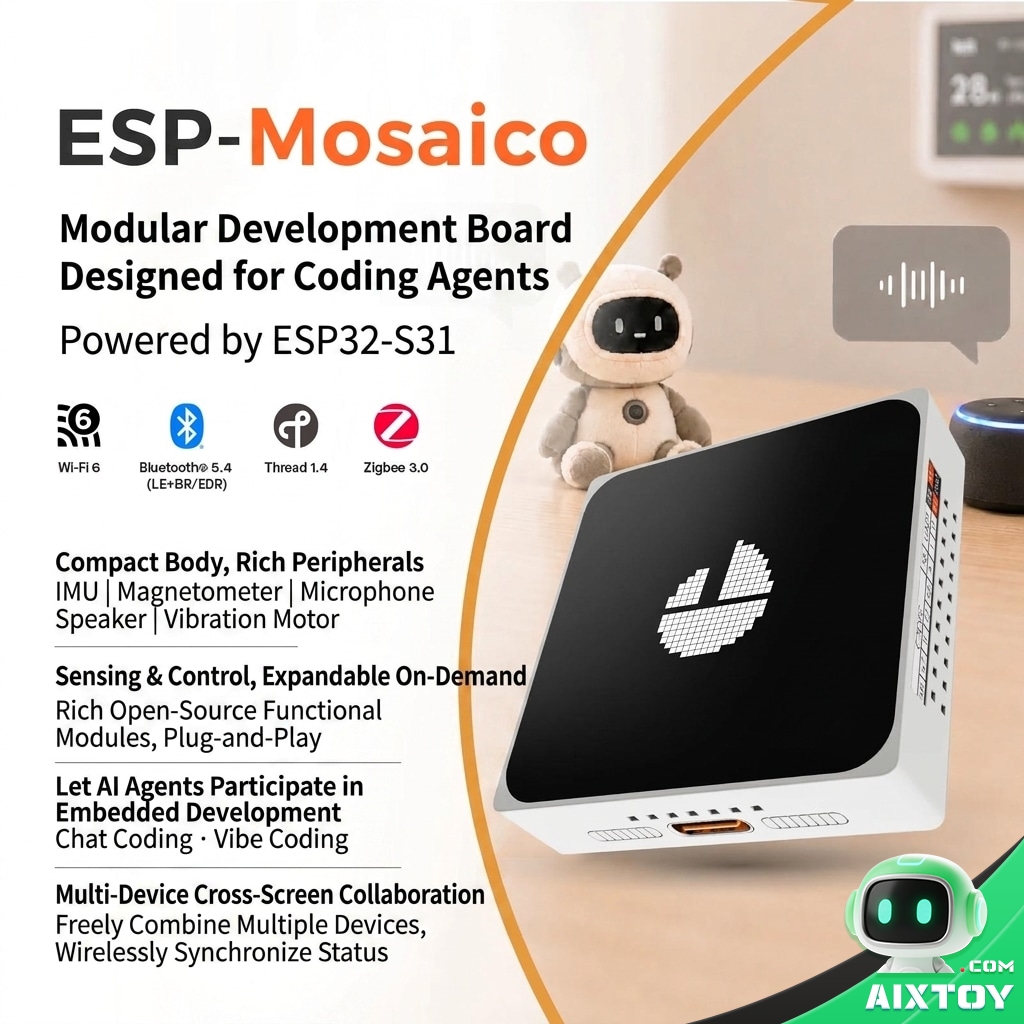
Thread is the transport underneath Matter, and Matter is how a device joins Apple Home, Google Home or Amazon Alexa without a vendor‑specific bridge. If your project has to appear inside those apps, Mosaico does it natively through Espressif’s ESP‑Matter support. CoreS3 cannot, unless you add a separate 802.15.4 module and carry the integration yourself.
The flip side is equally real. Wi‑Fi 6 and Bluetooth 5.4 are conveniences on a development board; they will not rescue a project that has no Thread use case, and they cost you the maturity of a five‑year‑old radio stack.
ESP32-S3 AI Dev Board, AMOLED Touchscreen & Camera | Modular Coding Platform
$139.99
The Espressif ESP-Mosaico v1.2 running on the ESP32-S31: a 2.16″ 480×480 AMOLED touchscreen, Wi-Fi 6, Bluetooth 5.4, Thread and Zigbee, a 6-axis IMU with dual magnetometers, and an optional DVP camera module.
Sensors, audio and haptics
CoreS3 and Mosaico share a Bosch BMI270 six‑axis IMU, then diverge.
CoreS3 carries one BMM150 magnetometer, a Lite‑On LTR‑553ALS‑WA proximity and ambient‑light sensor, a BM8563 real‑time clock with alarm and timer functions, a microSD slot, a GalaxyCore GC0308 0.3 MP camera, dual microphones feeding an ES7210 audio ADC, and a 1 W speaker through an AW88298 I2S amplifier. Read that list as a device that senses its environment: it can tell whether you are near, how bright the room is, what it can see, and what time it is.
Mosaico carries two BMM150 magnetometers, an ES8311 mono codec with a single microphone, a 3 W Class‑D amplifier on an NS4150B, and a vibration motor on GPIO8 for haptic feedback. Read that list as a device designed to be sensed by its neighbours: the two magnetometers let Mosaico units detect each other’s position and orientation, which is what makes magnetic snapping and tiled displays possible. Espressif ships reusable components for magnetic device‑to‑device interaction and ESP‑NOW messaging in the board support package.
Neither board wins on sensors. They are tuned for different jobs, and the magnetometer count tells you which job Mosaico was designed around.
Power: where Mosaico falls over
CoreS3 runs on a 3.7 V, 500 mAh lithium cell managed by an AXP2101 PMIC, and it can also be powered from USB‑C at 5 V or from a DC input of 9–24 V through the DIN base. That DC input is the reason it turns up in wall‑mounted panels and industrial cabinets: it is a device you can leave running.
Mosaico runs on a 3.7 V, 65 mAh cell with a TP4057 charger and a BQ27220 fuel gauge. Sixty‑five milliamp‑hours will not survive a working session; treat the cell as a demonstration aid for unplugging the board on a desk, not as a power source. The fuel gauge is a genuine nicety — firmware can report an accurate state of charge — but it reports a number that will fall fast.
If your project needs to be portable, this single row of the specification table ends the comparison.
Expansion, and how you actually wire things up
CoreS3 exposes three Grove connectors — GPIO, UART and I2C — plus a 30‑pin female header on the DIN base, a microSD slot, and compatibility with the wider M5Stack unit catalogue in which hundreds of sensors, relays, motor drivers and communication modules plug in without soldering. For prototyping speed, that ecosystem is the product.
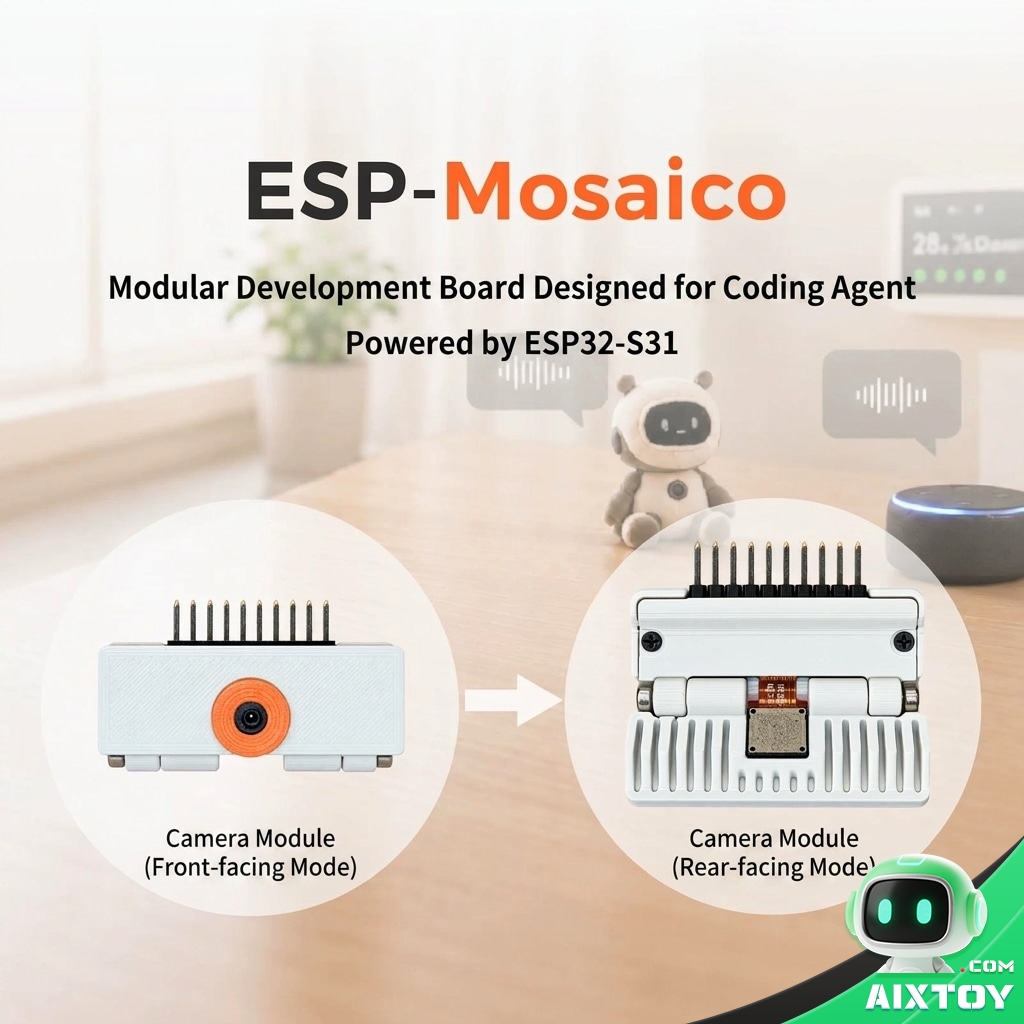
Mosaico exposes two 2×10‑pin, 2.54 mm headers carrying GPIO, I2C, UART, USB Serial/JTAG and power, and its USB‑C port can act as a 5 V source at up to 500 mA for attached peripherals. It is a more open arrangement and a more manual one: expect headers, jumper wires and a camera module you mount yourself.
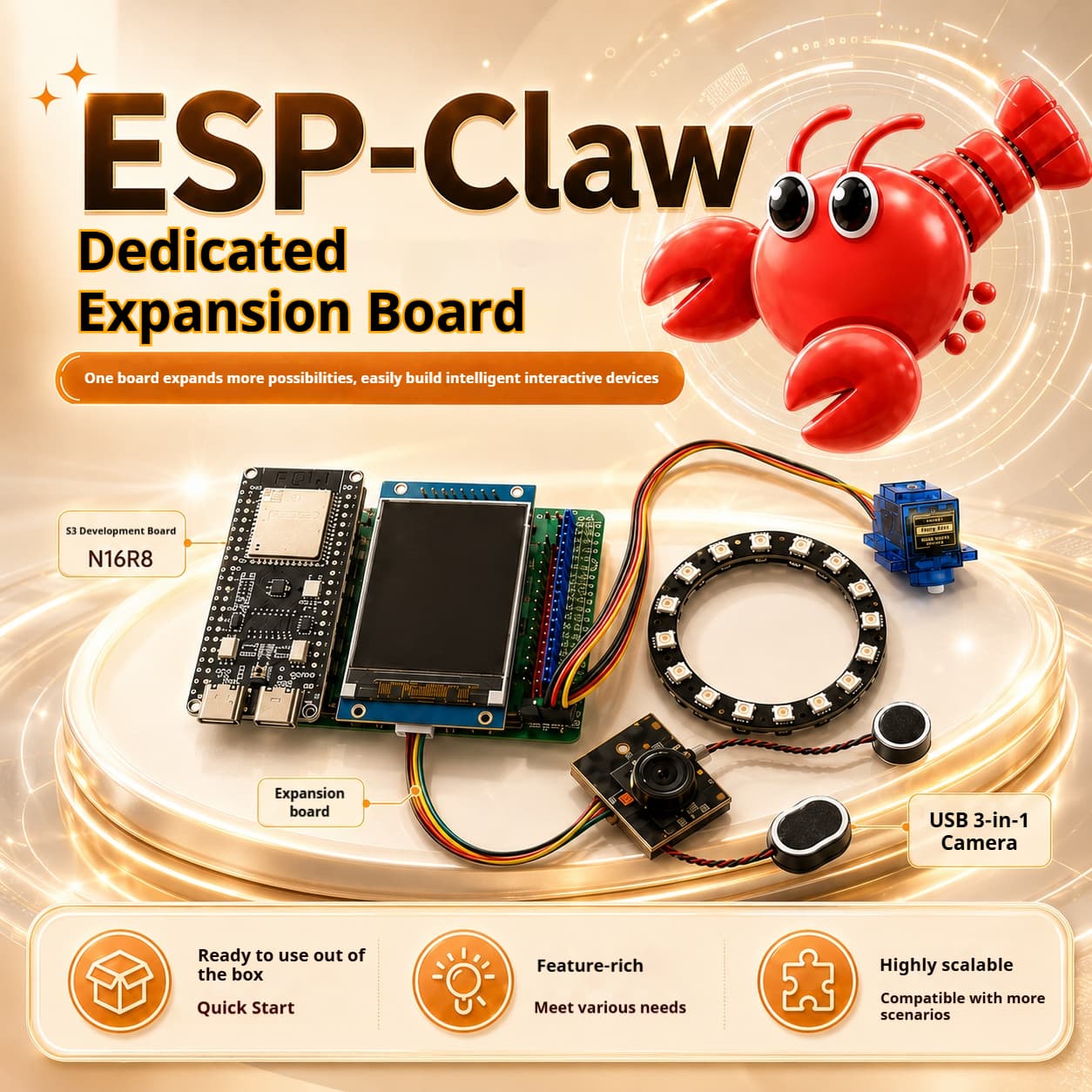
ESP-Claw Expansion Board – ESP32 Programmable Robotics I/O Module
$19.99
An ESP32-based I/O expansion module for robotics and embedded builds: multiple expansion interfaces, motor and servo headers, and a pinout aimed at robot arms, smart cars and sensor arrays.
Software: maturity against capability
CoreS3 can be programmed with UIFlow2, a drag‑and‑drop environment M5Stack maintains, or with Arduino, ESP‑IDF, PlatformIO and MicroPython. M5Stack publishes guided projects for it, including a voice assistant built on OpenAI and a Chinese voice assistant stack, plus a Home Assistant integration guide. A beginner can have a working screen, sensor and speaker in an afternoon.
Mosaico is ESP‑IDF first. Espressif publishes a board support package covering the display, touch controller, audio subsystem, sensors, battery management, NAND flash, USB console and the module interfaces, along with ESP‑Matter for smart‑home devices. Arduino support exists but is a 4.0.0 release candidate rather than a stable release, which in practice means fewer community examples and more time spent reading vendor headers.
There is also a more experimental path. Espressif published a Linux BSP for the ESP32‑S31 in August 2026 — Buildroot 2025.02 with a Linux 6.18 kernel fork, U‑Boot and a device tree — and labelled it explicitly unsuitable for production. Community ports have gone further and booted older kernels natively on the chip. None of this runs on the Mosaico’s own display and sensor stack yet. It tells you the direction of travel, not what you should ship.
Round that off with the open‑source tooling around the board: an esp‑mosaico‑bsp repository providing a unified API, and a companion project that sets up a workflow for AI coding agents to flash and exercise firmware directly on the hardware, feeding device logs back into the agent’s edit loop. It is a genuinely different way of working, aimed at people who write firmware with an assistant open.
What it costs
CoreS3 is US$59.90 from M5Stack and US$77.90 from the company’s Amazon storefront for the full kit; the CoreS3 SE variant, which ships without the battery base, lists at US$54.90. In China the same kit sells for the equivalent of about US$58 through M5Stack’s official storefront.
Mosaico lists at around US$117 from third‑party resellers, marked down from a US$166.79 reference price, with Espressif yet to publish official pricing or wide availability. Early buyers are paying a premium for a board whose ecosystem is still being written.
How to choose
Ignore the specification table for a moment and answer one question: does your project have to live inside someone else’s smart‑home app?
| Your project | Pick |
| Wall‑mounted control panel, sensor node, industrial HMI, anything on mains power | CoreS3 |
| Portable or battery‑powered device | CoreS3 |
| Matter, Thread or Zigbee device that must appear in Apple, Google or Alexa apps | Mosaico |
| Square, high‑density display; image‑heavy interface; media playback | Mosaico |
| Multiple boards tiled into one display or positioned by touch | Mosaico |
| Beginner, or you want a visual programming environment | CoreS3 |
| Comfortable in ESP‑IDF and want to work on new silicon | Mosaico |
| You need it to work this week | CoreS3 |
Two projects, end to end
A desktop assistant that shows the weather, controls lights and waters a plant. CoreS3 is the obvious answer. A Grove soil‑moisture sensor and a Grove relay plug into the I2C and GPIO ports without soldering, the 500 mAh cell keeps it alive through a power cut, the Wi‑Fi stack is proven, and UIFlow2 means you can build the interface without writing a driver. This is a weekend project on CoreS3 and a fortnight on Mosaico.
A voice‑enabled AI photo frame that tiles with a second unit and joins a Thread network. That is Mosaico’s design brief almost word for word. The 480×480 panel is worth having when the content is images, the two magnetometers handle position sensing between units, the 802.15.4 radio speaks Thread natively, and the hardware JPEG decoder keeps image rendering off the CPU. You will write ESP‑IDF code and you will keep it plugged in.
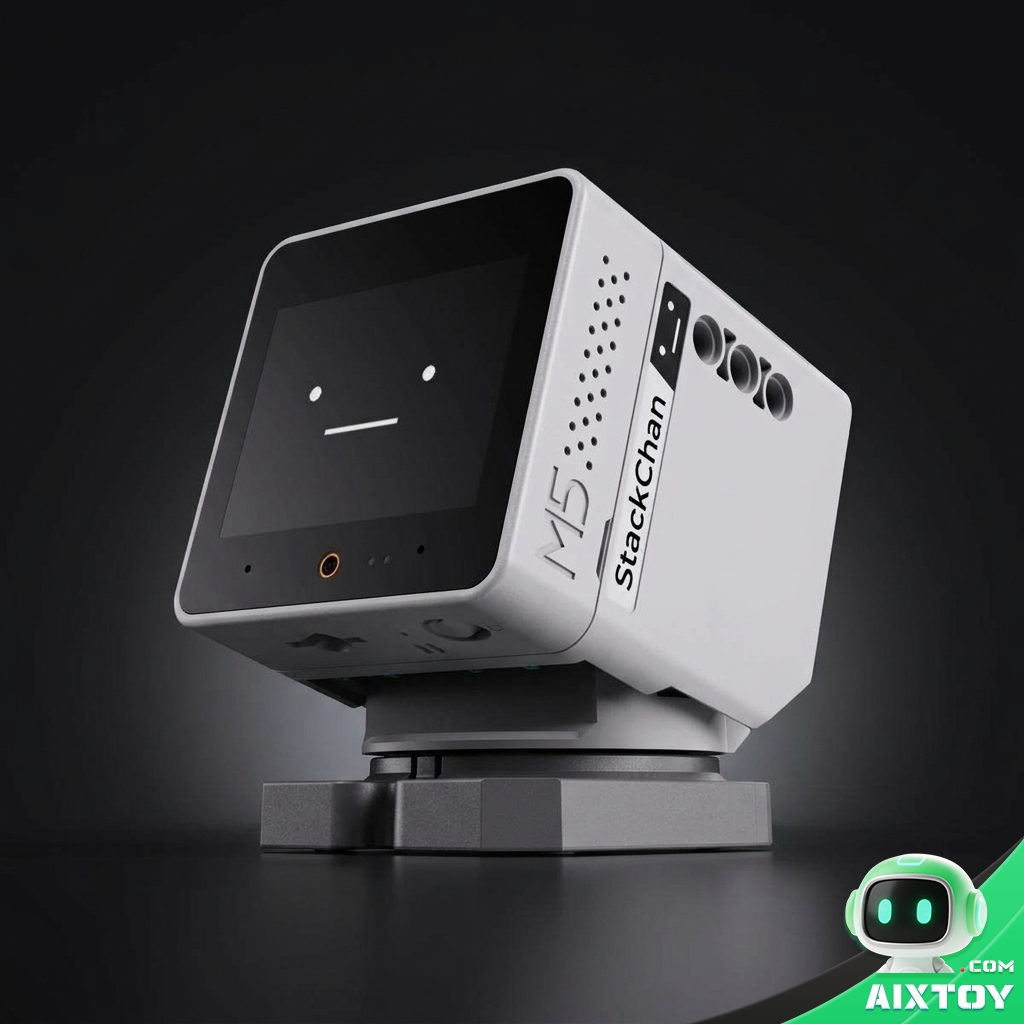
M5Stack StackChan AI Desktop Robot – Open-Source ESP32-S3 Voice Companion
$159.71
What a finished product on the CoreS3 platform looks like: a 2.0″ 320×240 IPS animated face, dual microphones and a 1 W speaker. Available as StackChan or StackChan-R with a joystick remote and case.
What each board is bad at
CoreS3: the 320×240 panel looks soft for image‑heavy interfaces; the radio stack stops at Wi‑Fi 4 and Bluetooth 5.0; there is no 802.15.4, so Matter needs extra hardware; and the 0.3 MP camera is for detection and rough capture, not photography.
Mosaico: the 65 mAh cell is a demonstration aid; Arduino support is still a release candidate; the Linux BSP is a developer preview labelled not for production; expansion means headers and wires rather than plug‑and‑play modules; and at around US$117 from third‑party sellers it costs roughly twice what CoreS3 does with no official price or wide availability yet.
The AIXTOY take
Framing this as new against old misses what is actually happening. The ESP32‑S31 is Espressif moving its flagship wireless MCU onto RISC‑V and, more importantly, attaching real multimedia hardware to it — a JPEG codec, a pixel accelerator, a display controller, a camera controller. For years the awkward part of building a screen‑first ESP32 product was that the screen was always competing with the radio and your application code for the same cycles. Mosaico is the first board where that fight is structurally over.
What it is not yet is a platform. Arduino support is a release candidate, the Linux story is explicitly non‑production, the battery is a placeholder, and the price is a third‑party premium on unreleased official pricing. CoreS3, meanwhile, remains the board you would actually ship: it has the ecosystem, the documentation, the guided projects and the mains power input.
Our advice is unromantic. If you are building something for other people, or something that has to work next month, CoreS3 is the safer buy and the better value at US$59.90. If you are building something for yourself, want a 480×480 AMOLED on your desk, and are willing to live with ESP‑IDF and a 65 mAh cell, Mosaico is the more interesting board and the one that will teach you more. Buy it knowing you are an early adopter, because that is exactly what the hardware says you are.
Quick answers
Which chip is in each board? CoreS3 uses the ESP32‑S3FN16R8 — dual‑core Xtensa LX7 at 240 MHz, 16 MB flash, 8 MB PSRAM. Mosaico uses the ESP32‑S31NRV16 — dual‑core RISC‑V at up to 320 MHz with 16 MB of in‑package PSRAM.
Can CoreS3 run Matter? Not on its own. It has no 802.15.4 radio, so a Thread‑based Matter device needs an additional module. Mosaico has the radio and Espressif’s ESP‑Matter support built in.
Can Mosaico run on battery for a day? No. The cell is 65 mAh against 500 mAh on CoreS3. Plan on USB power.
Can both run an AI voice assistant? Yes, with very different amounts of work. M5Stack publishes ready‑made voice assistant projects for CoreS3; on Mosaico you are building it yourself in ESP‑IDF against the vendor board support package.
How does Mosaico’s magnetic tiling work? Two BMM150 magnetometers let one unit sense the position and orientation of another, so boards can snap together and behave as a single larger display. Espressif ships reusable components for the device‑to‑device interaction and uses ESP‑NOW for the messaging.
Which is cheaper? CoreS3, by a wide margin: US$59.90 direct from M5Stack against roughly US$117 for Mosaico from third‑party resellers.
Which should I buy first if I am new to ESP32? CoreS3. The visual programming environment, the larger catalogue of examples and the plug‑in Grove ecosystem will get you to a working device faster, and you can move to Mosaico once ESP‑IDF feels comfortable.
Tags:ESP32 M5Stack Espressif Dev Board Open Source AI Hardware AIXTOY Robotics Matter Thread Zigbee RISC-V Wi-Fi 6