


No products added!

Alibaba built a desk robot that ships without a screen — on purpose
Almost every desktop AI gadget of the past three years has been sold on the quality of its own hardware: a bright screen, a decent camera, a chip fast enough to run a model locally. Alibaba’s Qwen Office unit went the other way.
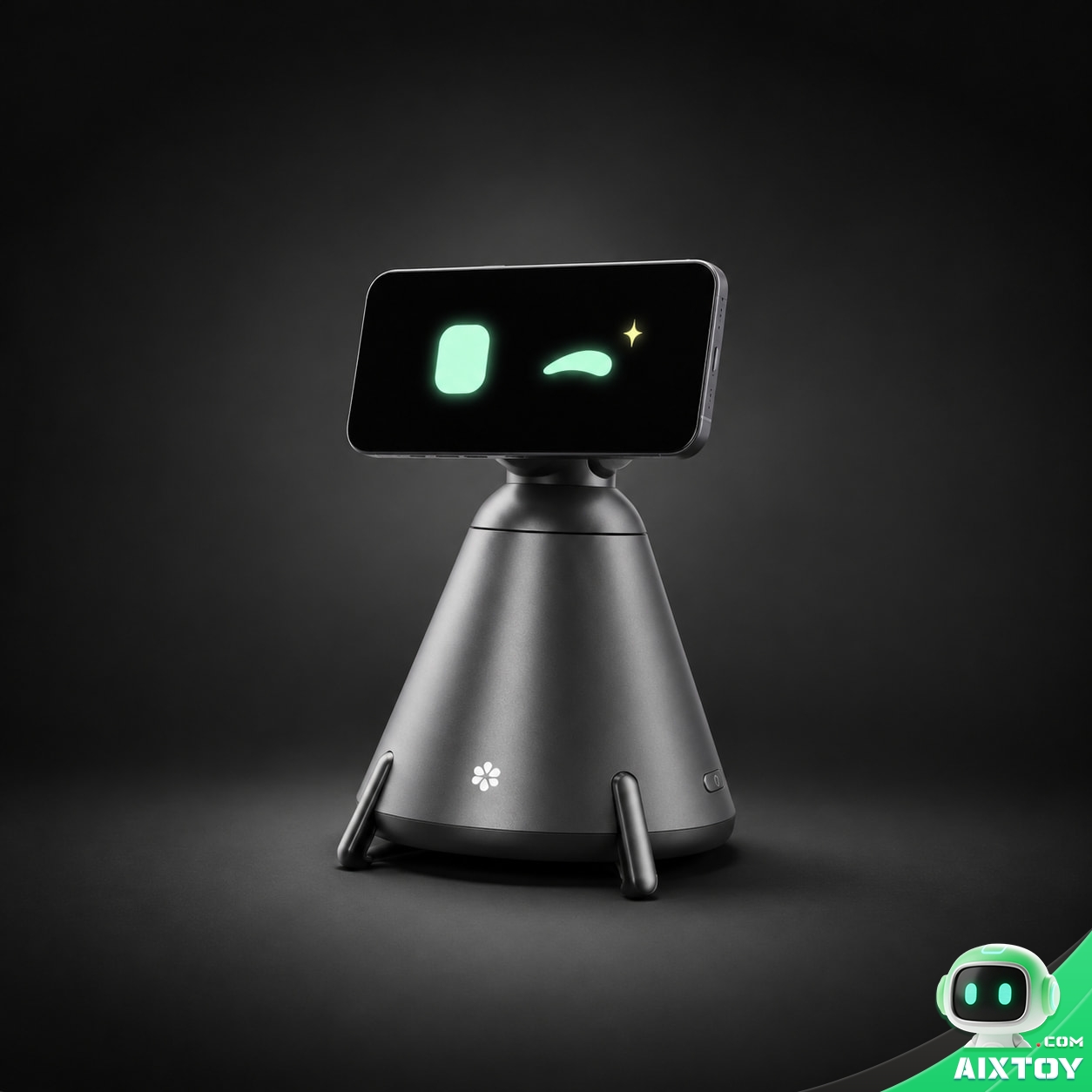
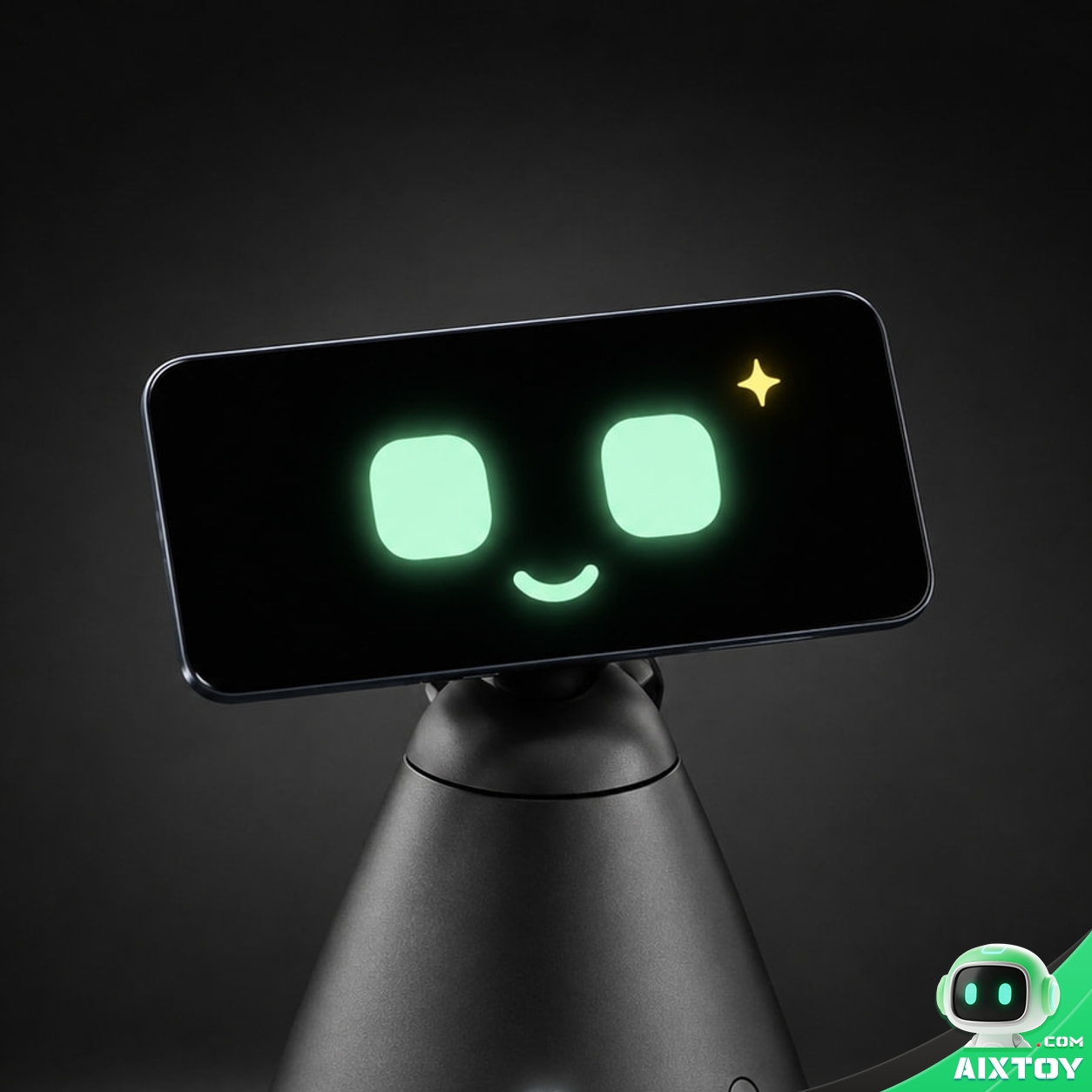
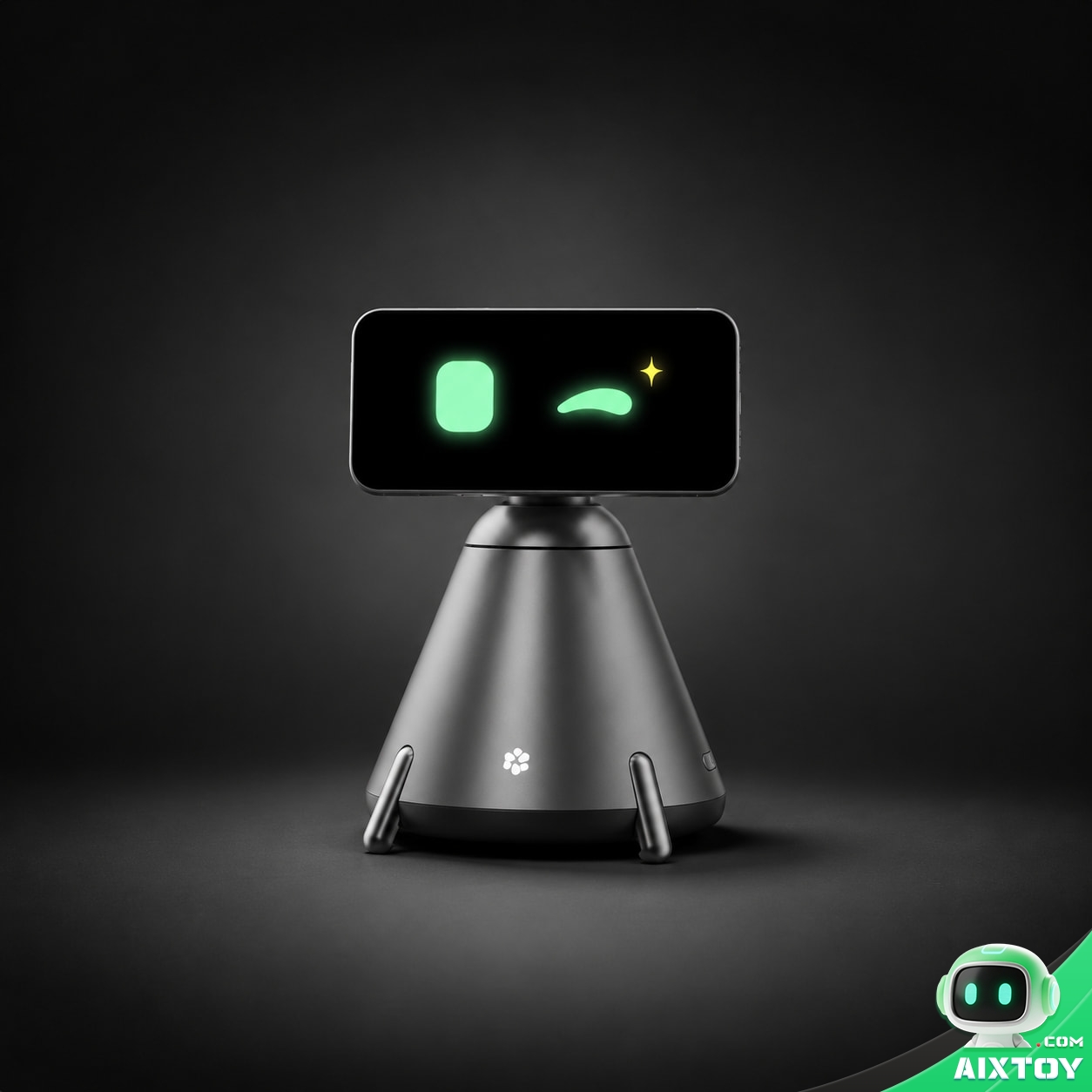
QwenNote Eva, unveiled at the 2026 Yunqi Conference in Hangzhou and on sale the same evening, contains no display, no camera, no microphone array, no battery and no system-on-chip. What is inside is a motorised three-axis gimbal, a circular magnetic pad and a 65 W gallium-nitride power supply. Everything expensive arrives in the pocket of the person sitting at the desk: you mount your own smartphone onto the magnetic head in landscape, and your phone becomes Eva’s face, eyes, ears and brain.
In China it launched at RMB 899 — roughly US$134 at the 9 October 2026 central parity rate of 6.7330 CNY/USD — which makes it one of the cheapest devices ever to carry the word “robot” on its box. Alibaba’s marketing line for it is “one Eva equals one team”, which is obvious hyperbole, but the pricing is not: it undercuts Samsung’s Ballie and Amazon’s Astro by a wide margin, and it costs less than a single day of a knowledge worker’s fully loaded salary in most markets.
What Eva actually does
Strip away the animated eyes and the argument comes down to four claims.
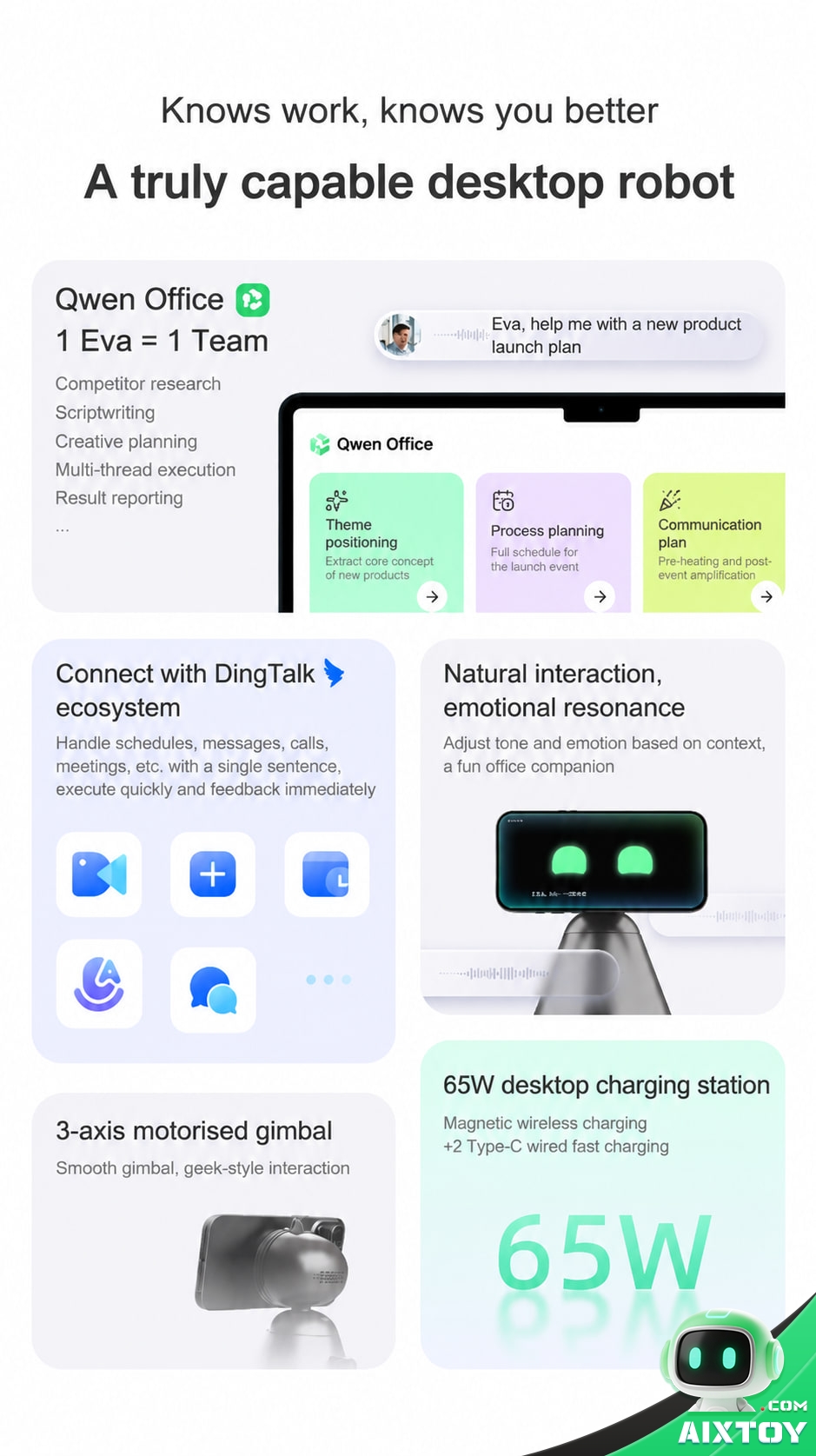
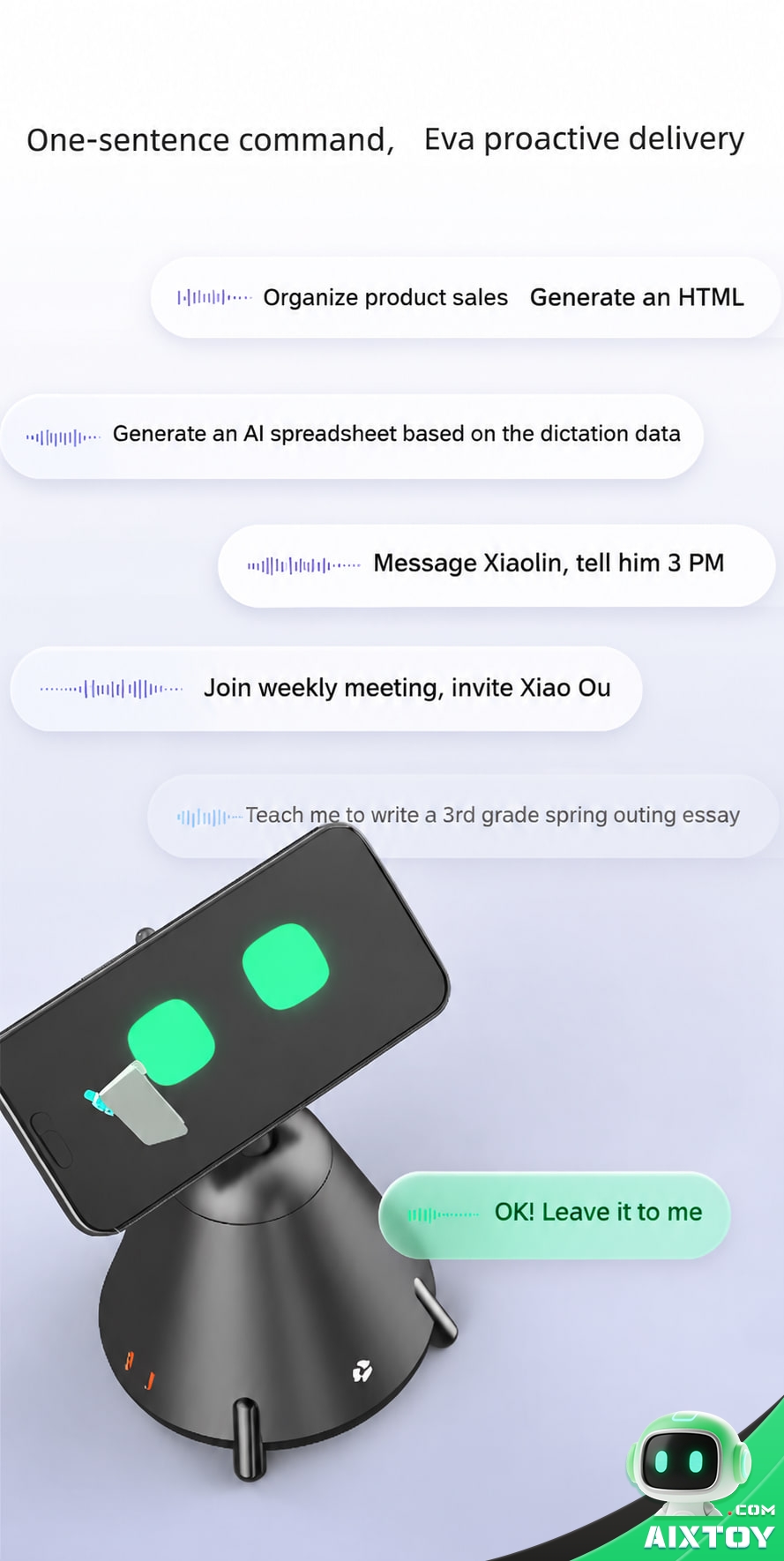
1. One sentence in, finished work out. Alibaba’s stated interaction model is not conversation, it is delegation. You speak once; the agent works out what you meant, asks a clarifying question if it needs one, and runs the task. The demonstrations Alibaba showed at the launch include organising a set of product sales figures and generating an HTML summary from them, turning meeting minutes the device has just transcribed into a structured table, messaging a colleague, and joining a recurring weekly meeting on your behalf while inviting the other attendees.
2. It acts on your real work systems. Eva runs on Qwen Office — the AI productivity suite Alibaba sells to business customers — and treats DingTalk, Alibaba’s workplace collaboration platform, as its integration layer. That means it can send messages, place calls, control meetings and set reminders inside the tools a Chinese office worker already uses several times an hour, and it can read local files, web pages, applications and multimodal input. Results are pushed to the user’s PC rather than being trapped on the robot.
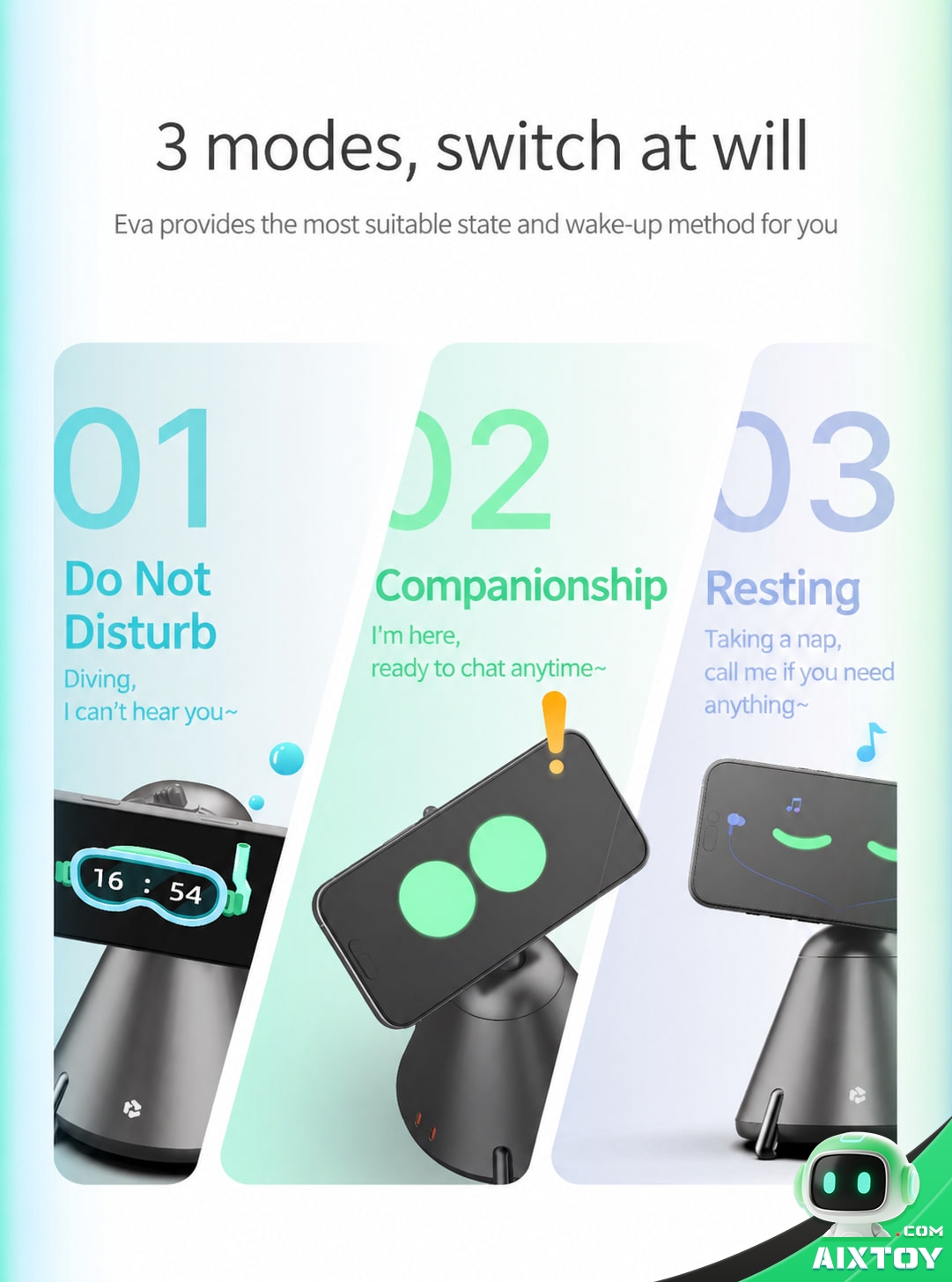
3. It moves, and it looks at you. A three-axis motorised gimbal gives the mounted phone about 180° of yaw, 15° of pitch and 20° of pan. Eva wakes three ways — a glance, a tap on the body, or a spoken wake word — and hands-on reviewers report that the gaze trigger works well enough that you never learn the wake word. A ring of light around the device shows when it is listening. There are three switchable states: do-not-disturb, companion and rest.
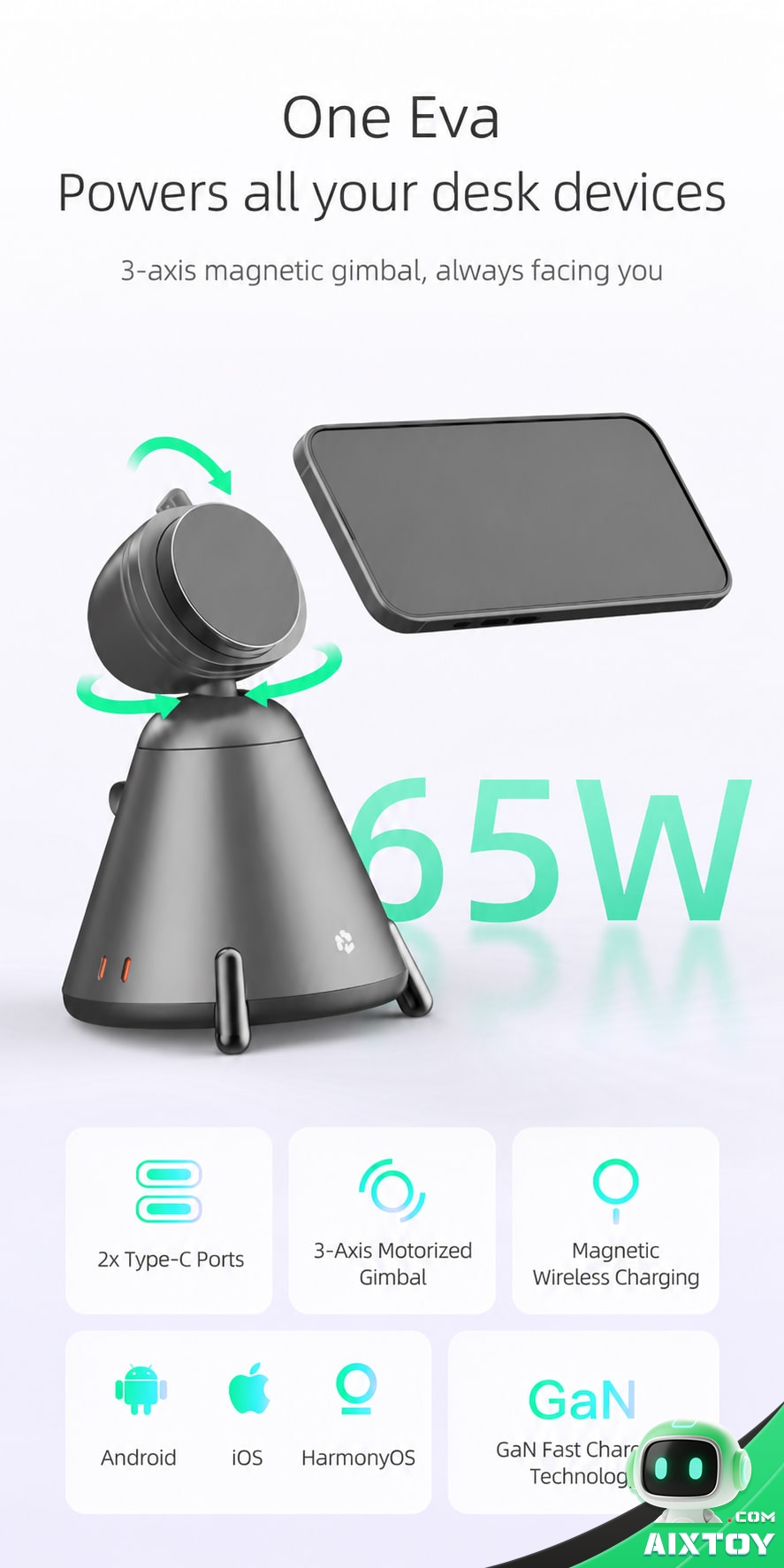
4. It is a charger first, and a robot second. The base delivers up to 65 W through two USB-C ports and a magnetic wireless pad, with wide-range 100–240 V AC input. That is enough to top up a phone in well under an hour rather than the multi-hour wait of a low-wattage wireless pad — and, more importantly, it is the reason the device will still be on your desk in six months.
DingTalk is the entire point — and also the limit
This is where Eva differs from every phone-dock robot that came before it. Looi, the 2024 desktop companion from the independent studio TangibleFuture, also mounted a phone magnetically and also moved. But Looi was an emotional companion: it used twelve sensors to avoid falling off the desk, shipped more than 600 custom actions, ran its conversation model on DeepSeek, and its whole proposition was companionship.
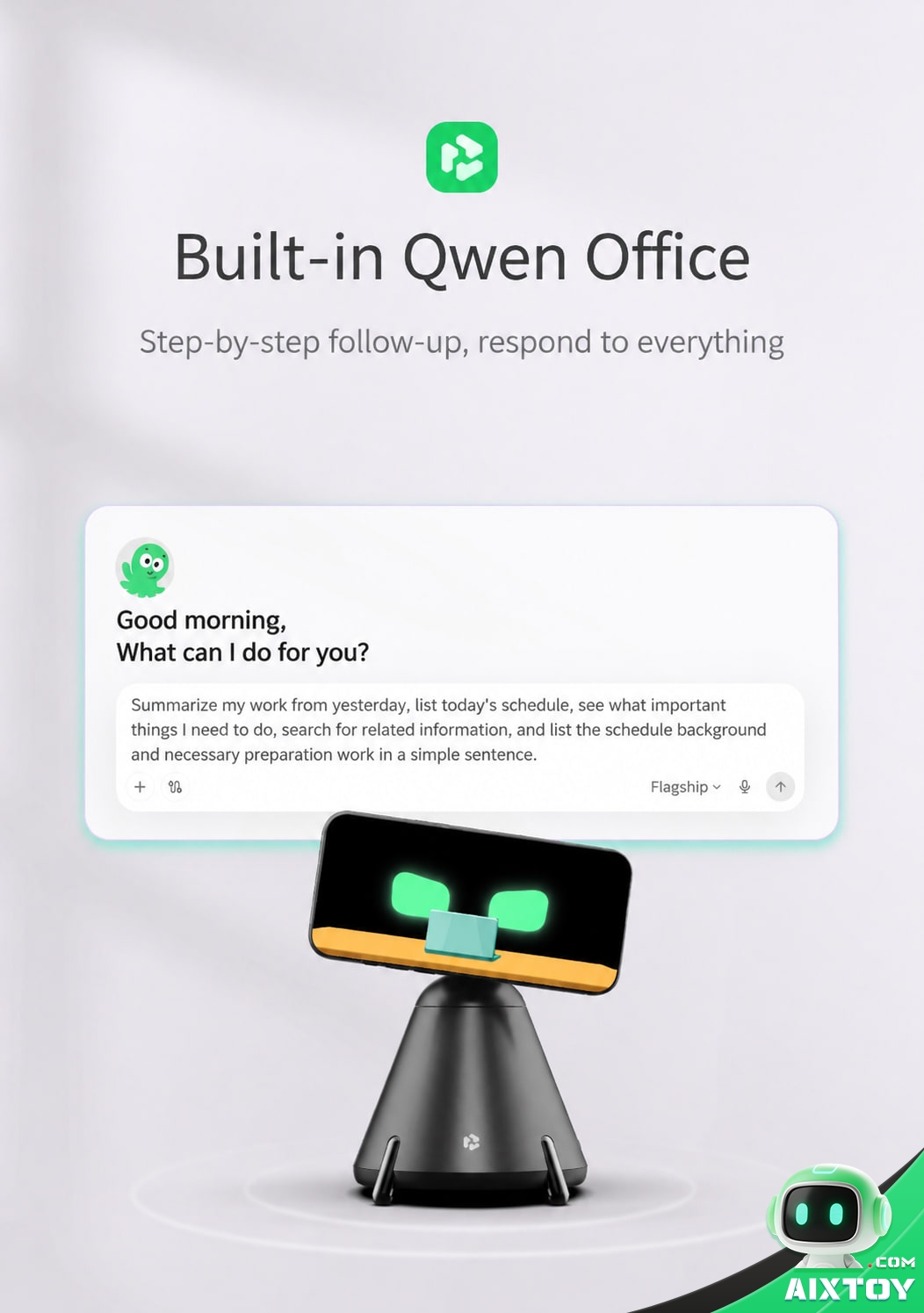
Eva’s proposition is a timesheet. Where Looi wanted your affection, Eva wants your inbox. The reason it can is DingTalk: because it is wired into the collaboration platform rather than sitting beside it, a task like “get last quarter’s numbers into a report and send it to the team” is something it can genuinely finish, not merely help with.
The same architecture is the product’s hard boundary. Eva is not a general-purpose assistant that happens to support DingTalk; it is a DingTalk instrument with a robot attached. Alibaba does publish an international QwenNote companion app on Google Play through QwenNote DingTalk (Singapore), and the platform’s transcription engine advertises support for 120 languages and 30 dialects, so the company clearly has global ambitions for the family. But the productivity loop that makes Eva interesting in the demos is the part that assumes a Chinese office stack, and buyers outside that world should read the feature list as a roadmap rather than a promise.
What living with one is actually like
The most useful account of the device so far comes from a Chinese reviewer who was handed a unit at the conference and spent a day with it. The details are worth recording because they describe the experience rather than the spec sheet.
Setup is: plug in the power, wait for the flower logo on the base to light up to confirm activation, bind the official activation code, then magnetically dock the phone for first-run configuration. There is a walkthrough, and — unusually — you set your own region, which changes how the robot talks to you: in an open-plan office it keeps replies short and discreet, and in a private room it becomes noticeably chattier.
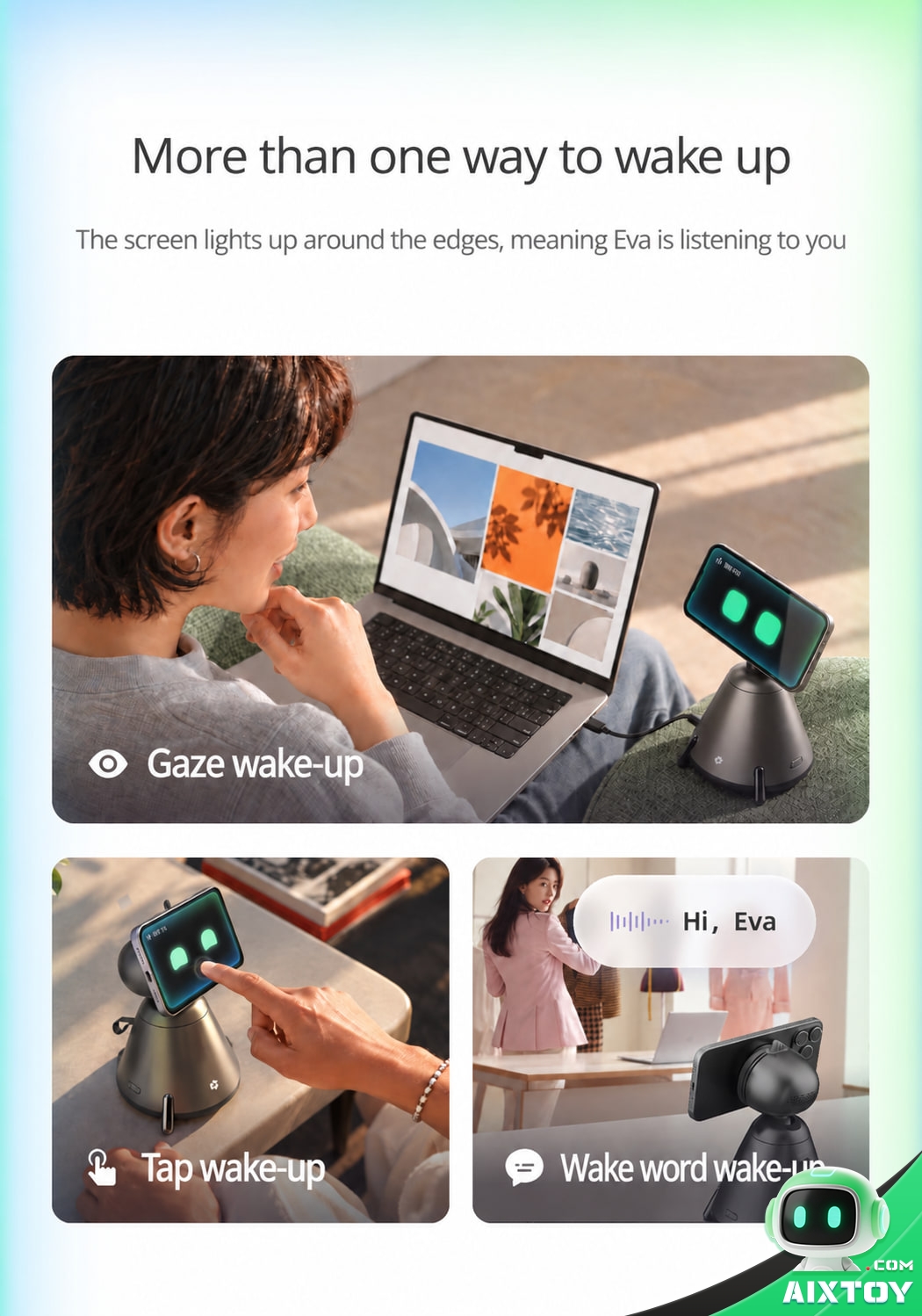
The reviewer’s favourite feature was one Alibaba does not lead with. Ask Eva to practise English with you and it starts a spoken lesson immediately, then files the transcript, the corrections and the vocabulary breakdown into DingTalk — a tutor that leaves a written record you can revise from. Meeting capture works the same way: start the listening mode and Eva transcribes in real time, then summarises and stores both the recording and the text. Between those two, the device earned its desk space long before it ever wrote an HTML report.
The reviewer’s verdict was equally clear on the downside. There is still polish to be added. That is a polite way of saying what anyone who has used a first-generation agent device already knows: the task-completion rate on ambiguous instructions is where products in this category live or die, and no launch-week demo is a substitute for four months of daily use.
The hardware, plainly
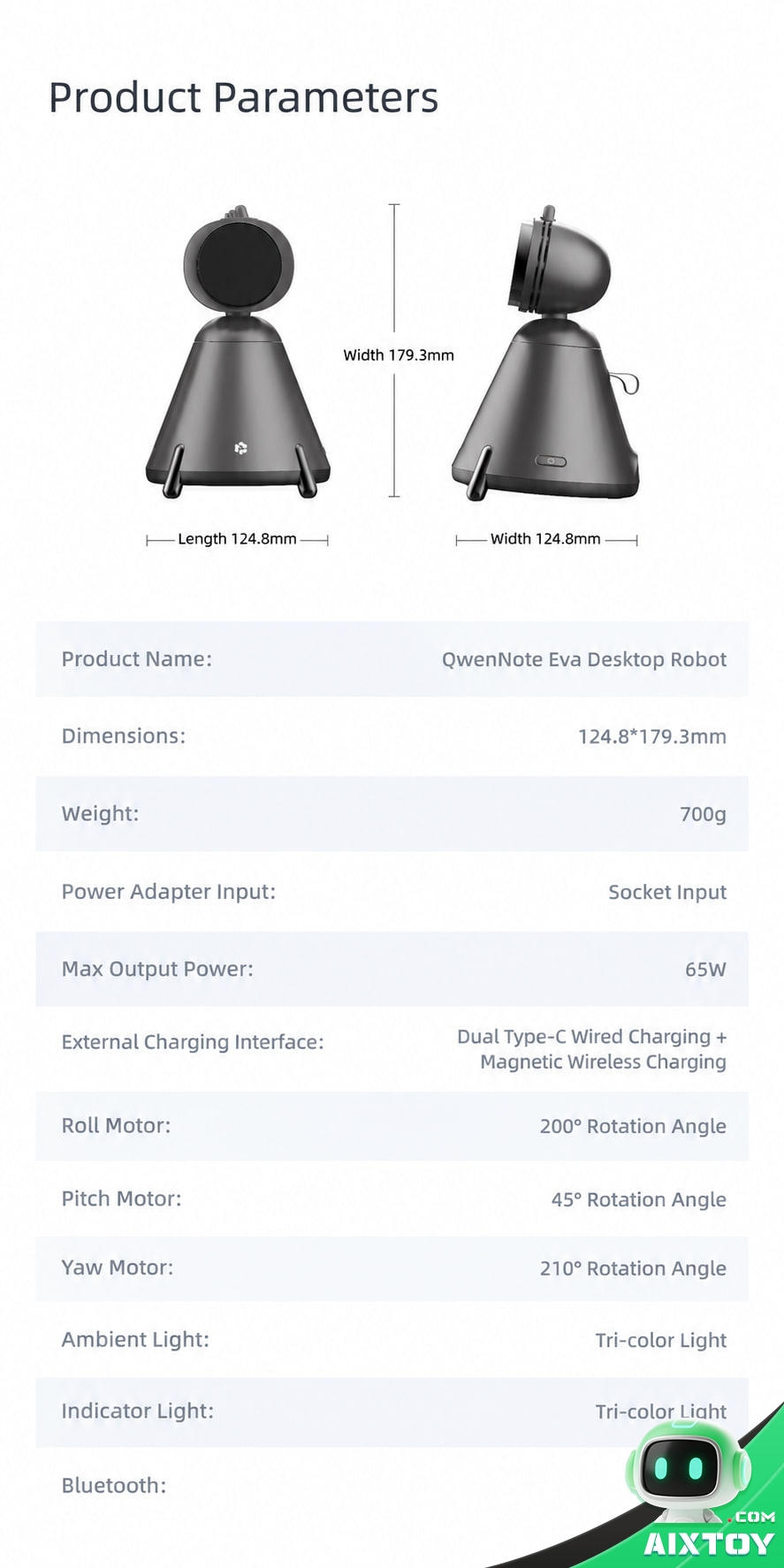
The specification sheet is short and, for once, honest about what the device is not:
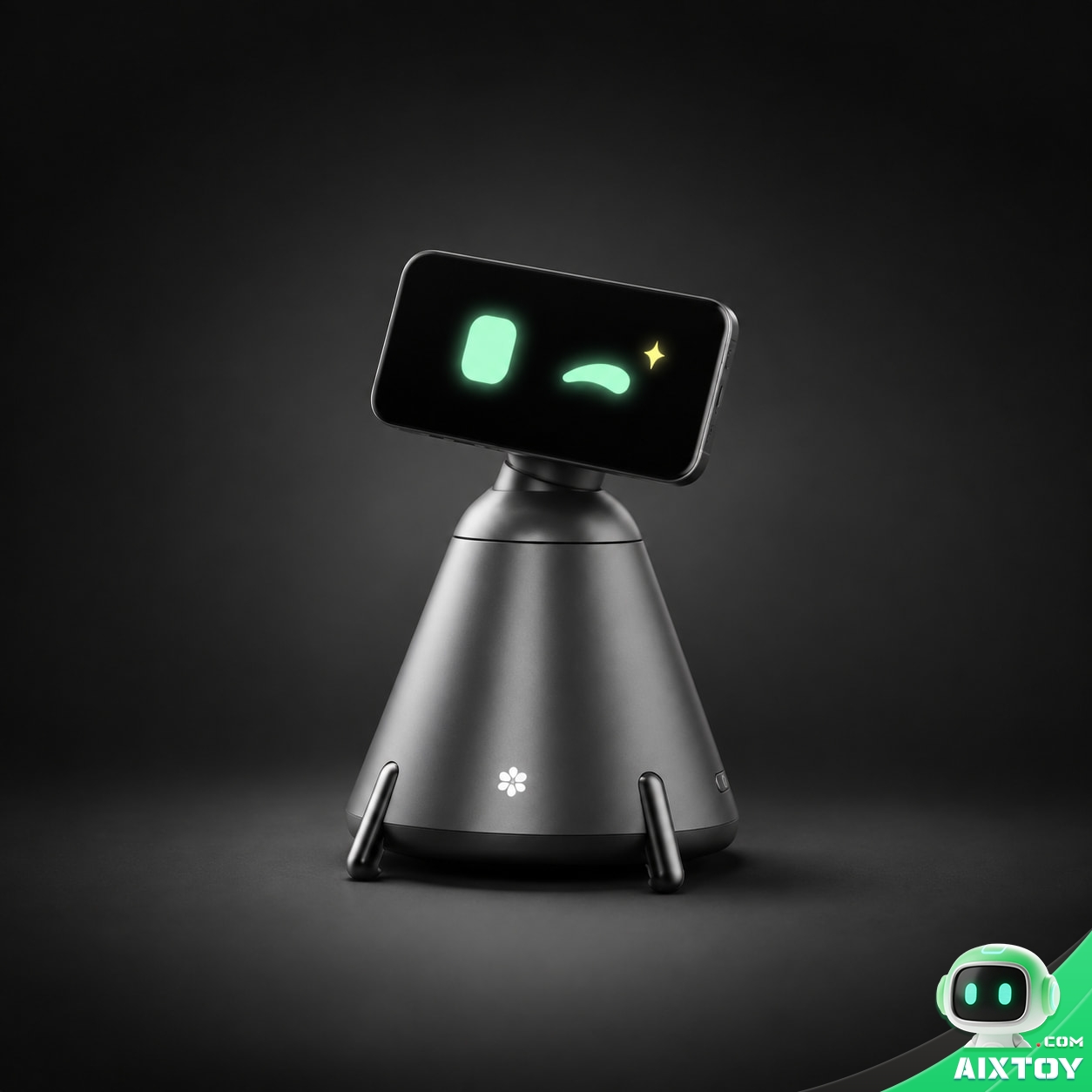
• Body: 124.8 × 124.8 × 179.3 mm, approximately 700 g, graphite grey
• Display: none — the user’s own phone, magnetically mounted in landscape
• Motion: three-axis motorised gimbal; approx. ±180° yaw, +15° pitch, ±20° pan, plus RGB ambient lighting
• Power: 65 W GaN, 2× USB-C wired, magnetic wireless pad, AC 100–240 V input
• Connectivity: Bluetooth BLE 5.4, dual-band Wi-Fi
• Interaction: gaze, tap and wake-word activation; do-not-disturb, companion and rest modes
• Voice and emotion: powered by qwen-audio, 100+ expressions, three interchangeable eye styles
• Software: Qwen Office agent with DingTalk integration; Android, iOS and HarmonyOS supported
QwenNote Eva is not a standalone product in Alibaba’s hardware line so much as the third entry in one. It follows the Qwen N1 AI glasses and the QwenNote A2 recording card, and it shares its lineage with DingTalk’s own A1 device, which was folded into the same QwenNote A family after the conference. The project was started in 2025 inside the DingTalk hardware team and led by DingTalk vice president Ren Qing, and all three products now sit in the same official store — a signal that Alibaba intends this to be a category, not an experiment.
The graveyard this product is walking past
It is impossible to look at Eva without thinking about the Humane AI Pin and the Rabbit R1. Both promised to replace the phone, both cost several hundred dollars, and both were returned in volume once buyers discovered that the promised capability did not match the marketing. The category’s failure mode is well documented: ship standalone hardware with a dedicated screen and a dedicated chip, price it as a premium device, and then under-deliver on the software.
Eva’s design choices read as a deliberate refusal of all three mistakes. It does not compete with the phone; it uses it. It does not carry a screen or a chip that will depreciate; it outsources both. And it does not ask to be a general assistant; it asks to be very good at a narrow set of office chores inside an ecosystem Alibaba controls end to end. Whether that is enough is an open question, but it is a materially better-aimed bet than the one that produced the AI Pin.
The honest counter-argument is that a narrow, ecosystem-locked assistant is precisely what a smart speaker already is — and smart speakers, after a decade, are mostly used as timers and music players. Eva’s answer has to be that its tasks end in artefacts: a table, a document, a sent message. A device that finishes work is harder to abandon than a device that answers questions.
What buyers should watch
The ecosystem is not portable. If your work does not run on DingTalk and Qwen Office, most of what makes Eva interesting is unavailable to you. Treat the DingTalk features as the product and the companion features as the bonus, not the other way round.
Your phone pays the bill. Every photo of Eva shows a screen that is doing a substantial amount of work — rendering animations, running the camera, holding the model conversation. Long sessions will cost battery, and the device’s thermal behaviour is a real question mark. Independent testing on heat and drain is, at the time of writing, essentially non-existent.
It is a camera pointed at your desk, permanently. Gaze activation means the camera is awake and looking for faces and voices. Alibaba separates on-device processing from cloud intelligence, which is a defensible architecture, but the decision about whether you want an always-attentive device 40 cm from your monitor is psychological rather than technical.
Launch-week software is launch-week software. The reviewers who have used it most are the ones most explicit that details still need work. Assume the first six months will be a software product that improves rather than a finished appliance.
Treat the price as the entry point, not the cost. RMB 899 buys the dock. It does not buy the phone that makes it work, and in practice it may lead into paid Qwen Office tiers the way every other AI productivity suite does.
The AIXTOY take
QwenNote Eva is the most interesting piece of AI hardware economics of 2026, and the interesting part is not the robot. It is the admission that a screenless device can be a better product than a screenful one — that the fastest way to build an expressive, capable desk companion is to stop pretending you can out-engineer the phone already sitting in the user’s pocket.
The risk profile is equally legible. Eva’s differentiation lives almost entirely in software the buyer does not control, inside an ecosystem the buyer may not use. Take away DingTalk and what is left is a very good 65 W charger with a motorised head — which is a genuinely pleasant thing to own but not a $134 argument on its own.
What makes it more than a curiosity is the placement of the bet. The companies that lost money in this category tried to replace the phone. Alibaba has done the opposite: it has made the phone load-bearing, priced the hardware as an accessory rather than a platform, and put the intelligence where it already sells subscriptions. That is not a gadget strategy. It is a distribution strategy, and it is the first one in this category that looks like it could survive its own second year.
Quick answers
Does QwenNote Eva have its own screen? No. It has no display of any kind. You mount your own smartphone on the magnetic gimbal head and the phone supplies the screen, the camera, the microphone and the compute.
Which phones work? Alibaba lists Android, iOS and HarmonyOS support. The phone must be able to run the QwenNote companion app and fit the magnetic pad.
Is it a toy? No. It is a productivity device aimed at knowledge workers, sold through Alibaba’s business arm. The expressive face and the English-practice mode are features of a work tool, not a children’s product.
Does it need a subscription? The hardware is sold outright in China. Alibaba has not published detailed international pricing for the Qwen Office agent tiers that the device depends on, so treat ongoing cost as an open question.
How much is it? RMB 899 in China, roughly US$134 at the 9 October 2026 central parity rate. Availability outside mainland China, and the price in other markets, had not been announced when this was written.
QwenNote Eva Desktop AI Agent Robot
$264.99
Alibaba Qwen Office’s screenless desk robot: mount your own phone on the motorised gimbal head, run office tasks through DingTalk’s AI agent, and charge everything at 65 W GaN. Android, iOS and HarmonyOS supported.
Tags:QwenNote Alibaba Qwen DingTalk Desk Robot AI Hardware AI Assistant AI Agent Screenless Phone Productivity Robotics AI Companion Smartphone