

No products added!
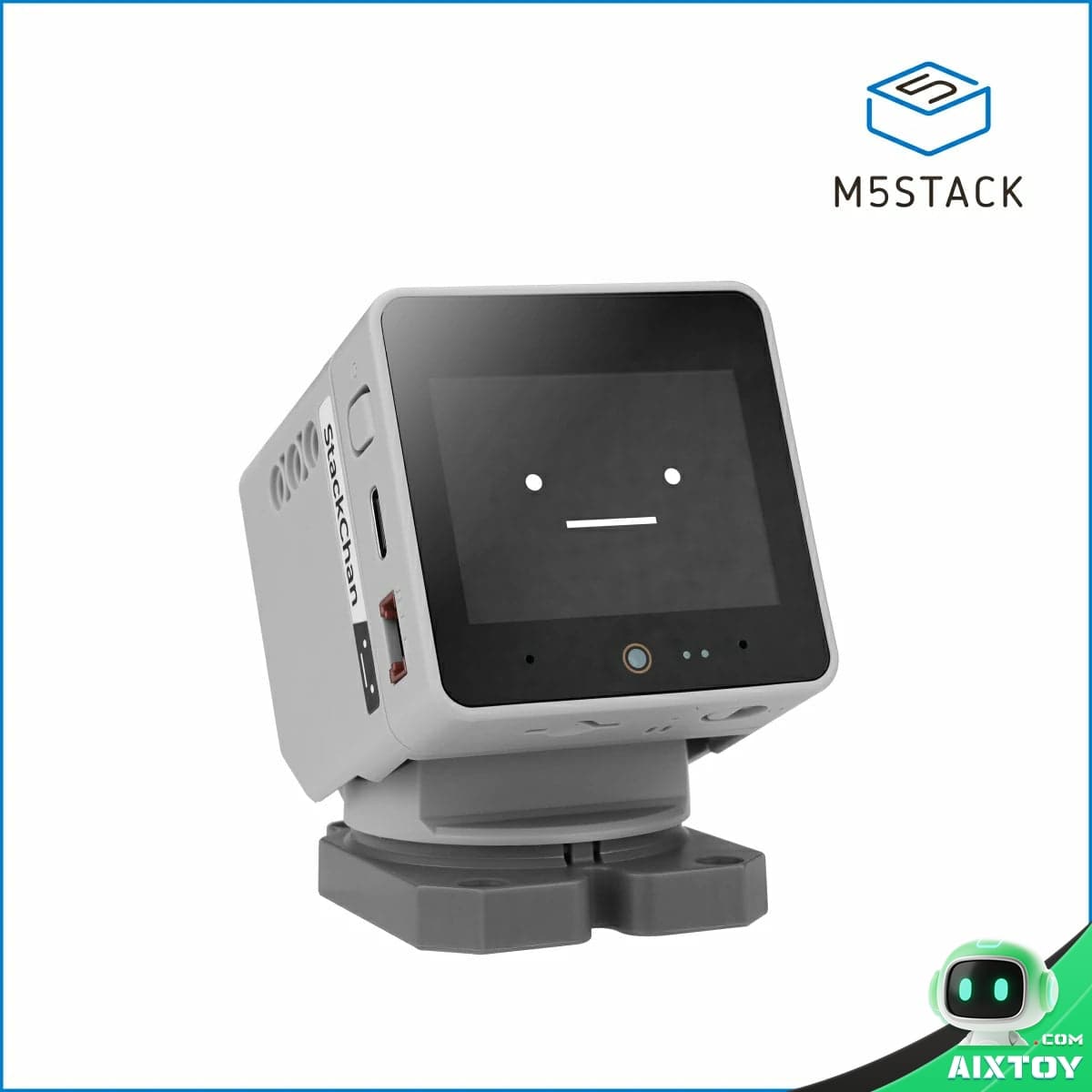
In 2026, a $65 open-source AI desktop robot with a humble 0.3-megapixel camera became one of the most sought-after gadgets in the maker community. StackChan — a compact AI companion built on the M5Stack CoreS3 platform — raised over ¥2.15 million (~$300K) on Kickstarter, hitting $140K on day one alone. Developers from Germany, Japan, and China spontaneously contributed plugins and custom behaviors before the campaign even ended.
Mashable called it “the AI soulmate for the lonely remote worker.” Chinese tech media observed that while Humane’s AI Pin and Rabbit R1 tried — and failed — to replace the smartphone, StackChan chose the smarter path: don’t replace the phone. Just sit next to it and be delightful.
By the time the campaign closed, 73% of early backers had contributed a GitHub Issue or Pull Request to the project. The community had already built 21 plugins — 14 of which were officially absorbed into SDK v2.3. A German developer integrated ChatGPT. A Japanese user wrote dance scripts. Chinese makers connected it to Mi Home and Home Assistant. This wasn’t just a product launch — it was an ecosystem ignition.
What Makes StackChan Special?
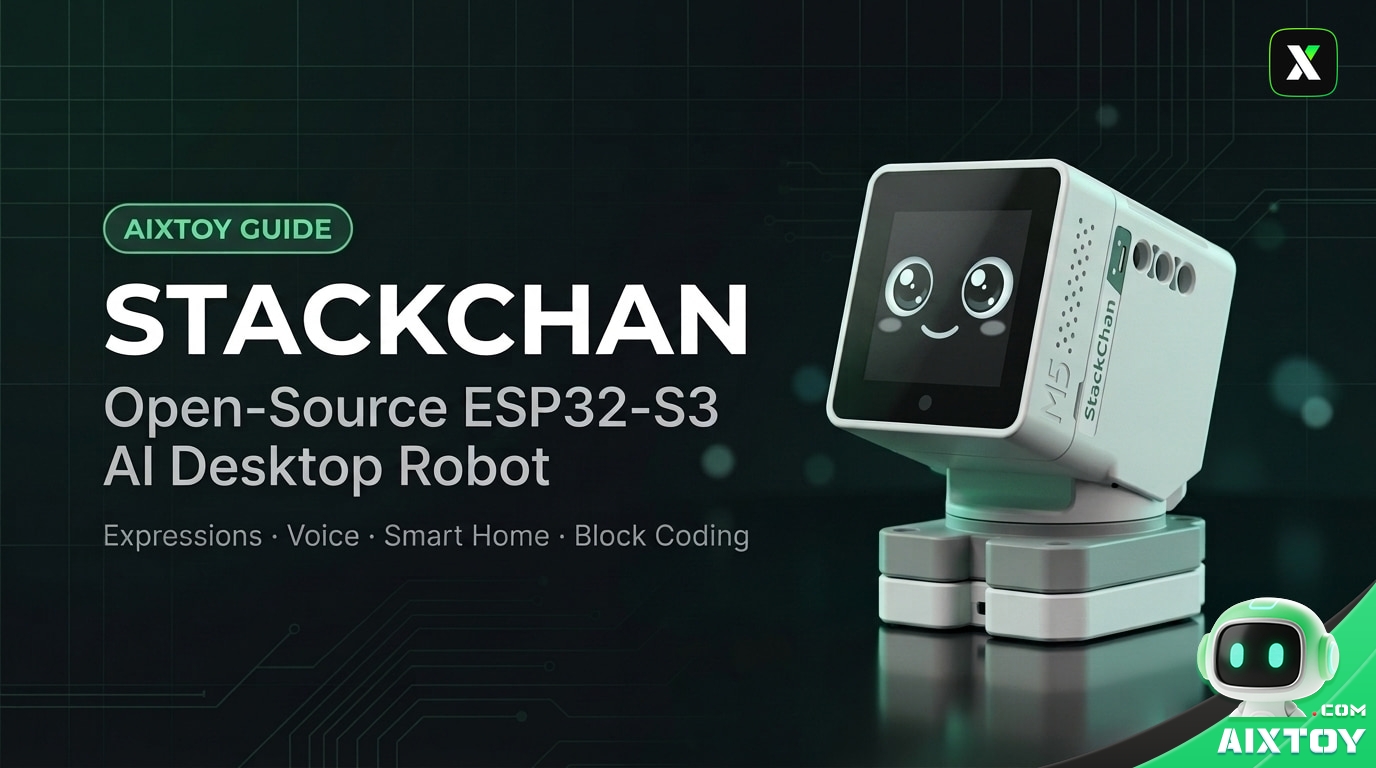
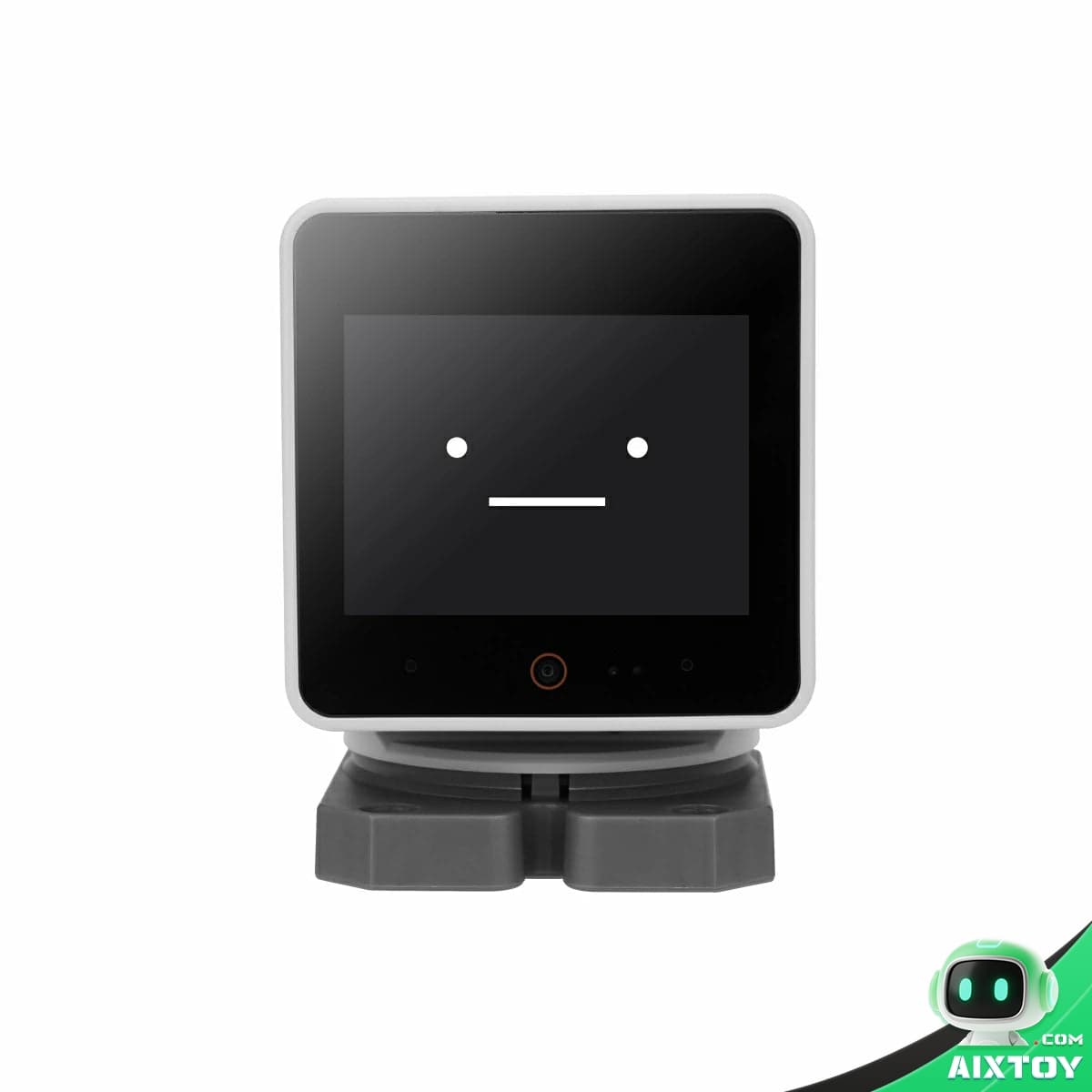
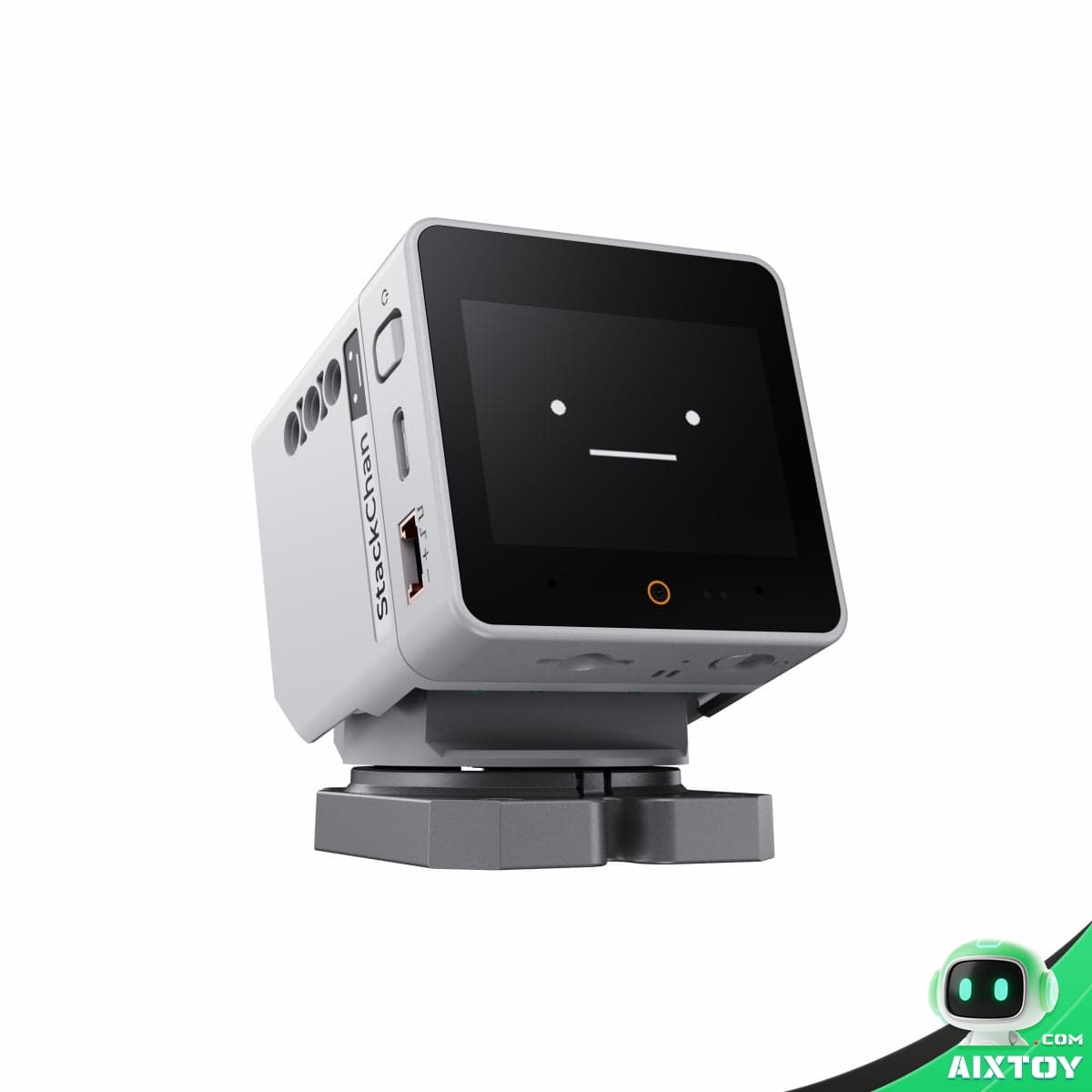
At its core, StackChan is a tiny robot with a 2-inch touch display, two servo motors (360° horizontal pan + 90° vertical tilt), and an expressive animated face. But beneath that playful exterior lies a remarkably complete hardware and software stack that makes it one of the most hackable AI platforms on the market.
Hardware Specifications
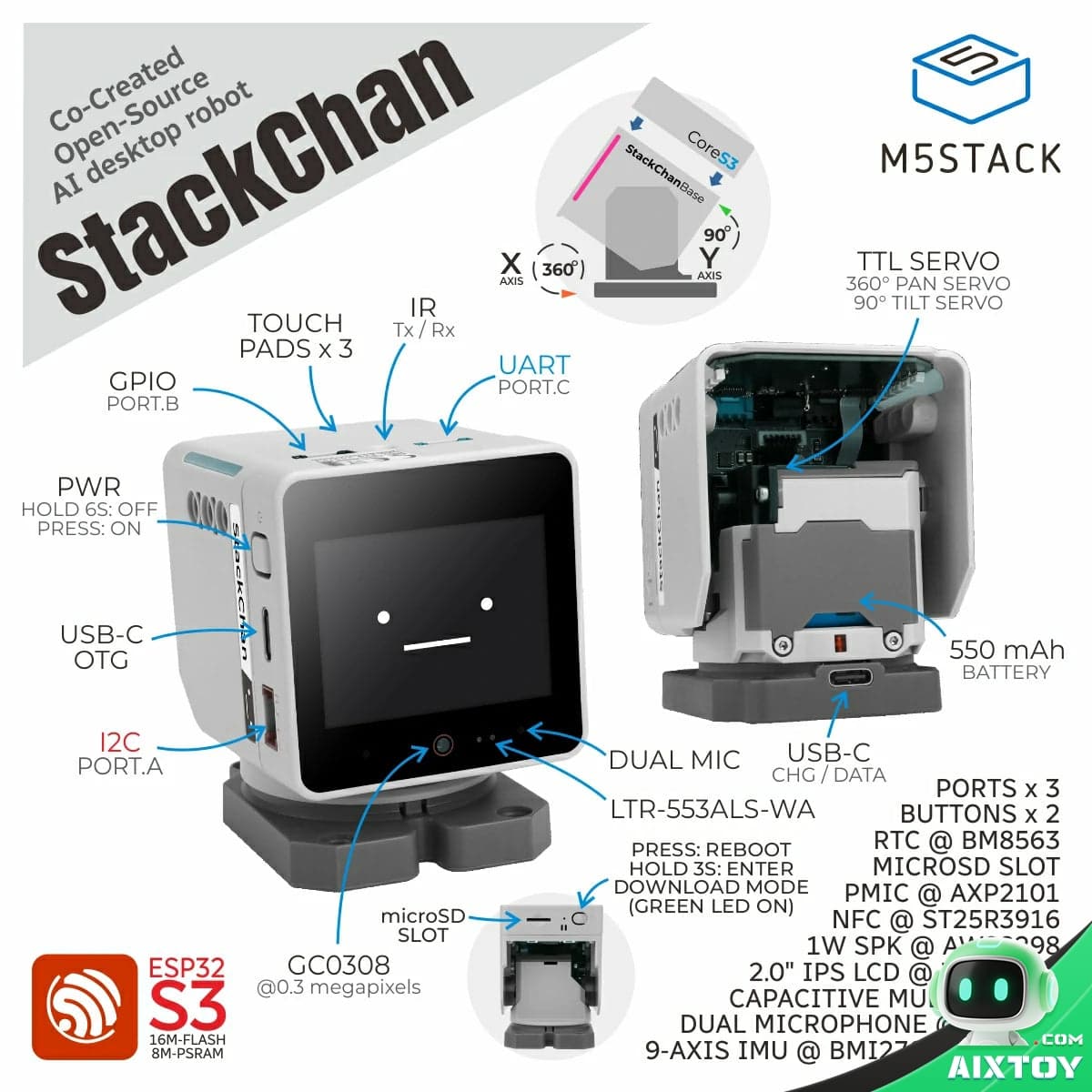
- Brain: ESP32-S3 dual-core Xtensa LX7 @ 240 MHz, 16MB Flash, 8MB PSRAM
- Display: 2.0″ IPS LCD (320×240, 65K colors) with capacitive multitouch
- Camera: 0.3MP GC0308 (640×480)
- Audio: Dual microphones (ES7210 codec) + 1W speaker (AW88298 I2S amp)
- Sensors: 9-axis IMU (BMI270+BMM150), proximity/light sensor (LTR-553ALS), 3-zone touch panel, NFC (ST25R3916)
- Movement: 360° servo (pan) + 90° servo (tilt), both with position feedback
- Lighting: 12× WS2812C RGB LEDs (two rows)
- Connectivity: Wi-Fi 2.4GHz b/g/n, Bluetooth 5 LE, IR transmitter + receiver
- Expansion: microSD slot, 3× Grove ports, LEGO®-compatible mounts
- Power: 550mAh battery, USB-C charging/data, AXP2101 PMIC
- Size/Weight: 54 × 70.5 × 61.5mm / 187g
Dual-Mode Software Architecture
StackChan runs two distinct operating modes, switchable on the fly:
| Mode | Description | How to Launch |
|---|---|---|
| Mooncake Mode | Desktop app system with 8 built-in apps (Launcher, Avatar, Dance, Settings, etc.) | Default on boot |
| Xiaozhi AI Mode | Full AI voice assistant powered by Xiaozhi ESP32 SDK | Tap AI.AGENT icon in launcher |
The Mooncake App Framework
Mooncake is StackChan’s built-in application manager — think of it as a miniature operating system for the robot’s 2-inch screen. It handles app lifecycle (onCreate → onOpen → onRunning → onClose → onDestroy), smooth transitions between apps, and background services.
8 Built-in Apps:
| # | App | Label | Function |
|---|---|---|---|
| 0 | Launcher | Desktop | Home screen with app grid + screensaver |
| 1 | AiAgent | AI.AGENT | Launch Xiaozhi voice AI mode |
| 2 | Avatar | AVATAR | Remote control via WebSocket (video calls, remote puppeteering) |
| 3 | EspnowCtrl | ESPNOW.REMOTE | ESP-NOW wireless remote controller |
| 4 | AppCenter | APP.CENTER | Browse and download community apps over Wi-Fi |
| 5 | Ezdata | EZDATA | EzData cloud data service |
| 6 | Dance | DANCE | Choreographed dance routines with BLE server |
| 7 | Setup | SETUP | Device settings and configuration |
The Modifier System: Layered Behavior Composition
One of StackChan’s most elegant design patterns is the Modifier system. Instead of hard-coding behaviors, the robot supports stacking multiple independent “modifiers” that each contribute to the final expression and motion output. Think of it like layers in Photoshop, but for robot behavior.
- BlinkModifier — Periodic eye blinking
- BreathModifier — Gentle swaying motion like breathing
- SpeakingModifier — Lip-sync animation during speech
- TimedEmotionModifier — Scheduled emotional expressions (happy, sad, surprised)
- HeadPetModifier — Response to head touch sensor
- IdleMotionModifier — Random micro-movements when idle
- DanceModifier — Pre-programmed dance sequences
- ImuModifier — Motion response from the accelerometer/gyroscope
All modifiers update every frame, supporting priority-based layering and automatic cleanup for one-shot effects. New modifiers can be added without touching existing code.
Remote Control & Connectivity
StackChan ships with multiple remote interaction channels:
- Mobile App (Flutter, iOS/Android): Full remote control, video viewing through the robot’s camera, avatar puppeteering
- WebSocket API: JSON-based commands for real-time face expressions, servo angles, and RGB lighting
- ESP-NOW Remote: Ultra-low-latency wireless controller using ESP-NOW protocol
- BLE Server: Wireless configuration and data streaming
- Cloud Server (Go/GoFrame): Device registration, social sharing, OTA updates, remote access
All control channels share the same JSON command interface — meaning a dance sequence built in the mobile app works identically over WebSocket or BLE. This unified API design is a masterclass in platform-agnostic IoT architecture.
Development Platforms
StackChan supports four development environments, catering to different skill levels:
| Platform | Best For | Skill Level |
|---|---|---|
| UiFlow2 | Visual block-based programming | Beginner |
| Arduino IDE | Rich library ecosystem, familiar workflow | Intermediate |
| PlatformIO | Modern IDE with multi-platform support | Intermediate |
| ESP-IDF | Full ESP32 native SDK, maximum control | Advanced |
Why StackChan Matters
StackChan’s success story is instructive for the entire AI hardware space. It didn’t win because of superior specs — a 0.3MP camera and 320×240 display are objectively modest in 2026. It won because it nailed the user experience fundamentals:
- Physical presence over screen intelligence. A tiny nod or head tilt communicates more emotional presence than the most advanced text model running on a phone.
- Open-source from day zero. The entire firmware, mobile app, and server stack are on GitHub. This turned early backers into co-creators.
- Multiple entry points for developers. Whether you’re a visual programmer, Arduino hobbyist, or embedded C engineer, there’s a path in.
- Hardware as a platform, not a product. The CoreS3 base with Grove connectors and LEGO mounts means StackChan can grow with its user’s skills.
Getting Started
StackChan is available in two configurations:
- StackChan Kit (SKU: K151): Full robot with CoreS3 pre-installed, carrying case, USB-C cable, expression sticker, and printed manual
- StackChan with Remote: Includes the ESP-NOW wireless controller for remote puppeteering
The official firmware supports OTA updates, and the community has already built integrations with ChatGPT, Home Assistant, Mi Home, MQTT, and more. For developers looking to build their own AI desktop companion — or for anyone who wants a tiny, expressive, open-source robot friend on their desk — StackChan is one of the most compelling platforms available in 2026.
Explore AI desktop companions, coding robots, and STEM toys at AIXTOY Shop.
Tags:AI Desktop RobotAIXTOYDesktop RobotESP32-S3M5StackOpen Source RobotProgrammable RobotStackChan