



No products added!
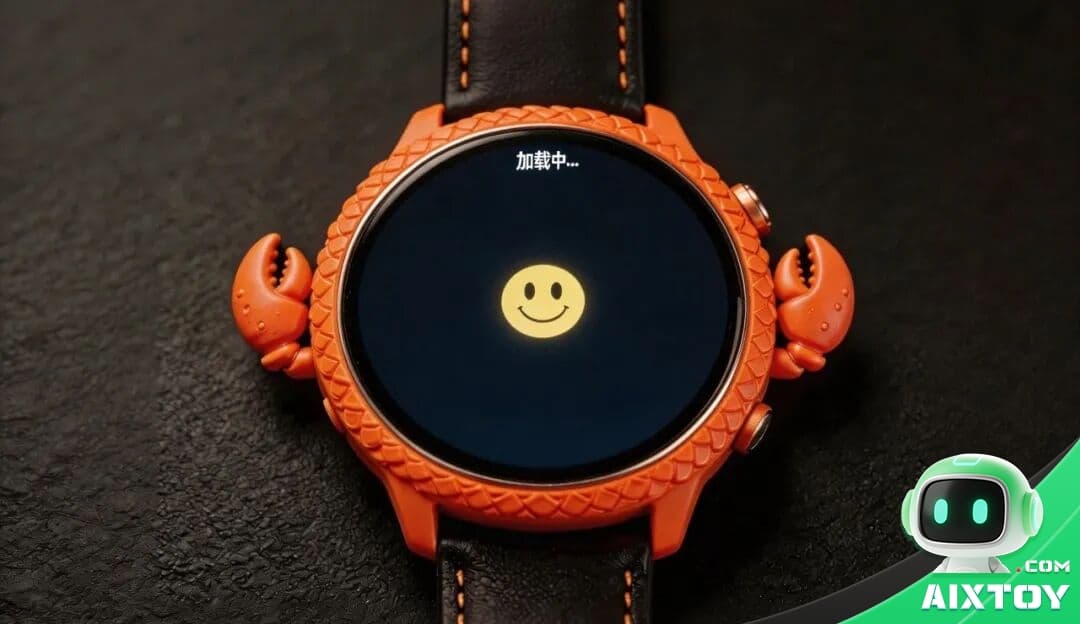
What if you could build a voice-controlled AI smartwatch from scratch — one that actually understands you? This open-source tutorial walks through creating a DIY intelligent wristwatch powered by an ESP32-S3 microcontroller, integrated with the DeepSeek large language model API for natural conversation. The Xiaozhi firmware, combined with MCP (Model Context Protocol) custom modules, transforms a simple microcontroller into a conversational AI companion on your wrist.
Step 1: Download and Flash the Firmware
Download the Xiaozhi open-source source code from GitHub and prepare to flash the firmware to your ESP32-S3 board.
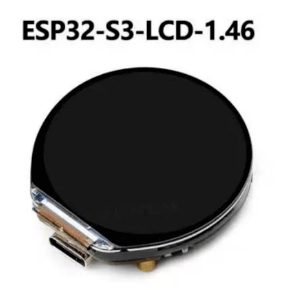
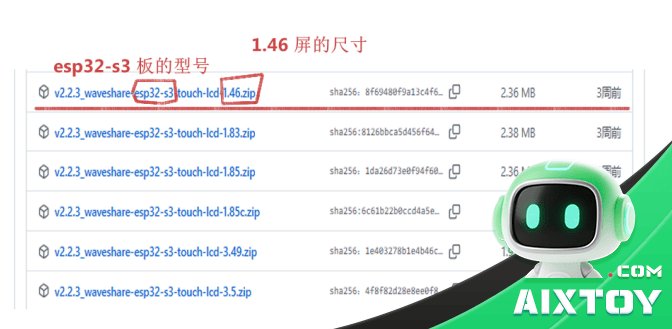
1.1 Download the software package and extract the compressed files.

1.2 Flash the firmware using the provided flashing tool. Connect your ESP32 board via USB and select the correct COM port.
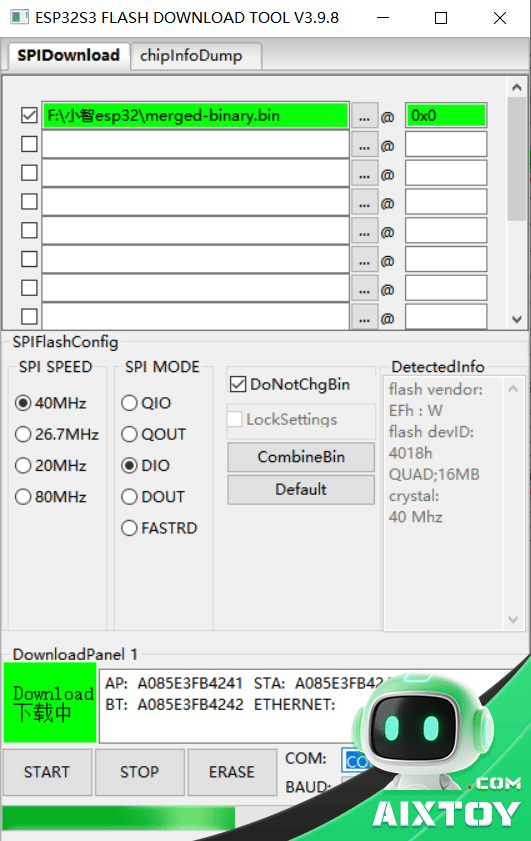
Flashing tool interface:

Step 2: Restart and Connect
After flashing, restart the ESP32 board. It will automatically broadcast a WiFi access point.
Step 3: Connect your phone to the WiFi network named “xiaozhi-xxxx” broadcast by the ESP32.
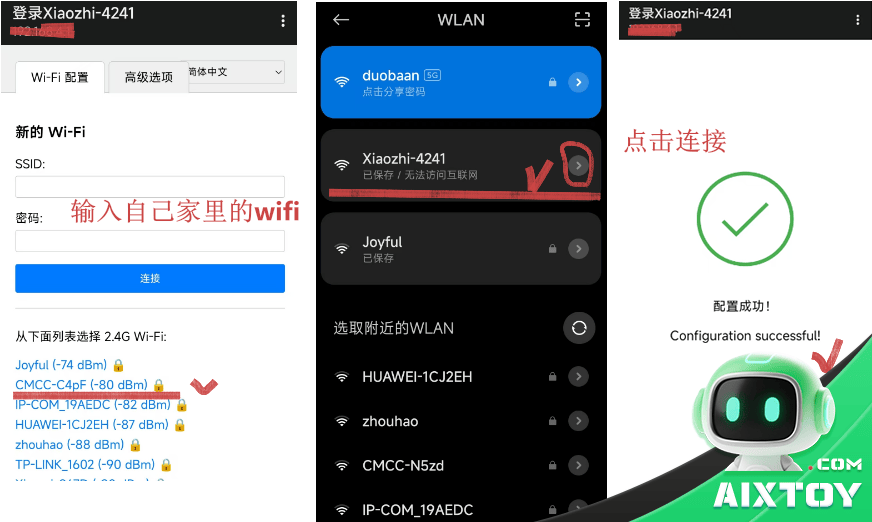
Step 4: Configure the agent. Open your phone browser to xiaozhi.me, add your device, and configure the DeepSeek AI agent parameters — including API key, model selection, and wake word settings.
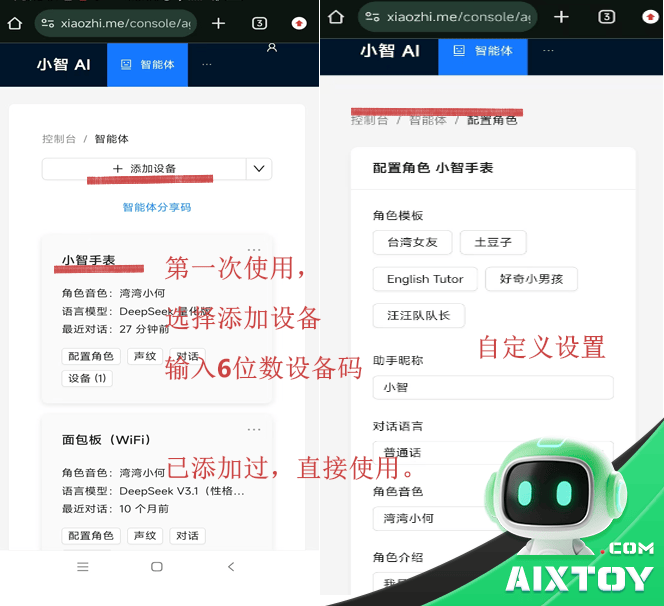
Step 5: Start talking. Press the volume-down button on the ESP32 to wake up Xiaozhi. The DeepSeek LLM processes your speech and responds in natural language — all through a device that fits on your wrist.
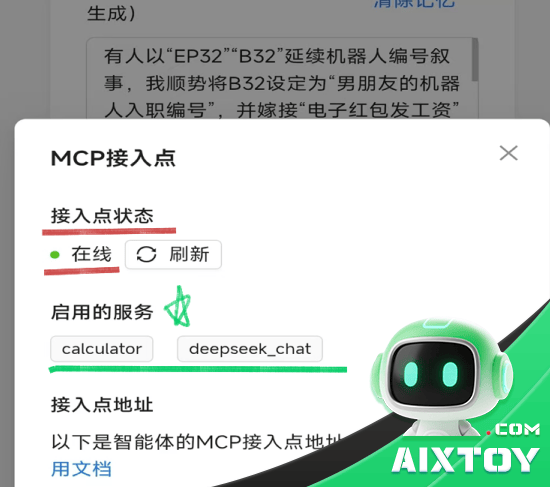
Extending with MCP Custom Modules
What makes this project truly powerful is its support for MCP (Model Context Protocol) custom modules. MCP allows servers to expose callable tools to language models, enabling the smartwatch to interact with external systems — querying databases, calling APIs, or performing calculations.
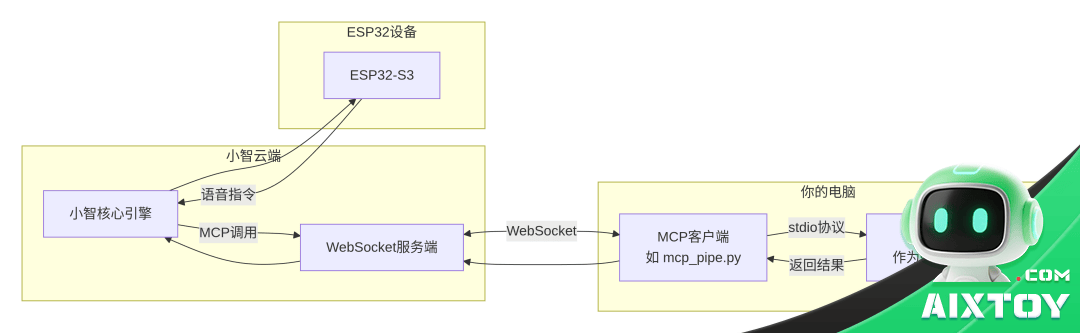
1. Enter your project directory and install the required Python libraries:
pip install -r requirements.txt
pip install websockets>=11.0.3
2. Set environment variables for your MCP endpoint (use set on Windows CMD or export on Linux).
3. Run the MCP pipe:
python mcp_pipe.py calculator.py
mcp_pipe.py handles WebSocket connections and process management. calculator.py implements the math calculation MCP tool. You will need a mcp_config.json file defining the server transport type (stdio/sse/http).
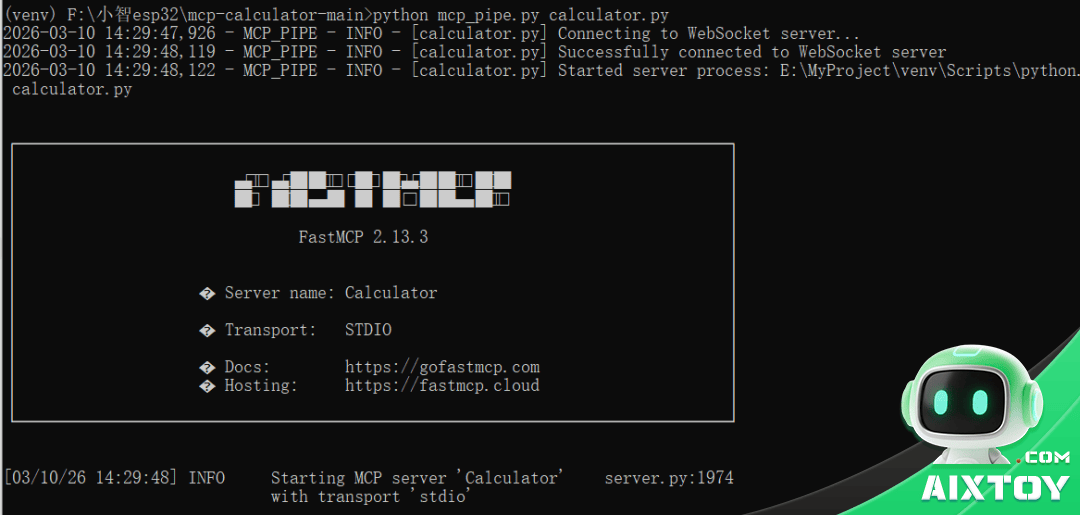
Important: Do not enable VPN during this process — it will cause handshake timeout on every connection attempt.

4. Refresh the page and verify the device shows as “Online.”
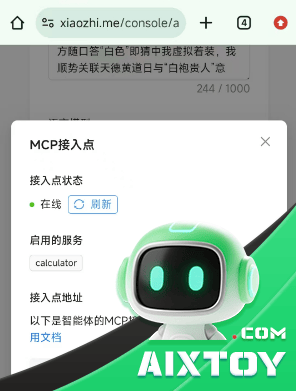
Use cases for MCP modules include: mathematical calculations, email operations, knowledge base search, remote device control, data processing, and custom tool integration — all accessible through voice commands on your wrist.
Tags:AI WearableAIXTOYDeepSeekDIY SmartwatchDIY TutorialESP32-S3Open SourceVoice Assistant