

No products added!
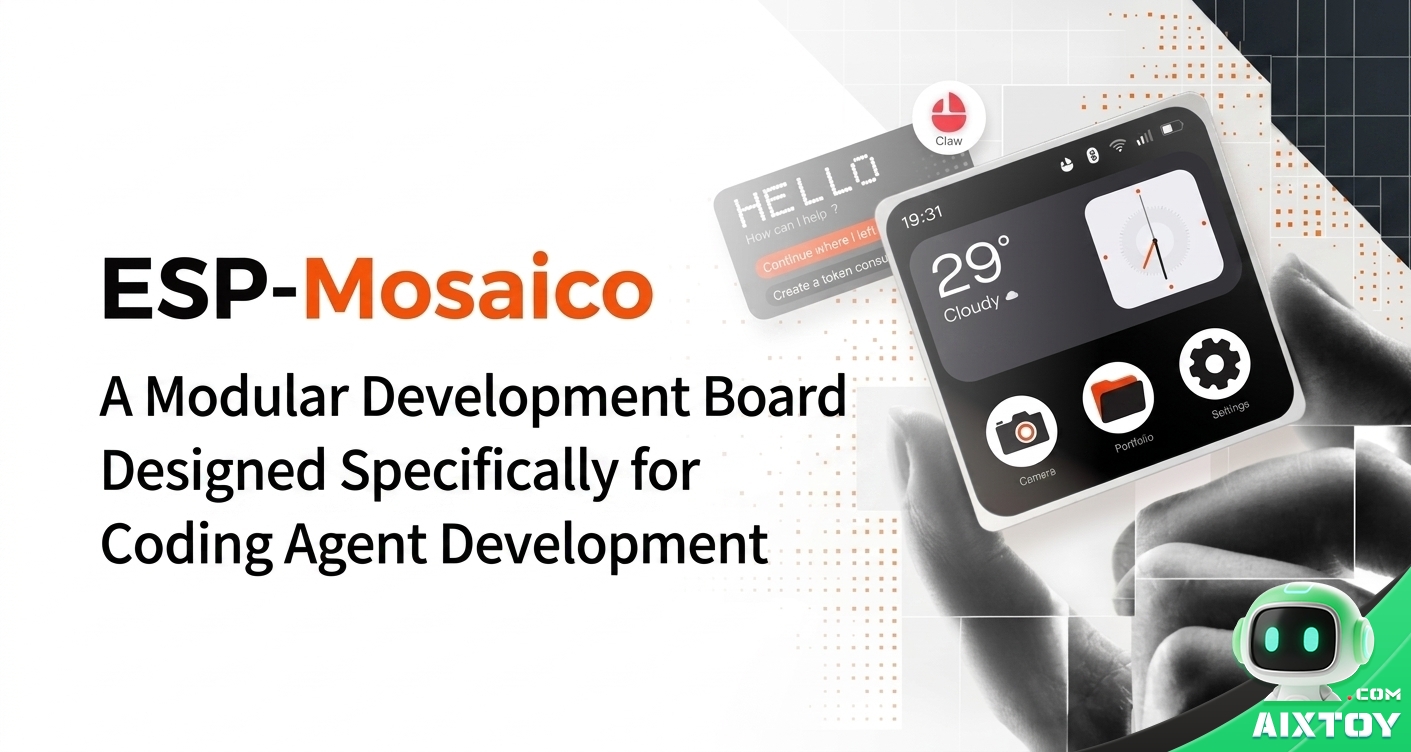
Software iterates in minutes. Hardware used to take weeks. That gap has defined hardware development for decades — and it is exactly what ESP-Mosaico, a modular development board built on the ESP32-S3, was designed to close. Whether you are an embedded developer, a maker, an educator, or a family exploring AI-assisted making, this board turns natural language into working hardware prototypes, with no toolchain setup required.
What Is ESP-Mosaico?
ESP-Mosaico is a modular development platform from Espressif (ESP32-S3 family), purpose-built for AI coding agents. Instead of locking you into a fixed board shape, it combines hardware capabilities on demand — snap on sensors, cameras, buttons, lights, or motors — while an AI agent drives the development loop from prototype to real-device deployment.
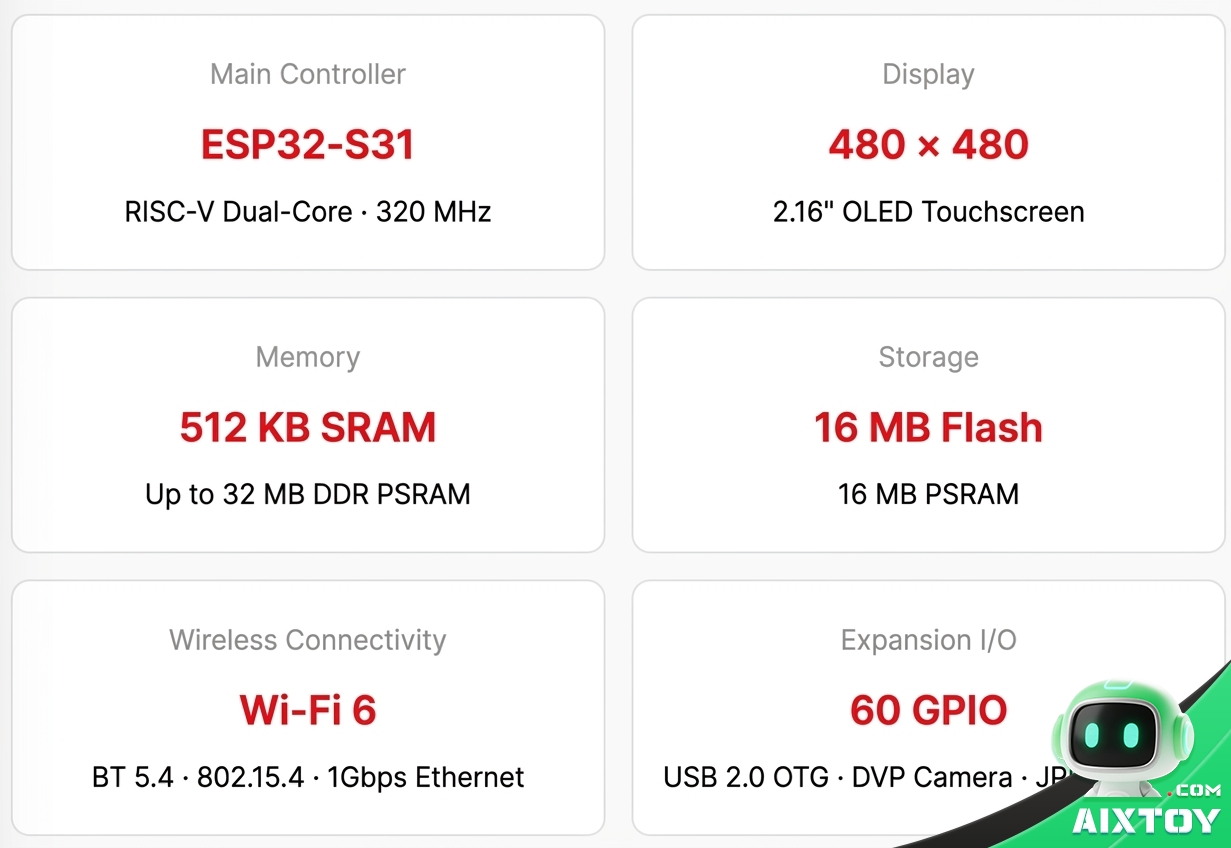
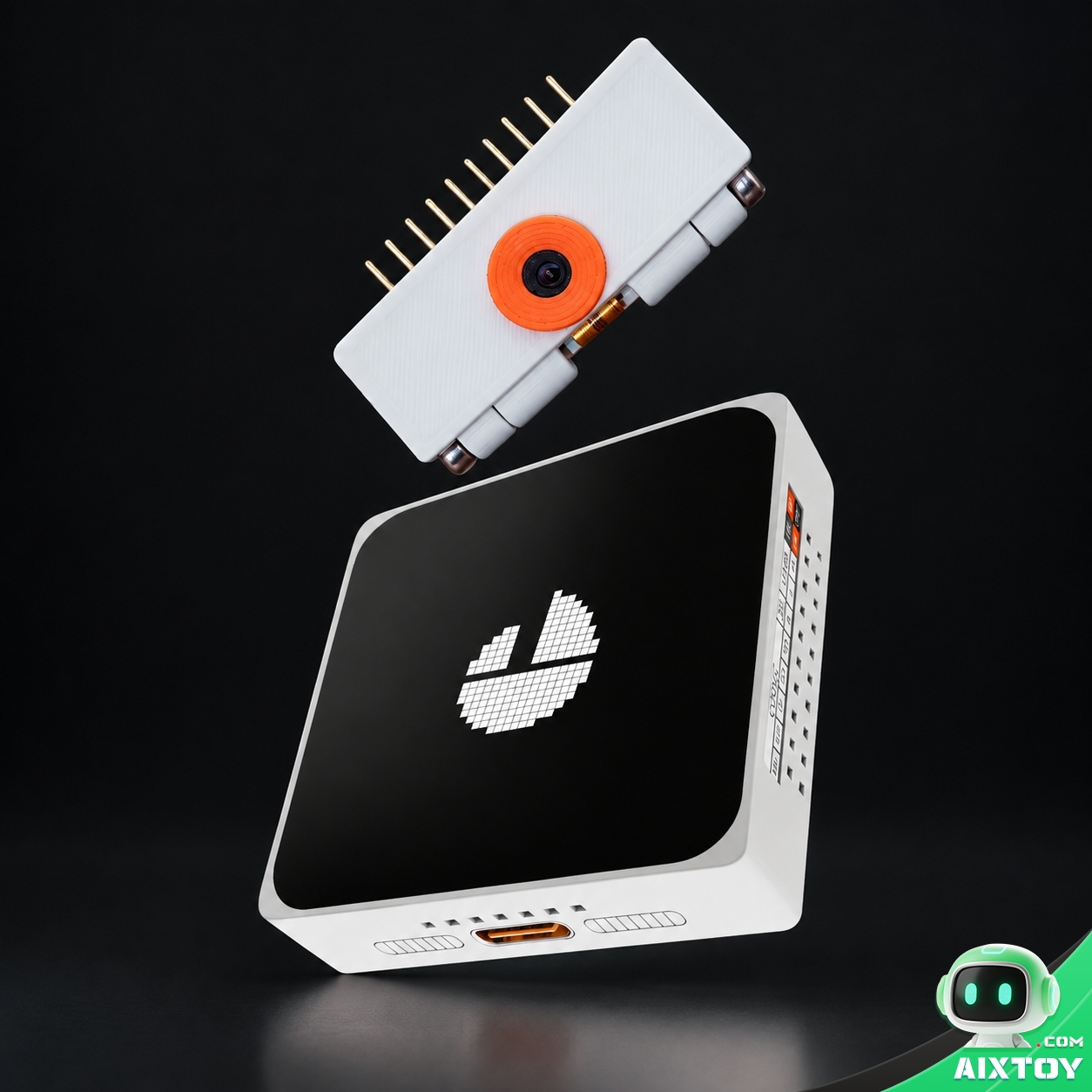
The kit ships with the core board (2.16-inch 480×480 AMOLED touchscreen, USB Type-C, buttons, 2×10P 2.54 mm headers, 4-pin pogo interface) plus an optional DVP camera module with front and rear modes.
Chat Coding and Vibe Coding: Two Ways to Create
Chat Coding — for first-time creators
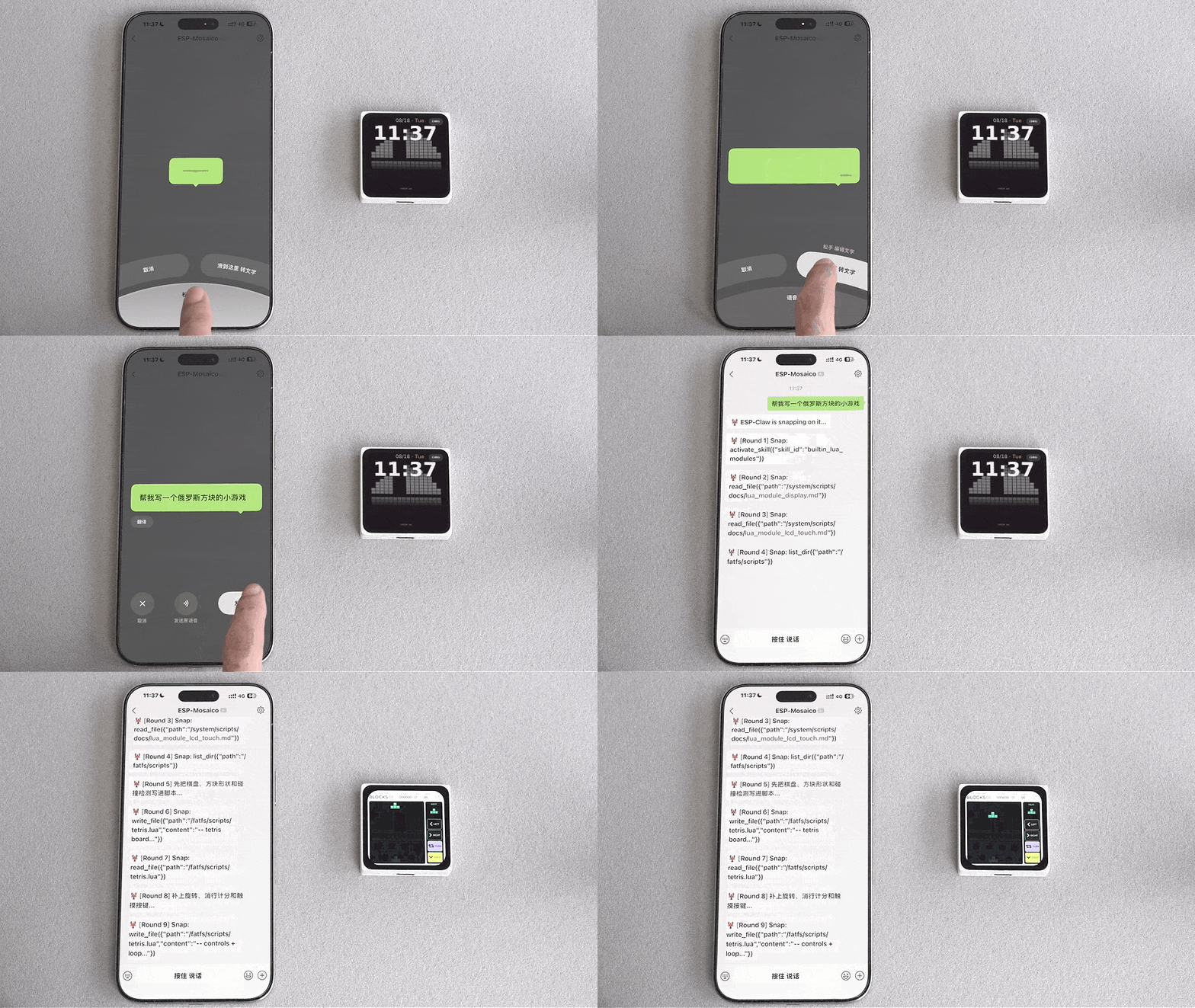
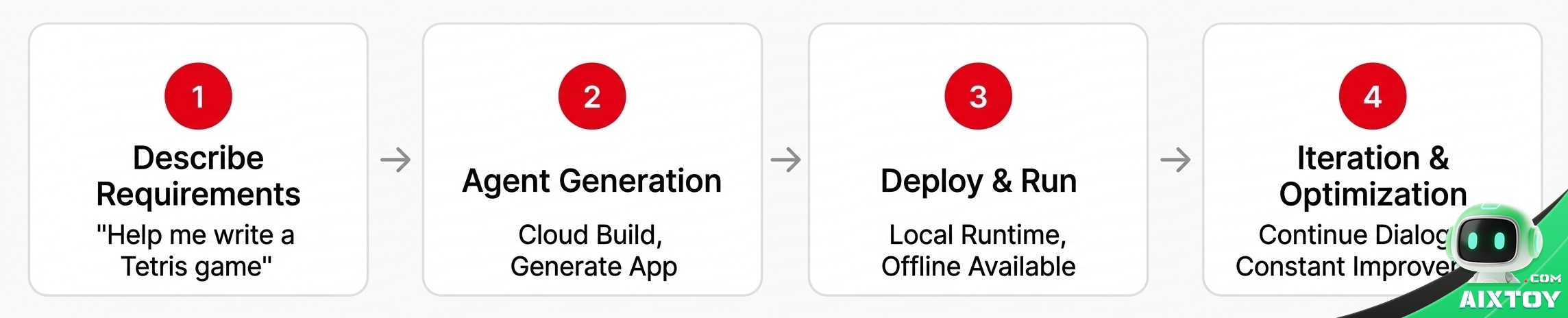
An onboard coding agent named ESP-Claw takes natural-language requests typed on the screen or sent via chat, then generates and deploys an application locally on the board. No development environment, no toolchain configuration. For example, tell ESP-Claw “write me a Tetris game” and it writes and runs a playable, key-controlled version on the device. Keep talking — “slow the blocks down,” “add a score counter,” “polish the UI” — and each request iterates the prototype.
Vibe Coding — for developers with a product goal
The agent plugs into the full loop of development, deployment, and real-device verification, iterating through modify code → build & deploy → run tests → read feedback → adjust until the goal is met. The developer defines the objective, safety boundaries, and acceptance criteria; the agent handles the rest.
ESP32-S3 Hardware at a Glance
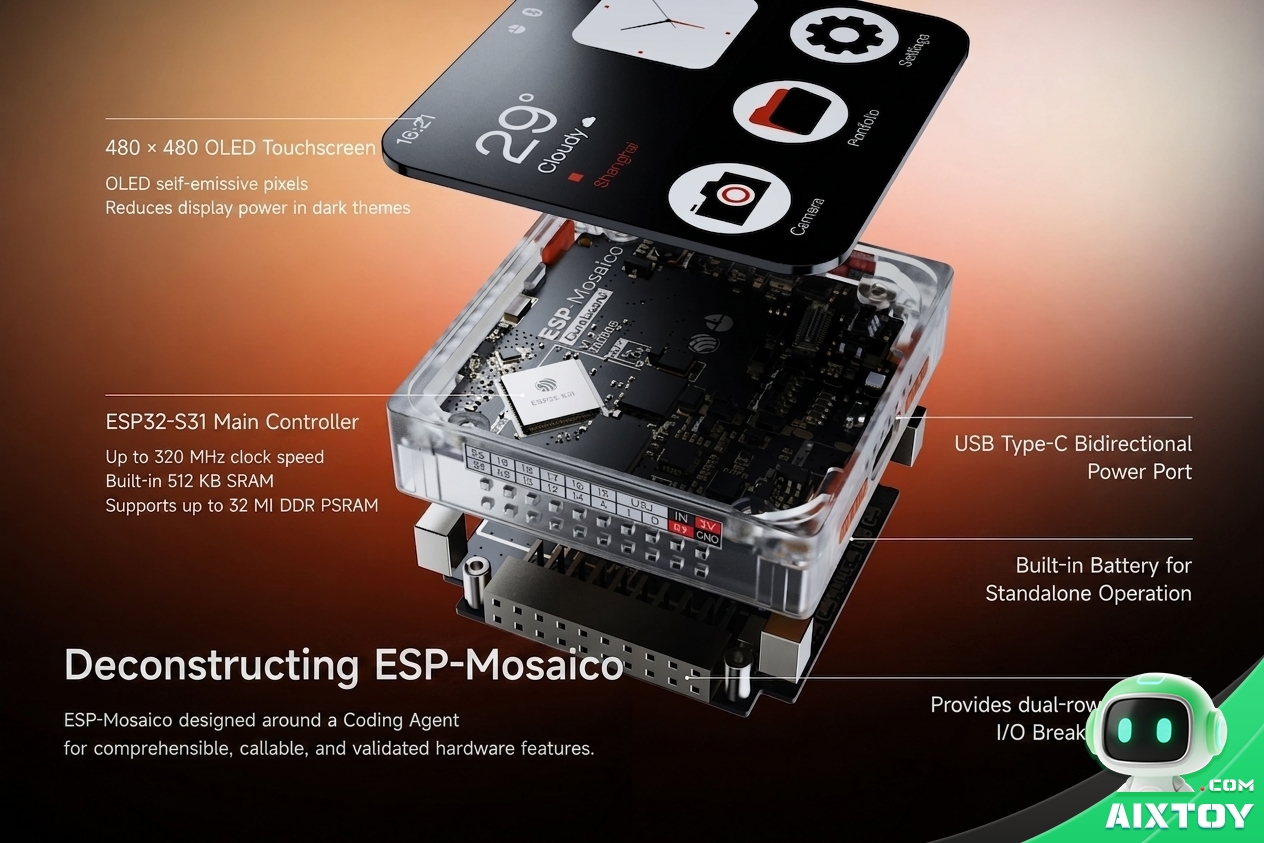
SoC: ESP32-S3 dual-core RISC-V up to 320 MHz · Display: 2.16-inch 480×480 AMOLED touchscreen (pixel self-emissive, lower power draw on dark UIs) · Memory: 512 KB SRAM, up to 32 MB DDR PSRAM, 16 MB Flash · Wireless: Wi-Fi 6, dual-mode Bluetooth 5.4, 802.15.4, 1 Gbps Ethernet, USB 2.0 high-speed OTG · Sensors & I/O: 6-axis IMU, magnetometer, microphone, speaker, vibration motor, 60 GPIO, DVP camera interface.
Modular Sensors: Plug In Instead of Wiring Up
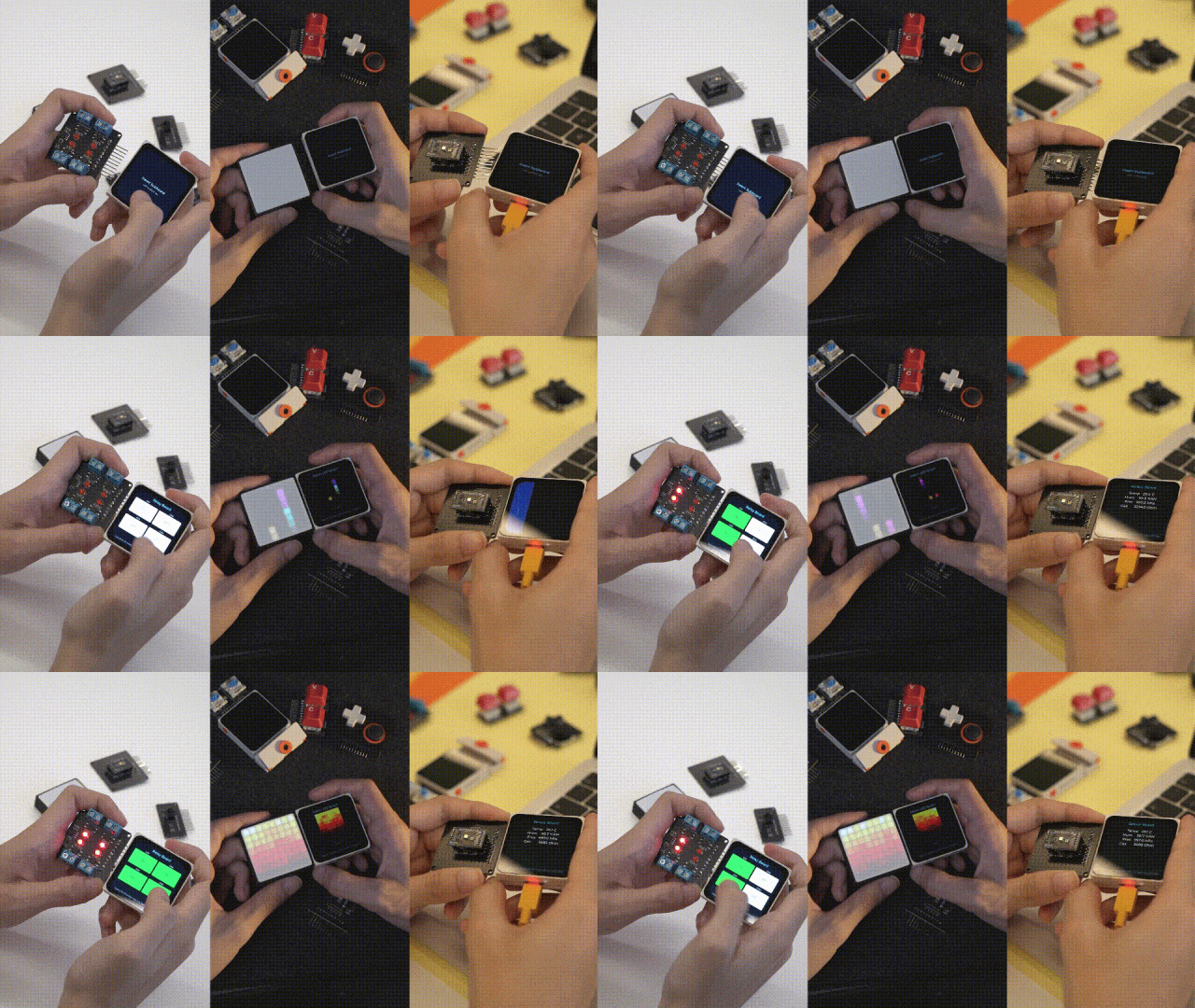
The defining design choice: camera, sensors, buttons, lights, and motors are packaged as combinable modules. Attach a supported module and the system auto-detects it and handles basic adaptation — no repeated wiring, no manual driver debugging. It collapses what used to be a days-long integration task into a single plug-in step.
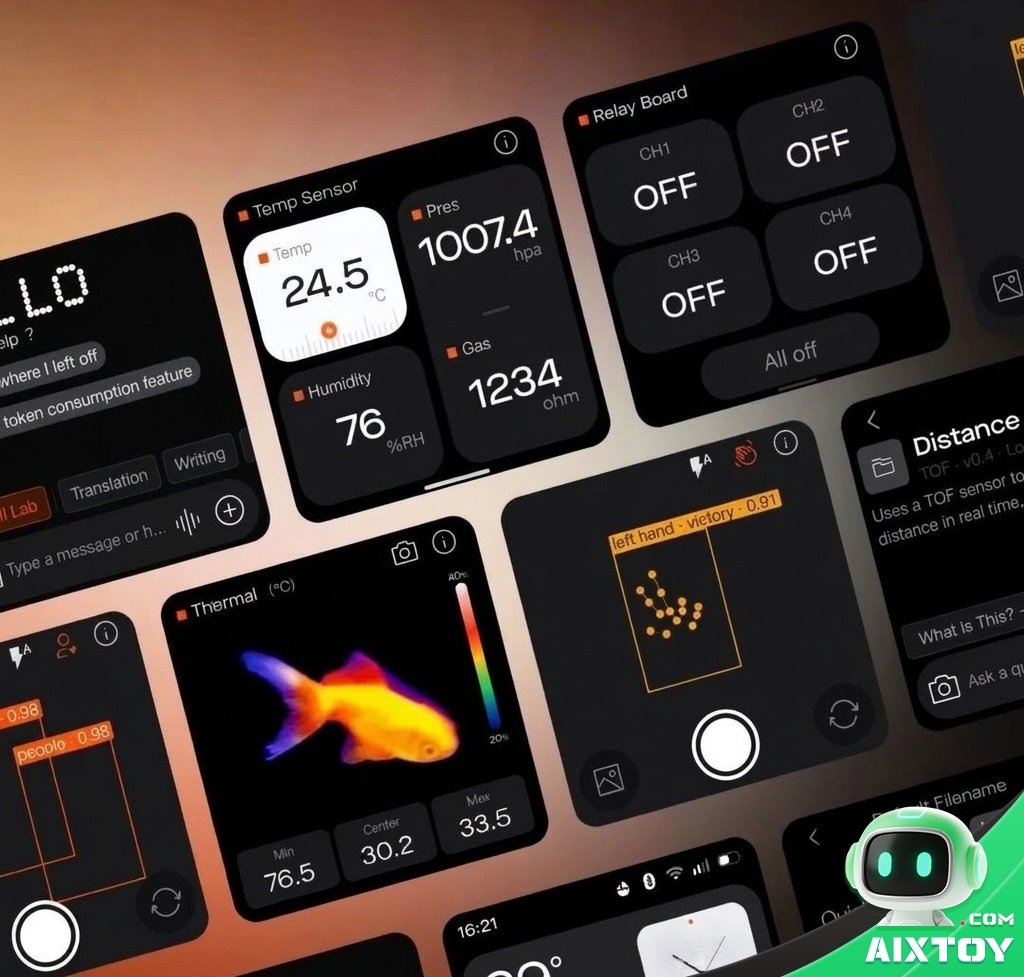
The included DVP camera module is a good example. It attaches through pin headers and can be flipped between front-facing and rear-facing modes — useful for face detection, gesture recognition, object tracking, and even thermal-style visualizations. Combined with the 60 GPIO header and pogo-pin interface, the board can grow from a simple desktop display to a vision-enabled edge device without changing the base board.
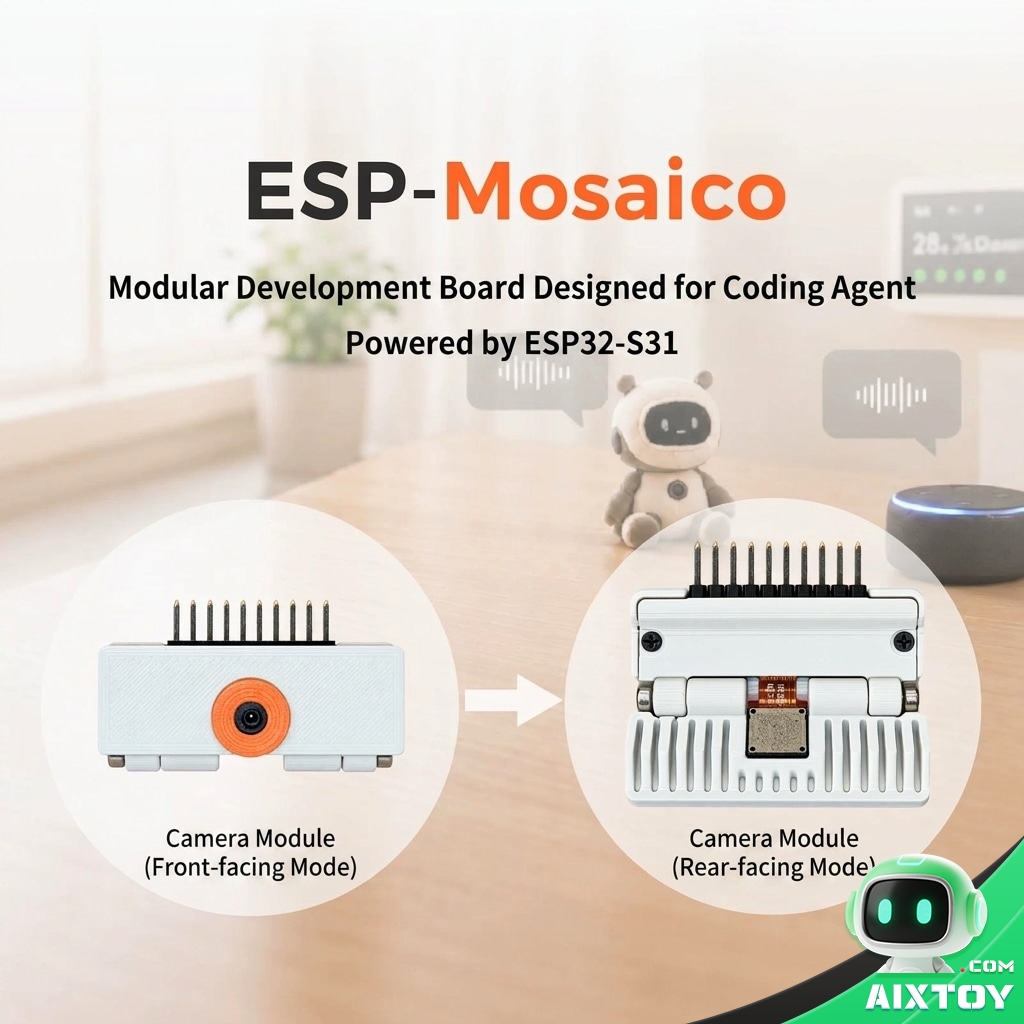
Out of the box, the kit includes the core development board and the camera module. The board itself carries a 6-axis IMU, magnetometer, microphone, speaker, and vibration motor — so even before you attach anything, it can detect motion and orientation, listen, speak, and give haptic feedback. For family projects, that means a desk companion that reacts to being picked up, a weather station that talks, or a sensor hub that flashes and vibrates on alerts.
Why a 2.16-Inch AMOLED Touchscreen?
Most development boards skip the display entirely or ship a small character LCD. ESP-Mosaico goes the other way: a 2.16-inch 480×480 AMOLED touchscreen. Because AMOLED pixels are self-emissive, dark-themed interfaces draw significantly less power — a real consideration for a board that may double as a desk clock, dashboard, or ambient display running for hours. The touch layer also makes the Chat Coding workflow practical: you can type a request directly on the board, no computer required.
The 480×480 resolution is enough for crisp icons, readable text, and simple charts. Combined with the agent workflow, the screen becomes the output device for live data — sensor readouts, weather, market dashboards, or the Tetris grid — which is far more motivating for beginners than staring at a serial monitor.
Multi-Unit Joining: Screens Beyond Borders
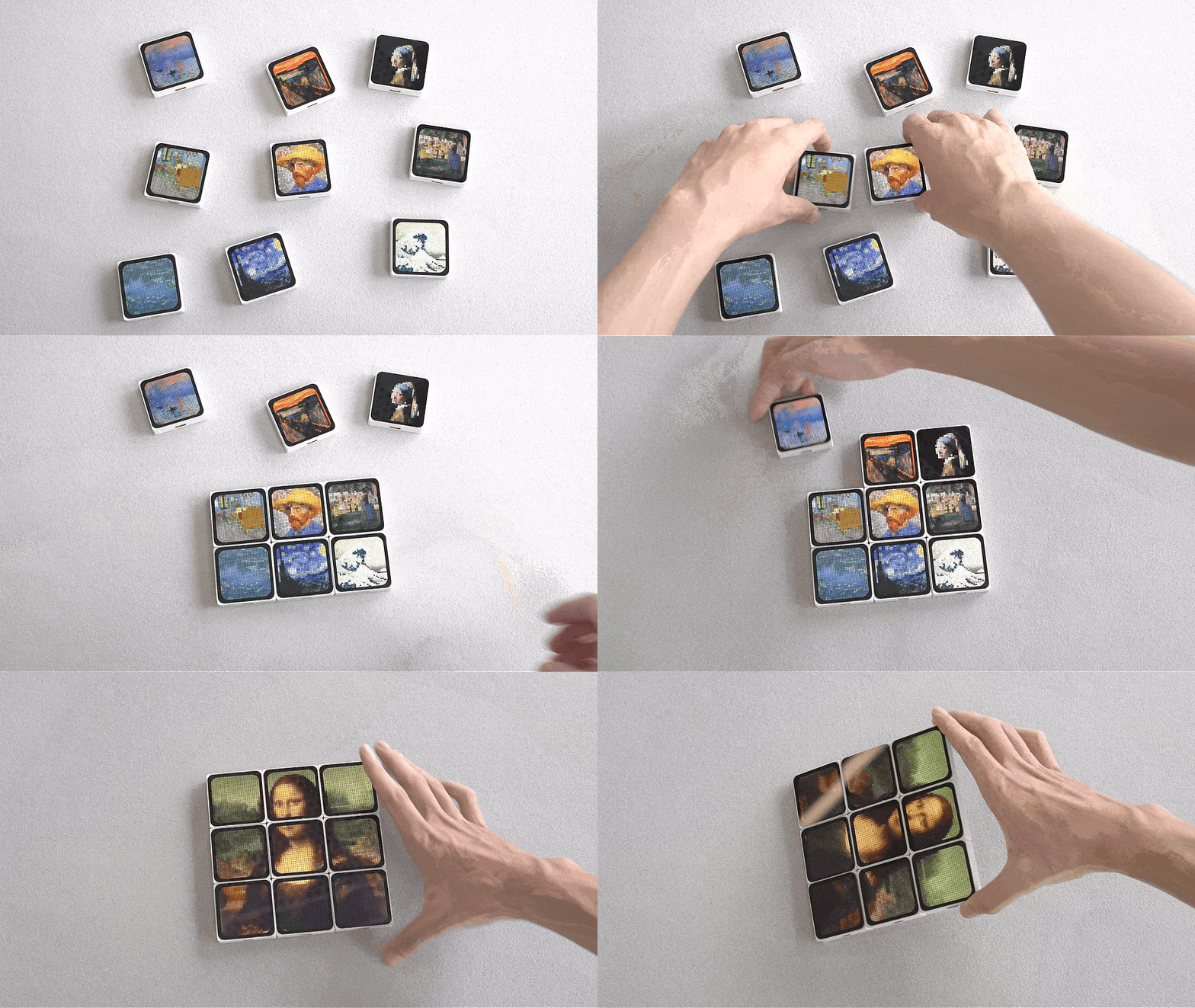
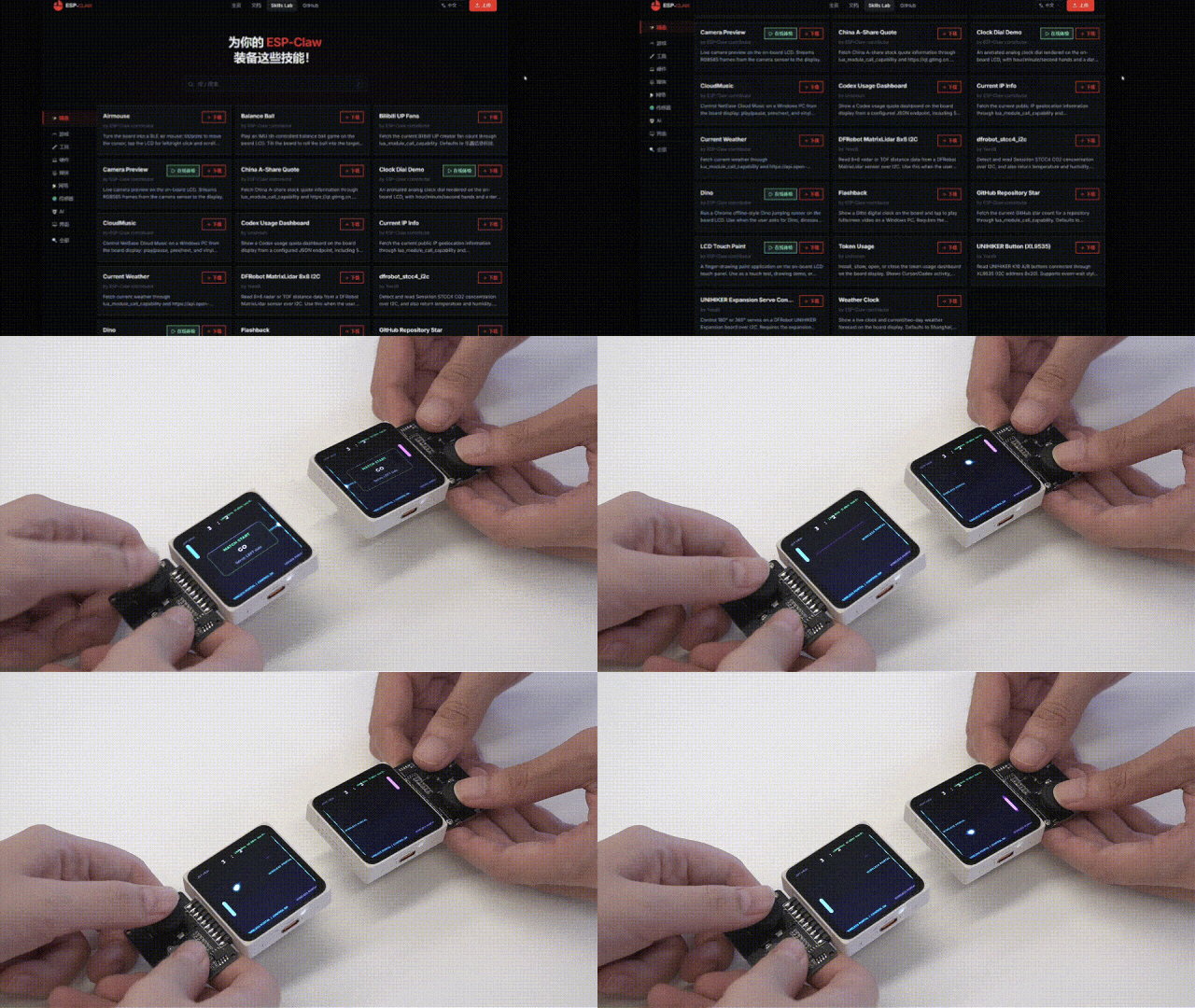
Multiple ESP-Mosaico hosts can be joined together. Units automatically recognize their neighbors and orientation, then sync application state wirelessly — so connecting, separating, and rearranging devices becomes part of the application itself. In the cross-screen game demo, different units render the character, the map, and the items. The same capability powers information dashboards and multi-screen monitoring setups.
Who Is ESP-Mosaico For?
Beginners and families
If you have never written a line of code, Chat Coding removes the traditional first hurdle: there is no IDE to install, no board driver to fight, no syntax error to debug before you see anything happen. You describe the idea; the agent builds a first version; you refine it conversationally. For a parent and child working together, the loop of “describe → see it run → change it” is a genuinely intuitive introduction to how software is made.
Embedded developers and makers
For experienced developers, Vibe Coding matters more. The agent handles the plumbing — build, flash, test, parse telemetry — while you stay in control of the architecture and acceptance criteria. The self-balancing car demo shows the ceiling: the agent tunes PID gains from real IMU feedback without human intervention, which is a reasonable preview of where hardware development is heading.
Educators and STEM programs
Classrooms get two things from ESP-Mosaico: a low-friction tool for introducing AI-assisted development, and a community Skills Lab where students can install, inspect, and remix real applications. Because Skills bundle Lua scripts and resources, an instructor can distribute a class project as a single shareable Skill instead of a folder of files that must be flashed one by one.
Skills Lab: Share and Remix Device Applications
ESP-Mosaico ships with Skills Lab, a community for sharing runnable device apps. A Skill bundles Lua scripts, static assets, and peripheral dependencies into a shareable package. Create an app with ESP-Claw, package it as a Skill, and upload it — or install a Skill someone else shared and run it immediately. Remixable Skills can be modified and extended on top of the original, creating a positive loop from personal creation to community sharing.
Existing Skills span cross-screen games, camera preview, weather clock, market dashboard, temperature & humidity monitoring, distance sensing, and self-balancing car tuning — from entertainment to tooling, sensing to control.
Agent-Led Real-Device Debugging
In Vibe Coding mode, the agent reads real-device feedback and keeps debugging itself. Take the self-balancing car example: the agent generates control code and deploys it; the device streams structured telemetry — IMU data, motor state, performance metrics — back to the agent, which analyzes the results, adjusts PID parameters, redeploys, and re-verifies. No human in the loop. The developer simply defines the goal and acceptance criteria.
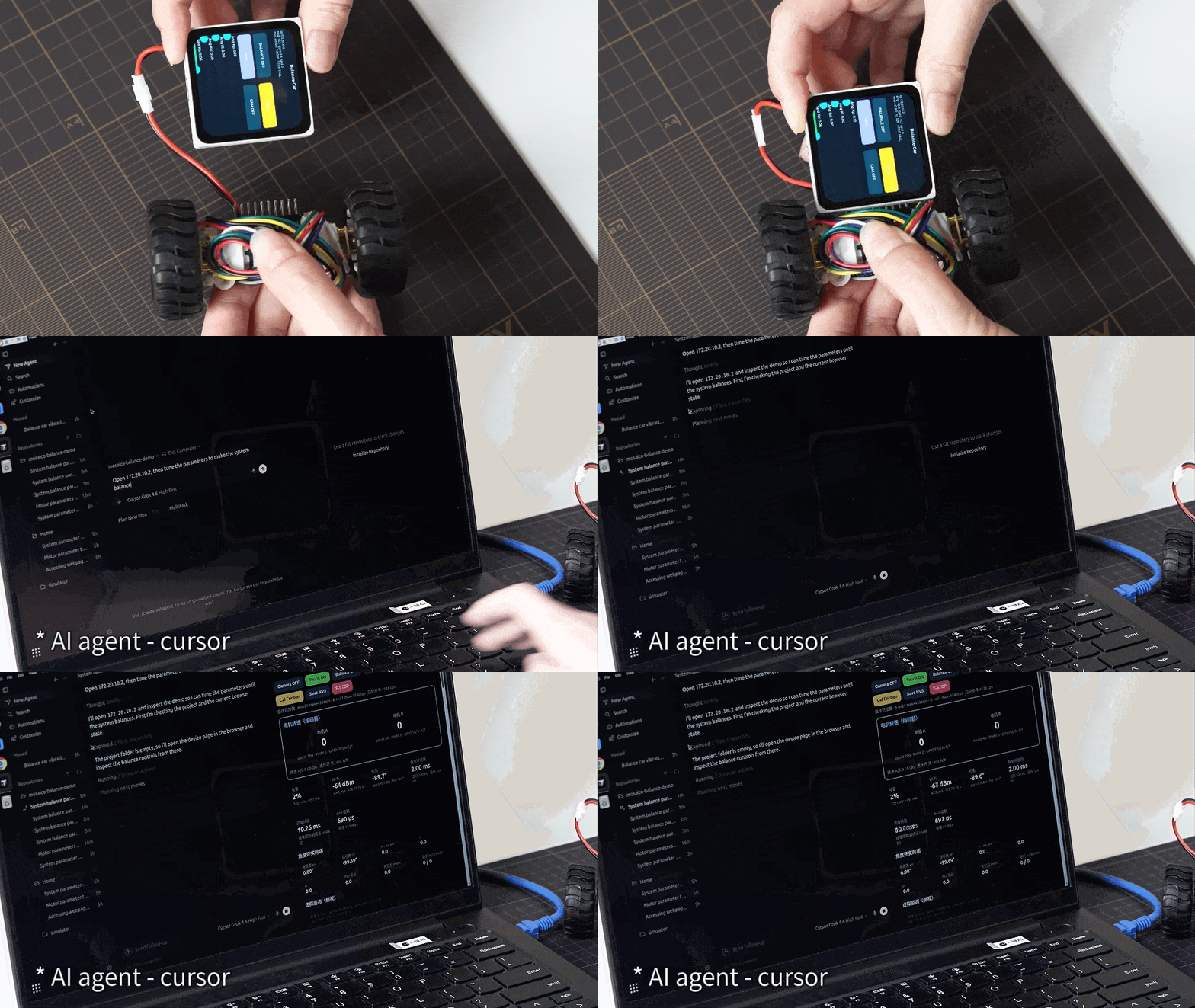
This is where ESP-Mosaico differs from a toy or a tutorial board: the agent does not stop at generating code. It observes how the code behaves on real hardware, adjusts parameters, and tries again. For control-loop projects — balancing robots, motor controllers, sensor fusion — that closes the iteration cycle in minutes instead of hours of manual tuning.
Why ESP-Mosaico Matters for Makers, Educators and Families
For makers, the barrier to hardware creation drops dramatically — the agent handles wiring, drivers, and iteration so you can focus on the idea. For educators and families, Chat Coding offers an approachable on-ramp: describe what you want in plain language, watch the agent build it on real hardware, then iterate together. It is a tangible way to understand how AI-assisted development actually works. Because everything runs on the ESP32-S3 with 60 GPIO and modular expansion, it grows with the learner — from a first guided project to serious embedded prototyping.
ESP32-S3 AI Dev Board — AMOLED Touchscreen & Camera
$139.99
ESP32-S3 dual-core 320 MHz modular dev board with 2.16″ AMOLED touchscreen, Wi-Fi 6 & Bluetooth 5.4, and optional DVP camera module — built for AI coding agents.
Practical Considerations Before You Buy
A few things worth knowing before ordering. The board is built around the ESP32-S3, which is a well-established dual-core RISC-V chip with broad community support — not an obscure one-off. The Official v1.2 kit from AIXTOY includes the core board with a 2.16-inch 480×480 AMOLED touchscreen, USB Type-C, buttons, 2×10P 2.54 mm headers, a 4-pin pogo interface, and the DVP camera module.
Connectivity is future-proof: Wi-Fi 6, dual-mode Bluetooth 5.4, 802.15.4 (Thread/Zigbee), 1 Gbps Ethernet, and USB 2.0 high-speed OTG cover everything from a smart-home node to a network-attached dashboard. If you plan to build multi-unit projects, keep in mind that units pair wirelessly and sync state automatically — you do not need to wire them together.
For shipping, handling, and support questions, check the shipping policy and returns policy. Like all AIXTOY products, this board ships with a warranty and access to our support team — reach us via the contact page or join the conversation through our affiliate program if you create content around ESP32 hardware.
Bottom Line
ESP-Mosaico attacks the real bottleneck in AI-assisted hardware creation: the gap between software that iterates in minutes and hardware that used to take weeks. With the ESP32-S3 at its core, a 2.16-inch AMOLED touchscreen, Wi-Fi 6 and Bluetooth 5.4, plug-and-play modular sensors, multi-unit joining, and a Skills community — plus Chat Coding for beginners and Vibe Coding for serious developers — it turns natural language into working hardware.
Interested in an ESP32-S3 development board for AI coding? Check the full specs and kit contents on the ESP-Mosaico product page at AIXTOY. For more hands-on AI hardware, browse our AI Builders & STEM Kits and Open-Source AI & Programmable Robots categories, or read our AI toy guides for build ideas. Questions? Contact us anytime.
Tags:AI DevelopmentESP32ESP32-S3Development BoardAMOLEDCamera ModuleIoTOpen SourceAIXTOY